🚀 Upgrade to the SSD that keeps you ahead of the curve!
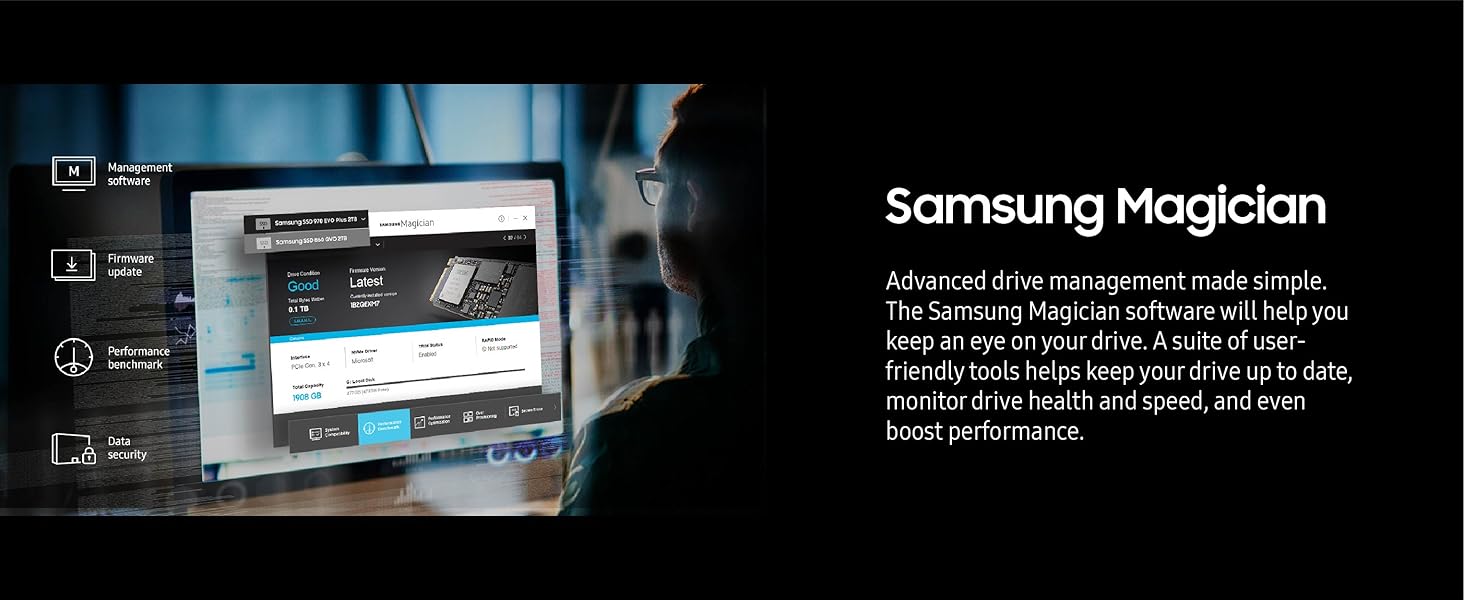
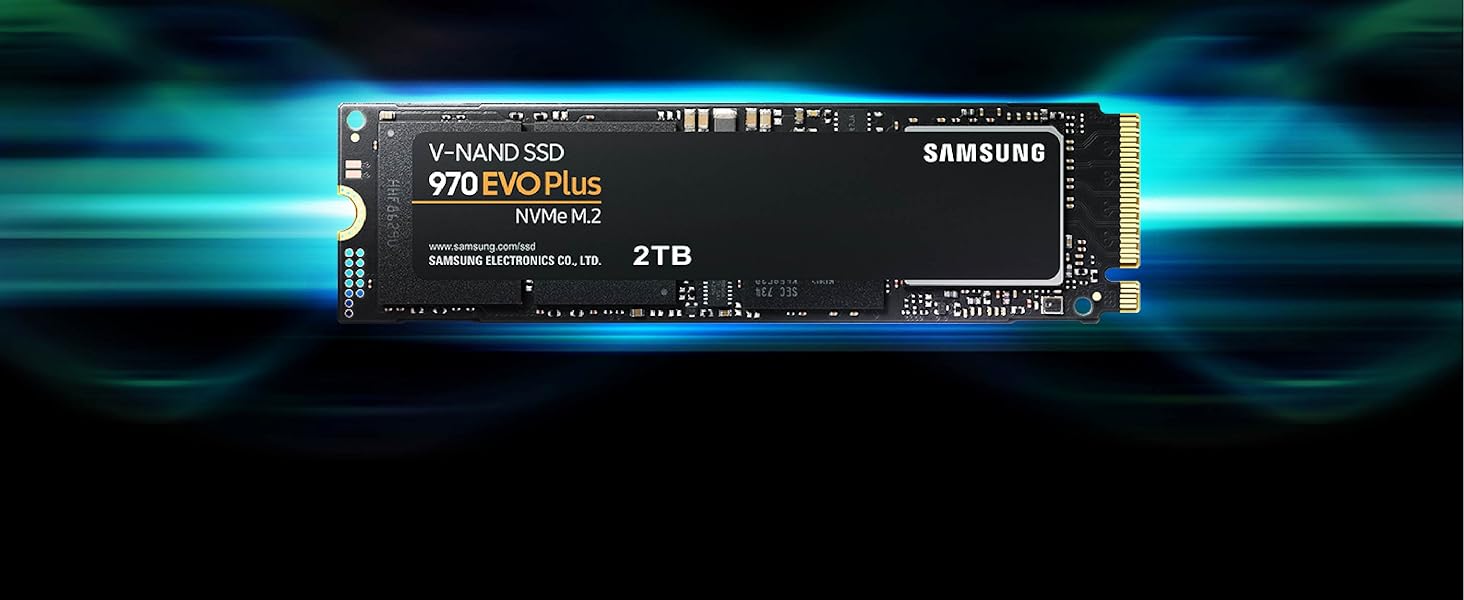
The SAMSUNG 970 EVO Plus 1TB NVMe M.2 SSD delivers industry-leading PCIe Gen 3.0 x4 speeds up to 3,500/3,300 MB/s, powered by advanced V-NAND technology. Designed for professionals and gamers, it features dynamic thermal control to maintain peak performance and comes with a 5-year warranty covering up to 600 TBW endurance. Backed by Samsung Magician software, it offers easy drive management and security, making it the ultimate storage upgrade for high-demand computing.


| ASIN | B07MFZY2F2 |
| Additional Features | Backward Compatible |
| Best Sellers Rank | #65 in Internal Solid State Drives |
| Brand | Samsung |
| Built-In Media | SSD |
| Cache Memory Installed Size | 1000 |
| Color | Black |
| Compatible Devices | Desktop |
| Connectivity Technology | NVMe |
| Customer Package Type | FFP |
| Customer Reviews | 4.8 out of 5 stars 60,361 Reviews |
| Data Transfer Rate | 1 Megabits Per Second |
| Digital Storage Capacity | 1 TB |
| Form Factor | M.2 (2280) |
| Global Trade Identification Number | 00887276303758 |
| Hard Disk Description | Solid State Hard Drive |
| Hard Disk Form Factor | 2.5 Inches |
| Hard Disk Interface | NVMe |
| Hard-Drive Size | 1 TB |
| Hardware Connectivity | PCI Express x4 |
| Installation Type | Internal Hard Drive |
| Item Dimensions L x W x Thickness | 3.15"L x 0.9"W x 0.87"Th |
| Item Height | 0.87 inches |
| Item Type Name | SSD |
| Item Weight | 0.02 Pounds |
| Manufacturer | Samsung |
| Media Speed | 3300 megabits_per_second |
| Model Name | SAMMZV7S1T0B |
| Model Number | MZ-V7S1T0B/AM |
| Number of Items | 1 |
| Read Speed | 3500 Megabytes Per Second |
| Special Feature | Backward Compatible |
| Specific Uses For Product | Gaming |
| UPC | 887276303758 |
| Unit Count | 1.0 Count |
| Warranty Description | 5 year manufacturer |
B**S
Rock solid drive and still a great choice
With Micron shifting hard toward AI, this might end up being one of the better price to performance options going forward, but we will see how things shake out. Either way, this drive has been great. It is fast, super reliable, and has given me zero issues. Installation was painless and it has been rock solid in daily use. Here is hoping supply and pricing stabilize, because this is still an easy drive to recommend.
T**S
Excellent SSD Upgrade
Purchased the Samsung 970 EVO Plus SSD 2TB NVMe M.2 for my mid 2015 MacBook Pro (Excellent computers that many people still use and love). For some time Apple played evil by not permitting SSD upgrade other than from one company, which made prices expensive. I used a Sintech adapted (about $12) for the installation. Installation was very easy. It is quite fast and works very well. I am very happy. Installation/Migration recommendations: First, check out the Apple Support Boot to Recovery Options. There are a few way to reload or migrate files after purchasing the SSD upgrade. 1) Not recommended. Cloning the SD with specific cloning apps. I do not recommend. Too much hassle. 2) Mot recommended. Attempting to use an external USB enclosure for the new SSD and using the migration process through Disk tools (reboot to recovery). You will need to format the SSD, load system, and then start migration. Unfortunately, the disk or enclosure will likely not be recognized. You may very well get frustrated. 3) Best method. Create and use and external USB Boot drive. It will take a bit to load the files on the the USB thumb drive, but it is very worth it. This process will work. Make sure you do a little homework on how to make a boot drive and for migration. Then shut down the computer and install the new adapter with the Samsung SSD "internally." Then restart with the external Boot Drive that you just made, and make you way to Disk tools (pretty clear cut). The drive will now appear. Format the SSD and load system. You can now migrate files using either the Time Machine back-up that you should have made, or place the new SSD in the external enclosure and use the Migration tool. I chose to remove the SSD, place it in my external USB/SSD enclosure, and then use the Migration tool. To do that I restarted in Recover Mode (Not the external boot drive) again made my way to Migration. It took a while to migrate all of the data (over night for 900 GB) but it worked very well. You will need to log in to a few apps. You may also need to take care of any cloud services that will re-sync. DropBox may to a a bit of attention. I did not include all of the steps. Do a bit of homework. It is not that hard. But follow the steps. * Be patient and do the migration right. This SSD is very good and will work.
J**E
5/5 great SSD at an even greater price point(buy m.2 SSD screw install kit)
This was my first time upgrading and installing an M.2 drive. It’s an incredible drive for an incredible price. Did about a days worth of research, found 3 or 4 that I liked, and landed on this one. Glad I did. Everyone knows the EVO lineup has always been good and a contender, this one doesn’t disappoint. I went from benchmarking about 300-400mbps r/w speeds to a whopping 3350 read and around 2600 mbps write speeds. Loading screens cut in half or better, 4K textures in games load in insanely fast, it’s incredible. I have read that the 250gb version of this SSD has its write speeds limited by a fairly large amount, however. Samsung magician is a neat little app that does work on a lot of non Samsung drives, and it allows to benchmark and compare your drives. As well as doing a little optimization for them. The drive itself is super easy to install, and most motherboards nowadays don’t require you to mess with any settings in your bios to allow the drive to work. If you find yourself booting up windows after installing the drive and you don’t see it in your drive list, don’t fret. Windows won’t recognize your new spiffy drive until you format it, which can be done easily through searching “partition” in your search bar, click “create and format hard disk partitions”, if you’ve just installed a new drive, the following screen will prompt you about your new drive. Right click the box that has your SSD size and says “unallocated” and choose new simple volume, leave the next screen with max and simple volume the same amount(you shouldn’t have to change anything) then next screen choose a new drive letter, you can choose any that are available, next page file type should be NTFS by default, default allocation size, and check perform quick format. You can change the “new volume” to anything you want, as that will be the name of your new drive. Hit next, finish, and boom your new drive will now show up in your file explorer and you can start installing! If you’re looking for an upgrade from a older SSD, and your motherboard has a slot for an M.2 NVMe drive, this is a no brained. It’s also almost as easy to install as a stick of ram, aside from having to lock in with a screw. Oh, yeah so this product doesn’t come with any screws or standoffs to be able to lock it in. You can buy a basic generic “M.2 SSD screw installation kit” for $5 -$6. Comes with like 4 screws, 4 stand-offs, and a tiny little screw driver made just for this. So please don’t forget to pick one up if you don’t have any, cause it’s a sad feeling when you crack open your case and insert the drive only to realize you gotta wait for another delivery or go drive somewhere to find one. Overall 5/5 stars easy and one of the best investments I can recommend.
K**L
Blazing Fast NVMe Drive – Perfect as Extra Cache
The Samsung 970 EVO Plus 500GB NVMe SSD (MZ-V7S500B/AM) has been an excellent upgrade for my system. I use it as extra cache with PrimoCache, and the performance difference is night and day. Transferring large files is effortless — I can move 20GB files between drives in under 30 seconds, which is seriously impressive. The drive is powered by V-NAND technology and a solid NVMe interface, which ensures top-tier speed and reliability. Installation was simple, and Samsung’s Magician software makes it easy to monitor drive health and update firmware. Even under heavy workloads, it stays cool and stable. ✅ Pros: Blazing fast NVMe speeds for file transfers and caching Works seamlessly as PrimoCache storage 500GB capacity is perfect for system cache or high-speed storage Backed by Samsung reliability and software support Consistently stable and cool under load ❌ Cons: 500GB fills up quickly if used as a primary storage drive Pricier than SATA SSDs (but the speed is unmatched) 💡 Tips: Perfect for cache acceleration with tools like PrimoCache. Pair it with a larger HDD to balance capacity and speed. Update firmware via Samsung Magician for best performance. Make sure your motherboard supports NVMe M.2 before buying. Bottom Line: The Samsung 970 EVO Plus 500GB is a lightning-fast, reliable NVMe SSD that excels as a caching drive or high-speed storage solution. For anyone working with large files, gaming, or boosting system responsiveness, this drive is a rock-solid investment.
Q**.
The Unkillable King of PCIe 3.0
The Samsung 970 EVO Plus 2TB remains the undisputed champion of the PCIe 3.0 era, striking a near-perfect balance between price, performance, and rock-solid reliability that few modern drives can match. While it technically lags behind the newer, flashier Gen 4 drives like the 980 Pro in raw synthetic benchmarks, you would be hard-pressed to notice the difference in real-world tasks like gaming or booting Windows; it still feels snappy and responsive. Its write speeds are impressive, fueled by a generous SLC cache that handles bursty workloads with ease, though heavy power users moving hundreds of gigabytes at once might notice a slowdown if they exhaust it. The only real chink in its armor is its tendency to run toasty under load, so ensuring you have decent airflow or a motherboard heatsink is a smart move to prevent thermal throttling. Ultimately, if you don't have a Gen 4 compatible motherboard or simply want the most reliable "bang for your buck" storage upgrade without paying the "latest and greatest" tax, this drive is still an outstanding choice.
D**E
As expected: 100% Performance, 0% Headaches
This drive delivers exactly what Samsung is known for: 100% reliability and top-tier performance. Zero issues during installation or use. Migrating my old system drive with Samsung Data Migration tool, was incredibly easy and fast; it handled the OS clone flawlessly without a single error. If you want a high-performance NVMe that "just works" out of the box, this is it.
C**Y
Very impressive upgrade from SSD
Been running a 500G 860 Evo SSD on a Asus Z97M+, which is probably the last S/ATA based drive I'll buy after witnessing what nVME M.2 is capable of and the capacities growing at a decent pace now; Perhaps even no more spindle drives in a case. The move from RAID'ing WD Raptors to a 60G OCZ Apex 10 years ago was a great leap in making a PC feel all around snappy and responsive, but this thing feels like everything is instant. I kept the 860 in the rebuild since that was my old Win7 boot drive and manually migrated some stuff over to this drive. This also allowed an apples-to-apples benchmark on the same machine which I've included, for some reason, with this review. Pretty much matches what the others have posted as well but I really wish I had a 1TB S/ATA based SSD to be fully comparable, but I'm seeing 500G and 1TB are within small percentages of delta. Oh, and I goofed on the 1st picture's labeling. The one on the right is NOT a 960 evo and is the 860 I'm mentioning here. But take it for what it's worth, the numbers aren't lying when used to compare products in the same machine even if they are synthetic. I can't comment on temperature issues, or if they exist or not. I simply heard the older SSD bus based m.2's would get uncomfortably warm so I got a heatsink just because it's easier to be proactive out of the gate then doing it later and tearing stuff out. I pulled the stickers off for this HS install and can verify that the rear has a copper strip under the sticker to do some HS duties and the front is nothing but a sticker (no copper strip) which I think would be fine. It's currently reporting 55C to hardwareinfo with the sink and with a proprietary SSD app that just moves files for hours on end, the highest it got was 64C with the heat sink. Up to you whether you get a sink or not for this specific drive. Now one thing I can't nail down is why games don't load faster. There's a lot of variables to dig through, but I'm tossing a dart at the games themselves are already matured as much as they can with load speeds, and then what they grab off the internet to validate the games and our status is entirely up to our connections and ISP's, not drive speeds. I love it, but why 4 stars? Nothing is perfect and 5 stars are sales pitches. There's admitted flaws with this chip tech which are not seen yet by me, the user. There's that consideration that you read this for advice and I really think most users will NOT see any difference from this very good drive from a run of the mill S/ATA based drive that already feels snappy; You see that in the Q1T1 results posted. I like this direction and I assume yields are there for 2TB and beyond this year (2019), but I also feel S/ATA based is more affordable for spindle replacement of storing stagnant files that never called for speed (all media & Documents storage). If you move big files around , this thing matters. If you just use a computer like a normal person, It's still a tad pricey. Western Digital has a Black drive that doesn't compete in the same level, but with two slots on new computers I see this as the %root% and a black 4TB eventually being the way to go. Just saying, you may not need this...but it is fast and that "why not get the fastest" ponder. Between Samsung and Western Digital, if I could get 6TB of storage and never have an HDD slot in my case filled and under $400...I'm in. Oh, software is hit and miss. It's Samsung and HAS to see a Samsung controller. It's worked perfectly from a 250G to 500G drive. I used it on the laptop before and it was perfect Samsung spindle to Samsung, but a juggling act for the Samsung 250G to Intel then onto Samsung 500G. Those conditions exist for smooth transitions, but the software just blinks at you if it's not Samsung. There's free alternatives out there that do the same thing, and even better if you pay a small amount. Samsung has to grasp that AOMEI exists and will do it no matter the branding.
M**N
The best storage on the market!!
Just finished my first PC build and couldn't be happier Build Sheet will also be a review (same review posted on each item for simplicity Case: NZXT H5 Elite The case has a wonderful design that is elegant and sleek the air flow is amazing considering the size. This case comes with X2 140MM RGB DUO NZXT Fans and an RGB Controller, over all 5/5 zero issues. ( This was not purchased on Amazon but as an open box at Best Buy (saved 45 bucks) PSU: Cosair 750w modular Honestly not much to say Cosair makes great products and this fits that bill!! All the wires you could possibly need for a 750w system, definitely has great vaule and looks 5/5 MOBO: GIGABYTE X670E It can be difficult these days to find a white motherboard, but the X670E definitely fits the bill. The board looks great and the built in RGB next to the panel connectors is awesome. This board has 4 NVMe slots Which is great for heavy storage of either games or other files. The GPU Pcie slot is also reinforced to help reduce some of the bigger 40 graphics cards from sagging. Definitely would recommend 5/5 CPU: AMD Ryzen 7700x Overall, a great CPU not really much to say it's a 16 thread 8 core CPU that pairs very well with the 4070 T.I.Super The AM5 design ensures that support for this specific CPU will be around for a while. Some people say the CPU gets hot on under load. I have yet to see any instances of that. 5/5 GPU: Aero OC 4070 Ti Super (16GB) The look and design of this GPU fits my build exactly the way I wanted it to the little R. G. B sign that's on the front of the graphics card. It's a nice touch. This is the OC Addition, which is unlocked from factory to enable overclocking, but with the 16 GB of V.Ram that's on this graphics card with it being the T.I super. overclocking is not required for games Just quite yet, maybe in the future It will but that's what I bought this so I'm semi future proof. 5/5 Ram: T Force RGB DDR5 6000mhz (32GB) Again, sort of like my CPU not really much to say here. The R GB is controllable through the gigabyte control app. Once you set up your p, c, so you could set any custom color and sort of wave pattern that you like. DDR 5 is definitely the way to go nowadays. With the increase speed that you can get on larger sets of Ram. These Ram sticks have a really nice. Metal shell casing on it, which also acts as a heat dissipator which is really great because these chips can get a little hotter at the higher speeds but overall no issues and the RGB looks great 5/5 CPU Cooler: Noctua DH15 Not much to say here.This is the best air cool.Ed around to market the rise in 7700X CPU Runs a little hotter than most other Amd Chipsets but this cooler has zero issues keeping it under control 5/5 Secondary Display: WOWNOVA 5" Computer Display I was entirely impressed with the design look and feel of this 5 inches display .It comes preloaded with presets that you're able to customize to your liking and you can upload your own as well!!. This is a very nice aesthetic touch inside the computer and also allows you to keep track of whatever information you're looking to keep track of as where it comes to the system functions of your pc Storage: Samsung 970 Pro (500GB) (STRICTLY FOR OS) Storage: Samsung 980 Pro (2TB) Game Storage This is pretty self-explanatory and the NVME storage or PC i.e. Gen. 5 storage is some of the best way to store games and run operating systems from .All other storage forms are a thing that have passed.This is going to get you the max performance when it comes to storing or running your OS 2TB bought at best buy Fans that came with case: X2 140MM NZXT DUO RGB X1 120MM NZXT Toliet Fan These fans came with the NZXt H5 elite.I've had 0 issues with them.Their great fans That NZXT makes a great product to keep positive airflow Fans Purchased : X4 120 MM NZXT DUO RGB I purchased all 4 of these on Amazon as open boxes as these specific fans are not in stock with NZXT currently, the open box was in very good shape and the fans have been functioning with 0 issues very impressed with the open box item I received this time. The RGB on these fans are absolutely amazing. One thing I will note though is NZXTs RGB controllers only control 3 fans per controller. So for every 3 fans that you have in your case, you will need an additional controller. TOTAL COST $2348 Bench Marks MW3 Max settings Consistent 160 to 180 FPS @1440P SPIDER MAN REMASTERED/ God Of War Ultra/Max Settings Consistent 130 FPS@1440p
ترست بايلوت
منذ 3 أيام
منذ شهر