🚀 Upgrade to the SSD that professionals swear by — speed, security, and stamina in one sleek package!
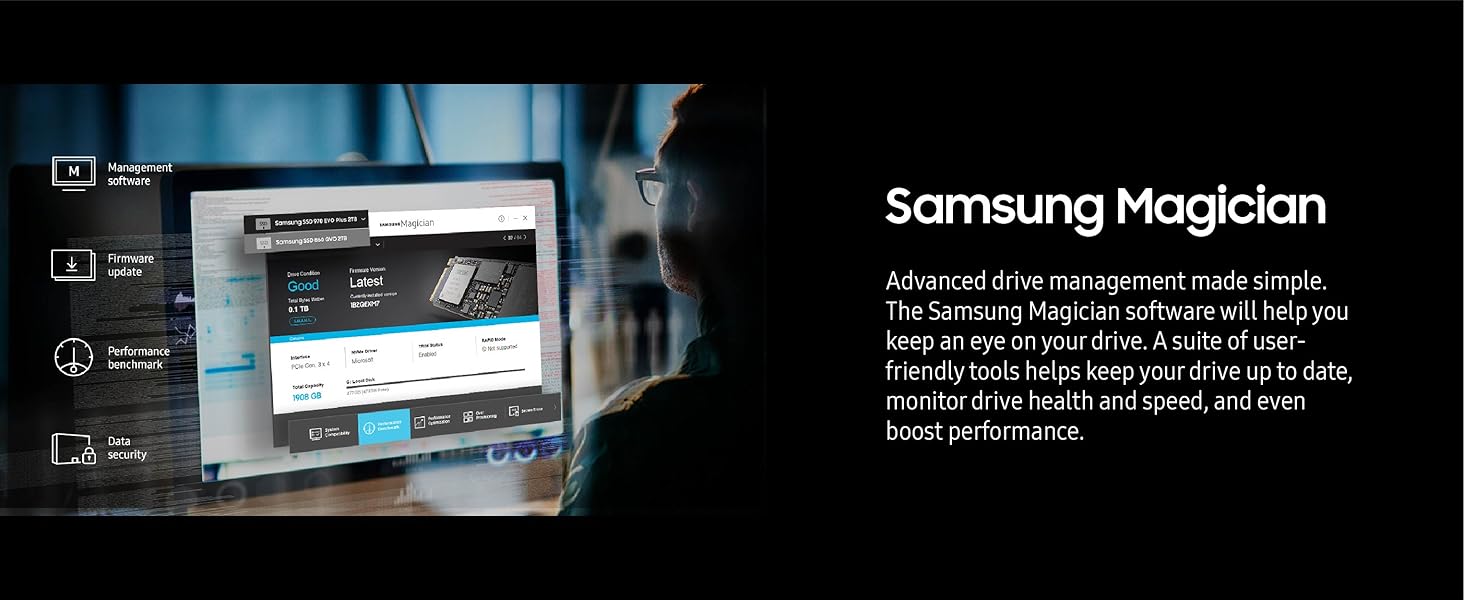
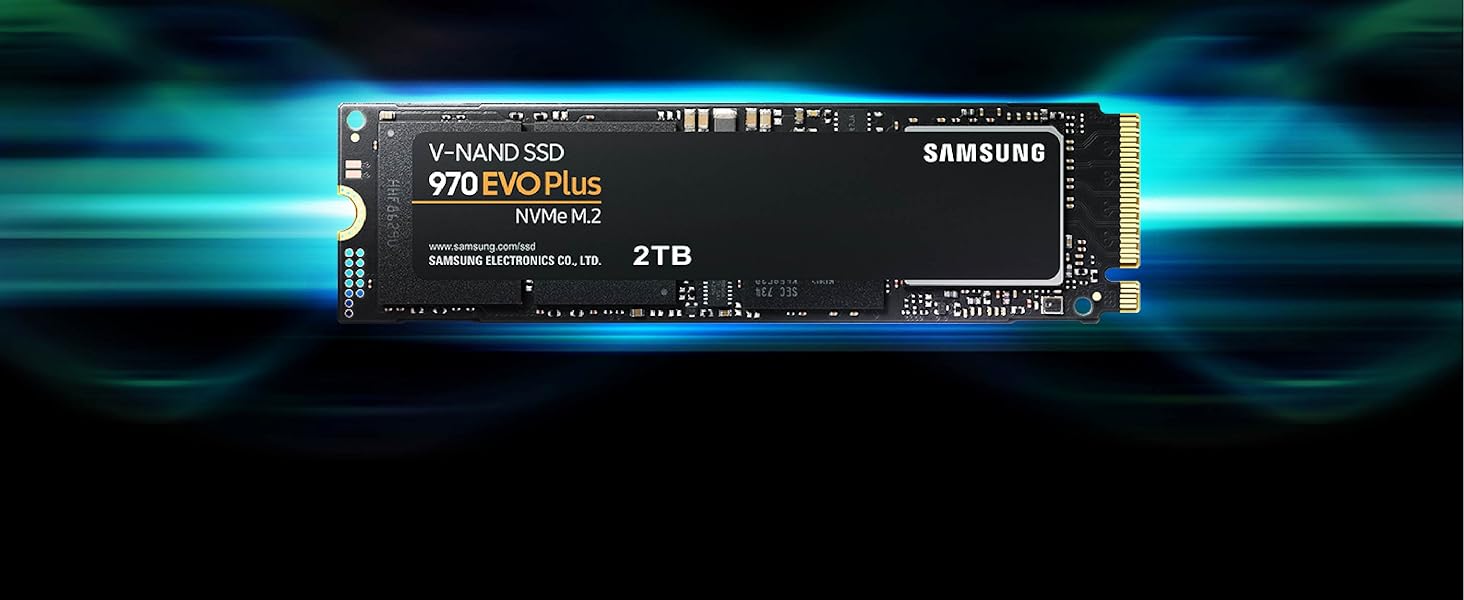
The Samsung 970 EVO Plus 500GB M.2 NVMe SSD leverages advanced V-NAND technology and PCIe Gen 3.0 x4 interface to deliver blazing sequential read/write speeds up to 3500/3300MB/s. Designed for high-end gaming, 4K content creation, and demanding professional workloads, it features Dynamic Thermal Guard for optimal heat management and AES 256-bit encryption for data security. Supported by Samsung Magician software and a 5-year warranty, it offers reliable, high-performance storage in a compact M.2 form factor.


| Additional Features | High Speeds |
| Asin | B07M7Q21N7 |
| Best Sellers Rank | #110 in Internal Solid State Drives |
| Brand | Samsung |
| Built In Media | SSD |
| Cache Memory Installed Size | 512 |
| Color | Black |
| Compatible Devices | Desktop |
| Connectivity Technology | NVMe |
| Customer Reviews | 4.8 4.8 out of 5 stars (60,527) 4.8 out of 5 stars |
| Data Transfer Rate | 3500 megabits_per_second |
| Digital Storage Capacity | 500 GB |
| Enclosure Material | Information Not Available |
| Form Factor | M.2 (2280) |
| Global Trade Identification Number | 00887276303741 |
| Hard Disk Description | Solid State Hard Drive |
| Hard Disk Form Factor | 2.5 inches |
| Hard Disk Interface | NVMe |
| Hard Drive Size | 500 GB |
| Hardware Connectivity | PCI Express x4 |
| Hardware Platform | PC |
| Installation Type | Internal Hard Drive |
| Item Dimensions L X W X Thickness | 3.15"L x 0.87"W x 0.09"Th |
| Item Type Name | SSD |
| Item Weight | 0.05 kg |
| Manufacturer | Samsung |
| Media Speed | 3300 megabits_per_second |
| Mfr Part Number | MZ-V7S500B/AM |
| Model Name | Samsung 970 EVO Plus Series - 500GB PCIe NVMe |
| Model Number | MZ-V7S500B/AM |
| Number Of Items | 1 |
| Read Speed | 3500 megabytes_per_second |
| Specific Uses For Product | Gaming |
| Unit Count | 1 Count |
| Upc | 887276303741 |
| Warranty Description | 5 year manufacturer |
User
Excellent SSD Upgrade
Purchased the Samsung 970 EVO Plus SSD 2TB NVMe M.2 for my mid 2015 MacBook Pro (Excellent computers that many people still use and love). For some time Apple played evil by not permitting SSD upgrade other than from one company, which made prices expensive.I used a Sintech adapted (about $12) for the installation. Installation was very easy. It is quite fast and works very well. I am very happy.Installation/Migration recommendations:First, check out the Apple Support Boot to Recovery Options.There are a few way to reload or migrate files after purchasing the SSD upgrade.1) Not recommended. Cloning the SD with specific cloning apps. I do not recommend. Too much hassle.2) Mot recommended. Attempting to use an external USB enclosure for the new SSD and using the migration process through Disk tools (reboot to recovery). You will need to format the SSD, load system, and then start migration. Unfortunately, the disk or enclosure will likely not be recognized. You may very well get frustrated.3) Best method. Create and use and external USB Boot drive. It will take a bit to load the files on the the USB thumb drive, but it is very worth it. This process will work. Make sure you do a little homework on how to make a boot drive and for migration. Then shut down the computer and install the new adapter with the Samsung SSD "internally." Then restart with the external Boot Drive that you just made, and make you way to Disk tools (pretty clear cut). The drive will now appear. Format the SSD and load system. You can now migrate files using either the Time Machine back-up that you should have made, or place the new SSD in the external enclosure and use the Migration tool. I chose to remove the SSD, place it in my external USB/SSD enclosure, and then use the Migration tool. To do that I restarted in Recover Mode (Not the external boot drive) again made my way to Migration. It took a while to migrate all of the data (over night for 900 GB) but it worked very well. You will need to log in to a few apps. You may also need to take care of any cloud services that will re-sync. DropBox may to a a bit of attention.I did not include all of the steps. Do a bit of homework. It is not that hard. But follow the steps.* Be patient and do the migration right. This SSD is very good and will work.
User
Reliable, fast NVMe storage with a strong track record
The Samsung 970 EVO Plus is still a very strong NVMe SSD for desktops, laptops, external enclosures, and general storage upgrades. The 2TB capacity gives plenty of room for an operating system, applications, games, project files, or backups, and the performance is a major improvement over SATA SSDs or hard drives. Installation was straightforward in a compatible M.2 NVMe slot.This is a PCIe Gen 3 drive, so newer Gen 4 drives can be faster in benchmarks, but for most real-world use it still feels quick and dependable. Samsung drives also have a good reputation for software support and reliability, which matters for storage. I was very satisfied with this drive and would trust it for a main system or high-use secondary drive.
User
The Unkillable King of PCIe 3.0
The Samsung 970 EVO Plus 2TB remains the undisputed champion of the PCIe 3.0 era, striking a near-perfect balance between price, performance, and rock-solid reliability that few modern drives can match. While it technically lags behind the newer, flashier Gen 4 drives like the 980 Pro in raw synthetic benchmarks, you would be hard-pressed to notice the difference in real-world tasks like gaming or booting Windows; it still feels snappy and responsive. Its write speeds are impressive, fueled by a generous SLC cache that handles bursty workloads with ease, though heavy power users moving hundreds of gigabytes at once might notice a slowdown if they exhaust it. The only real chink in its armor is its tendency to run toasty under load, so ensuring you have decent airflow or a motherboard heatsink is a smart move to prevent thermal throttling. Ultimately, if you don't have a Gen 4 compatible motherboard or simply want the most reliable "bang for your buck" storage upgrade without paying the "latest and greatest" tax, this drive is still an outstanding choice.
User
M.2 NVMe Storage is phenomenal...
First, I am kicking myself for buying a motherboard in 2016 that supported NVMe storage and NOT buying one. I got an SSD storage device instead. After reading this, you will KNOW you need to get and use NVMe.Here is a brief non-technical description of the 3 storage devices out there with there evolution. This is generalized to give you an idea of the technology involved. It is by no means intended to cover all things. I'm also keeping it basic.BRIEF AND SIMPLE EXPLANATION1). The first is the spinning disk drive we've all used for decades. It stores information on a metallic platter that spins with an arm that reads said information off the surface of the spinning disk. Effective in its day and was the commonly used storage device of time. It's slow... though, for its day, it did the job.2). The second is the SSD. It stands for Solid State Drive and, basically, the moving parts of the old spinning disk drive were replaced with circuitry that 'emulated' the spinning disk drive. Why? This allowed an SSD to be put into motherboards without completely redoing the architecture. SSDs continued to use the AHCI standard (not all of them) which has been around and evolving for awhile. Basically, without the moving parts, and by using persistent, rewritable memory, the speeds of 'diskless' storage improved dramatically. It is quite fast.3). The new technology is NVMe and it requires a certain type of motherboard (or a riser card using one of your PCI slots) in order to even install (see note below). Simply put, the architecture of the new motherboards support the M.2 standard for INSANELY FASTER 'drive' speeds. The new storage is inserted into a special slot that has INSANE bandwidth (remember, I'm keeping this simple) and uses the INSANELY fast M.2 NVMe memory.HOW FAST?I replaced my SSD that I used with this NVMe storage and went from 30 second boot times to 10 seconds. You might say that's not terribly fast, but I'm talking about the moment I press the power button on my desktop computer to the moment I get the Windows 10 log in screen. Most of that time is the BIOS power up process which I cannot speed up, period. So, roughly 5 seconds to boot from 25 seconds previously.Also, EVERYTHING loads and saves faster. This is the most advancement in performance I've ever experienced since the first computer I got that used an 8086 CPU.NOTE:If you don't have a motherboard that natively supports NVMe, you might be tempted to get an adapter card that will use one of the slots on your PCI motherboard. You would install the NVMe chip into the adapter card and then install that to motherboard slot. I can't speak for how much that will improve your storage performance, but it certainly can't compare to using the new M.2 technology on a MB with the right architecture.THIS TECH IS INSANELY FAST AND WELL WORTH THE PRICE. 1TB is cheap! I'm going to get a second one and try them in RAID 0 or 10 format. No idea if it will work or if it will be better.GET THIS TECHNOLOGY! :)
User
The best storage on the market!!
Just finished my first PC build and couldn't be happierBuild Sheet will also be a review (same review posted on each item for simplicityCase: NZXT H5 EliteThe case has a wonderful design that is elegant and sleek the air flow is amazing considering the size. This case comes with X2 140MM RGB DUO NZXT Fans and an RGB Controller, over all 5/5 zero issues. ( This was not purchased on Amazon but as an open box at Best Buy (saved 45 bucks)PSU: Cosair 750w modularHonestly not much to say Cosair makes great products and this fits that bill!! All the wires you could possibly need for a 750w system, definitely has great vaule and looks 5/5MOBO: GIGABYTE X670EIt can be difficult these days to find a white motherboard, but the X670E definitely fits the bill. The board looks great and the built in RGB next to the panel connectors is awesome. This board has 4 NVMe slots Which is great for heavy storage of either games or other files. The GPU Pcie slot is also reinforced to help reduce some of the bigger 40 graphics cards from sagging. Definitely would recommend 5/5CPU: AMD Ryzen 7700xOverall, a great CPU not really much to say it's a 16 thread 8 core CPU that pairs very well with the 4070 T.I.Super The AM5 design ensures that support for this specific CPU will be around for a while. Some people say the CPU gets hot on under load. I have yet to see any instances of that. 5/5GPU: Aero OC 4070 Ti Super (16GB)The look and design of this GPU fits my build exactly the way I wanted it to the little R. G. B sign that's on the front of the graphics card. It's a nice touch. This is the OC Addition, which is unlocked from factory to enable overclocking, but with the 16 GB of V.Ram that's on this graphics card with it being the T.I super. overclocking is not required for games Just quite yet, maybe in the future It will but that's what I bought this so I'm semi future proof. 5/5Ram: T Force RGB DDR5 6000mhz (32GB)Again, sort of like my CPU not really much to say here. The R GB is controllable through the gigabyte control app. Once you set up your p, c, so you could set any custom color and sort of wave pattern that you like. DDR 5 is definitely the way to go nowadays. With the increase speed that you can get on larger sets of Ram. These Ram sticks have a really nice. Metal shell casing on it, which also acts as a heat dissipator which is really great because these chips can get a little hotter at the higher speeds but overall no issues and the RGB looks great 5/5CPU Cooler: Noctua DH15Not much to say here.This is the best air cool.Ed around to market the rise in 7700X CPU Runs a little hotter than most other Amd Chipsets but this cooler has zero issues keeping it under control 5/5Secondary Display: WOWNOVA 5" Computer DisplayI was entirely impressed with the design look and feel of this 5 inches display .It comes preloaded with presets that you're able to customize to your liking and you can upload your own as well!!. This is a very nice aesthetic touch inside the computer and also allows you to keep track of whatever information you're looking to keep track of as where it comes to the system functions of your pcStorage: Samsung 970 Pro (500GB) (STRICTLY FOR OS)Storage: Samsung 980 Pro (2TB) Game StorageThis is pretty self-explanatory and the NVME storage or PC i.e. Gen. 5 storage is some of the best way to store games and run operating systems from .All other storage forms are a thing that have passed.This is going to get you the max performance when it comes to storing or running your OS 2TB bought at best buyFans that came with case: X2 140MM NZXT DUO RGB X1 120MM NZXT Toliet FanThese fans came with the NZXt H5 elite.I've had 0 issues with them.Their great fans That NZXT makes a great product to keep positive airflowFans Purchased : X4 120 MM NZXT DUO RGBI purchased all 4 of these on Amazon as open boxes as these specific fans are not in stock with NZXT currently, the open box was in very good shape and the fans have been functioning with 0 issues very impressed with the open box item I received this time. The RGB on these fans are absolutely amazing. One thing I will note though is NZXTs RGB controllers only control 3 fans per controller. So for every 3 fans that you have in your case, you will need an additional controller.TOTAL COST $2348Bench MarksMW3 Max settings Consistent 160 to 180 FPS @1440PSPIDER MAN REMASTERED/ God Of War Ultra/Max Settings Consistent 130 FPS@1440p
User
Super. Fast & easy
I put together my first computer way back in the last century - sometime around 1985, I think. At the time I thought that it would be a good plan to give the operating system its own space and keep it separate from whatever data (videos, pictures, text files, program data, etc) I would accumulate. So I did. I put the OS on one hard drive and used another for data. If I wanted to install an upgrade or if the drive failed, there would be no issues with my files.I've continued with that practice over the years, and have, at times, been very glad I did.The computer in the video has the operating system installed on the Samsung 970 1TB SSD. It loads fast. Really fast. There's an external hard drive for some A/V file storage, but I have another SSD for my most-used files. This kind of system has been stable and reliable over the years.Not sure, but I think all current motherboards have at least one slot for an SSD, and many have two. Installation is easy. The MB in the computer in the video has a heat sink with non-removable (and so non-lose-able) screws. It's easiest to install the SSD when first setting things up, but for the video, it was simple enough to take off and then replace the heat sink.
User
Blazing Fast NVMe Drive – Perfect as Extra Cache
The Samsung 970 EVO Plus 500GB NVMe SSD (MZ-V7S500B/AM) has been an excellent upgrade for my system. I use it as extra cache with PrimoCache, and the performance difference is night and day. Transferring large files is effortless — I can move 20GB files between drives in under 30 seconds, which is seriously impressive.The drive is powered by V-NAND technology and a solid NVMe interface, which ensures top-tier speed and reliability. Installation was simple, and Samsung’s Magician software makes it easy to monitor drive health and update firmware. Even under heavy workloads, it stays cool and stable.✅ Pros:Blazing fast NVMe speeds for file transfers and cachingWorks seamlessly as PrimoCache storage500GB capacity is perfect for system cache or high-speed storageBacked by Samsung reliability and software supportConsistently stable and cool under load❌ Cons:500GB fills up quickly if used as a primary storage drivePricier than SATA SSDs (but the speed is unmatched)💡 Tips:Perfect for cache acceleration with tools like PrimoCache.Pair it with a larger HDD to balance capacity and speed.Update firmware via Samsung Magician for best performance.Make sure your motherboard supports NVMe M.2 before buying.Bottom Line:The Samsung 970 EVO Plus 500GB is a lightning-fast, reliable NVMe SSD that excels as a caching drive or high-speed storage solution. For anyone working with large files, gaming, or boosting system responsiveness, this drive is a rock-solid investment.
User
Blazing Fast Storage Upgrade for Power Users
Blazing Fast Storage Upgrade for Power UsersThe Samsung 970 EVO Plus 2TB NVMe SSD is everything I hoped for in a high-end storage upgrade. Installation was straightforward—the M.2 form factor slid right into my motherboard slot, and Samsung’s software recognized it immediately. Once set up, the speed difference compared to my older SATA SSD was night and day. Boot times are nearly instant, large files transfer in seconds, and heavy applications (like Photoshop and Premiere Pro) open without hesitation.Gaming performance has also noticeably improved. Load screens that used to take 30–40 seconds now finish in under 10, and I can alt-tab between a game and background apps without stutter. The drive runs cool even under sustained workloads, thanks to Samsung’s thermal control technology, and I haven’t experienced throttling.At 2TB, the storage capacity feels generous—plenty of room for a large Steam library, work files, and media projects without worrying about constant cleanup. Samsung Magician software adds extra convenience, letting me monitor health, update firmware, and benchmark performance.If there’s one thing to note, it’s that you’ll need an NVMe-capable slot on your motherboard. For anyone still running only SATA, this won’t be compatible. Also, while not the cheapest option, the performance and reliability justify the price in my opinion.Bottom line: The Samsung 970 EVO Plus 2TB delivers blazing NVMe speed, stable thermals, and ample space, making it a fantastic choice for gamers, creators, and anyone wanting to future-proof their system.
User
Makes a difference
I got his product just a couple of days ago, so my review would obviously not include how this SSD handles itself after months of use. But for the moment at least, I am entirely satisfied with it even though Lately Samsung is not my favorite company (owing to the fact that my expensive 55" inch Plasma TV developed 4 horizontal lines and 1 vertical line just after my extended warranty expired). Still, I am hoping this product will fare better.It was easy to install and my only con lies in the fact that while the SSD slipped nicely in its slot, the back end rose sharply and necessitated a screw which wasn't supplied with the card to hold it down. There is a screw half moon place on the SSD and a screw hole on my MB just for that purpose. Luckily I had a very tiny screw provided with the left overs from my MB installation. My system (Asus Prime B250M-A Motherboard) recognized the drive without any problems. Just to make sure however I switched the particular Bios option from "Auto" to PCLe.In Windows I used Disk Management to format the drive. After that I used Macrium Reflect (Free version) to clone my C drive to my new SSD. Booted up Windows 10 using the new drive and with some trepidation formatted my old C drive so that the system won't be confused as to which drive it is going to be required to boot up from. All went well.My old bootup into Windows, from when I pressed the power button used to take 1 minute 18 secs. Now boot up is just under 30 secs (up to the time my desktop appears and everything is settled.) My favorite Flight Sim, X-Plane boots up in a quarter of the time it used to. I haven't measured copying speeds to or from the SSD but I am sure they're much faster than normal. (EDIT)Actually copying from and to the SSD to other drives is limited to the speed of the other drives, so no change there. But copying from the SSD to itself (not something I normally would do) is amazingly fast. I copied a 24 GB file from one folder into another on the same SSD in 17 seconds.I am sure these drives will become the norm in less than 5 years and they will be as ubiquitous as the SATA ones and as cheap.
User
Kaliteli
Kaliteli hızlı kargo
User
منتج كويس
منتج كويس
User
quality no issues
quality m.2 been using this for few years now, no issues at all
User
Samsung evo ssd
Works fantastic in my new pc.Great price too.Seems fast
Trustpilot
3 weeks ago
4 days ago