
قم بتنزيل التطبيق


معلومات عنا
حقوق الطبع والنشر © 2024 Desertcart Holdings Limited
قم بتنزيل التطبيق

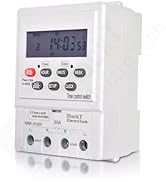
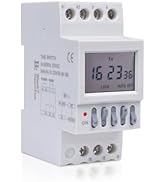
⏰ Power your day, your way — never miss a beat with BT41D4!
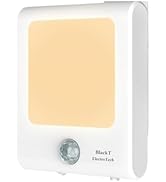
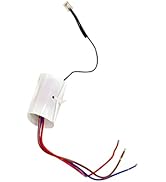
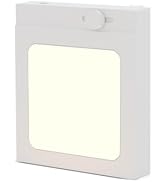
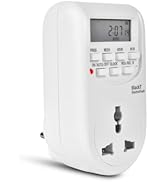
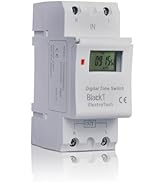
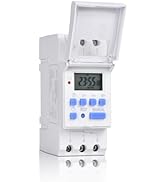
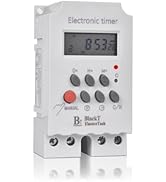
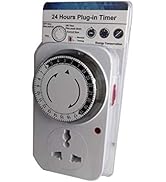
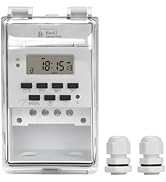
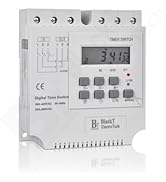
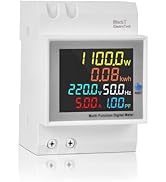
The Blackt Electrotech BT41D4 is a high-performance digital timer switch relay designed for single-phase systems, offering programmable automation with up to 30 On/Off schedules and 7-day flexibility. Rated for 25 Amps, it handles heavy-duty electrical loads, making it ideal for residential, commercial, and industrial applications. Its built-in backup battery preserves settings during outages, while the compact DIN rail form factor ensures easy integration into existing setups. Perfect for professionals seeking reliable, customizable, and space-efficient timing control.








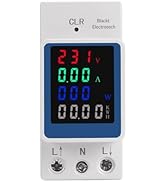


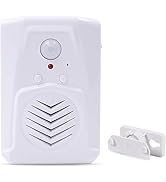

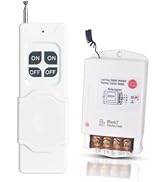
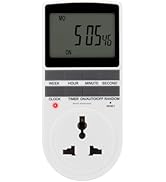






















| ASIN | B07NBBYN4N |
| Best Sellers Rank | #12,968 in Home Improvement ( See Top 100 in Home Improvement ) #30 in Wall Timer Switches |
| Brand | Blackt Electrotech |
| Colour | White |
| Country of Origin | India |
| Customer Reviews | 4.0 4.0 out of 5 stars (613) |
| Date First Available | 31 January 2019 |
| Generic Name | timer |
| Importer | Blackt Electrotech |
| Included Components | false |
| Item Weight | 130 g |
| Item model number | BT-21252 |
| Manufacturer | Blackt Electrotech, www.blackt.in |
| Material | Polycarbonate |
| Model number | BT-21252 |
| Net Quantity | 1.00 Count |
| Number of Memory Sticks | 1 |
| Number of settings | 16 |
| Packer | Blackt Electrotech |
| Product Dimensions | 10D x 6W x 8H Centimeters |
| Screen Size | 99 Millimetres |
| UPC | 710918665375 |
N**L
Good product... Match the requirements well
Working properly and very useful
C**S
A good Digital Timer Switch.
A good Digital Timer Switch Relay. But time with main clock. It goes slow. Has to readjusted after some months.
V**I
Excellent product
Excellent performance
S**L
After 1 month purchase and timer not working
Not good product
P**D
Quite useful product
The product is quite good. Even instructions are also quite helpful (see the official video of company on youtube). Now I had faced the problem of E1 or E2 error codes. After watching their official video I got the hint and corrected. I had searched for the solution to E1,E2 error codes but could not find. So briefly mentioning what is procedure So here is the sequence. 1) take a thin (like a ball pen tip) object press the soft cushion reset button just below the red led on right edge. This will RESET every thing. now the timer will show 00:00 2) now first you need to enter the Day : Hours : Minute as described in videos/instruction manual. In case the keyboard is locked. press the BIG RED unlock button. 3) after setting the time now press P BUTTON . it will show 1 ON set the on time as you want (as explained above) press P BUTTON again repeat same for OFF time and repeat this process as many times as you want multiple ON OFF times. 4) NOW TO COME OUT OF PROGRAMMING MODE PRESS THE "CLOCK BUTTON ON RIGHT SIDE OF P BUTTON. (May pressing other button landed me into E1, E2 problem.) Now you had come to TIME DISPLAY mode. 5) Now for safety press BIG RED button to lock this keypad. 6)If anywhere you missed sequence / pressed wrong button and get into E1 E2 business, 'LIKE ME' repeat the process with that thin object (ball pen tip). BY THE WAY SEE only THE OFFICIAL VIDEO FOR ACCURATE INFO/less confusion. I am using this product for a sump motor. The sump motor had come with it's own starter box. Now this output of this timer is given as input to that starter box. secondly i had kept in another plastic box since I did not have the DIN rack )
D**.
Very helpful product
This product solve many problems regarding time it is very useful to control electric devices
L**S
Good product and works well.
So far, so good. Working well. Easy to install, easy to program Only problem is that the electrical connecting points are exposed so we had to improvise and attach a plastic strip to cover them. (See photos)
K**L
Value for money.
Good performance. Skill is required to set the timer. Value for money. Quality is good.
ترست بايلوت
منذ أسبوعين
منذ 4 أيام