We remain fully operational. Our teams are working around the clock to ensure your deliveries continue safely.

قم بتنزيل التطبيق


معلومات عنا
حقوق الطبع والنشر © 2024 Desertcart Holdings Limited
قم بتنزيل التطبيق
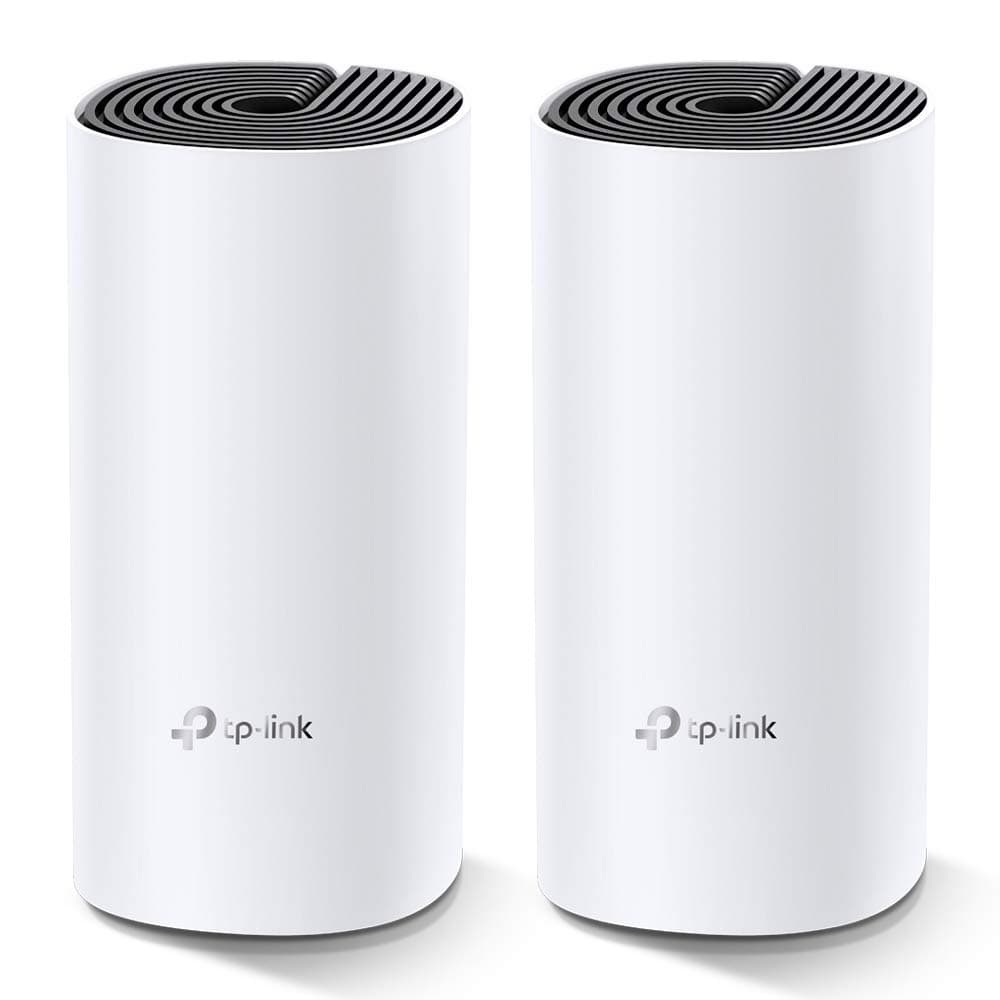


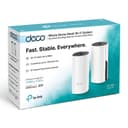
🚀 Mesh Your Home, Master Your Network!
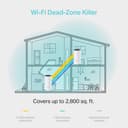
The TP-Link Deco M4 Whole Home Mesh Wi-Fi System (2-pack) delivers expansive 3,800 sq.ft dual-band Wi-Fi coverage with speeds up to 1167 Mbps. Designed for busy modern homes, it supports up to 100 devices simultaneously, ensuring seamless connectivity with a single network name. Easy to set up via the Deco app, it offers robust parental controls and Alexa voice compatibility, making it the ultimate smart Wi-Fi solution for professionals craving reliable, fast, and smart home internet.


| ASIN | B07KJ2TDMR |
| Antenna Location | Home |
| Antenna Type | Internal |
| Best Sellers Rank | #361 in Computers & Accessories ( See Top 100 in Computers & Accessories ) #1 in Whole Home & Mesh Wi-Fi Systems |
| Box Contents | 2 Deco, 2 Power Adapters and 1 RJ45 Ethernet Cable |
| Brand | TP-Link |
| Brand Name | TP-Link |
| Colour | White |
| Compatible Devices | Alexa, Amazon Echo |
| Connectivity Protocol | Wi-Fi, Ethernet |
| Connectivity Technology | Ethernet, Wi-Fi |
| Control Method | App, Voice |
| Controller Type | Amazon Echo, Alexa |
| Country of Origin | China |
| Coverage | 3,800 square feet |
| Customer Reviews | 4.3 out of 5 stars 19,716 Reviews |
| Data Transfer Rate | 1200 Megabits Per Second |
| Frequency | 5 GHz |
| Frequency Band Class | Dual-Band |
| Importer Contact Information | TP-Link India Private Limited Office No.1, Tower 2, Level 2, Raiaskaran Tech Park, Andheri Kurla Road, M.V Road, Andheri East-400072 Contact: Toll Free 1800-209-4168, [email protected] |
| Is Electric | Yes |
| Is Modem Compatible | Yes |
| Item Dimensions L x W x H | 10L x 9.1W x 10H Centimeters |
| Item Type Name | Router |
| Item Weight Unit of Measure | 699 Grams |
| Manufacturer | TP-Link, TP-Link Systems Inc. 10 Mauchly, Irvine, CA 92618, USA or TP-Link India Private Limited Office No.1, Tower 2, Level 2, Raiaskaran Tech Park, Andheri Kurla Road, M.V Road, Andheri East-400072 |
| Manufacturer Contact Information | TP-Link Systems Inc. 10 Mauchly, Irvine, CA 92618, USA or TP-Link India Private Limited Office No.1, Tower 2, Level 2, Raiaskaran Tech Park, Andheri Kurla Road, M.V Road, Andheri East-400072 |
| Manufacturer Part Number | Deco M4(2-pack) |
| Maximum Upstream Data Transfer Rate | 1200 Megabits Per Second |
| Model Name | Deco M4 |
| Model Number | Deco M4(2-pack) EU |
| Number of Ports | 4 |
| Operating System | Windows |
| Other Special Features of the Product | Remote Access |
| Packer Contact Information | Pacific Technology Private Limited Survey No, 57/3/55, 57/2/56, 57/1/57, Silver Industrial Estate, village Bhimpore, Nani Daman, daman Dadra and Nagar Haveli and Damn and Diu, India 396210 |
| Security Protocol | WPA-PSK |
| Special Feature | Remote Access |
| Unit Count | 2 Count |
| Voltage | 240 Volts |
| Warranty Description | 3 years warranty |
| Wi-Fi Generation | Wi-Fi 5 |
| Wireless Communication Standard | 802.11ac, 802.11g, 802.11n |
| Wireless Compability | 802.11ac, 802.11g, 802.11n |
T**R
Zero Dead Zones
Simply a perfect product. Trust me, I have been working on converting old routers into access points for years and I have done everything that is possible to improve the range in my house. I have used custom firmwares like dd-wrt, tomato, etc. and have re-configured my old routers (Netgear, D-Link, Linksys) to use them as Access points. Each one I used to extend the range only gave me a max speed of 8 Mbps, and I have a 100 Mbps Airtel Fibre Optics connection. Infact even the Master router connected directly to my broadband modem gave me a speed of 85 Mbps.. This was because I was forced to keep only a 2.4 Ghz connection and disable the 5 Ghz connection as I wanted to connect to one WiFi network SSID across my house with easy swapping between each Access point. Reason I had to use 2.4 Ghz is because some of my devices were old and did not support the 5 Ghz network. Post taking the Deco M4 Mesh (Pack of 2), I don't have to worry abt the 2.4 Ghz and 5Ghz networks. The Deco automatically identifies which device supports which network and accordingly provides the connection for 2.4 or 5 Ghz network to that device. The 2.4 and 5 Ghz networks work on the same WiFi name so you only have one SSID broadcasted around the house. Btw, my flat has an area of 1080 sq.ft and with just the two nodes of Deco M4 (one connected to the main Airtel broadband modem and another one placed in my Guest bedroom) I get a full WiFi network across the whole house with zero dead zones. When connected to the Decon node that is connected directly to my broadband modem in the Living Room, I ran a test on speedtest by Ookla and I got a speed of 112 Mbps (Upload and Download).. Yes, even I was shocked because my connection is supposed to be only 100 Mbps, but probably Airtel is giving a little more bandwidth than expected because I have a 1:1 ratio connection (Lucky Me 😉) Then I ran a speedtest from my Master Bedroom which is at the far end of my flat, adjacent to the Guest bedroom where I have placed the second Deco M4 node. In the speedtest I got a speed of 102 Mbps Download and 110 Mbps Upload. I was just blown away by the performance. Just a drop of 10 Mbps at the far end corner of my flat compared to the main connection. There are 4 walls in between. This product is absolutely worth the price. Also it has the most easiest setup, took just 10 mins.
P**Y
Absolutely Fantastic!
Absolutely fabulous device! Deco app is fantastic and setup was done in 5 minutes. I am using it as mesh pod in my bedroom which is connected wirelessly to main deco unit and despite of wireless connection it’s giving more than full speed on wireless. I am using 500 mbps plan and I am getting close to 600 mbps wireless speed. Worth every single penny spend!!!
Y**A
"Excellent Packaging, Genuine Product – Returning Only Due to High Usage Needs"
Reliable Packaging & Service – Thanks to CLICKTECH RETAIL, TP-Link, and Amazon I purchased the TP-Link Deco M4 Mesh Router from CLICKTECH RETAIL. The packaging was excellent — strong, clean, and professionally done. The product was delivered on time and was 100% original. When I started using it, I noticed the speed between the main router and the satellite nodes fluctuated a lot — sometimes up to 80 Mbps, and other times it dropped to just 8 Mbps. The speed was not stable. I contacted TP-Link support, and after reviewing my setup, they informed me that having 20-25 devices connected at the same time was too much for this model. They recommended upgrading to a Wi-Fi 6 or Wi-Fi 7 system. Hence, I am returning this product — not because of any fault in packaging or seller — but because my usage needs a higher-end router. I trust CLICKTECH RETAIL completely, so I’m now going to buy the TP-Link Deco BE25 (Wi-Fi 7) from the same seller. I truly appreciate the honest service, quality packaging, and professional support provided. Thank you TP-Link, Amazon, and especially CLICKTECH RETAIL. Looking forward to a great experience with the next product!
N**K
Reliable Whole Home Coverage with Easy Setup!!
I’ve been using the TP-Link Deco M4 for a while now, and it has completely transformed my home Wi-Fi experience. The setup was quick and straightforward using the Deco app, and the step-by-step guidance made it effortless, even for someone not highly technical. The coverage is excellent — I get strong, stable signals in every corner of my home, with no more dead zones. Seamless roaming works perfectly; I can move between rooms without experiencing drops or buffering, whether I’m on a video call, streaming, or gaming. Performance-wise, the AC1200 speed is more than enough for my needs, and it handles multiple devices without slowing down. The Qualcomm CPU ensures smooth performance even when several people are connected. I also appreciate the parental controls, which make it easy to manage and monitor internet access for the kids. It works perfectly with my Amazon Echo, and Alexa integration makes basic Wi-Fi management hands-free. Overall, the TP-Link Deco M4 is a reliable, high-performing mesh system at a very reasonable price. If you want whole-home coverage, easy setup, and useful smart features, this is an excellent choice. Rating: ⭐⭐⭐⭐⭐ (5/5)
M**U
Junk product, zero support
Terrible experience with this product. The satellite Deco hasn't been working properly since the day I installed it. Speed - I have a 100mbps fibre connection, but the satellite barely went up to 2mbps - all while being on the same floor, just a few rooms apart from the main one. Stability - Every few hours the satellite just disconnects from the network and starts pulsing red. The only option is to take it back close to the main deco, and transfer back again. Support - TP Link offers NO offline support! I had 2 rounds with their junior engineers, who gave some super basic tips. Their technical knowledge seems elementary and their communication even more so. For example, they didn't explain how to modify settings in the app after interchanging the devices. The third time, I was just told that a 'senior' team will get in touch. No SLA, no guarantee. Basically, its been three frustrating weeks, I can't work from my home office at all. No connected devices work. Literally forced to ensure 2 hours of commute because this 'premium, marketing leading brand' sold a junk product, offers no support, doesn't accept returns or replacement, AND gets upset when I call it out. Try another brand and product.
S**G
Reliable Whole-Home Wi-Fi at Its Best!
The TP-Link Deco M4 has completely transformed my home internet experience. Whether it’s streaming high-definition content, attending video calls, or simply browsing social media, the connection remains consistently fast and stable throughout the house—even in areas that were once dead zones. Seamless Coverage: With its mesh technology, the Deco M4 blankets every corner of my home in strong Wi-Fi. No more roaming issues or sudden drops! Speed and Stability: Internet speed is noticeably smoother, even when multiple devices are connected. Low-Lag Gaming & Streaming: Perfect for binge-watchers and gamers alike—latency is almost nonexistent. User-Friendly App: Setup was a breeze, thanks to the intuitive Deco app. Managing connected devices and parental controls is straightforward and smart. Sleek Design: Not only does it perform well, but the minimalist design also fits effortlessly into any home décor.
M**M
Excellent product
In the past I have changed ISPs, routers, and used extenders to get a seamless WiFi at all corners of the house. I live in a 2 bhk flat so I thought it’ll be an overkill, but due to all the interferences and everything, getting the only router signal steadily at every corner was a challenge. Then I came across Deco M4 and bought a set of 2. It works perfectly and whether I am siting at my work desk or in the hall or in back side balcony, it covers everything well. The phone or laptop never hunts for the WiFi coverage. You have various options to manage the network efficiently through the highly functional app. Overall, it’s a great purchase and a great value. I plugged it to the LAN port of my existing ISP router, turned off the router WiFi access points, the app seamlessly set up a new Deco network. The deco is being used in Router mode. No issues whatsoever. I used the same network name for Deco so I didn’t have to sign in any device separately, including bulbs and printers.
R**Y
Just go for it! Completely solved my dead Wi-Fi zones issue
Covers each and every corner of my house seamlessly with high speed 5Ghz WiFi signal. Connecting Multiple Deco devices is very easy and setup can be done within minutes. The Deco application is also pretty sleek with all essential metrics. Overall worth spending every penny.
ترست بايلوت
منذ أسبوعين
منذ شهرين