Desertcart purchases this item on your behalf and handles shipping, customs, and support to EGYPT.
🚀 Supercharge your WiFi, never miss a beat!
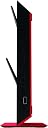
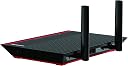
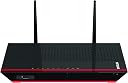
The NETGEAR AC1200 EX6200 WiFi Range Extender boosts your home or office network with dual-band speeds up to 1200Mbps, powered by 700mW amplifiers and high-gain antennas. Featuring a dual-core processor and 5 gigabit Ethernet ports, it ensures fast, reliable connections for multiple devices. FastLane Technology optimizes bandwidth by using both WiFi bands simultaneously, perfect for HD streaming and gaming. With flexible modes to extend or create WiFi access points, this sleek black/red extender is a top choice for expanding your wireless coverage.


| ASIN | B00HQ883QW |
| Best Sellers Rank | #1,622 in Repeaters |
| Brand | NETGEAR |
| Built-In Media | 2- 5Dbi Dual-Band Antennas, Netgear Ac1200 Dual-Band Wireless-Ac Range Extender With 5-Port Ethernet Switch, Owner's Manual, Power Adapter, Stand |
| Color | Black/Red |
| Compatible Devices | Router |
| Connector Type | RJ45 |
| Customer Reviews | 4.0 out of 5 stars 2,379 Reviews |
| Data Transfer Rate | 1200 megabits_per_second |
| Frequency Band Class | Dual-Band |
| Frequency Bands Supported | 2.4 GHz, 5 GHz |
| Global Trade Identification Number | 00606449099751, 10606449099758 |
| Item Weight | 1.04 kg |
| Manufacturer | Netgear Inc |
| Mfr Part Number | EX6200-100NAS |
| Model Number | EX6200-100NAS |
| Number of Items | 1 |
| Range | 100, feet |
| Special Feature | FastLane Technology |
| Special Features | FastLane Technology |
| UPC | 606449099751 606449099744 |
| Warranty Description | 1 year |
| Wireless Communication Standard | 802.11ac, 802.11b, 802.11g, 802.11n |
| Wireless Compability | 802.11ac, 802.11b, 802.11g, 802.11n |
T**R
Great product with some nice features. Worked much better than expected and changed my opinion of wireless extenders in general
I am an electrical contractor that specializes in home automation, home theater, whole house audio, and networking and I do a lot of work on difficult wireless environments. Typically I use mesh networks that are all hardwired and point to point beam. Ubiquity products are some of my favorites and I have been able to solve many many very difficult wireless range issues with ubiquity access points that provide zero loss handoff between access points. With that said, I have to say after repeatedly giving up on previous "extenders" this one really impressed me. In a remote area where my cabin is I was unable to get DSL internet due to lack of lines going to my remote neighborhood. My neighbor allowed us to use his wireless internet but we could only connect in one corner of the house and it was sketchy at best. I brought with me on my last vacation one of the netgear ac1200 range extenders and also two Umbiquity nanostations to create a point to point connection between the two homes which would have required another wireless access point on my side in addition to the point to point access points I had brought. I would also have to run ethernet wires from my neighbors router through the attic and to the outside of his home to mount one of the umbiquity access points and then mount another access point on my home to receive the signal and feed it into another access point for the homes wireless. This process was going to be lengthy, time consuming, and expensive... but worst of all I was going to have to drill holes and run cables at my neighbors house and probably annoy him somewhat in the process. I really wanted to avoid that, so after finding the netgear ac1200 highly rated I decided it would be worth a try. I simply set the netgear AC1200 in the corner of the house where i could get a very weak signal before and went through the very easy setup process and suddenly i had four times the throughput as i did before and of course 5 bars of signal throughout my entire cabin. Could not be more happy. BY FAR the best 'range extender' product i have ever used. Best of all you don't need to have access to the sending router to make it work, you just need the wireless password. With the way repeaters work you lose around half the throughput because it has to use the same radio to send and receive back to the originating wireless router/access point. I discovered that the router has some interesting advanced settings that can enable you to use one radio (2.4ghz or 5ghz)to communicate with the originall wireless router/access point and the other one to connect with local clients in your extended area. I did countless tests using each radio to either send or receive and i saw little difference setting AC1200 to use the 2.4 ghz radio to communicate with the original wireless router/access point. But when i used the 5ghz radio to connect to the original router (must be dual band) i saw a significant increase in throughput speeds. To see these settings... click the 'advanced' tab on the settings page (bottom left hand side of page), then select 'operating mode'. By default it is set to 'internet surfing mode' which uses both radios in the newly created extended zone and creates two wireless SSID's, one for 2.4ghz, and one for 5ghz bands. If you want to try the 'Fastline Technology' mode you will need to select that and then i would recommend selecting "Device-to-extender in 2.4GHz only and extender-to-router in 5GHz only (Router must support 5GHz band)". Again, your router must support the 5ghz band in order to do this. Then the AC1200 creates a new extended network using the 2.4 ghz radio. The original wireless router with a hardwired connection was giving me about 5 mbs down speed, and through the AC1200 in 'internet surfing mode' i was seeing speeds around 2.8 to 3 mbs in the new extended area. With the 'fastline technology' mode and using the 5ghz radio to communicate with the original router wirelessly i was able to get around 4.5 mbps downspeed. And again, i measured very little speed difference when i used the 2.4 ghz radio to communicate with the original router and the 5ghz radio to create the newly extended wireless area. I did spend some time moving the AC1200 around to find the best location. The router i am connecting to is about 140 yards away through a forest and the 5ghz band doesn't penetrate objects well so a direct line of site is needed to set up this way. You can use the signal meter on the router itself in the setup page to help you find the best spot, and i also use the smartphone app called 'wifi analyzer' to help as well. Hope that helps. But overall a fantastic product that far exceeded my expectations.
J**T
Internet pirates rejoice!
I actually bought this device because I live across the street from a business that offers free public wifi and I was hoping to get me some. I'm a full time student and I never have any money, so I spent a long time looking for a way to get free wifi. I absolutely loathe Verizon and their outrageous fees and charges. Considering the cost of living nowadays, their costs seem borderline villainous. Anyway, I read a lot about hi gain antennas that you could get for your router. I even found a satellite dish looking antenna that I could mount outside my home, pointing in the direction of some faraway internet source, then I just have to drill a hole through my wall and run a cable down to my router. That was a cheaper alternative, yes, but when I found this I knew it'd be a much much easier option. My only question was whether or not it'd be AS effective. While I can't really answer that question, I can absolutely vouch for the efficacy of this product. I stuck this in the window closest to the road. I live across the street and down about 4 houses from the wireless router that this extender picks its signal up from. It's pretty far, about 150 yards, and the signal has to travel through various walls to reach me. Out of the box it took like 3 seconds to put together and plug it in. Very easy. Then you have to jump on your computer and program it. Sounds like it could be complicated but it's very easy. I found the device in my wifi settings and connected to it. Then I opened my internet browser and it automatically brought me to the webpage used to program the router. All I had to do was search for wireless signals in my range, there was a HUGE list of them. Way more than my laptop of phone could ever find, and it even has the corresponding signal strengths next to the names. So I picked both a 2g and 5g signal, I picked a new name for them both, then I set a new password for each frequency that it created so that no one could steal the wifi I was harvesting for free. I still can't get over how incredible this thing is. For $115 I'm able to pick up free wifi and redistribute it through my whole house, supplying every device I have with sweet sweet bandwidth. This thing is very powerful. I can stream videos to my fire stick no problem, I can play online games (and they lag during peak business hours due to the shared bandwidth with all of the store customers, but at night I get it all to myself, with no lag.) And so, this poorly organized review does not do this thing justice. I highly recommend this extender/repeater to anyone. A one time payment of $115 (which is actually cheaper than one month of verizon) got me unlimited free internet. Hoo yaa
F**K
Seems to do the trick - but don't count on much help from NetGear or the documentation
I bought what I thought had the most "broadcast power" to solve a dead spot where my UVerse Router did not reach. The UVerse router, as it turns out, only puts out 400mW of power (versus 700mW for this unit). If ATT provided a decent product to start with, I might have not needed the NetGear. In any case, the AC1200 seems to be doing the job! Setup instructions are very simple, but here are a couple of observations: 1. Use your smartphone to log onto the 1200 during installation (or a laptop I suppose, but the phone was slick). Be aware that this is a one-time event until/unless you reset your 1200 to try again. As soon as the iPhone setup process is complete, Netgear abruptly says goodbye. 2. Don't be surprised if you have no luck using your browser to visit their mywifiext.net site. Turned out for me that I had to enter the IP address that had been assigned to the 1200. 3. How do you find the IP address for the 1200? Look on your router for the IP address OF THAT ROUTER, and enter that into your browser. A menu will eventually come up (at least it did for the UVerse box), and you can poke around and make it list all the devices on your network and their assigned IP addresses. Among those will be the names of the 2 WiFi things created by Netgear, based on the name of your router (SSID I think they are called). And of course the IP address of the 1200. Don't preface the IP address by http:// when you enter it into the browser. 4. Don't attempt to set up with WEP. Use the longer install process which turned out to be much easier. Don't push the WEP button on the 1200 at any point. 5. It seems to take forever for the 1200 to power up and stabilize. Eventually you will get the vertical bar icon to tell you how strong the signal is at your location between the router and dead spot. As you can tell I don't know much about networking - just enough to get into trouble. My limited experience with support from NetGear has convinced me it is pretty pathetic. I tried the email version and am still waiting for a response. Among other things they seem to have a habit of declaring your problem solved and closing the "case" way before you think it is closed. p.s. Don't try to download the WiFi analytics app to your iPhone. Evidently they haven't bothered to create one for the iPhone. I found a free one called "Speedsmart" that seems to do a good job of measuring up/down speeds. Just "Join" onto whichever of your WiFi networks you want to measure (usually the NetGear one), say in the former dead zone. Correction: Evidently Apple prevents their apps from accessing the data that would be needed to make an analytics application work. I guess you can thank Steve Jobs for that!
T**E
Very disappointed - my old Netgear extenders worked MUCH better.
For the record, I have owned a Netgear WN2500RP N600-WiFi Range Extender and a EX6100 AC750 extender. I live in a rural area and my address is not serviced by Comcast, while my next door neighbor is, on the street in back of mine. Our properties are side by side but there is 450 feet of field between our houses. She offered me the password for their network and despite the distance, an extender has served my purposes for going on three years. I have been pleased with both, and looked forward to seeing what kind of difference the EX6200 would make. Imagine my surprise when the brand new, out of the box extender barely picked any network signal at all! I traveled all over the house for two days, trying different positioning high and low. In areas the 6100 performed perfectly with full signal, the 6200 got nothing. I went outside with a long extension cord, plugged into an outside outlet, and stood in the middle of my field. Nothing but red. All three devices were dual band, and the 6100 seemed like it was basically the same in specs, with slightly weaker performance and power and 1 port instead of 5. So what the heck? To clarify: I was able to set up and configure the device just fine. But once set up, it had a very hard time maintaining an adequate connection. There's significant lag between positioning and LED change, so it's hard to tell if your adjustments are doing anything at all until you've already moved it a few more times. I finally thought I had it placed in the best location and the box was able to maintain consistent connection. I was even able to set up fast lane mode and stream a movie. That was apparently its last hurrah, though. Other than that, over the course of two days, I was not able to connect my phone to the network, at all. On top of that, the design and materials seem flimsy. It LOOKS cool, but it has a very thin, flimsy feel to it. The external antennae are located right below the "just for looks" diagonal ledge, so you can't really get your fingers securely on their base to hand tighten them. And they loosen very easily on their own, while you are twisting the antennae. I called Netgear and after spelling out my name, rank and serial number to an automated system - twice - got hung up on the first time - and ten minutes of listening to recorded messages, I got a Netgear technical "expert" who sounded like a bored Customer Service rep and hating life in her little call center hell. After repeating all my information, she advised me to return the device. No duh. So now I'm debating whether or not to follow through in the hopes that I received a bad unit and that a replacement will work, or just giving up on the whole thing and buying a nice Linksys or Hawking device. I'm not thrilled about the Amazon return charges at all.
T**.
Easy as pie
I bought this because AT&T refuses to fix their lousy software that causes the DirecTV Genie to constantly lose its WiFi connection. This allows me to make a direct ethernet cable connection from the extender to the Genie. Then I have 4 more ethernet ports left for my SmartTV and whatever else I might need to connect. The setup is super easy. I used the longhand version instead of the simple WPS method. Once it was up, running, and configured, I plugged in the ethernet cable between the EX6200 and the DirecTV Genie and it immediately connected when I reconfigured the Genie. I didn't really have any problems with the EX6200 but misunderstood the symbol I was getting on my TV when I made the wireless connection. No ethernet connection yet since I would have to pull the thing down from the wall to get to the port on the back. I just got stupid and when the connection was made the TV displayed an "X" in the place of the WiFi symbol. It was actually connected and the "X" just told me I could disconnect by hitting the Select button on the remote and select a different WiFi source if I wanted to. I don't fully understand the Fastlane function yet. When I activated that option, I couldn't connect the TV to the extender. I could connect to the extender channel with my computer but could not go to the internet. The browser would still let me talk to the extender and after playing with it a while I just lost interest and went back to the "Basic" mode until I feel like playing with it again. The unit is very sleek and fits pretty invisibly into my entertainment cabinet. The one thing that surprised me is that an ethernet cable is NOT included. I can't think of any other routers or multi-port full function range extenders that didn't come with a cable. No big deal for me since I had about 5 of them stashed away in a drawer. Just a note that if you are planning to buy one of these extenders for yourself and also plan on using ethernet connections for any of your devices, you need to buy yourself some cables before it arrives. The extender is about 30 feet from the Xfinity cable gateway so it gets a good signal where it is located. When I ran a speed comparison on the 5G network I was getting around 72 Mbps with a direct connection and 64 Mbps when I selected the 5G_EXT link. The 2.4G channel shows about the same drop in speed, so I am very happy with those results especially since my Xfinity internet connection is advertised as 50 Mbps. I would certainly recommend this extender to anyone that is looking to boost their WiFi signal or needs ethernet connection without rewiring their house. It is larger and more robust than the small brick units.
M**G
I'm not sure it's that great. The 2
I'm really on the fence with this product. I should say right off that it does do what it says it will do. It does extend your range. The main issue with this unit is a very weak 2.4ghz band when compared with the 5ghz band. What this will translate to is a much lower extensions of your 2.4ghz band. This is much more obvious a problem if you set this thing up with DD-WRT and try to use it as a standalone router. The 2.4ghz band will barely have half the signal strength as a normal router in this price range. For the relatively high price of this unit, it's very discouraging. WIth that said, its very fair to say that most people will use this unit with stock firmware and only as a range extender, and at that, I'm not sure it's that great. The 2.4ghz radio is weak regardless of firmware, so what you will end up with is a very weak 2.4ghz extended network. You will lose half of the available bandwidth of your 2.4ghz band right off the bat due to the way this technology works, and that will be made worse by the weak radio here. What I ended up with was an extended 2.4ghz network that didn't offer a speed that equaled that of my ISP, to say my speed was around 16-18mb whereas my ISP provides 50mb. This made the unit practically useless to extend my 2.4ghz network. What I ended up using this unit for, or salvaged it for, is a DD-WRT-running wireless client bridge. I use it on my 5ghz network, which this unit is fine with, and I get pretty decent speeds that way, around 100mbit. This makes the unit usable in this fashion. I will be using it only until I can get some time to crawl around the attack and drop some extra Cat6. At that point, I'm not sure what I will use it for. I think I will set it up as access point, both wireless and wired, to my enter network. I will connect it to my primary router via the cat6 and use the rest of the remaining ports as 1gb switch. That's what I would see this unit working OK for. If you are going to be forced to connect this unit wirelessly to your main wireless router, and you DON'T have a 5ghz band already, then I would really pass on getting this unit and just get a refurbished dual band wireless AC router from ASUS and put DD-WRT on it. The price for this thing is just way too high to recommend it for anything else.
D**G
Excellent Network Extender/Bridge
An excellent Network Extender/Bridge. See my review for Asus RT-AC68U, which is the router I pair it with to provide a wireless bridge from my house to an external workshop, so I can plug in a wired PC as well as provide a stronger 2.4GHz network in my shop. Am using it in FastLane mode (5GHz dedicated connection to my router and 2.4GHz extended WiFi network in my workshop or vise versa), which supposedly provides better performance than the default mode (which extends both the 2.4 and 5GHz networks on two new ssid's). Advertised speeds are not very realistic, but performance and signal strength are drastically improved from my previous 802.11b/g/n network. While configuring both devices inches from each other, I got about 867Mbps, and after installing them in each building - with a direct line-of-site between the devices in two windows about 50 feet apart, and fiddling with the antennas a bit - I consistently get 702-867Mbps, which is about 70-80% of 1GB wired Ethernet speed, so I can't complain. You can also plug in a USB flash drive or external drive into it to provide shared network storage and media server, but I do not use this feature since my router does the same job. Initial setup using WPS was simple, but I had to configure it with the UI to get it working the way I wanted (FastLane setup and different network ssid's). It should theoretically work with any 2.4GHz or 5GHz WiFi router running 802.11a/b/g/n/ac, but you probably want to get a dual-band 802.11ac router if you want to get maximum performance like my Asus RT-AC68U or a LinkSys WRT1900AC, which I also considered getting and which reportedly works well with this router. Note that the WiFi network(s) it extends use a different network ssid(s) than the original network ("yournetwork_2GEXT" or "yournetwork_5GEXT" by default unless you rename them), so you will have to configure your devices to use that network as well as your normal one. In other words, I have separate "wifi-home" and "wifi-workshop" networks, both 2.4GHz). There's no obvious way to disable the WiFi Extender part of the device (so you can just use it as a dedicated WiFi bridge without extending the WiFi network(s) using new ssid(s)), but you can disable it by unchecking the "Enable 2.4GHz WiFi" (or 5GHz) checkbox in the "Wireless" configuration section, which will then let you use the device purely as a bridge for wired 10/100/1000 Ethernet devices. Had some problems downloading the automatic firmware update, but eventually got it working, but you can also download them directly from Netgear's web site and install it using the web-based UI if you want. The UI is OK, but one thing that bugs me is that I can configure my extended WiFi network settings (ssid, password, etc), storage, etc in the UI maintenance screens, but I'm required to go through the "Smart Setup" wizard to configure or change any settings for the connection to the router, which seems pretty dumb, but it's not worth losing a star over. It does that for both the old and new firmware. One nice feature they seem to have added in the new firmware is the ability to configure whether you want to extend the new wireless network(s) to use 25%, 50%, 75%, or 100% power for your new extended network ssid(s). WARNING: There are numerous reports of some users getting dramatically reduced performance after upgrading the firmware to 1.0.3.68_1.1.104 (from 1.0.1.60_1.1.98) so I recommend configuring the device first for maximum performance, after which you can upgrade the firmware and see if performance is affected, since it will keep all your configuration settings. If the performance does drop after the firmware upgrade, it allows you to install the older firmware version (which you can download from Netgear). For me, it actually seems like I got improved performance and link speed with the firmware upgrade, especially when using the Windows (Samba) file share I setup on my router for shared network storage. The shared network storage was kinda flaky and slow with the older firmware (but regular WiFi worked just fine), but it drastically improved and performs like a regular 1GB wired network file share with the new firmware. The firmware upgrade does include a completely different UI too, so don't be surprised. Pros: Easy setup, (5) 1GB wired Ethernet ports, USB 2.0 shared storage, 2.4/5GHz channels, affordable, Can be used as a WiFi extender/bridge or just a wireless bridge. Cons: Kinda Big, Antennas on side instead of top when in upright mode, UI required for FastLane configuration, Smart Setup required to configure router connection in UI, Wish the USB port was on the back with everything else instead of the front.
E**Y
OMG. IT'S AWESOME.
OMG. IT'S AWESOME. After reading a number of reviews of this item, which is also listed as the "NETGEAR AC1200 WiFi Range Extender EX6200," I was prepared for an evening of working with it to make it work the way I need it. Much to my surprise and delight, it set up easily and works like a charm. I have AC router (by Linksys), and I connected this range extender to it without any wires at all. My router has a WPS button (blue button on the back with curved arrows around it). If you have a router with a WPS button on it, here are the instructions (in English - the instructions that came with it are part English, part Geek): 1. Screw the antennas onto the extender and plug it in to an electrical outlet that is close to your router. 2. Press the WPS button on the range extender. 3. Press the WPS button on your router. 4. Wait for the lights on the range extender to light up green and stay that way. On mine, the 2GHz green light went out after a minute or two, but that did not impact the installation. The 5 GHz green light stayed on. 5. Unplug the range extender and take it toward the device(s) you want to use it with. I moved mine 80 feet away from the router (20 feet way from my device). 6. Plug in the range extender and wait for the green lights to go on. Once again, only the 5 GHz light remained lit on mine after a while. 7. Fire up the device you want to wirelessly connect to the range extender and look for a network that has "_2GEXT" or "_5GEXT" appended to the name of your main network. You will probably have both. These are the networks for your extender. 8. Connect wirelessly to one of these two networks with your device. You will need to input the password for your router when connecting to each network. The password on the range extender networks and your main network are the same. 9. To maximize my options, I connected to one of these networks, and then to the other. My device saved both networks on the device so I can now use either one. My results are amazing. Using the "WIFI Analyzer app" (downloaded free from the Google Play Store), I checked the strength of the networks on my device (about 100 feet from the router). While my original network signal was weak or out-of-range, the extender networks are very strong (in the green zone on the WIFI Analyzer app). The device is quick and responsive when I am online. Although I was a bit skeptical about how well the extender would work when I purchased it, I am very pleased with this purchase.
M**L
Awesome Great Product
Amazing product, works very good, easy to setup, if your looking for a good box that goes long range in picking up wifi signals, this is the one. Can pickup from a few houses away with a strong signal, ethernet ports are good providing fast speeds, the wireless 5ghz range is amazing same as 2.4ghz. You can also attach your own wifi antennas if you have on the roof etc, detachable antennas. Good unit, no complaints yet
E**K
Buen producto, fácil de instalar
Es un excelente producto llevo usándolo como 3 meses y todo ha ido bien, mejoró mucho la estabilidad en la velocidad de mi internet y al ser de doble banda los aparatos que conecto con Wifi a su antena de 5GHz funcionan notablemente mas rápido (tienen que estar cerca porque esta frecuencia es de menor alcance, aunque mayor velocidad). Su configuración es realmente sencilla solo hay que conectarlo al módem de la compañía por cable ethernet y entrar a la pagina que dice en su instructivo, de ahí solo seguir los pasos y en menos de 5 minutos está listo. Como recomendación, de ser posible les sugiero que lo configuren como hotspot y lo mantengan conectado por cable ethernet, es mucho mejor que solo expandir la señal que da el módem de su servicio contratado.
R**A
Bandwidth coverage and signals
Easy to install and supports both 2.4G and 5G bandwidth
A**P
Best Roiter
Best Router
J**E
No more deadspots
Needed something to increase the WiFi range and this worked perfectly. No more dead spots in the house. Extremely easy set up, loving it. Also comes with five 1Gbps Ethernet ports. Planning on using them for a local media server. Great buy.
Trustpilot
1 month ago
2 weeks ago