We remain fully operational. Our teams are working around the clock to ensure your deliveries continue safely.

قم بتنزيل التطبيق


معلومات عنا
حقوق الطبع والنشر © 2024 Desertcart Holdings Limited
قم بتنزيل التطبيق
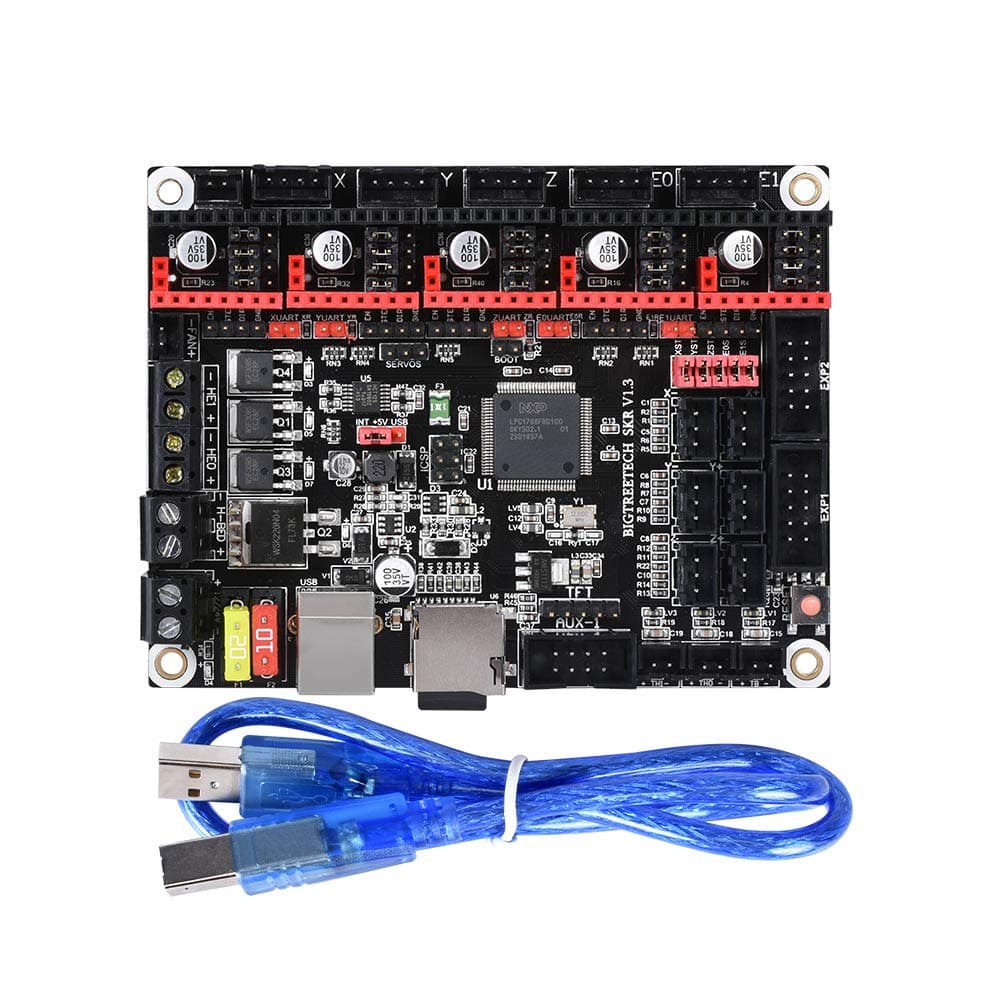
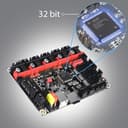
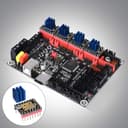
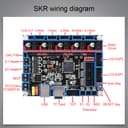
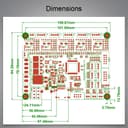
Buy BIGTREETECH 3D Printer Part SKR V1.3 32bit Control Board Smoothieboard&Marlin Open Source Compatible with Ramps1.4/1.5/1.6 Support A4988/8825/TMC2208/TMC2100 Drivers: 3D Printer Controllers - desertcart.com ✓ FREE DELIVERY possible on eligible purchases Review: Just lovely, absolutely lovely! - I brought this board for my little sister because she wanted to add the BLTouch and TMC2208s to make her Ender 3 printer quiet. Here's her experience (she'll be writing it personally): ::: Initial Setup ::: - Installation was a bit tricky since there wasn't much information on the board at the time I got the board (I can confirm that YouTuber's like TeachingTech have released videos on installing this board, looking around on the BIGTREETECH facebook group helps aswell), but once I found information, it was quite simple. Though a fair warning to those installing this board with an Ender 3 (like I do) you HAVE to cut off one of the tabs on the JST connectors for the endstops, as they will not fit properly on the board. - Firmware setup was also tricky with the lack of information, though I did find following what BIGTREETECH did in their video got me on the right track on getting the programming environment setup since the Arduino editor does not work with 32bit boards, once I got that up, getting the firmware to work with my printer and the board was quite easy, it was pretty much the same as with every other board out there. - The day before I got the board, I went ahead and printed out a new case that fits on the Ender 3 and fits the new board which came out really nice and is quite useful (though I do plan on changing to TeachingTech's newest case where everything is in the back since the access door is facing up instead of under the printer). - Now, the actual wiring hook up was *REALLY* easy, thanks to TeachingTech's MKS GEN L video and BIGTREETECH's board diagram on their Github (which I posted a picture of it here). For the TMC2208s, I followed the instructions posted on BIGTREETECH's Github to ensure I got all of the UART pins correct. Pretty much everything was plug n play for the most part. I also really like how there is a dedicated port for the BLTouch and plenty of unused pins that I can use for other things. I definitely give it two thumbs up for that. ::: The Prints ::: I print alot on my Ender 3 (I roughly over 300 hours on the printer), and I am happy to report that I have not experienced any significant issues with the board! My printer's nearly completely quiet now (except for the PSU and mainboard fans). As far as quality, I don't see that much of a difference (and that's good too! The Ender 3 overall has been really good to me when it comes to having nice quality prints). ::: Overall Experience ::: I give this board 5 stars because it's gives alot of space for modding the Ender 3, and it's also quite affordable! I also really love how all of the UART/SPI pins are all integrated into the board, so you only need to short the pins with the jumpers provided by the seller, this was the MAIN reason why I got my sister to buy this board instead of the MKS GEN L. However, I do wish that it had more SERVO ports and fan ports, similar to how the MKS GEN L (I don't actually own that board, that was one board I was considering on getting before the SKR V1.3). Anyone with an Ender 3 and looking to do some notable upgrades like the BLTouch, this board is the way to go! Review: Great board, great price. HOWEVER! Bad SD card & Mac users (read below) - Great board & great price, only issue i had was the SD card it cane with stopped reading or writing so i had to install a new one to get my firmware onto the SKR board, i highly recommend if u have issues to buy a new class 10 SD card and try that (it fixed my issues) also it definitley improved the accuracy and speed of my prints(but dont expect to print at super high speeds without having the correct drivers and frame for it) im using the SKR1.3 w/ TMC2208’s w/ UART mode enabled and it super quiet & nice to sleep at night and not hear my printer. Make sure you have the correct shunts in place when u install your stepper motor drivers and if you use TMC drivers make sure you tune the current in the firmware so you dont you burn up youe motors or drivers (from too much heat) . 400-500mA’s seems to keep my anet nema 17motors VERY cool . So i recommened starting around there to keep everything safe(especially if you're a beginner ) For anyone using a Mac computer for this, make sure you have “Xcode” installed And its up to date, otherwise “Atom”(the program) wont be able to recognized and upload to the skr1.3 board. ALSO if you have troubles switch to a new class 10 SD card. I had issues uploading due to my Xcode not being updated! AND my SD card was allowing me to put the firmware.bin file into it, using a separate SD card to USB plug BUT the SKR board would not flash the new firmware (i followed every instruction on reseting and powering down the printer) and the fix was simply a new class 10 SD card in the SKR board. So hope this helps someone! I was literally messing with my printer all day and night staying up for 24hours straight figuring this out..... also you do not need to download any drivers!
| ASIN | B07P87J274 |
| Brand Name | BIQU |
| Color | Black |
| Customer Reviews | 4.2 4.2 out of 5 stars (170) |
| Display Type | LCD |
| Manufacturer | BIQU |
| UPC | 791280795778 |
| Voltage | 12 Volts (DC) |
A**A
Just lovely, absolutely lovely!
I brought this board for my little sister because she wanted to add the BLTouch and TMC2208s to make her Ender 3 printer quiet. Here's her experience (she'll be writing it personally): ::: Initial Setup ::: - Installation was a bit tricky since there wasn't much information on the board at the time I got the board (I can confirm that YouTuber's like TeachingTech have released videos on installing this board, looking around on the BIGTREETECH facebook group helps aswell), but once I found information, it was quite simple. Though a fair warning to those installing this board with an Ender 3 (like I do) you HAVE to cut off one of the tabs on the JST connectors for the endstops, as they will not fit properly on the board. - Firmware setup was also tricky with the lack of information, though I did find following what BIGTREETECH did in their video got me on the right track on getting the programming environment setup since the Arduino editor does not work with 32bit boards, once I got that up, getting the firmware to work with my printer and the board was quite easy, it was pretty much the same as with every other board out there. - The day before I got the board, I went ahead and printed out a new case that fits on the Ender 3 and fits the new board which came out really nice and is quite useful (though I do plan on changing to TeachingTech's newest case where everything is in the back since the access door is facing up instead of under the printer). - Now, the actual wiring hook up was *REALLY* easy, thanks to TeachingTech's MKS GEN L video and BIGTREETECH's board diagram on their Github (which I posted a picture of it here). For the TMC2208s, I followed the instructions posted on BIGTREETECH's Github to ensure I got all of the UART pins correct. Pretty much everything was plug n play for the most part. I also really like how there is a dedicated port for the BLTouch and plenty of unused pins that I can use for other things. I definitely give it two thumbs up for that. ::: The Prints ::: I print alot on my Ender 3 (I roughly over 300 hours on the printer), and I am happy to report that I have not experienced any significant issues with the board! My printer's nearly completely quiet now (except for the PSU and mainboard fans). As far as quality, I don't see that much of a difference (and that's good too! The Ender 3 overall has been really good to me when it comes to having nice quality prints). ::: Overall Experience ::: I give this board 5 stars because it's gives alot of space for modding the Ender 3, and it's also quite affordable! I also really love how all of the UART/SPI pins are all integrated into the board, so you only need to short the pins with the jumpers provided by the seller, this was the MAIN reason why I got my sister to buy this board instead of the MKS GEN L. However, I do wish that it had more SERVO ports and fan ports, similar to how the MKS GEN L (I don't actually own that board, that was one board I was considering on getting before the SKR V1.3). Anyone with an Ender 3 and looking to do some notable upgrades like the BLTouch, this board is the way to go!
M**L
Great board, great price. HOWEVER! Bad SD card & Mac users (read below)
Great board & great price, only issue i had was the SD card it cane with stopped reading or writing so i had to install a new one to get my firmware onto the SKR board, i highly recommend if u have issues to buy a new class 10 SD card and try that (it fixed my issues) also it definitley improved the accuracy and speed of my prints(but dont expect to print at super high speeds without having the correct drivers and frame for it) im using the SKR1.3 w/ TMC2208’s w/ UART mode enabled and it super quiet & nice to sleep at night and not hear my printer. Make sure you have the correct shunts in place when u install your stepper motor drivers and if you use TMC drivers make sure you tune the current in the firmware so you dont you burn up youe motors or drivers (from too much heat) . 400-500mA’s seems to keep my anet nema 17motors VERY cool . So i recommened starting around there to keep everything safe(especially if you're a beginner ) For anyone using a Mac computer for this, make sure you have “Xcode” installed And its up to date, otherwise “Atom”(the program) wont be able to recognized and upload to the skr1.3 board. ALSO if you have troubles switch to a new class 10 SD card. I had issues uploading due to my Xcode not being updated! AND my SD card was allowing me to put the firmware.bin file into it, using a separate SD card to USB plug BUT the SKR board would not flash the new firmware (i followed every instruction on reseting and powering down the printer) and the fix was simply a new class 10 SD card in the SKR board. So hope this helps someone! I was literally messing with my printer all day and night staying up for 24hours straight figuring this out..... also you do not need to download any drivers!
W**L
Works great, build quality is so-so
First of all the feature set is great and its a huge step up from my Ender 3's stock board. Print's faster, adding TMC 2208's make it quiet, and Marlin is pretty easy to set up for it. Om the other hand build quality is a little sketchy, I had to force some of the headers for the stepper drivers to get them to slide in, and some of the plastic mounts for the fan or sensor headers have come loose - the pins still work, but the mount came off. For value and features, this is a solid 5, dragged down by the build quality.
R**H
Love this board, buy it now!
I have upgraded every one of my printers to this board. Why? Because its a great value, does the job and gives me huge expansion with marlin 2.0. Throw some silent stepper drivers (TMC2208) in here and you'll love it to. I love working with BIQU/BigTreeTech products. Really seem to have their act together.
C**Y
Nice board, excellent price.
Very nice board. Support is a little absent and getting the USB driver to install was a pain on my windows 8.1 install. Upgraded to W10 pro and the driver installed automatically. It would be nice to know if the end stop inputs are 5V tolerant.
C**R
Good quality for the money
Fantastic board, easy to use plenty of features. I plan to use them for my future builds.
M**L
USB disappeared from File Explorer after pressing the reset button
I bought two of these boards and one of them was not operable ie: it was not recognized in the File Explorer, but did show up in the Device Manager. (yes I switched the cap from int + 5V to 5V +USB so that it was USB powered.) The D4 light came on but nothing else. The second one showed up. I was able to upload the config files and Marlin firmware, however as soon as I pressed the reset button it no longer showed up in File Explorer as well! I do not have anything except the A4988 driver boards, and the USB cord plugged into it. I've tried to research it, and everyone else seems to have had something plugged in that caused the issue. So in other words I have two useless boards that do not show up in order for me to troubleshoot them.
ترست بايلوت
منذ 3 أسابيع
منذ 4 أيام