Desertcart purchases this item on your behalf and handles shipping, customs, and support to EGYPT.
🎮 Elevate your game with precision and style — don’t just play, dominate!
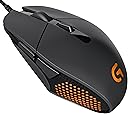
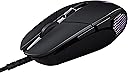
The Logitech G303 Daedalus Apex Performance Edition is a high-performance gaming mouse featuring an advanced Delta Zero optical sensor with up to 12,000 DPI sensitivity, a lightweight 7.2-ounce ambidextrous design, customizable RGB lighting, durable buttons rated for 20 million clicks, and on-the-fly DPI switching across 5 settings. Engineered with pro gamers in mind, it offers precision, speed, and personalization to give you the competitive edge.
| ASIN | B00TKFD51M |
| Additional Features | Lightweight |
| Antenna Location | Gaming |
| Best Sellers Rank | #85,075 in Video Games ( See Top 100 in Video Games ) #2,396 in PC Gaming Mice |
| Brand | Logitech |
| Button Quantity | 6 |
| Color | Black |
| Compatible Devices | Mac |
| Connectivity Technology | USB |
| Customer Reviews | 4.4 out of 5 stars 1,079 Reviews |
| Embellishment Feature | LED |
| Enclosure Material | Plastic |
| Global Trade Identification Number | 00097855112620 |
| Hand Orientation | Ambidextrous |
| Hardware Platform | PC |
| Item Weight | 7.2 ounces |
| Manufacturer | Logitech |
| Mfr Part Number | 910-004380 |
| Model Number | 910-004380 |
| Mouse Maximum Sensitivity | 12000 dots_per_inch |
| Movement Detection | Optical |
| Movement Detection Technology | Optical |
| Number of Buttons | 6 |
| Operating System | Windows 11 |
| Power Source | Corded Electric |
| Range | feet |
| Special Feature | Lightweight |
| Style Name | Modern |
| UPC | 796327872962 097855112620 734911501669 |
| Unit Count | 1 Count |
E**T
New hotness. Get used to it.
Previously I had been using the Logitech G5 for ages, and then upgrading to the G500 when that came out, because the G5 and G500 were both perfectly shaped for my hand and mouse grip style. However, the G500's thumb buttons were placed just a tad too far forward for my hand, and thus I've never been 100% satisfied with it, as I always had to change my grip slightly if I wanted to hit the far forward thumb button for any reason. Because of that, a lot of times I left that button unassigned for most of the profiles, which seems wasteful to me. Recently I've found my hand/wrist getting tired after not even that long of a gaming session, so I reevaluated what is causing the stress and what would improve my gaming sessions. My assessment was that I've come to a point where I wanted a smaller mouse to fit my grip (claw grip). After looking around for awhile, most of the smaller mice that I wanted were either discontinued or costs an arm and a leg. That's also when Logitech had somewhat of a sale going, and led me to take a closer look at the G302/G303 series of mice. These mice are physically smaller than the G500 in every aspect: it's shorter, less tall, and less wide. I think it's also lighter in overall weight. The best part is that the thumb buttons were accessible by my thumb without changing my grip at all. I picked the G303 over the G302 for the better sensor, and to a point the customizable LED lighting within the software. Anyway, here's the TL;DR version. PROS: Smaller size than the rest of the Logitech gaming mice (in height, width, and length). Has the same laser sensor as on the G502 mouse. Spring tensioned left and right click buttons feel really good. Positive feeling scroll wheel. If you're using the Logitech Gaming software there's a lot of settings that you can change to tune the mouse to your liking. There's also 3 on board profiles that you can store on the mouse itself, but if you use the Logitech Gaming software you can just use the software to detect different softwares and have it auto switch profiles with that, and you can have loads of profiles this way as well. CONS: Shape might not work with non-claw style grip. Doesn't have a ton of buttons (enough for most FPS games though). Does not have the dual mode scroll wheel where with the click of a button it disengages the gears and lets the scroll wheel scroll infinitely with one flick of the wheel, which makes browsing the internet easier (could always use universal scroll to overcome this shortcoming). The "white" LED lighting on the mouse via the gaming software is actually more like a very pale blue, and is very apparent next to a Logitech G710+ keyboard's white key back lighting. Other thoughts: With getting this mouse I had to update to a newer Logitech Gaming software as the older version of the software did not support the G303 (this mouse came out earlier this year). However, shortly into using the new software, it messed up the macro key assignment on my keyboard. Upon research, the newest version (8.70.315) had an unsigned driver that made it into the bundle, causing the PC to ignore the profiles that the software could set. To fix it, I downloaded the driver that was one version back (8.58.183) and everything works fine again. Also, there was a little bit of jitter on the cursor when you would stop from moving it left and right at first, but that could have been the sensor being too sensitive and actually registered the little "bounce" movement in my hand when it stops a fast movement. I have now either gotten used to it and don't see the jitter anymore, or some slight tweaking of the settings have got it sorted (windows mouse movement speed in the middle of adjustment range, mouse DPI at 1800, report rate at 500, mouse pad profile set to Logitech G440 as that is the actual mouse pad that I have).
D**G
Ideal FPS mouse
This is a solid FPS mouse and performs perfectly in that function. I transitioned from a Razer Deathradder 2013 and I play mainly CS:GO, and to a lesser extent Dota 2. The Deathadder is more naturally suited for a hybrid grip where part of your palm is touching the mouse but your fingers are also slightly lifted off. Didn't have a problem with that grip until I tried out the G303. It's definitely more aggressively claw oriented with a flatter and less form fitting design, but in my opinion this is perfect for a twitch shooter like counter strike since it give you more finger control (better and more precise than moving almost your whole hand). Compared to the g502, I liked the 303's more streamlined design and smoother buttons. With the g502, I felt like my thumb was always placed against a jagged edge / almost pressing down a side button. Not ideal for FPS where excess buttons are unnecessary and tracking/ergonomics is of utmost importance. This mouse is still great for genres outside FPS, but note that minimalist feature set/button count is definitely geared toward non-macro/hotkey intensive games like shooters. It would not be my first choice if Dota 2 were the main game I played, although it would work just fine. The sensor is flawless, I don't have anything to say about it because it just works perfectly as I expect it. Beware the surface tuning option: I found it to sometimes cause my mouse cursor to "jump" around (terrible mid fire fight in cs), and I have a glorious PC mousepad XL. The default setting works just as well (honestly can't notice a difference pre/post surface tuning) and I haven't encounter jumping issues since. The scroll wheel feels more solid with tighter, smaller "notches" than the deathadder, and clicking it is easy and responsive. The actual mouse buttons click as responsively as any of the top gaming mouses I've tried, including my deathadder (although I suspect the buttons on the DA have worn down a decent bit over time, so not a fair comparison) The LED design is pretty cool looking too.
D**N
The Deadliest Mouse on the Market!
OVERVIEW:- Awesome mouse, which has one of the best sensors (the Pixart PMW3366) out on the market right now. It's incredibly accurate because there is virtually no positive or negative acceleration, in addition to the amazing tracking. It's also quite responsive when compared to my Mionix Avior 8200, which uses an Avago ADNS-9800 sensor. In terms of the weight, I think it's a perfect balance regarding the design, and achieves a near 50/50 (front and rear weight) experience on both ends. It feels incredible to hold and to use with my medium-sized hands. This is a weapon that gives the bearer confidence to aim accurately for any situation he/she may be in. ERGONOMICS:- I'm in between a claw grip and fingertip user, so the somewhat small size doesn't put too much of a burden on my hands. However, the G303's construction is a bit on the plasticy harsh side, whereas a Mionix Avior 8200 does feel better since the extra rubberized coating helps soften the total experience. However some of the plastic has matte finish on it, which does make it feel a bit nicer. In general, it's a love or hate it relationship with the ergonomics of this mouse. My hands are medium sized. BUTTONS & LAYOUT:- I think this is one of the best features the G303 has. First of all, the right and left click buttons provide amazing feedback, and the metal spring tension system really shines here. The clicks are very satisfying, and has just the right amount of force needed to press them comfortably and confidently. The middle mouse button is somewhat of an improvement when compared to the Mionix Avior 8200, but not totally. The middle mouse button has a slight resistance when trying to scroll up and down, which is a good thing. Pressing it is equally satisfying as the right and left mouse buttons, and provides the same feedback. The layout of the side buttons are very good in my opinion. I rarely use them, so where they are—which is a little further to the top—means I won't accidentally press them. Unfortunately, these side buttons do not have the same switches it seems, so the feedback and response isn't the same as the right, left, and middle mouse buttons. The DPI cycling button does the job, nothing really worth mentioning here other than the feedback is a bit on the lackluster side in my personal opinion. However the DPI cycling button is designed so you don't accidentally press it; the surface is raised higher towards the rear of the mouse. PERFORMANCE-: Using one of the best sensors on the market, which is the Pixart PMW3366, this mouse is without a doubt, the most accurate I have used. The tracking is absolutely astonishing, the ability to "tune" the sensor for the surface which it rests upon is a huge plus (this is done with the Logitech Gaming Software), and there is no positive or negative acceleration, which helps immensely for accuracy. The 12000 DPI is a marketing gimmick for all purposes, but the gaming software is very good in that you can tune the DPI in 50 point increments. For those curious, the range that you can set it to ranges from 200-12000 DPI. It's also worth mentioning that the responsiveness of this mouse is very good. I feel that when compared with the Mionix Avior 8200, the G303 just seems to respond slightly faster to my hand moving it. I notice it in the game I play (HAWKEN) which I have logged almost 2,500 hours in. I've played that game with the Avior 8200 at around 3/4 of the total playtime. Oh, and of course, right out of the gate, my aim improved quite dramatically, and I notice that I am more confident in utilizing twitch movements to aim precisely at the target. No acceleration problems that did plague the Mionix Avior 8200 mouse that I was using. SOFTWARE-: Nothing too amazing, but it does the job and is not filled to the brim with software bugs (only tested it for a few days however, 64-bit version)—which is good. It has quite decent customization with the lighting, the sensor profiles, and the DPI values. I don't use profiles at all, which also includes macros. But, the option is there if you want to use it. RGB LIGHTING-: The lighting quality on my unit is very good and bright. The mesh effect is pretty cool too. Nothing too aggressive like some Roccat mice. You can adjust the brightness within the software, and can change the lighting effect between color cycle and breathing effect. The Logitech Gaming Logo is also lit up pretty decently. The color accuracy and the quality of the LEDs in here seem to be better than the Mionix Avior 8200. All in all, it's very good. It's a nice addition to make the mouse feel that bit more customizable. BUILD QUALITY-: The build quality is, somewhat decent. I don't know if it's because Logitech opted for less rubberized coating to reduce the weight, but when compared to the Avior 8200, the G303 just doesn't compare. The build quality on the G303 is certainly not the best, and does feel like it's going to take a beating in the next couple of years, perhaps even months. However, in the hand, it does not feel this way. Holding it in the air, shaking it somewhat violently to hear for rattling of parts, I do not hear anything, which does indicate it is sturdy with it's design. Apparently, some early units of the G303 had some kind of bad manufacturing that caused rattling to be heard when it undergoes shaking. It seems Logitech has fixed this on my unit. For the $50 price tag, I'd expect a little bit more durability, but in my opinion, it's not a total deal breaker given so many excellent features of this mouse. If you can find this guy on sale for $10 or more, it's certainly worth the cost. Even if this isn't the case, it's still worth it in my opinion. It's not a cheap feeling plastic mouse, but does not compete with the durability of Mionix mice. PROS & CONS-: Pros: - The sensor is one of the best on the market (superb tracking, no acceleration, responsiveness top notch) - Small and relatively lightweight - Great button layout and feedback - Decent RGB LED Lighting - Customizability via the Logitech Gaming Software - Well thought out and unique design makes this great to use with claw/fingertip grip - Excellent button layout - Cable management via included attached velcro strap (nice!) - Sturdy construction, no rattling is heard when it is shaken Cons: - Somewhat of a lackluster build quality - Side buttons have very poor feedback - The price can be hard to sink in, given some of the complaints with the build quality (price tag is $50 as of this review)
K**H
Precise, Lightweight - great for work and play
The Logitech G303 is the best lightweight mouse I have ever used. It's advanced sensor combined with its excellent design allows for precise, fast, and yet comfortable rapid movements. Although it has been marketed as a "MOBA" gaming mouse, I found it to be just as useful in my daily work as well as for gaming. Performance I was skeptical that this mouse could be comfortable because of its unconventional shape, and the fact that is smaller than mose gaming mice. It looks like an elongated diamond to me, and it's somewhat lower in profile than some other mice I have used. The shape of this mouse definitely requires a "claw" grip as opposed to a "palm" grip. I usually don't like claw-grip mice but for some reason, this one feels good. And because the shape of the mouse tapers towards the front end, it also made my grip taper, or become narrower, and more focused - and yet it was still comfortable. The fact that the mouse is about a 3rd lighter than most mice (87 grams) allows my fingers to move the mouse precisely - without becoming tiresome. I ended up using this mouse for work purposes. In my case, I work with 3d modeling software. Creating 3d shapes and models often requires lots of precise, repeated movements. This mouse feels great! And it is now my "daily driver" for working. I will say though, that my hand is medium sized so the comfort that I am experiencing might not be the same for someone with larger hands. I've read reviews that people with larger hands might find this mouse too small. As far as gaming goes, it does that well too. In particular, I would say games such as Dota 2, Heroes of the Storm, Starcraft 2, Diablo 3; and other "isometric" style games felt better with this mouse as opposed to any other type of game. That's because these games tend to require lots of clicking and precise movements in focused areas - something that the G303 shines at because it's lightweight and highly accurate. If there's one thing that I would improve about this mouse, it would be scroll wheel. It's a bit too much resistance for me. Maybe I'm spoiled by the free-spinning action I get from my old Logitech G9, but even other mice I have feel a bit less "stiff" when I move the scroll wheel. Software The included software is the same that Logitech has been using for their other "G" line of gaming mice. It's well designed - with an easy-to-understand layout. The mouse comes with 3 profiles that can have their own dpi, lighting, and button settings. There is even a "surface" setting that will tune the mouse to various types of mouse pads, tabletops, etc. If you already have a Logitech G mouse on your existing PC, chances are you already have this software - and all you have to do is plug the mouse in. The proper drivers will automatically download (Assuming you are connected to the internet at the time). Conclusion The G303's lightweight design is great. I love that I can move it precisely in a focused area, and not get fatigued. I own mice that are twice the price of this - and they don't even compare in terms of being as precise, yet comfortable at the same time.
P**.
THE mouse to get for fingertip grip users, coming from G9x
Over the years based on the games I play and the need for comfort and control I have changed the way I grip the mouse couple of times and finally when buying Logitech M705 I settled on a fingertip grip. M705 is not a gaming mouse, and doesn't have high DPI or the precision of a gaming mouse, but I quite liked the shape and it was fine until I bought a 1440p monitor. It puzzles me why companies like Microsoft and even the non-gaming Logitech keep making low dpi mice, when it is clearly obvious that this is not enough for anything beyond 1080p even for browsing. I don't play games at high DPI settings, but with the new monitor I needed a mouse with higher DPI, and after visiting a few stores and trying numerous mice I settled on Logitech G9x and CM Spawn. I chose the G9x back then mostly because of the far superior software of Logitech. The reason some people still use G9x today is because of the shape. I never found G9x ideal because it has inherently flawed sensor and scroll wheel. Microsoft's tilting scroll wheel and Logitech's "MicroGear Precision" scroll wheel (G9x is one of many that uses it) were two of the worst mouse innovations to ever plague the world of computer electronics. Next on the “innovation list” is Microsoft's idea to not only include, but enable by default in Windows mouse acceleration, or what they call "Enhance pointer precision". Luckily this can be turned off, except Laser sensors (which G9x uses) have an additional built in acceleration that cannot be turned off. So no, I didn't find G9x the perfect mouse, but in the 3 years that I have owned it I have bought and returned 4 other mice because they had bigger flaws (mostly in the shape) than the ones present in G9x. Those mice were: Razer DeathAdder 4G (S3988) Mionix Naos 7000 (PMW3310H) Corsair Sabre Optical (S3988) Logitech G502 (PMW3366) While doing fairly extensive testing and comparison in the store: Roccat Kone XTD (available with S3988) Roccat Kone Pure (available with PMW3310H) Steelseries Rival (PMW3310H) Corsair M45 (PMW3310H) For tracking precision at fast moving speeds, up to around 200ips (inch per second) the top 3 optical sensors on the market today are PMW3310H, S3988 (S3989) and PMW3366. I limited the choice by considering only mice that had one of those 3 sensors. Below I'll list the things I'm looking for in a mouse, and why I chose the Logitech G303 above all the rest. 1. Sensor: There are mice today that have low DPI sold for general use that are already becoming obsolete. One of the major selling points for many of these is having wireless connection. Unfortunately it comes at the cost of additional weight and for gaming mice with high performance the inconvenience of having to charge too often. In short if sensor performance is a top priority, for most people buying a wired mouse is the more sensible choice. Then there're gaming mice with high DPI sensors that are precise at tracking at average speeds. At the high end of the spectrum we have PMW3310H and S3988 sensors that are pretty much as good as anybody will ever need, and then there is the PMW3366 sensor. This is the absolute best performing sensor to ever get installed into a mouse, far exceeding the needs of the most demanding gamers today. It creates the perfect link without any compromises between the cursor on the screen and the movement of one's arm. It’s not the 12,000 DPI that’s important here; it just so happens that the best optical high precision sensors allow for higher DPI setting. In addition Logitech has implemented the sensor with their hardware, firmware, drivers and software beautifully. No matter the tests I ran on the mouse, it performed flawlessly. 2. Shape: As I mentioned I'm a fingertip grip user. The posture of the human body and the angle of the wrist are probably the most important contributing factors for fatigue, but next is the contact points of the hand and fingers on the mouse. This includes texture of the surfaces, sides shaped for easy lift off, wide enough to grip without too much effort; short in height to allow finger rest when not moving and short in length to allow for fingertip grip without touching the palm. The rest is personal preference, but I believe that having the right dimensions will allow most people to adapt to its shape, as I find nothing inherently flawed. There are no coatings or paint on the plastic surface, which can only indicate durability. 3. Weight: The less a mouse weights, the more it feels an extension of one's arm, rather than a tool that needs to be handled and controlled. Less weight allows faster acceleration and easier lift-offs. When more precision is required the solution is to lower the DPI, not to seek heavier mice. 4. Buttons: Omron switches rated for 20 million clicks is a requirement for any gaming mouse today. Next equally as important is the design and placement of the buttons themselves. This includes the left/right buttons, and as a requirement for me two side buttons that are positioned on the left side of the mouse. They have to actuate with the right amount of force, give the right amount of feedback, and spring back to their up position quickly to allow multiple button presses; or to feel springy and not sticky. 5. Scroll wheel: NO side tilt, NO free-spin, and step scrolling with just the right amount of force and feedback. Middle button press should actuate with the same amount of force and gives the same feedback as the other buttons. The traditional Logitech "MicroGear Precision" wheel fails miserably in both of those points. You constantly wish to have an in-between setting, between step scrolling and free-spin, and it is almost impossible to click the middle button reliably since it requires too much force and you are never sure if you'll middle click or tilt it to one side or the other. 6. Flexible cable: Using a cable holder ensures no friction points around the edge of the desk, and for stiffer cables making a loop can help the mouse to have more forward/backward movement, but ultimately what maximizes freedom of movement is having a flexible cable. 7. Software: This can be a huge convenience being able to switch on-the-fly key mapping and DPI settings based on the application being run. Some software is better than others, and among all the gaming mice manufacturers today Logitech have been making mice and software for them the longest, and theirs is among the best and most polished. The G303 performs in all 7 of my points admirably. Logitech made the right decision listening to the feedback of their gamers, putting their best sensor into one of their more popular shapes. I believe that for me and many gamers (or non gamers) that are looking for a fingertip (or possibly claw) grip mouse G303 can be one of the few computer accessories they will be happy using for a very long time. Edit: About a year and a half ago when I first started using this mouse and wrote my review I was so impressed that I thought about posting a thread in Logitech’s forums to urge them to design other mice with the exact same buttons and sensor as this mouse only in different shapes in order to appeal to more people. I didn’t and it seems that I wasn’t the only one with the idea, because since then Logitech have released G Pro and G403 in both wired and wireless version. It looks like for the first time gaming mice are being developed for the need of the users rather than pressures in the marketing departments. There is also the release of the new PMW3360 sensor that has allowed other manufacturers to develop more mice as well, and fortunately the above list of mice with great sensors is growing. Hopefully this list will also include more mice that are shorter but wider (G9x/CM Spawn style) for fingertip grip users. Some new manufacturers are releasing great mice without any software, but I think this greatly limits the convenience and functionality of these mice. I have also tried G403 and bought a G Pro, and they are not replacing the G303, but rather adding two more members to a new family of classical mice. There is a confirmed rattling sensor problem of the G303 which mine did have, but according to the reports it has been fixed in the new production models. I fixed mine fairly easily following a YouTube video tutorial “Logitech G303 mouse rattling sensor fix”. The choice between these three mice should be purely on shape preference and nothing else. While opening the mouse I noticed that out of the 6 buttons that the mouse has, only the left and right buttons have 20 million clicks Omron switches. It is the same for G403 and G Pro. Maybe soon Logitech will release more 6 button mice models with ONLY Omron switches. Yes, the lower quality switches fail and start to double click and misbehave, and it can happen much sooner than the time when the Omron switches start to fail on the two most used buttons. I also prefer the smooth rubber texture of the G303 wheel rather than what they installed on G Pro and G403, while the side buttons on the G Pro and G403 have slightly better placement than in G303. There is always room for improvement, but it seems the community approves as Logitech looks for innovation in the small details where the real magic happens.
D**H
Perfect gaming mouse for guy with larger hands who uses a pure fingertip-style mouse grip and high sensitivity
TL;DR: I love this mouse because I have large hands and use a fingertips-only style grip. If you use a palm or claw grip there's a good chance this mouse won't work for you unless you have smaller hands. --------------------------------------------------------------------------------------------------------------------------------------------------------------------------------------------------- After using this mouse for about a year, I think I've finally ended my search for the right mouse for my hand size and grip style. I have large palms (4.5" from wrist to bottom of middle finger) compared to my fingers (3.5" from bottom to top of middle finger). In total my hands are a little larger than average for my height (6' 1"). I hold the mouse with a fingertip-style grip - base of palm resting on mousepad, only touching the mouse with the tips of my fingers, and moving it with a combination of finger contraction and wrist pivoting along with frequently lifting the mouse completely off the pad to place it in a better position for continued movement. I've tried forcing myself to use a palm grip on a mouse intended for it and I just can't get used to having to move my entire arm to control the mouse. Definitely not the most common style, but it's just what naturally has always felt and worked best for me while playing games. I tend to use DPI of about 1200-1600, as that's the level I like for everyday productivity usage, and then set sensitivity in games to whatever feels right. Generally, in any genre of game, I use a fairly high sensitivity to the point that it allows me to do a complete 180 turn in an FPS by just moving the mouse an inch to the right or left. After buying at least 10 mice in the last 10 years trying to find one that feels "right", this is finally the one that does it for me. It's smaller and lighter than the bulky, heavy mice intended for use with a palm grip and has a base that's just enough smaller than the top to make it super easy to lift and reposition the mouse while holding with just my fingertips. That same inward/downward vertical slant of the sides also makes it super easy to maintain my grip on the mouse without having to press super tightly like I have in the past with other mice whose bases are wider than their tops. Much less hand/finger fatigue while using this mouse for prolonged periods of high activity. As I've come to expect from Logitech mice, the sensor/buttons/wheel are all very high quality and feel solid and well-made. It tracks really well and the software you can install on your computer to tweak the mouse settings and set up profiles gives you lots of nice customization options. At the price I paid for this mouse (in the low 40 dollar range) it's a tremendous value and I would happily buy it again at double the cost if this one died. All that being said, if you do use a palm grip this mouse may not be the one for you, unless you have smaller hands. The smaller your hands the easier it will be to use this mouse with a palm or claw grip style, as it's not a large mouse. If you have hands around my size, using this mouse with a palm grip would be almost impossible - when I hold it in that way the end of the mouse barely reaches the top of my palm, so there's no more mouse left on which to actually rest my palm. Pros (specifically for me, based on hand size/grip style): - Small and light - Base smaller than top, making edges very grippable - Just enough buttons to do everything I need without a bunch of superfluous ones getting in the way - High quality sensor and mechanical parts - Logitech mouse software is generally easy to use and has nice features - High quality, braided cord that doesn't get tangled or feel too stiff - Great price for what you get Cons: - Honestly, I have to try pretty hard to come up with any cons for myself. I guess one would be that the scroll wheel isn't as high quality as some of the much more expensive Logitech mice, and doesn't have left-to-right scrolling by tilting the wheel to either side. - If you use a palm or claw grip and don't have pretty small hands, I would say this mouse probably won't work for you.
R**W
The "bees kness" as the kids would call it.
-Looks incredible -Movement feels very smooth and accurate -Feels great to hold -Programming is incredibly easy I hate it when tech companies make apps very annoying to use by having to log into to an account just to do something like adjust settings to a programmable mouse. Logitech figured it out, these guy aren't screwing around The program is fast to download and SUPER easy to use. No annoying freaking account to sign into. Just download the app from the support page for the mouse and within SECONDS you'll be able to program the mouse and change the lighting. -On Board Memory This crap is like magic right here. Change settings, close app, and bam the setting are saved onto the mouse. Oh you wanna switch to another computer? ALRIGHT, plug it into the new computer and ALL your settings are still there! The lighting settings, the dpi settings, all the same from when you changed it. God damn wizardy is at work here. You can even have 3 profiles each with their own settings. Then you can bind a key to your mouse to switch between profiles if you want and bam you got 3 different sets of colors and dpi, damn son that's incredible! The mouse comes with 4 preset dpi settings for each profile, you can add or subtract the amount of dpi settings you want. Set your favorite to the default so when you plug into a new comp, bam already perfect. -purdy The mouse has rgb lighting, you can get all the colors of the rainbow on your mouse, incredible. Verdict I would've bought this earlier if I knew about it. Support logitech because unlike razer which has annoying obtrusive apps for your gear it's like Logitech made something incredibly simple and powerful. You don't have to have some dumb app running in the background to use your fancy mouse or headset. You just customize how you want it. Thank you Logitech, as a gaming enthusiast I applaud you.
S**P
I thought the 3366 sensor would tide me over, but the shape is unusable for me.
Sure, the spring tensioned mouse clicks are great but it's nothing we couldn't live without. A bit overhyped in my honest opinion. A better shaped form is always better than click feels. The 3366 sensor is undoubtedly the best out on the market at the moment, and it may be worth the try for you as well, if you like the shape/size. I want to make it clear, how well a mouse works always comes down to personal preference. In my situation, I have 19.5 cm hands and I prefer fingertip/ palm grip the most. I wanted to give this mouse a try because I've tried it other mice like CM Xornet/Logitech Mini Optical and I did love those claw-grip small form mice for RTS/MOBA. The games I tested for are Dota as well as CS:GO, and it was certainly more usable in games like Dota because you typically don't need large movements. The clicks did feel nice for last hitting and such, but I've been spoiled by the clicks of the CM Spawn/Xornet series, which were just as nice if not better. From here is my personal opinion and thoughts about recent Logitech mice: Recently, design sense at Logitech is seriously questionable with the new G lineup. How do they think the space theme is relevant in this age? I loved the older mice for simplicity in design and the shapes were almost always comfortable. Now most of their new mice scream distasteful immaturity. I'm really sorry to say it, but even that logo is an eyesore... What I support of them is their extensive sensor testing/research, and recognizing the demand of this great sensor in more mice. Developing new mouse clicks for consistency and feel? Yes, that's the Logitech I love that fine tuned its products to make it enjoyable for a wide range of users. I do appreciate the Logitech's old approach to making a mouse form as well-rounded as one could make it, and not just going for a "statement" to differentiate from other mice out there. About the shape, I do think the G303 is the best looking in terms of design within their current lineup. LEDs look fantastic, the buttons are conveniently located. But really, I was not able to grip those pointy sides in a way that's more comfortable than rounded ones. In my testing in CS:GO, the mouse was back-heavy and unbalanced; weight distribution is really crucial for FPS games, and Logitech completely missed it here. Just a simple rounding of the sides like the classic Logitech Mini Optical would have made this mouse "usable". There again, some users may find it workable if you can get over the drawbacks and take the sensor/clicks as strong points. In fact, a well-known user for a few months now is Shroud, a professional CS:GO player. Unfortunately, I have returned it after a week's use. I'm still a Logitech fan and I'm cheering them on, but there's surely much room for improvement.
A**R
Amazing sensor, excellent feel. Been using this mouse for a high level shooter.
I've been using a Logitech G303 for about a year and a half. I bought this as a second mouse to replace my original g303 as the scroll wheel had become worn out (this only happened because I put more pressure on the scroll wheel than normal, for an extended period of time, the mouse still works fine and I actually still use my other mouse for my laptop... even the scroll wheel works fine, I just don't like the feel of it). Some more information about my use of the mouse. I play CS:GO at a high level to the point where I fairly frequently play with professional players. As CS:GO is a "twitch shooter" (requires quick, accurate crosshair movement and response time), I need a mouse that I can control with a lot of precision and with a good sensor, which doesn't jitter when the sensor gets a piece of hair or something in it. I came upon the G303 after replacing my Razer Death Adder a couple years back. I couldn't be happier. The sensor is probably the best sensor I've ever seen on a mouse (and I work with computers for a living). It was immediately noticeable how smooth the movement of the cursor was. While I mentioned the scroll wheel breaking on my old one, the scroll wheel itself is not too cheaply made (in fact, it's way sturdier than the death adder I had). Again, it only wore out because of how I was using it (not normal use). For anybody looking for information on how the mouse feels: It's a small mouse, especially when compared to the death adder, zowie fk2, g402 or similar mice. If you like using a full palm grip this isn't the mouse for you (if you have a bit of an "in-between" grip like myself it's really good, though). I find the most comfortable way for me to use the mouse is to have the upper 1/4 - 1/2 of my palm resting on the mouse while using my thumb and 4th/5th finger to maneuver the mouse. If this is your natural grip this mouse is a great buy for you. Once you get used to the different shape of the sides (they're a bit sharper than normal mice), it feels amazing. I believe it would also be good for people with "claw" grips. Finally, some pros and cons. Pros: -Amazing sensor. I can't say enough how good this thing tracks, and I've never had an issue with it jittering due to hair, dust, etc. on my mousepad, ever. I use my other one on flat tables at the college and it still tracks perfectly. -Feels great with a palm grip so long as you don't rest your entire hand on the mouse. I don't have a claw grip so I can't say for sure... if you have a claw grip I suggest you try one of these out in stores, or read a review from somebody with a claw grip. -Would probably feel good for a full palm grip if you have small hands (I would check one out in store before purchasing, though) -Feels well made. As long as you don't throw it at the wall or drop it every day it shouldn't break on you -Customizable RGB? (If this matters to you, personally idc if my mouse looks like an office mouse if it preforms well) -2 programmable buttons (I use them mostly for back/forward in web browsing, pulling out grenades in CS, and binding abilities in other games). Not ideal if you're looking for a mouse for an MMO with lots of extra buttons. -Braided cord (less likely to randomly break than traditional plastic wrapped cables) -Can be programmed with multiple DPI settings (anywhere from 0-10000 iirc) and switched using the button below the scroll wheel seen in the picture. I don't use this but it's handy for somebody who wants a different sensitivity in a program when the program doesn't allow fine control of sensitivity settings (note: These dpi settings are actually saved on the mouse itself so if you bring your mouse to another computer it'll have the same DPI options saved - and assuming the sensitivity levels are the same on that machine it'll feel just like your "normal" computer). Cons: -Not built for people with large hands. If you have larger hands you might like a Logitech G402 or Zowie FK2 more - just some suggestions, everybody's tastes are different. -Not a lot of extra programmable buttons (I included this in both con and pro since this largely depends on your needs - but then, why are you looking at a G303 if you need a mouse with 15 extra buttons? I couldn't live without at least 2 extra, but any more is unnecessary to me) -Honestly that's about it. Overall: 5/5, for somebody who plays a game that absolutely requires a precise mouse with a natural grip (thing feels like an extension of my hand now) and reliable sensor, this mouse exceeded my expectations. I'll be using this mouse for years until I'm forced to switch. I even bring my second to work to use instead of the office mice. One final thing, the mouse is shaped a bit differently so you might be initially turned off but I highly recommend you try it out for a couple hours if you feel this way. It really does start to feel like its design should be a standard among mice after a while.
N**Y
Perfecto para MOBAs
Me encanta el mouse por la facilidad de configuración que tiene ya que el software de Logitech es muy sencillo de usar. Antes usaba un G400s y el cambio si es algo notable, este mouse es más ligero y un poco más pequeño pero su forma me es más práctica que la del G400s. No recomendaría este mouse para personas de manos muy grandes o acostumbradas a un agarre diferente de claw grip. Para juegos como Dota 2 o LoL este mouse es más que adecuado. Aun no lo he probado con FPS pero con 12000 DPI como máximo no creo que tenga problema alguno para jugarlos tranquilamente.
S**R
One of the best mice ever.
Pros - Great shape(personal opinion), best mouse sensor ever, perfectly balanced weight distribution, the button clicks feel so damn good, RGB, inuilt memory, glides like butter on hot paratha One of the best mouse for FPS gamers who cant spend more than 5k on a mouse. Cons - Not officially available in India, Software keeps resetting RGB setting sometimes, braided cable Really great mouse and it was a huge upgrade over my Logitech G90, would definitely recommend this mouse to everyone looking to play FPS games.
C**R
Superb mouse!
I'll keep this short. - Excellent mouse. Superb sensor. At first I thought it wasn't comfortable but turns out it is. You naturally grab those edges that protrude with the middle of your thumb and pinky and you control it like that, which is awesome. - The LED colors are really nice, the nicest I've seen. - Excellent buttons and scroll wheel (really nice feeling for scrolling and clicking). The spring in the button reminds me of old mice, which is great as those were quality mice! - It has the best braided cable I've ever tried. It is VERY soft like high quality fabric and bends extremely well. Not stiff! - I love that it's light. - The side buttons aren't the easiest to press, especially the top one (the one that is below the left mouse button) but it's ok, not a big deal. - I just wish it had one more button! So, what I had to do is make the DPI button into a profile switch button and put other commands (once I switch to another profile).
J**O
Precio - calidad
Un diseño muy ergonómico, cómodo de usar, buen tamaño y lo más importante, tiene leds RGB, y te regalan FPS :v
Trustpilot
2 months ago
5 days ago