
Desertcart purchases this item on your behalf and handles shipping, customs, and support to EGYPT.
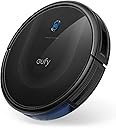
🧹 Elevate your clean game with the sleek, smart, and silent eufy 11S MAX!
The eufy 11S MAX Robot Vacuum Cleaner combines a super-slim 2.85" profile with powerful 2000Pa suction and up to 100 minutes of quiet operation at 55dB. Featuring BoostIQ adaptive suction, anti-collision and drop sensors, and self-charging capabilities, it delivers efficient, autonomous cleaning on hard floors and medium-pile carpets—all controlled easily via remote. Ideal for professionals seeking a low-maintenance, high-performance smart home cleaning solution.

| ASIN | B07R295MLS |
| Battery Life | 100 minutes |
| Battery Type | Lithium Ion |
| Best Sellers Rank | #4,141 in Industrial & Scientific ( See Top 100 in Industrial & Scientific ) #6 in Commercial Indoor Robotic Vacuums #29 in Robotic Vacuums |
| Brand | eufy |
| Brand Name | eufy |
| Capacity | 600 ml |
| Cleaning Path Width | 12.8 inches |
| Color | Black |
| Compatible Devices | remote control |
| Control Method | Remote |
| Controller Type | Remote Control |
| Customer Reviews | 4.1 out of 5 stars 17,228 Reviews |
| Filter Type | washable |
| Form Factor | Robotic |
| Global Trade Identification Number | 00848061058475 |
| Included Components | 1 x Robotic vacuum cleaner, 1x Cleaning tool&Side brush, Charging Adapter, Instruction Guide, Remote Control |
| Indoor Outdoor Usage | Indoor |
| Item Dimensions L x W x H | 12.79"L x 12.79"W x 2.85"H |
| Item Highlight | Self-Charging, Easy to use, Cleans Hard Floors to Medium-Pile Carpets, Black |
| Item Type Name | 11S MAX, Robot Vacuum Cleaner, Super Thin |
| Item Weight | 2.88 kg |
| Manufacturer | eufy |
| Manufacturer Part Number | AK-848061058475 |
| Manufacturer Warranty Description | 12 month warranty. |
| Model Name | eufy 11S Max |
| Model Number | AK-T2126 |
| Noise Level | 55 db |
| Number of Items | 1 |
| Other Special Features of the Product | One Side Brush, Quiet, Self-Charging, Super-Thin |
| Power Source | Battery Powered |
| Product Dimensions | 12.79"L x 12.79"W x 2.85"H |
| Recommended Uses For Product | cleaning hard floors, cleaning medium-pile carpets, general household use |
| Special Feature | One Side Brush, Quiet, Self-Charging, Super-Thin |
| Style Name | 11S Max |
| Surface Recommendation | Hard Floor & Tile & Medium carpet |
| UPC | 848061058475 |
| Unit Count | 1 Count |
| Voltage | 240 volts |
L**A
Pretty Neat-O!!
11S Max Review First and foremost, when you're reading these reviews you will want pay attention to which vacuum they bought so that you know the reviews are about the one you're interested in. There are 3 or 4 different vacuums being reviewed on this same thread. Update 6\6\25: I noticed today why it tells you you should have six feet open space directly in front of the charging port: when the vacuum is returning home, she will go so many feet out away from the port so that she can turn around and line up to get on the charging nodes. In reality, I don't think she needs more than 4 ft... But there may be issues with her being able to turn around if there's anything blocking her. 6 ft is a lot of space, so you might be able to get away with 4 to 5, depending on your setup. Otherwise, you would have to use the remote to manually return her to the station, or pick her up and put her on the charger yourself. Not having the space is not a deal-breaker, it just means you will less of the "auto" features. Today I did let her run until her battery got low and she maneuvered herself back to the charger without any assistance. I also want to say she is doing a pretty job at cleaning. I'm used to having to sweep and then mop the floors... But after letting her run through the whole apartment for 2 days, when I'm up today it was such a nice smooth process. I didn't get a bunch of debris and hair and other things clogged in the mop (which we all know can cause problems like scratching on your floors). This little vacuum is a blessing! If I'm not mistaken I believe her paperwork said that she uses about 40 watts of energy... Like a light bulb... when charging. I would think that that means that her energy usage, while charging, is equivalent to leaving a lamp on. Original Review: I literally just got this vacuum this morning and only did a test run for about 20 minutes. A big reason why I didn't let it go all over the apartment is because I'm still in the process of moving and I have packaging everywhere on the floors, creating too many obstacles. With that being said, so far so good. I just let her run around in "Auto Mode" and she worked great. Yes, my robot vacuum is a "she." I named her Suki, as she "Suki a lot of dirt." Plus Suki is a name for "loved one," and I love her already!! I swore up and down I was never going to be one of those people who have one of these... and here we are. And I probably never would have if I had not stayed with my sister and her husband for several months when I first moved to a new State. They have one and I really noticed how much a difference it makes and keeping up with pet hair and everything else. What seemed like really haphazard navigation ended up being a lot more mapped out than it first appeared. While it look like she was just going in random directions with no uniform, I did start to notice that she was not going over the exact same path upon return. So, somehow, it's working to where I can tell the machine is covering everywhere. It definitely appears to be mapping while it's in use, but I know it does not store mapping. That's a big part of the need for Wi-Fi with other robot vacuums. I did notice that a couple people were complaining in the reviews about her constantly vacuuming just the edges by the wall... This is probably because they didn't realize that she was in that mode. Because you can literally make it so that she focuses only on the borders. There's quite a few nifty features that you can program the vacuum to do... And it even has a scheduling option so that you can schedule the vacuum to go off at whatever time you want (as well as a way to cancel the schedules if things change). Overall, pretty nifty. It does what I need it to do, and that's all that matters to me. I don't need a bunch of fancy features. My apartment is just under 800 square feet; therefore, I don't need it to do special mapping to try to remember where it left off after a charge. It's pretty much going to get the whole place on one charge. One MAJOR reason why I selected this, (outside of the lower cost) is because it does NOT require an app or Wi-Fi connection (in fact you absolutely cannot connect this particular vacuum to an app or Wi-Fi, so if that is what you're looking for this is not the vacuum for you). Sure, with an app you can do things like trigger her to start running before you even get home from work... But, quite honestly, that doesn't even matter to me. Because, if I learned anything from watching my sister and her husband's pricier, self emptying robot vacuum? It's that these things are constantly getting themselves into trouble and you need to be there to rescue them, anyway (which is a total drain on their battery if you aren't there to save them). So, there's no reason why I would need the robot vacuum to run while I'm not home. On a side note... I found it quite hilarious that the instructions say that you should not place her near the stairs or a cliff. And I was scratching my head wondering how many people with fortresses were buying these things. 😂😂😂 And speaking of running... Very quiet. I would have to say that my stand up floor fan is way louder than this thing. The AC unit is louder than this thing. I would assume that some of that has to do with the fact that the suction is not superior in this thing, as it's only at 2000 (really pricey robot vacuums are around 4,000). However, I have laminate floors (fake wood flooring in a linoleum-type flooring) and the throw rug in my living room is one of those very low profile new kind that are washable, which is comparable to a thick blanket. Speaking of the area rug... This thing had no problem going up and over and onto it regardless what angle she approached the rug. Sometimes she came onto the carpet straight on and other times she came up on to the carpet at an angle. And she didn't even blink an eye! As stated before, I only took her for a test run and she picked up so much "tuck" in that short timeframe. I was thrilled that she even got all the little itty bitty popcorn pieces from all the styrofoam my furniture and other items were delivered in. It's like no matter how careful you are taking things out of the boxes those little tiny popcorn pieces get everywhere and they are so impossible to sweep up. Keep in mind I had, just the night before, swept and mopped most of the area that she ran over today in her test run and there was still that much stuff in her canister The canister is very easy to remove. You don't have to flip her upside down or anything. You just push down on the little release button with your thumb and pop it out. That is also where you will find a filter that you can clean out. Read the manual that comes with it throughout. It's very helpful on how to keep her clean or else she won't work properly. I love the remote. She got stuck trying to go over packaging from my couches that was on the floor. When she didn't get the clue that she needed to back up and try something else, I just held down the down button for backwards and she totally backed up like a remote control car. I just pushed the right arrow button and she turned in that direction and I let it go and she took off. That was so awesome! When I felt that I had seen enough I decided to go ahead and use the remote to return her back to her charging station. She immediately responded (didn't seem to want to respond to the remote commands when she was in another room, though). Once you push the button to send her home to charge, she will start moving slower. I think this is just the devices way of being very accurate in homing in on her docking station so that she can properly align for a proper charge. And speaking of our proper charge when I first unpackaged her I had to put her on the charger to charge her fully as it is recommended in the instructions before use. And I noticed at some point the orange light wasn't flashing which is what tells you she's charging. So I just hit the auto button as if I was going to send her out to suck up my dirt... And after she got a couple feet away from the dock I just hit the return button on the remote so that she could get on the dock properly. Work like a charm... didn't have any issues with the charging stopping at that point. So I really can't comment on longevity for the battery or parts. But I will say it would be wise to purchase spare brushes and filters for down the road just so that you have them when you need them. Because these things do wear down with use. The more you use it the quicker it's going to wear down. Just a heads up. But these are not a "one-time purchase and forget about it," just like most bagless vacuums require maintenance and upkeep. There was some damage to the box that it came in.... Not sure if it matters or not. If anything changes I will try to remember to come back and update this review. I did purchase an extra 2-year warranty just to be on the safe side.
D**A
Eufy 11S MAX is great
This is our first robot vacuum, and the price made the Eufy 11S MAX an easy choice. After using it for two weeks, we’re very pleased. It picks up an impressive amount of dirt and fuzz—we honestly thought our floors were already clean. It handles wood floors, flat throw rugs, and short‑nap carpet without any trouble. It’s quiet, fits under our couches and beds, and does a great job around chair legs and along baseboards. A full cleaning cycle runs about 90 minutes. If it wanders too far from the home base, it sometimes needs help finding its way back. We do have to empty the dustbin ourselves, but that’s no problem. We’re just happy it cleans so well. We've already ordered a second unit as a gift.
T**T
Doesn't detect toys/objects but great product for price
Bought this a while ago and it is a life changer!!! Was super skeptical about these things, never had a robot anything.. but having a few cats I was just drowning in hair and nonstop cleaning. Seriously changed my life for the better. Will NEVER go without one of these again. It's well worth the price and has worked great every day. Runs for an hour a day for months now and no issues. I will be upgrading when this one takes a crap tho (why it only has 4 stars) as it doesn't detect objects and gets stuck on many things, having cats i have a lot of toys laying around, it sucks them up and gets stuck so not ideal to run when youre not home. I only got this cheaper one because I was so skeptical but I do highly recommend this for a first timer not sure if you want to get one or someone without animals/kids that leave things everywhere, I will just be spending the extra money next time for a fancy one that avoids sucking toys up. It is a bit noisy as well but overall has seriously helped me out.
A**N
Well worth the money for saving time, energy, and effort
This (really long) review is for the Eufy 11S Max robot vacuum (Robovac). Please note “Max” vs regular 11S. They may look the same; but the Max uses a different filter and has the higher 2000pa suction. Otherwise the functions and options (other than suction choices) are the same. I've used the 11S Max for the last month on my low pile carpet (about 80% of the roaming area) with the rest being tile or linoleum flooring. It has been quite fascinating to watch so I've actually put about 85-90 charge cycles on the unit over the last month (yes, three times a day on most days and it's still finding more dirt/dust than I would expect). Right up front, I'd definitely buy another when it comes time to replace this one. After comparing how I vacuum my flooring, especially to pick up my biggest carpet enemy; short stray bits of dried grass stems, the “random” wandering of this vacuum model made more sense to me than the other fancier choices. Most vacs do a good job with dust, dirt, sand, cheerios, etc. but these stem pieces are only picked up by a vacuum when it comes at the stem with the brush roller pretty much parallel to the stem. That means random directions will more likely get these pesky problems than an organized back & forth cleaning approach. Granted it may take a few cleaning cycles or several passes over the same area during one cycle; but since the Robovac has completed its first 5-6 cycles I rarely find them anymore or if I do spot one it's not for very long. Robovac is a big time saver as well as an energy saver for me. I would use my canister vacuum about an hour each week for routine cleaning and once a month for 2+ hours to do a more thorough cleaning. A watt-hour meter indicated that my canister vacuum used 5-6 kw-hr of electricity each month. Robovac uses about 12 watts continuously for about 4 hours when charging (surprisingly less than the 5-6 hrs listed in the manual; but it is brand new). Once the battery is charged, the power consumption drops to about ½ watt. When Robovac is away cleaning, the charging base uses just ¼ watt for the homing beacon. So if used just once a day; Robovac would only use about 60 watts per day. That means once-a-day cleaning would only use 1.8 Kw-hr energy per month. By letting Robovac take over the regular weekly cleaning with once a day operation (or less), I'm able to cut my electric bill by an easy 3-4 kw-hr/month. With that said, there are a few things that I think need improved: First, there should be an interlock on the dust bin – Robovac will merrily go off about it's scheduled cleaning cycle without the bin installed! So if removed for emptying; don't forget to re-install the bin before the next scheduled operation. Plus, I noticed on a couple occasions, that I wasn't paying attention and I left one corner was about 1/8” out from fully inserted. Not sure if that will cause suction leaks; but you need to make sure the bin is completely inserted. Second, you can't select “max” (or any power level) when using the remote to manually clean an area. It appears to only operate on “standard” suction with manual operation (i.e., when Robovac is not running a regular cleaning mode and you chose to override it's direction). In addition, if you select the remotes' edge or spot cleaning modes it will automatically go to “max” power for the duration of that mode and you can't choose IQBoost or standard power level on those selections. Third, I don't know why the 20 minutes for edge cleaning or 30 minutes for quick cleaning was selected. Robovac can make it about 60-70% around my home in the 20 minutes of edge cleaning. If edge cleaning mode was permitted to run until it made a trip all way around and back to the charging station where it could dock to finish that mode would work better. An alternate solution would be if I could set the cycle time for edge cleaning and quick cleaning modes. Plus I'd like having an option for it to simply stop when the time is up rather than automatically returning to the base. When I want just one room cleaned; I'll set Robovac to auto or quick mode in that room, then close the door or put down a barrier, and return later to stop it manually and take it back to the charging base. If I don't return in a timely manner Robovac will be trying to locate the charging base and running the battery down. Fourth, Robovac cleans edges using only its right side pretty much all of the time. It would be helpful to have it randomly choose using either the right or left side whenever edge cleaning. I watched it edge clean a carpet/wall area three times going only in a counterclockwise direction (right side) and it still didn't pick up all the dust bunnies. I used manual control with it hugging the wall on its left side and it picked them up with no problem. Also, be aware that manual operation, when Robovac is not already working in a selected cleaning mode (overriding current movement), only works while the remote buttons are pressed. Robovac stops all functions shortly after a button is released when used manually. Fifth, I really don't need to run Robovac on a daily schedule – there should be a weekly scheduling capability even for the least expensive robot vacuums. It shouldn't be that difficult or expensive to update this model to correct this issue. Even if it's the same set cleaning time, every day for the selected days; just give me the ability to schedule cleaning cycles one to seven times a week. Sixth, when the battery runs low, Robovac can take forever, if it makes it back at all, to the charging base. I will routinely go looking for it if I haven't seen it return within 10-15 minutes after the approximate cleaning time has passed. The age-old solution for solving a maze (your home from Robovacs' perspective) is to constantly follow along obstacles using just one side (Robovac does recognize when it's circling something like a coffee table and adjusts accordingly after a 360 degree rotation). This method is how Robovac tries getting closer to the charging station when it's more than about 15ft away and not in line-of-sight (the charging base emits an infrared signal for homing action – make sure you keep Robovacs' bumper and the base clean). Sometimes Robovac occasionally gets diverted or the software tells it to try something different) and it will go off in another (often wrong) direction (extremely frustrating!). I highly recommend observing Robovac perform it's return operation from various areas in your home. I ended up placing a 2x4 along the end legs of my sofa as Robovac was consistently going along the side skirt, under the skirt at front of the sofa, then around the front leg exiting the side of the skirt, and then heading straight across the room. It would then go thru three other rooms and come back to the sofa again. The 2x4 forced Robovac to continue edging under the sofa, along the back wall, and out the other end which has an end table that mimics the 2x4 at the opposite end. Before using the 2x4, Robovac took well over an hour to get back to the charging base (it eventually changes up it's routine, usually after three tries) and required 5 hrs to recharge. With the 2x4, Robovac has been able to get back from the far end of my house to the charging base in under 20 minutes very consistently. While the ability to improve Robovacs' return mode is really limited to what you can do, the key point I'm making here is that the battery will always give you more charge cycles (longer life) before needing replacement if you can get Robovac back to the charging base as soon possible. Seventh, pay attention to the thin rubber wiping strip on the brush guard. After 60+ cycles I noticed the ends of the thin rubber strip (about 1/16” of it's height) were tearing away. I believe this was most likely due to moving back and forth over edging from tile/linoleum to carpet or maybe due to the floor mounted furnace registers in my home. I simply trimmed the torn bits off to keep them from getting caught by the brush. After about 100 cycles I noted the rest of the 1/16” strip was now gone. This impacts the tile/linoleum cleaning far more than carpet; but it is something to watch for. I highly recommend checking the rubber strip during brush cleaning and purchasing a brush guard replacement as part of a maintenance set. Hopefully the manufacturer will improve the thickness or type of material used to prevent or at least reduce this problem occurring in the future. Next, a few helpful hints I've learned or didn't find in the owner's manual: The “bowl” shape on top of the charging base with the white LED is just right to hold the remote control, button-side up. However, I prefer to turn remote controls' button-side down to keep them cleaner so it's up to you if you use it or not. I've had a few occasions when Robovac actually bumped into the charging base so it was no longer sitting square against the wall. This will impact it's ability to find the base when the battery is low. I took a used rectangular-shaped one quart motor oil bottle from my recycling bin, cleaned it thoroughly, and filled it with sand. It's now a 3-4lb weight sitting on top of the charging base. I haven't had the base re-positioned since adding the weight. Normally Robovac does a good job avoiding the charging base; but not always. Robovac “parks” about 1/2” away from the charging base tower. If you are careful, you can swipe a cloth over the bumper sensors to clean off any surface dust that has collected (always seems to be some); however, be careful as Robovac might activate while you are doing this. You might also get a solid red indicator without any beeps. This error isn't described in the manual; but I've found if I just lift Robovac off the charging base for few seconds and then replace it, it will change back to the charging orange color. (I suspect the solid red indicates a sensor error) It's also quite easy to remove/replace the dust bin during charging. Unfortunately you will need to flip Robovac on it's back to remove/clean the side and roller brushes as well as the bottom IR sensors and charging contacts, so remember to turn Robovac off with the topside button before doing this or get used to it trying to start up while you are cleaning it. Also make sure the blue/orange indicator light is on when you reposition it on the base. Sometimes Robovac will remain off rather than return to charging mode. After two or three cleaning cycles I'll do a regular check on the all the brushes and swap left and right side brushes when they are re-installed; seems to straighten and make them work a little better, maybe last longer too. Oddly the remote control spot clean button symbol and the manual indicate a clockwise spiral for the cleaning operation; but when I've selected it, Robovac has always used a counterclockwise rotation. If the side brushes happen to “hang up” on something, Robovac will stop spinning them while it maneuvers around the obstacle and then restart the brushes when it thinks it is clear. Don't assume there's a problem when you see this unless Robovac beeps and the indicator turns red. The flat handle end of a spoon or fork works great for prying the filter free from the bin for cleaning. Every time I have tried using my fingers; it pops out tossing dust/lint everywhere. The IQBoost mode doesn't seem to change going from hard flooring to low pile carpet or vice versa in my home. I think this is because the low pile carpet just doesn't cause enough “drag” for it to recognize that it could adjust the suction level. (I'm still not clear as to whether there's just two suction levels or if Robovac can vary linearly between the two) While the manual indicates a 40 min run time in “max” mode with medium nap carpet, I'm obtaining about 60 minutes with my low nap carpet. I do find the “max” mode clearly picks up more dust. I ran Robovac 20+ times on IQ mode before switching to “max” for its scheduled operation. The filter has clearly shown a thicker layer of accumulation on the filter. When “max” mode is set as default you will occasionally hear the vacuum whining noise change briefly. Best I can figure is it's a software glitch where the IQBoost code tries to adjust the suction level; but then resets it to max. I normally hear this shortly after Robovac goes from one flooring type to another. It also occurs shortly after it starts it's routine. Robovac does not communicate back to the remote. So if for instance, you press edge cleaning and Robovac doesn't get the message, the remote will show it should be performing edge cleaning even though it's not. Similar situation when Robovac is recharging or is returning to recharge; the remote will still show it's in the selected cleaning mode rather than the “charging” icon. You simply have to pay attention that Robovac has recognized your command by a “beep”. I found using the basketball nozzle with my Ryobi P737 inflator does an excellent job cleaning the filter. It takes only a couple minutes to clean both the filter and the bin (outdoors of course!). The original filter has been cleaned well over 100 times now and other than being a little dingy it's still working great. This should help stretch the recommended replacement interval to more than 2 months compared to the recommended “tapping it” to clean. Do not use the “canned” compressed air as I frequently find it wets surfaces during extended spraying and the Robovac filter is a paper element. If you have a sofa, chair, etc, with stiff or heavy cloth skirting down to the floor; I suggest safety pinning up at least a foot or two of the skirting on an open side. When or if Robovac switches to using the proximity mode for cleaning AFTER it gets under the furniture, the skirt will appear like a wall and it will keep running around underneath the furniture until it switches to a collision mode where the weight of the skirt generally will not trip the bumper sensors and stop it from escaping. I'm glad I've used Robovac during the daytime so I could track it down and figure out what trouble it got into during its normal operation or when I expected it to be back at the charging base. The alarm beep sounds can easily be missed when it's far away from you. Plus, when it powers down after getting stuck can make it lot more challenging to find! It's a lot easier to locate when the vacuum sound is still going or even if it's just the quieter wheel motors running it around looking for the charging base. To wrap up my review. I've found Robovac to be a well built, nicely designed, and quite durable robot vacuum. The $160 price I paid is quite reasonable with excellent cleaning ability (given it has about 1/10 the suction of a typical canister vac). It has good battery run times (my mixed flooring on IQ mode lets Robovac run about 80-85 minutes before recharging), and it is a wonderful time and energy saver. If you've been thinking about a robot vacuum without all the extras (or just don't like vacuuming), the Eufy 11S Max is a great choice.
T**I
Still works great after 2+ years
This product deserves a review because I own two of these, and have been using them consistently for over two years. I first ordered one after many years of wanting a robot vacuum. I had never pulled the trigger on any brand because I was indecisive on which to get. With two dogs, and two kids, I was constantly battling crumbs and dirt/sand on the floor. One day, I had enough and ordered this one. I knew of the eufy brand, we had doorbell cameras from them, so I trusted the quality would be good. After the vacuum arrived, I immediately opened it and put it to work. I was pleasantly surprised by how easy the setup was, and was sold from day one. I loved the suction, the ease of use, and my floors finally felt free of debris. A few weeks later, on prime day, I ordered a second one. I have two of the same exact model. Now my little robots do the dirty work for me! I will clear the floor of toys and small objects, then turn them on while I’m cleaning up the rest of the house. They work seamlessly together, occasionally bumping into one another, then switch directions to continuing cleaning. Occasionally a sock or something will get caught, but it has never ruined the vacuum. Just beeps an error until it’s resolved. Another big plus is that it senses stairs, never falling down them. I’ve used on rugs, laminate and tile floors. All work great! Sometimes I’ll put one on the setting to sweep just the perimeter of the room while the other is on auto. They also have good battery life, most of the time I choose to turn them off. The remotes make it easy to switch between the settings. After two years, I’ve only seen two cons. It doesn’t get into the very corner of the room very well (does great along baseboards) but where the walls meet gets missed, so I sweep it out to vacuum up, and it’s a bit noisy running both at once. Not terrible, definitely manageable noise level, but sometimes if I don’t want to hear it I’ll just run one. I have yet to have anything break on either vacuum, so this brand is great quality! Highly recommend for a house with a lot of crumbs! :)
E**T
EUFY REVIEW-GREAT ROBO VACUUM
I've had over time 4 robot vacuums over the years. The big brand one. I won't mention the name that costs over $600.00. This one outperforms them by far and it's so quiet and look at this price. It can't be beat. I can't believe the dirt, dog hair it picks up and I use it every day and it still gets a bin full. The others have 2 brushes/rollers that need constant replacement. This EUFY has only one. And I'll admit I must pull it out after each run, which takes only a second to clean to move debris from the brush. But I can do that and dump the bin in less than a minute. I'll take that any day over having to keep buying brushes. And it can be set to run on schedule if you wish. Super simple to set that up with the remote. So, if you're on the fence about a robotic vacuum and don't want to spend a fortune and still get a workhorse. This will do the job and save you tons of money in replacement brushes alone. Give it a try. You won't be disappointed.
J**E
The Best Cat Toy That Cleans Even Complex Home Layouts
I always thought these robot vacs were kind of a silly gimmick, too expensive for not enough gain. After a couple friends raved about their robovac's, I made excuses like "My home layout is too complex!" and "I'll need three of them to vacuum my home!" But, the robot wars have made them cheaper and better, so I decided to finally give in on a good deal with this new model from a well trusted brand. I wasn't willing to pay for units with home mapping features and no-go zones, but with this unit, I don't feel I even need it. Turns out, I am absolutely thrilled with the performance and price point of these Eufy's. There is little doubt this unit is just slightly smarter than a bag of hammers. Thank goodness I can make it do it's work at 4AM when I don't care how many times it goes over the same spot or misses something that is just "right over there you stupid bleeping robot!" But, day after day, this hunk of electronic sensors strapped to a vacuum comes home with a bin full of stuff. I'm at the point where I don't even know where it gets the stuff and I'm seriously questioning my ability to clean my house. And also somewhat ashamed of the filth that I've lived with and didn't even know about. It goes places it probably shouldn't and if you have any degree of OCD, it will hurt your brain to watch it. It goes under furniture and shelving where it barely manages to escape, plays ping pong with table/chair legs for a bit and it has an inexplicable infatuation with the clear storage totes under my guest bed. It'll really like one area/room for awhile, but then will go elsewhere, only to be back 2 minutes later...and you're like, "Well, that was the *least* efficient way to do that. Whatever, a goldfish is smarter than you." Whenever I'm in the kitchen doing something, it has the whole lower floor it could be cleaning, but it will insist several times on cleaning the spot right under my feet. It loves to chase my cats and in turn, my cats will engage it in a battle of home domination, swatting it and trying to eat the spinny brushes while it charges. One cat will lay on the lower step and lazily swat at it as it goes by. Just when you think there might be the slightest sense of intelligence and you're having this "It's alive!" moment, it reminds you how dumb it is by gently ramming itself into a piece of furniture. I don't know how it does it, but despite looking like it couldn't find it's way out of a paper bag, it somehow manages to find home base for charging most of the time. But, it gets around, even in an ever changing layout. It deals with my wood floors, several area rugs and a section of medium pile carpet without much incident. It hasn't once tried to go over a stair in my home. It gets probably a good 70%+ of a complex, 1,000 square foot U-shaped layout of my main floor, with plenty of furniture making navigation much worse. But, it does that 70%+ every day and I don't even have to think about it. Based on the sheer amount of cat hair and dust this thing picks up daily, I'd say the suction and pickup mechanisms are pretty good. I can't tell you if they're better than older Eufy or other branded units, but the spec's say so. I was worried about how much of my lifestyle I'd have to change to adapt to this thing. Turns out, very little. I can still leave stuff around if I want and it won't try to eat everything in its path. It does occasionally try to commit robot death on various cat toys the kitties leave about, but that's maybe one 1 out of 10 times it needs saving. I have a rug in my kitchen that it loves to push into a pile, but that's only a minor annoyance and doesn't cause it harm. I have to be careful not to leaving charging cords and such about. Once every couple weeks it won't find it's way all the way home, but it's usually pretty darn close to the charging station by the time it dies. I thought it might become inconvenient to "save" the unit from it's self-inflicted stupidity, but the value it provides exceeds the inconvenience. I can see why people like these things. And there's a good chance I may buy the three I need, maybe this one or maybe others. But, for now I'm pretty happy with this one. It's a 5 out of 5 cat toy and a pretty useful home appliance that will save you time and improve your home's upkeep. I'll update this review with any significant changing opinions, but for now this "dumb, smart thing" gets 5 stars. Update: About 4 months after running this thing daily, one of the side brush motors started to malfunction. Normally, a product malfunctioning that soon would irk me to reducing my review stars immediately, but I sucked it up and contacted support. I requested, specifically, to do a self repair of the brush motor right out of the gate. They didn't request for me to send it in for repair, demand an expensive cross shipped replacement or question my self-assessment to repair equipment that I owned. They just told me they have the part in stock, requested I send them a video of the problem, asked for the address and put the brush motor in the mail. They then confirmed that if this didn't make it work right, they would still support me until it did. They worked with me exactly how I wanted them to, stood behind their product 100% and for that, not even a single star will be reduced from my original review. Update 2: I knocked two stars from my review. Not because of the unit, which is still great, but because of the replacement air filters. They are $11 for TWO of them! That's nearly 3 times the price of the previous filters, or about a $65 annual operating cost when changing them out once a month. IMO, that's simply too expensive for a vacuum and even my high end upright isn't nearly that expensive to operate using *HEPA grade* vacuum bags. Not just that, they are incredibly terrible for the environment by requiring you to buy the substantial plastic filter housing every time. Had I known this at the time of my purchase, I would have selected a different unit - probably the initial version of the 11S. Final Update: I've decided to just let this thing die a slow and painful death. Both of my side brush motors went out, as did the one that I replaced. It's still marginally effective without them, but definitely not as good as having them. Eufy's support reached out to me several times, which was great, but I have better things to do than rip this thing apart every few months to fix plastic parts that will fail again in 3 months. I expect more from something I'm paying $200+ for, definitely not three of the same exact failures within a year. Oh, and there's much cheaper 3rd party filters available for this guy now.
M**.
Updated - I was skeptical
-- Updated Review - October 27, 2021 -- Our poor RoboVac 'Rosie' had a mental breakdown where I ended up contacting Anker Support. 'Rosie' was stopping every few inches, rotating in place, and going another few inches, and kept repeating this pattern until she return to her charger or die in the middle of the floor. There were other issues that appeared but were traced back to this main issue. I was in email contact with Rita with Anker support, she suggested I do some tests. Eventually, it came down to the front of the bumper that was overly scuffed and scratched. She sent me out a new one which fixed the problem. Then another issue arose. An off sound from one of the motors. It had a very faint sound of clicking. After running some tests it was the right brush motor that was the issue. I assume it was a gear tooth in the motor that had broke. Rita sent me a new motor to replace it. I am very satisfied with the customer service I received and the free parts they sent me to fix my 'Rosie.' Rita was very helpful and she gave me instructions on the tests to run and how to replace the parts. She even offered to replace the RobotVac if I wasn't comfortable in switching out the parts. Anker stands by their warranty and will do what it takes to fix your RobotVac or just replace it altogether if it gets too technical. -- Original Review - June 11, 2021 -- Who knew a robot vacuum would clean better than I do?!? I am shocked that she fines as much dirt as she does every day. Of course, with 3 people and a dog who tracks in almost everything from the outdoors, maybe I'm not that shocked. I've had this little robot vac for almost 3 months now. We named her Rosie, from The Jetsons. HAHA. This is actually the second one because the first one had some battery errors that Anker support told me to just return her to amazon since she was only a few days old. Every night at 10:30 PM Rosie goes out in the night and cleans. During the day, I'll set her out to clean the second floor and/or the basement. Sometimes she is cleaning 3 times a day. I worry I might be overusing her and eventually wear out her components faster. I do have a few issues with her though. She requires maintenance every day or every other day: 1) Cleaning the roller brush left end. The reason is that hair gets wound up around the roller brush end axle so tight that it errors out. I've been cleaning the brush almost daily to prevent it from burning out the motor. The last thing I want is a broken robot vac. Worst, having to buy replacement parts! I wish Anker would come up with a way to prevent hair from winding around this area. 2) To extend the life of the side brushes, I've been rotating them and cleaning them. I am not a fan of having to buy replacement items for her. She does come with 2 replacement side brushes, but I have not used them yet. 3) To extend the life of the filter, after every clean cycle she completes, I empty the "dust collector" compartment and tap the filter on the side of the trash can to try to get rid of as much of the dust as possible. I also blow out both the dust compartment and the filter with a compressed air bottle. I saw a question here asking if you can wash out the filter. I might try it when blowing it out no longer works. She does come with an extra air filter, but I have not used it yet. 4) This is not a daily maintenance task, but an issue. The brush guard covering the roller brush has this rubber piece that spans the back of the brush guard that I think helps corral the dust and debris to be sucked up into the dust compartment. Half of it tore. I'm sure it might have gotten caught on something when Rossie went over our floor registers (vent covers) or something else. I'm not thrilled this happened. However, instead of calling Anker support, I decided to use some electoral tape. I had to take it apart to apply the tape that folds over the rubber piece lengthwise. Too early to say if it works. I just did it. 5) She does not do edge cleaning very well. When set to this mode, or even in automatic cleaning mode, she will do the wall edges, but when she is going along the edge, she will come out of the wall a few inches and go back to the wall. Missing whatever dust or debris that might be there. I do not know why, there is nothing in her way, the floor texture is the same as the floor she just went over, and her sensors are clean. Also, she does not do 90-degree inset corners at all! After a few weeks, I notice a lot of debris in the corners. After watching her go along the edges, I see that she 1) does not have long enough side brush to reach the inside corner, and 2) she will sense the inside corner wall too early and turn, missing the corner. She will also sometimes pull around an outset 90-degree corners too much. Therefore, she does not hug the wall very well in general. 6) She tries to climb sloped bases to floor fans or desk legs, etc., eventually getting stuck. I made a 2-inch base for the floor fans, so she won't try to climb them. Although I can't do much for the other sloped surfaces. 7) She will also get stuck under our bathroom freestanding vanity that has an opening under it that also has sloped inward legs that she will get wedged under. Therefore, we just close the door to that bathroom to prevent her from going into it. I might put a piece of wood behind the opening to prevent her from going under it. I know the above grievances sound like major issues, but they are not. I am overall very thrilled to have this little vacuum and think it has been a blessing to have her. We love her, clean her, and enjoy her in our household. I would do anything to make her cleaning job easier. I would recommend this robot vacuum to anyone who is considering getting one. I wish I had one for each floor. But cannot afford to do so even though this is one of the cheapest robot vacuums out there. A funny story involving Rosie. One morning I noticed she did not return to the charging base. I went out looking for her with the remote. I kept pressing the start button on the remote to get her to respond. I kept hearing a faint beeping sound but could not determine where it was coming from. I narrowed it down to the living room sofa, a chair next to the sofa, and a box between the two. I looked under and around the sofa and the chair. I was confused about where she could be. The beeping sounds were muffled, and I thought maybe she somehow wounded up in the basement. Before looking in the basement I decided to move the box out of the way. Lo and behold she was under the box! I didn't place the box there the night before, so I had no idea it was actually a lid to another box. It must have been on its side. When Rosie was cleaning, she ran into the lid, bumping it and therefore making it fall on top of her. Trapping her inside! It was a pretty funny situation. If she could blush or feel anything, I'm sure she would be embarrassed. LOL I hope this was a useful review! Thanks for reading it!
Y**F
شكرا
ممتاز
K**S
Too dumb, too noisy
This machine is too dumb, unfortunately. Gets tangled and stuck on even the shallow doorways that my previous machine never had a problem with. The brush somehow gets easily knocked off so it ends up doing a whole room ineffectively, and its very noisy! So disappointed in it but now I'm beyond the return window.
T**S
EXTREMELY QUIET
Update, May 15, 2024: Today the new battery lasted 100 minutes. Update, May 8, 2024: I sent an email to the manufacturer explaining the battery situation and they sent me a new battery under warranty. Very poor manual because of very small illustrations which are not the same as on the robot, plus does not explain how to delete a setting. A fairly good robot though, cleans well but tends to remain in larger rooms, it starts in the living room of 1,500 sq.' apartment, manages to find the bedroom, but once it exits the bedroom it does not go back to finish the bedroom and washroom. My fix for this is to put it in the bedroom and close the door and let it run until it finishes the bedroom, then take it to the living room. It does not clean near the charging station. Very quiet, bumps very gently. When it is working beside you, you can still hold a conversation. It is very easy to clean the waste bin, roller, wheels and filter. I clean it and wipe off the machine each time I use it, which is twice a month. I find this vacuum very easy to use and clean. It usually runs for about 1.5 hours, then recharges. For $200.00 Canadian it is an okay value. It does not have the headaches and problems associated with programming using cell phones. I understand why manufacturers went that route, but it isn't good. TIPS: do one room at a time. The reason is that the robot learns the room and wastes less time learning multiple rooms. Give it plenty of time to fully recharge between uses. CLEAN IT, CLEAN IT, CLEAN IT after each use - remember to do the wheels, they pop out so easily.
T**.
Not terrible, not awesome
The not so good/bad: The remote that it comes with is handy but there are very little instructions to go with this unit so I've had to guess which buttons are best to use (description of functions on back of remote is somewhat handy). The unit gets very focused on certain areas and will regularly just curise over visible dirt. It's not intuitive AT ALL. You would probably be better off spending a bit more and getting one that maps the house because I have got to say, this one is dumb. I do not have carpets, just laminate flooring and very minimal floor coverage, but this thing seems to find every single chair on the first floor and just devote itself to the chair legs, waist basket and other objects it can knock over. The good: it's battery life seems pretty good and I've been running it for 2 days and haven't had to empty the container yet and I have noticed that our floors are cleaner or at least less dirt around overall. For reference, I have 3 cats, a dog, a toddler and a husband so you can imagine the dirt/fur/crumbs that accumulates after a day or so. I also like that it has a suction range, I try to put it on max suction all the time but it is rather noisy. It was a good price and has the potential to be good. We will see how long it lasts. Not super impressed that the next model down apparently had TWO brushes, one on each side. Like obviously it's going to take twice the time to vacuum if it just has one brush! Overall, if you're not willing to spend $3-500 on a really good one, this one will do.
S**P
Lifesaver
I have four kids under seven who are home full time and we have dark floors that amplify dust and dirt. How did I live before this wonderful machine came into my life? I used to vacuum every morning and sometimes in the evening too. Now I only sweep up the baby's rice krispies mess from under the table after dinnertime. As long as I stay on top of maintenance of the machine (cleaning out long hairs and cleaning the filter about once a week) I don't need to vacuum anymore! And I NEVER have to move heavy furniture to get all those dust bunnies! We have set "Rex" to go off in the morning and we empty him in the evening before going to bed at night. Sometimes if the kids have been playing playdough or snuck a snack into the living room I'll set him to go off as we are running out the door. He runs for 90 minutes. There are other options for spot cleaning, edge cleaning, and a 30 minute cycle too but we rarely use them. We can also use the arrows on the remote to direct his course if there's a spot that's bothersome that he keeps missing. If "Rex" gets stuck he'll turn off and beep at us a few times, rather than trying to break free and making a bigger problem. The beeping is not continuous and you can continue sleeping in peace. He moves around randomly, but that hasn't caused us any issue. Whatever he misses today he gets tomorrow. He avoids falling down the stairs and climbs thresholds like a pro. We have had no issues with our dark floors. For the first few months of us having him he ran completely in the dark and still did a good job. He's picked up objects as large as Lego men so I need to be careful when emptying the tray, but that's been really easy. 10 out of 10 would recommend.
Trustpilot
1 week ago
2 months ago