We remain fully operational. Our teams are working around the clock to ensure your deliveries continue safely.

قم بتنزيل التطبيق


معلومات عنا
حقوق الطبع والنشر © 2024 Desertcart Holdings Limited
قم بتنزيل التطبيق
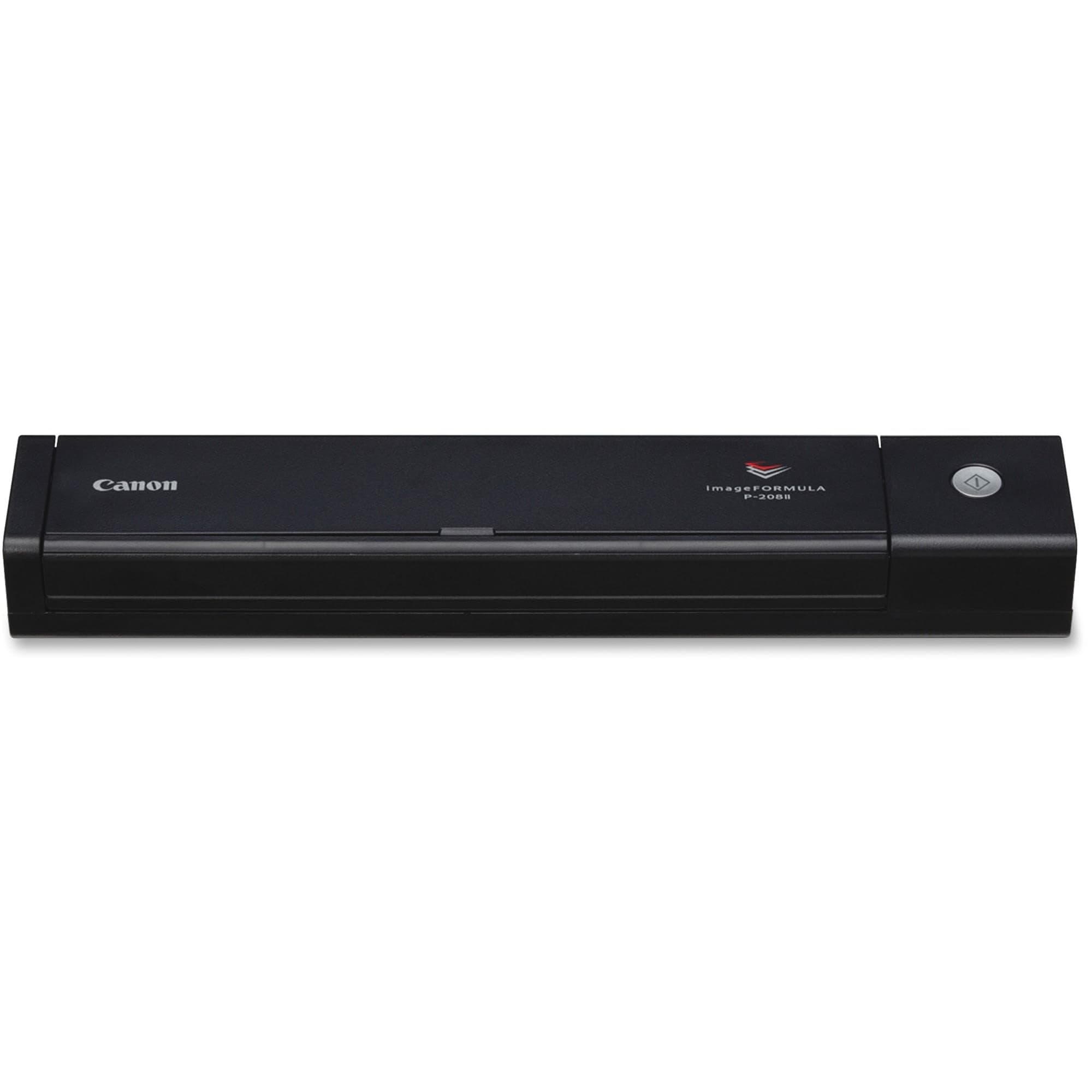
📠 Scan smart, scan sleek — your mobile office just got an upgrade!
The Canon imageFORMULA P-208II is a compact, USB-powered personal document scanner designed for professionals on the move. It delivers fast duplex scanning at 8 pages per minute, supports a wide range of document types, and integrates seamlessly with major cloud services. Compatible with Windows and Mac, this ultra-portable device fits easily into any workspace or travel bag, making digital organization effortless and efficient.


| ASIN | B00UK4835U |
| Best Sellers Rank | #91,603 in Office Products ( See Top 100 in Office Products ) #88 in Document Scanners |
| Brand | Canon |
| Color Depth | 24-bit |
| Connection Type | USB |
| Customer Reviews | 4.0 4.0 out of 5 stars (379) |
| Global Trade Identification Number | 00013803247329 |
| Greyscale Depth | 8-bit |
| Item Dimensions D x W x H | 12.3"D x 12.3"W x 1.5"H |
| Item Type Name | Personal Documnet Scanner |
| Item Weight | 590 Grams |
| Manufacturer | CANON USA, INC. |
| Media Type | Business Card, Paper, Photo, Receipt |
| Minimum System Requirements | Windows 7 |
| Model Name | image FORMULA |
| Paper Size | 8.5 x 11 |
| Resolution | 600 |
| Scanner Type | Photo |
| Standard Sheet Capacity | 1 |
| UPC | 013803247329 |
| Unit Count | 1.0 Count |
| Warranty Description | Contact Manufacturer |
| Wattage | 2.5 watts |
M**S
Works well
I scanned several hundred paper documents and backed them up digitally with the 3-2-1 method in an effort to clean out clutter at home. The quality of the scans is pretty good, but the software is awful as I expected. This is pretty much always the case: you buy some hardware which works pretty well, but the software interface was an afterthought (looking at you, Corsair). There are some limitations with the on-board memory where if you have a big legal-sized document that you want to scan in high resolution it will not fit in memory: apparently, this device is unable to stream the document across USB at the same time it scans although it seems not to fill memory across multiple pages. I recommend using black and white scanning unless you need grayscale or color, and to avoid the highest DPI setting. Even for dense legal documents or receipts with tiny print I found that I didn't need the higher DPI settings. The generated PDFs were perfectly legible. It also uses the ancient mini-USB (not even micro USB) instead of USB-C which has been standard for several years at this point. At least it is USB powered and does not need a separate power brick. Feeding paper is a bit frustrating. The feed tray is not very deep, and documents regularly fed in at a slight angle. It also supports multi-page documents, but will sometimes double-feed. I found myself manually feeding second and third pages in to avoid this. Also, you feed documents in both upside-down and from the back of the unit. The instructions are clear but it is not obvious if you do not read them. Linux note: I used Windows 11, not Linux, but apparently it is compatible because it supports TWAIN. Digging into it a bit, it seems that other people reported success on various forums. I eventually want to test this out, but have not done so yet. Overall I gave it five stars despite some minor nitpicks. I bought it knowing it is a compact, portable, and inexpensive scanner. This was a deliberate choice because I want something I can fit in a drawer along with other seldom-used PC equipment such as an external Blu-ray drive, or throw in a bag to take somewhere else. I expected that a scanner this size will not have a big comfy feed mechanism like units three times it size and price have, and may take some extra time to scan. Which is also fine given after my initial scanning frenzy, I might need it once every month or two. Also, it gets a bonus star for not being HP. I owned one of their printers, once. Once. Now I go out of my way to avoid that company, even for non-printer hardware such as scanners.
S**K
Working perfectly on my Mac, happy to report that the scanner has NO battery.
Working perfectly on my Mac, not automatically recognized by Apple's Image Capture app. Over the years, I've used many scanners. This is the first one to ever not be automatically recognized by Apple's built-in Image Capture app. I had to download two items from the Canon website, a TWAIN driver and the CaptureOnTouch app. The CaptureOnTouch app has that "old-school" Windows 10 look about it, but it works well for both text and images. I am happy to report that the scanner has NO battery. A scanner, (or most any other device) should never have built-in batteries. With a built-in battery you cannot put it in your luggage when flying commercially. Also, when those built-in batteries will no longer take a charge after two or three years the entire product must be thrown in the trash. Try to avoid anything with a built-in, non-user replaceable battery. The quality of the scans are excellent. I only use this for travel purposes. However, for someone who is tight on workspace this is still a good choice.
L**.
Its ok (so far) although....
It seems to work pretty good. Although... the description states that there are no drivers needed to scan which is totally false. My windows 11 refused to even acknowledge it was connected without the driver installed. Which is the ONLY reason I bought this. I work in an environment where "IT" are control freaks to say the least. They will not let you install anything on their company machines. But I needed a scanner to scan 2 documents a week. I thought this would do it.. :( it does not.
Z**R
Crap scanner
Scanner distorts documents. Completely worthless. Do NOT purchase.
J**N
Plug, play, and go!
Unlike the Canon printer I bought recently, this little gem was a breeze to get going. I procrastinated unboxing it because of all the trouble I’ve had with the installation of the Canon TR150, but this scanner was just the opposite. It’s truly plug and play. 👏🏼👍🏼 I bought both Canon products because I wanted to replace the big, bulky, and outdated HP all in one that I’ve had for many years. The selling points for me were its portable size, its ability to scan both sides of a document simultaneously, and its ability to scan small documents like business cards and receipts. I use it only occasionally, so it doesn't matter to me how fast it scans, as long as it gets the job done. So far, so good! I’m impressed with the capability of such a small piece of equipment.
S**E
Proceed with Caution
This portable scanner can be great, but you have to be careful because it is only compatible with certain devices or software versions of Mac software.
T**S
So wonderful....
I lovr this little scanner. It takes a wee bit to get it setup....once you do it is perfect for single sheet scanning.
S**R
This product will not work with Mac OS version 12 Monterey.
The product is fine. Outstanding. Have spoken to 2 business offices that use one of these. However it will not work wit Mac OS version 12 Monterey. Very disappointing. I had to return it after speaking with Canon tech support. The tech does not know when Canon will have an updated driver that is compatible with the Monterey OS.
K**B
Purchased this after ordering an Epson scanner and it not working. After the simplicity of ordering and use of the product I am incredibly pleased with my purchase. Would definitely recommend this over any Epson scanners
S**A
Gostei. Atingiu minhas expectativas. Só ache difícil um pouco instalar , mas está tudo no manual.
A**R
This scanner is truly plug and play. It is so much easier to use than the Epson portable scanner it is replacing. Very pleased with this Canon scanner!!
R**H
I have been using a bed scanner and a adf scanner/printer. I must say this is a qauntum jump in terms of both quality and easy of scanning. The product was also delivered much ahead of the schedule. Good buy, Thanks
B**.
I have not used it extensively as the program is on a disk. Now to find a old external drive to load the software. A website link for the program would be more effective. Who still uses CD drives?
ترست بايلوت
منذ شهر
منذ أسبوعين