Buy anything from 5,000+ international stores. One checkout price. No surprise fees. Join 2M+ shoppers on Desertcart.
Desertcart purchases this item on your behalf and handles shipping, customs, and support to EGYPT.
💡 Light up your life smarter, not harder!
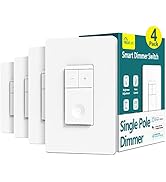
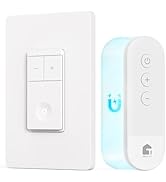
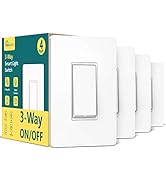
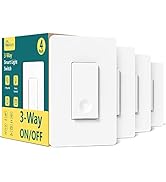
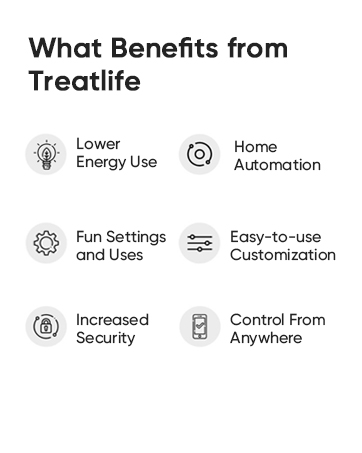
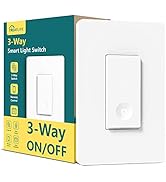
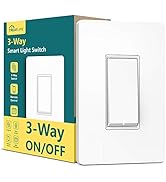
The TREATLIFE Smart Switch 4 Pack offers 2.4GHz WiFi connectivity and voice control compatibility with Alexa, Google Home, and SmartThings. Designed for single-pole setups requiring a neutral wire, it supports up to 1250W and 10A current. With easy installation, remote app control, and customizable schedules, it transforms any home into a smart, efficient, and secure environment—all backed by FCC certification and a 2-year warranty.


| ASIN | B07WWYQJFR |
| Actuator Type | Push Button |
| Best Sellers Rank | #53,046 in Tools & Home Improvement ( See Top 100 in Tools & Home Improvement ) #184 in Electrical Light Switches |
| Brand | TREATLIFE |
| Brand Name | TREATLIFE |
| Circuit Type | 1-way |
| Color | White |
| Compatible Devices | Android, iOs |
| Connectivity Protocol | Wi-Fi |
| Connector Type | Screw |
| Contact Material | Plastic |
| Contact Type | Normally Closed |
| Control Method | App |
| Control Type | full |
| Controller Type | Amazon Alexa, Android/iOS, Google Assistant |
| Current Rating | 10 Amps |
| Customer Reviews | 4.6 out of 5 stars 4,191 Reviews |
| Included Components | Household |
| International Protection Rating | IP65 |
| Item Dimensions | 5.63 x 5.83 x 4.57 inches |
| Manufacturer | TREATLIFE |
| Material Type | Acrylonitrile Butadiene Styrene, Plastic |
| Model | bosma-171 |
| Mounting Type | Wall Mount |
| Number of Items | 4 |
| Number of Positions | 1 |
| Operating Voltage | 120 Volts (AC) |
| Operation Mode | ON-OFF-ON |
| Part Number | bosma-171 |
| Smart Home Compatibility | Smart Home Compatible |
| Specification Met | FCC |
| Switch Type | Push Button |
| Terminal | Spst |
| UPC | 756171582837 |
| Unit Count | 4 Count |
| Warranty Description | 2 years |
| Wattage | 1250 watts |
A**E
Love these switches!
I love these! They make my life so easy when my kids leave the lights on everywhere. I no longer need to travel all over the house, shutting off lights. I use the app, and poof lights are off. It was fun tricking them when I first put them in. Very compatible with wiring and easy to put in. I had to replace one, and it was easy to do so and reconnect to the app.
W**M
Great smart switches!
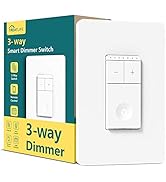
I bought these smart switches because I wanted a uniform look throughout the house and I had a variety of switch types to replace. We have standard on/off switches, but we also have 3-way switches and a dimmer switch. Furthermore, I wanted to replace the need to pull fan chains with dimmer switches as well. I found several companies that had on/off switches that looked nice or dimmer switches with cool functionality, but this was one of the only brands that had all of the types of switches for which I was looking. Being firmly entrenched in the Google ecosystem (my wife, daughters, and I all have Pixel phones, we have Google Home, Nest Minis, or Hubs in every room, and we have Google Nest Hello doorbells), I really wanted something that would work with Google Home as well. Finally, as we have over forty switches in our home, I wanted something that was a little more budget-friendly. These Treatlife switches seemed to check all of the boxes, so I bought a four-pack of each of the three types for a first run: standard on/off switches, dimmer switches, and 3-way switches. When they arrived, I briefly read through the instructions and pretty much jumped right in. If you've ever installed a light switch before, this really wasn't anything new, but, even if you haven't, the included instructions make it simple to attempt for the first time. There's also no guesswork involved since, as opposed to the screws on the back of ordinary light switches, these smart switches come with color-coded (as well as labeled) wires, a few inches in length, to which you make the connections using included wire nuts. All the necessary hardware is also included in the box. As mentioned above, each switch comes with four or five wire nuts (depending on the switch type), as well as the screws to affix them inside the junction boxes in the wall. They even come with screwless, snap-on faceplates, which look really nice, but which I opted to forego because, as mentioned above, I was looking for uniformity throughout the house. No sweat, though, because I was able to pick up a ton of matching faceplates from Home Depot for just a few bucks, and these smart switches work with any standard faceplate. That is not to say that everything was sunshine and rainbows. I did have a few issues during the installation phase that I should probably mention at this time, but I believe that most of them are due to my unique situations. The biggest thing that I ran into was that, being smart switches, there's a lot of electronics that go into them, and those electronics take up space. The "inside" of the switches, the part that goes into the junction box, are significantly larger than a standard switch that only goes in as far as the toggle mechanism and screws require. This isn't a problem for a single light switch in a junction box made for a single light switch, but, as things scale up, fitting three switches into a triple junction box along with all of the wires going to all of the various fixtures, things got a little tight. On a very much related note, many of my double and triple boxes have four or more white (neutral) wires inside the box, all bunched together in a single wire nut. Adding three more white wires for these three new smart switches didn't really work with the existing wire nuts, nor did it work with the included wire nuts (which are obviously designed for joining two wires and not seven). Luckily, I had extra oversized wire nuts lying around from previous projects, but, again, that's something you can easily pick up from Home Depot, Ace, Lowes, or wherever, without much hassle. For some of the black (hot) connections, there were already small "jumpers" that the previous electrician had used to wire things together, which made it a little easier to use the supplied wire nuts. Once I got everything installed, setting up the "smart" features was simple, though not as simple as it could have been. First of all, you need a smartphone to set the switches up. I'm assuming for most people that shouldn't be a problem, but it is worth mentioning. My phone had trouble with the QR code not going to the right place to download the required SmartLife software, but I manually typed the name into the Play store and found it with no problem. That could have been out-of-date documentation in the box or it could have been a problem with my phone. When you first power on each switch, the LED on the switch will rapidly flash red to indicate that the switch is ready to be set up. If you don't get it set up in time, no problem, just hold the switch down for five seconds and it will begin to flash again. My problem was that the software kept having errors setting up the switch in this mode. However, there is a second mode (hold the switch down for another five seconds and it will begin to slowly pulse red) in which the switch sets up its own WIFI hotspot that you then connect to on your phone to do the setup. This mode worked like a charm for me. After trying the "fast" mode on the first four switches that I installed to no avail, I didn't even bother on the remaining switches and exclusively used the "slow" mode, which, ironically, was much quicker for me. Once all of the switches are added to the SmartLife software, you could stop there and be 100% happy with your setup. The software is easy/intuitive to use. Switches can be grouped into rooms within the house. You can group the switches for one-tap access, create simple automation, etc. And you can sit on your couch and control the lights in other parts of the house with a touch of a finger to your phone. I wanted to go the extra step of integrating my new switches into my Google Home so that I could control them with my voice, though, so there were a few extra steps. First, when I opened my Google Home app, it already recognized that I had added SmartLife, and prompted me to connect the two. After doing so, it quickly recognized all of the new switches and allowed me to add them to my existing rooms in Google Home. The only thing I think could have been better is if it had recognized that the rooms in SmartLife had the same names as the rooms in Google Home and automatically grouped the lights accordingly. I'm sure there is a use case that I am not thinking of to explain why it doesn't work that way, but that's really my only complaint when it comes to integrating with Google Home, and that could very well be a Google problem rather than a Treatlife problem. I've had the switches installed for about a week now, and things are still working great. I love being able to say "Hey, Google, turn on the living room fan and reading lamp" while I'm still in my bedroom and having everything ready for me when I walk out. I also like that I don't need to walk through my entire house before bed to make sure that all of the lights are out. I can just say "Goodnight" and everything turns off. The switches themselves are attractive, as far as light switches go, and relatively unintrusive. They have a good analog feel to them when pressed. The 3-way switches are "smart" enough to know when a light is on or off even if the other switch in the pair was used to toggle the light. The dimmer switches are press-to-turn-on/off and then touch-and-drag-to-dim, which did take a little getting used to, but I find that I like it a lot more than the separate on/off and up/down buttons on similar smart dimmers. Plus, if I want the lights or fan at 25%, I can just touch my finger at that point on the touch strip and it will jump right there, which you can't do as easily with an up/down button. Of course, I tend to just say "Hey, Google, set the overhead light to 25%" and be done with it. Overall, though, I could not be any more pleased with these smart switches. They are exactly what I was looking for, they work as advertised, and I haven't had a single problem with them since installation (I will update this review if I do). So far, I've smartened up my living room, master bedroom, stairs, and landing (overlooking the living room), and I'm looking forward to putting in my next order.
J**D
Easy to install, use... good pricing. Completely worth it.
Great product. Works perfectly well and we can use it with treatlife app or alexa (and probably others we don't know). Good pricing, too. I am glad we bought them (it's our second purchase). Easy to install...!
R**N
Awesome, with a few quirks!
When purchasing, I debated between these and the Kasa smart switch 3-pack bundle. Ultimately I decided on these because I thought they looked slightly better, and also there was a promotion going on so it seemed like I would get more bang for my buck - cost about $40 for this 4-pack of switches. INSTALLATION: The wiring was definitely pretty easy to set up. I don’t remember if the product came with instructions or not but either way I didn’t need to refer to them. The installation itself is simple enough as long as you got the basics of electrical wiring down. SIZING: This was undoubtedly my biggest concern with these switches. The box for the switch itself is kind of bulky, and especially in multi-gang applications such as 3-gang locations, it’s gonna be a tough job to fit all the wires in tight (or fold them in on itself for longer wires instead of trying to stuff them in the back of the box) before you try to push the switches in at the end. This is without question the most challenging problem that I had, as I installed these switches as pairs in 3-gang locations. SETUP WITH THE APP / ALEXA: I was able to set these up with the Smart Life app and with Alexa pretty easily. It was straightforward enough and there are also instructions with the product to guide you through the instructions. Basically you just need to hold down the button on the switch until it’s blinking, which indicates it’s in setup or pairing mode; from there you would just go into the Smart Life app and add your smart switch, and once added you can easily confirm that it was a success by turning it ON/OFF with the app. You’d just need to search for the similarly-named skill on the Alexa app and then link it that way. On each switch that you add in Alexa, I would also change the device type to “light” so that you are able to control them simultaneously when you say “Alexa, lights on/off” — the prerequisite here of course being that you need to add these switches to the same group that your Echo device is under. SOUND: The switches make a “click” sound that is strangely reminiscent of a mouse button when you press down on them to turn the switch ON/OFF. I guess some people might find that satisfying, however I certainly was not sold on the “click” sound. I found myself hoping (against reason perhaps) that this sound would be customizable from within the app. It is obviously not, and while the mouse-click sound is not ideal, I find it as passable and am able to overlook it; besides, I suppose it’s not much of a concern since this is a “smart” switch, so you can control them via Alexa routines or the app, and also set up schedules to have them automatically turn on. LOOKS: You can easily see these switches look well enough, as I have included pictures of one of the locations where I have added these switches. The circular dots stay lit (dim and not too bright) when the switch is in the OFF position, so that you can easily find them in the dark; when they are in the ON position, the circular indicator should be not be visible. They do seem to fit well enough in the wall plates, and they paired well with the Bates screw-less wall plates (ASIN: B086H725L9) that I purchased. However, I did find myself wishing they might stick out of the plate just a touch more; if you look at the pictures you can see the bottom part of the switch where you would press down is only protruding about a half-inch out, but I would have liked to seen that it’s about 3/4 of an inch or so, as a typical rocker switch might have. Overall, I do find this to be an excellent switch apart from a few minor quirks. This works perfectly fine for my smart home setup, and I am very pleased with it! Would definitely recommend it.
E**R
Treatlife is just as good (or better) than the big names.
I've been doing the smart switch thing for about 20 years and I've purchased a lot of brands (Insteon, Wemo, Sonoff, and various less well known brands). The Treatlife products really impress me. The switches were easy to install and integrate into my system. Treatlife is making quality products for a fraction of the cost of some of the big names. I believe they are saving money by using more plastic and less metal in the construction of the switches. They switches are a little lighter than some other, more expensive brands, but I don't really care about that. I'm much more interested in how they function, and they do their job well. They installed and integrated into my network very easily. They work with the Smart Life app instead of a native app, which is great. One of the problems in the smart home world is that each company seems to have their own app that does some things well and other things not so well. Alexa does a good job of unifying products from different companies, but the Alexa app is lacking in some smart home features. The Smart Life app works with a lot of brands (not Insteon, Wemo, or Sonoff) and it is more complete than native apps tied to a specific brand. Treatlife switches cost about 1/4 of what you might pay for Insteon or Wemo, but (combined with Smart Life) are more functional. I haven't had Treatlife switches for very long, so I can't say anything about how long they last. If they start failing on me, I'll update this review. I've already placed another order from Treatlife (a fan controller) and I think Treatlife will be my go-to source for smart home products in the future. The included picture shows two of the standard, single pole Treatlife switches in a double gang box. The switch on the right controls the light in the room. The light is on, so the indicator light is off. The other switch is off, so the indicator light is on. Each Treatlife switch comes with a single switch plate. I'll need to purchase a double plate for these two switches.
C**K
Good Smart Switches - Easy to Install and Integrate with Alexa
My motivation for Smart Switches was the ability to have some automations and be able to close the light without going to the actual room. Firstly I wanted my Porch Light to turn on as soon as someone rings my Video doorbell. Also, I often left lights on in rooms before going into the next room and it was a pain to go back to the earlier room to switch it off. These switches addressed both my requirements. I was able to set up Automations to turn on Porch Light on the Doorbell Ring. I also was able to integrate the switches into Alexa so that I can turn off the lights on Voice Commands. I was also able to set up automations to turn off lights after a certain time. After researching several different switches, I chose the Treatlife product as it has an excellent review rating and is competitively priced. One of the important points distinguishing these from KASA switches was the unlimited amount of automations that you can setup on these switches. KASA limits to three automations. Product was well packaged with clear instructions (including images) and necessary components for installation. It had Foam in between to prevent switches from rubbing against each other as well. The First install took me around 45 minutes. This includes connecting to WiFi and linking with Alexa for voice control. The next two switches I was able to install in 40 minutes though most of my time was spent in cramming all the wires into the very limited space available in the Junction Box. With two switches, it takes quite a bit of effort to cram everything in. The last switch gave me some problems while connecting to WiFi but I restarted the switch and then it was able to connect. I wasn't able to use the Wall Plates provided with the switch as my installs were all on 2 gang wall plates. I bought some inexpensive ones from Amazon. I would have liked them to have the option of including single Gang Plates or Double Gang Plates. The look and feel of the switch is excellent. The switch has a nice button with a small depression. The built in LED light glows when the switch is off which helps locate it in the dark. The only cons I felt about this would be that the whole switch feels very plasticky. I would have preferred the part with the screws to be metal similar to my old switch. Overall a very good product. I am pretty sure, I will be buying more of this switches to install around the house.
A**S
Initially, the switches turned ON then immediately OFF...but then I discovered the solution.
I put two of these switches in the main bathroom. One switch for the light and the other for the fan. The installation and setup were straight forward, as hoped. I was able to quickly connect to the switches using the Smart Life app. They worked great with the app turning on/off. Through the app, I set up the switches to automatically turn off, 10 min after being turned on. This features was important to save electricity as I have kids and a wife that never remember to turn the lights/fan off. I tested the program and it worked great! However, when we started using the bathroom, the switches took 2-20 presses to get the switch to stay on. Most of the time pressing the switch turned it ON, then immediately OFF. I tried pressing the switch in different areas, using different pressures, and for different lengths of time. The switches seem to stay on by chance. On one occasion, I found myself in a rush to get on the toilet. Entering the dark bathroom, I tried clicking the switch 3 times to turn the lights on, without any luck. I finally had to sit on the toilet, in the dark, before I had an accident. This product was not going to work out. Any guests coming over would have issues turning on the light. Bummed, but determined. After messing around with the Smart Life app, I discovered that if I turned off the automatic "turn the switch off after 10 min" program, the switch functioned just fine. It turned on every time it was pressed. So the issue was with the automatic program on the Smart Life app. I fiddled with the program for a while and finally got the program to work as I wanted and the switch to turn on with one press. To set up a switch to turn off after a certain time, launch the Smart Life app, then at the bottom go to Smart, then Automation tab, and click the + in the upper right... *** Incorrect Setup*** I originally created the automated setup below, using Countdown: When device status changes -> [selected switch]-> Switch 1 -> ON Run the device ->[selected switch] -> Countdown 1 -> 600 sec -> Save Click + in the Task area -> Run the device -> [selected switch] -> Switch 1 -> OFF -> Save ***Working Setup*** Using Delay, instead of Countdown, made the switch work properly When device status changes -> [selected switch]-> Switch 1 -> ON Delay -> 10 min -> Next Click + in the Task area -> Run the device -> [selected switch] -> Switch 1 -> OFF -> Save Using delay instead of a countdown made all the difference. Now the light switch turns on with a single press. I went from being very frustrated to very pleased!
A**.
Well Worth Smart Switch
I've been using TreatLife Smart switches for the last just over four months now and can honestly say that they are a great option if you wanna go - Smart House. Initially I bought a pack of 4 TretLife smart switches so that I can change some around the house that I wanted to control remotely via smartphone or/and Alexa. However, I've quickly released I want to change all my switches with TreatLife ones. Now after installing over a 40 different TreatLife switches in my house such as - single pole, dimmer and 3 way switches and using them for quite some time here is below my honest review: Pros: • Setup is very simple with a little electrical knowledge (however, the 3-way switches can be a little challenging). As long as you have neutral (white) wire ruining around your house electrical system it’ll take you less than 15 minutes to get them installed and setup. If you already have Alexa running at your house it will automatically detect the switch once you link it to the app, then it will prompt you to add it to Alexa. • TreatLife app (Smart Life) works pretty well and has a great futures such as Timer, where you can set a schedule for light to turn on and off depending of your preferences. For instance I had my Driveway Lights and Main Entrance lights turn on every day at 7pm and then off at 6am on the next day, which does work perfectly and it even noitifis you on your phone once the task is completed (you can of course disable the notification if you find it annoying). • The overall built quality is all premium. A white plastic finish to the edges while still keeping it simple, makes these switches a great little finish to your room. I really love the fact that it has a light backlit so that when the switch is off it will guide you so you can easily locate it in the dark. • Price is another thing that pulls TreatLife ahead of other brands such as Leviton, Lutron and Honeywell. • Great customer support. Cons: • If you have more then one switch at the location you that you want to replace you will need a new wall plate as TreatLife switches only comes with a single switch wall plate included to each. Unfortunately however as Treatlife do not offer double, triple etc wall plates for their switches so you would have to go to a competitive brand, which in fact I did. (seen on the photos) • TreatLife Smart Switches a goes quite deep into the switch box so you will need to very well arrange the wires on the back in order to be able to fit the switch inside the box without forcing it in. • TreatLife do not make 4 way switches. So if you want all your switches to match each other around the house, which was one of my goals with this project you will have to go with a competitive switch when it comes to a 4 way switch. Overall: With these Smart switches, you’re really going as close as you can possible be of making your house a Smart House with a modern look using the convenience of controlling your lights remotely from wherever you are without a lack of communication between your Smart switch and your smart phone/Alexa. Hope my review help you.
Trustpilot
1 week ago
3 weeks ago