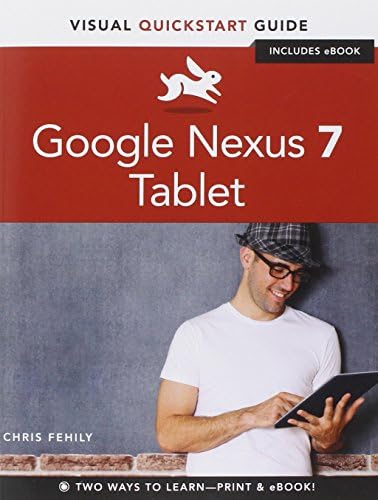

Google Nexus 7 Tablet (Visual Quickstart Guides) PAP/PSC Edition
Product ID: 1848369
Buy anything from 5,000+ international stores. One checkout price. No surprise fees. Join 2M+ shoppers on Desertcart.
Desertcart purchases this item on your behalf and handles shipping, customs, and support to EGYPT.
Full description not available
�**.
Explains All of Nexus 7's Capabilities and Settings in Concise, On-Point Language
The VISUAL QUICKSTART GUIDE: GOOGLE NEXUS 7 TABLET is probably the only manual I'll ever need for my new Nexus 7 mobile device. What I want to know--as soon as possible--is where to find the various settings, and what the settings actually do. Because I'm already familiar with navigating tablets (a 1st Gen Kindle Fire and an iPad 2), settings and feature information is all I really need.This book tells you, in concise, simple language, how to do everything that the Nexus 7 is capable of doing (e.g., connect to a VPN, share with Android Beam, sync accounts and calendars, manage notifications, etc.). Photographs and screen shots ensure that you'll know when you've found the right button or screen for the operation you want. There are lots of tips (e.g., use "Airplane Mode" to quickly turn off all battery-draining wireless services), many useful chapter cross-references, and an excellent index. The book doesn't explain how to print from the Nexus 7--probably there's an app for that--but it does tell you how to transfer downloaded photos and files to a PC (which can print them).What makes this book so great is that the step-by-step instructions and accompanying explanations are always totally on point and blessedly brief. The print edition (which I bought because I wanted a reference to quickly flip through) has a really nice "extra"--there's a code that lets you download the book from the publisher's Peachpit web site, in your choice of digital formats (pdf, mobi, or epub), for easy transfer to an ereader, Kindle, tablet, or other mobile device.
T**N
A pretty good users manual
My wife and I have used this manual to get to know our Google Nexus 7 2013 tablet. Sometimes it takes some searching to find a particular function and there is nothing in it about the forward and rear facing cameras. I presume that is because the tablet is quite new and the manual hasn't caught up to the latest features. That said, we have found it to have been quite useful in several areas.
R**I
Excellent tutorial
Frankly I could not figure the d#$% thing out. I felt as if my droid had ADHD. It implusively misbehaved unable to sit still. It'd flip/flop between portrait and landscape and whenever I followed it went another way.Read the book, an easy read, and never guess what? The d#$% Droid is easy as pi. Just got to know when to pinch it, or poke it, or flick it to get it to do "the right thing."I am embarrassed to tell the years of professional computer experience under my 62 yo belt. I am once again the wiz.
D**T
OK While It Lasted
For one day it seemed to work OK. On the third day it would not hook up with my in-home wifi system nor would it remember any of the sites I had worked on the previous day. I sent it back seamlessly. While it worked it was OK but I am not going to get another. I will stick with my laptop and my net book.
C**P
Does not cover Android 4.4 Kit Kat.
This is a good tutorial for the Nexus7 tablet in many ways but it does not cover the Android 4.4 Kit Kat build that I bought. This book was written for Android 4.1 Jelly Bean. Buy a used book only and look for a Nexus 5 book written for Android 4.4 Kit Kat. Between the two you'll be fine!
W**R
Highly recommend!
With a handful of books available from for the Nexus 7 Gen 2, I wasn't sure it was worth the money since so much information is readily available on You Tube. After at least 10 hrs of viewing videos on how to use this tablet, I can say this book was absolutely mandatory for me. It would have been worth twice the price. Very well written and extremely useful!
T**E
Excellent
Step by step easy to follow user guide. It has become my reference bible for Nexus 7. I saw that Nexus has one in their softwares, but I found it always good tohave a user manual on your side to eliminate the hassle of flipping the screen back & forth. Great book for entry level into the world of rapidly advancing high tech.
U**N
Google Nexus 7 Tablet: Visual Quickstart Guide
I have not had enough time to totally study this Book, but it seems that it will help me since I am not at all familiar with how a Tablet operates.
B**Y
Nexus 7 tablet quickstart guide Chris Fihily
It's a good book - easy to understand and follow. I would recommend it even if you don't know anything about Android. I had a grounding with a smart phone so I knew some of how it worked. It is a very good reference book to keep going back to when you come across something you don't know how to do.
B**Y
Not Very Helpful.
It's O.\K. but it doesn't tell you much about replying to received e-mails, how to make & transfer files. and how to delete most items.This book deals with the earlier version of the Nexus 7 Tablet so beware before you buy.
C**Y
helpful
We are both useless at technology. We ordered the Nexus direct from Google. Despite the book we had trouble getting set up and had to ring Google who put us right straightaway, eventually we got connected to the wifi...we are ploughing on.
I**X
Just what was wanted
Brilliaant. So detailed and straightforward a five year old (and this 70 year old silver surfer) cannot go wrong. Yet to indulge all the goodies illustrated in this book on my Nexus but will eventually get round to it if simply to justify the meticulous work from Fehily. The disc with online content works so well too. Really have no negatives so far. Looks so much better than all the others and so affordable.
M**S
Such a help
Really helped me make the most of my Nexus, .basic clear instructions for the person who knows very little, great
Trustpilot
2 months ago
3 weeks ago