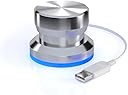
🎛️ Elevate Your Workflow with PowerMate!
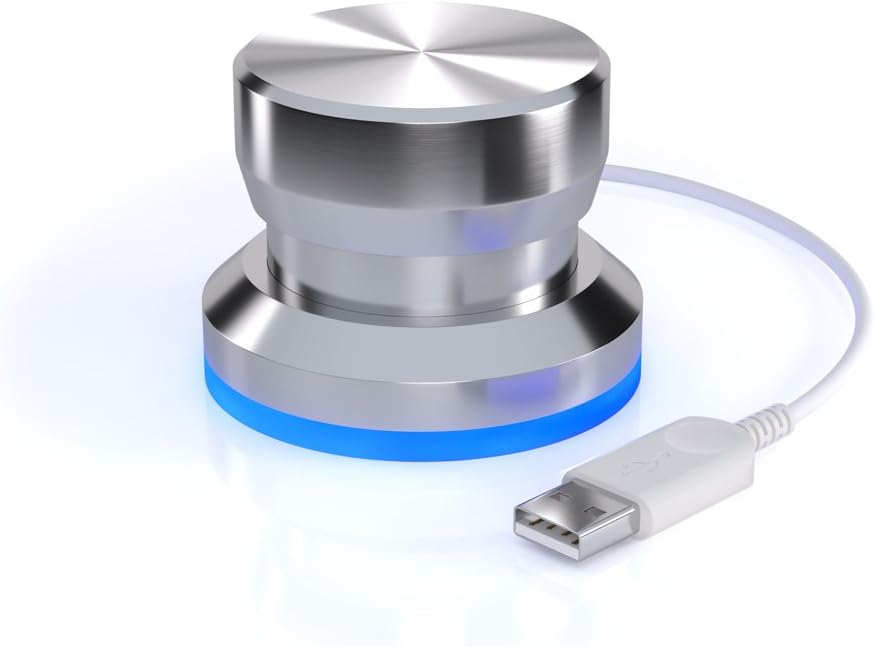
The Griffin Technology NA16029 PowerMate USB Multimedia Controller is a versatile and ergonomic control knob designed for professionals who need to navigate multimedia files, spreadsheets, and documents with ease. With the ability to connect up to 127 units and a range of presets for various applications, it offers a customizable and efficient solution for enhancing productivity.
| ASIN | B003VWU2WA |
| Additional Features | Ergonomic |
| Brand | Griffin |
| Brand Name | Griffin |
| Button Quantity | 16 |
| Color | White |
| Compatible Devices | PC, Windows |
| Connectivity Technology | USB |
| Controller Type | Knob Controller |
| Customer Reviews | 3.8 out of 5 stars 559 Reviews |
| Hardware Platform | PC |
| Item Dimensions | 5.6 x 4 x 3 inches |
| Item Weight | 0.1 Kilograms |
| Manufacturer | Griffin Technology |
| Manufacturer Part Number | NA16029 |
| Model Name | PowerMate USB Multimedia Controller |
| Model Number | NA16029 |
| Package Quantity | 1 |
| Power Source | Corded Electric |
| UPC | 168141469916 777786103644 021113117997 685387304431 132017926070 782941694851 763615936101 999994458228 887607339296 493212966996 799872990037 012304213970 999993482446 172302695069 778890665295 |
B**W
A very handy and simple device!
I wanted something to enable me to quickly do specific tasks within various programs, whether it be scrolling, zooming, switching between 20 open files, etc. I decided to get this and try it out, and it works perfect for my needs. The software interface is simple, and you use it to program how the knob works on a per-program basis. I use this for a variety of programs so my review isn't touching on specific programs, but I'll go over the highlights and some tech stuff. The Driver Issues: Folks are having what they believe to be driver issues, but there's a misconception here. This hardware doesn't come with or need any "driver" which Windows doesn't already have. Specifically, the powermate uses HIDUSB.SYS which is a default Windows driver for all Human Interface Devices, such as mice, trackballs, keyboards, etc.. Aside from this default OS driver, the only thing the powermate requires is the program itself (along with the plugins it comes with), which runs as a memory-resident program. What might be occuring is the program may not function well with Windows 7, I haven't tried it yet on my Windows 7 system. However, what I believe is most likely the actual problem, is how Windows 7 uses HID USB devices, as it's a smidge different from XP. There's a different level of security intepretation when software is run. I will update the review once I test this on Windows 7, but as a general rule of thumb, try this: * Run the powermate program (powermate.exe) in Administrator Mode (right-click, choose Run as Administrator..) * Make sure the powermate is plugged into a usb2/3 port which has full power available, you can always try a different port (don't use USB extension cables!) More to follow.. Software Flexibility: You have the ability to turn the knob, press it down, or turn it while pressing it down, and the software allows you to also handle "holding" the button for a period of time. This gives you a total of 6 possible functions per program, as well as 6 "global" (default) functions. You can adjust the sensitivity response of the knob turning, so it responds faster/slower compared to how fast you turn it, as well as the length of time before the "hold" (long click) action kicks in. The software allows you to have many additional powermate knobs attached to your computer simultaneously, each of them programmable this way. Whether you have 1 powermate or 255, you can configure certain settings on each one individually, such as how the blue LED reacts, and whether that specific knob is going to use all possible program settings, or will only respond to global default settings. Actions: For each knob function you can choose from a series of different actions: iTunes Mouse Open File Power Scrolling Send Keys Volume They should be easy to understand. Volume controls volume, Send Keys allows you to setup a key sequence, Open File opens a file, etc.. Each of these actions has a breakout menu with more specific choices, and/or specific settings such as sensitivity. PROS: * Inexpensive * Simple to setup & use * Works with practically any program * 6 possible functions, many actions * Ability to program 'keypresses' * Adjustable sensitivity * Can use multiple units with one piece of software * Does not need additional drivers * The blue LED can be turned off CONS: * Not heavy enough for my taste, it's about 100g, but could benefit from weighing a lot more.. 500+ * No ability to set time delays on the 'key press' function * Windows 7 functionality is questionable OTHER THOUGHTS: For someone who wants an extra button with some added features, this is perfect, and will work with almost any program or software environment. If you want more than 6 functions, perhaps something with multiple button presses and that measures angles, you might want to look for a more professional device which can be found for under $100.
M**G
Good Stuff
While I only use the PowerMate as a volume control, it performs that task perfectly. I also really like the mute button aspect of it and the quality of this product is first rate. It is silky smooth to operate, looks awesome and is child-simple to operate. My only criticism is the packaging, which is horrible. You'll need a knife or scissors to open it up and remove the PowerMate from the plastic cocoon it's encased in. I'm running the PowerMate from a Windows 7 Pro 64-bit installation. First --- do NOT plug in the device until AFTER you've installed the driver. I downloaded the Vista driver from Griffin's website, installed it without issue, and THEN plugged in the PowerMate. It was identified correctly by Win7 and worked immediately. No reboots were required. I'm using the 'Global' profile, by the way. I'm using the PowerMate in conjunction with my ASUS Xonar U7 USB audio card. While the U7 has its own volume control (both hardware and software), I prefer to keep it AWAY from the immediate area around my mouse and keyboard, simply because of all the cables running in and out of it. With the PowerMate, it takes up less than half the space a mouse consumes and there's just ONE (USB) cable to deal with, instead of the FIVE cables attached to the U7. In short, the PowerMate is one of those so-simple-you-can't-believe-it devices that's intuitively obvious to use. Aside from the packaging, it's an impressively engineered device, works flawlessly and is exactly what I was looking for; a large volume control. Good stuff.
A**.
Great little volume control
Awesome little piece of technology. I had a volume roller on my old Corsair K70 keyboard and quickly discovered that I couldn't use my computer without that convenience. When I switched to a Ducky 4, which didn't have the same kind of volume control, I found myself getting really frustrated. This little guy fixed that problem. It is simple, it is attractive, and it does EXACTLY what you would expect; twist to change volume, press down to mute (Though, you can change what the press actually does using the Griffin software if you like). The only annoying thing about it is that the software HAS to be running in order for it to function, and the software is not included with the device. You must go to their website and make sure to download the correct one. Every time you turn your computer on, you need to make sure to start up the Griffin software. I really wish they would keep that somehow built in to the device itself, or at least include the software with the device instead of making me go hunting for it, but once you have the software it works great. It also might be important to point out that the color of the light cannot be changed. It is blue and only blue. You can make some small changes like the brightness and/or pulsing, however. All in all, it is an awesome little device and it does exactly what I need.
E**0
Antiquated Mac software, No Win 7 8 10 support, crashes alot, no sleep.
This thing has matured a great deal since I first bought one 12 or so years ago. Back then all it did was control volume and mute. I was unimpressed with such an expensive paperweight. Now, on OS X, the sky seems to be the limit with it! I am very happy with its capabilities on the mac. It crashes from time to time, but unplugging and plugging back in fixes it. My only real gripe is that it isnt Win 7,8, or 10 compatible. This makes no sense. Its such a great little device and has been around so long, why stop support on such a common operating system. I bought this with the intent for multiple uses on the mac, and for volume control and Mic muting on the PC. My Win 8.1 doesn’t even see it! Poop. 8 MONTHS LATER: I hate this thing. It started crashing a lot after a couple of months. To the point where it just stopped working after a few moments of being reattached. It sits on my desk gathering dust. When I do try to use it, it rarely works. When I try to quit the program, it just crashes. I have to go into activity monitor to force quit it. The software also interferes with other devices and peripherals that actually do work. I saw today that they come out with new colors for this thing. But still havent updated this crappy software (last update was in 2009). I'm done with Griffin. 14 MONTHS LATER: So I installed a Sierra and thought I'd give this another try. A few of my past problems have gone away, but new ones have popped up, btw- they STILL havent updated the software for this thing!. My current (major) problem with this thing is now when the software is running, neither my screen or my machine will go to sleep. I have my monitor set to sleep after 5 minutes. And my computer set to sleep after 45 mins. Neither work. If I quit out of the powermate software all is well. All I can say is: These guys suck. 16 THOUSAND YEARS LATER: So at some point I was informed in a private message from Griffin that they had indeed updated their software and give me a link. Turns out they have been updating the software, but incorporated it into the Bluetooth version's software. You think they would have said something. Nowhere on any site does it say this. Anyhoo, I gave it a try. And guess what? IT STILL SUCKS! From what I remember, it didn't crash my machine and the software didn't lock up anymore, BUT, the sleep issue persists, and I couldn't actually program it to do what I wanted anymore. Ugh. I don't know why I keep trying with this piece of crap. HEY GRIFFIN, STOP MAKING THESE STUPID THINGS AND STICK TO TOASTERS :P
B**N
Drivers need work - hardware is excellent.
i'm reviewing this in the context of Mac OSX 10.5 ( Leopard); I purchased it to control a software defined radio (SDR) application. I had moderate success. The drivers, which must be downloaded from Griffen's website, are extremely simplistic; they provide almost no flexibility within the context of any one application; also, there is no way to direct the knob's output to an app that isn't currently the active app. The drivers installed easily, and did not require a reboot (thank you!) I contacted Griffen support, and received a reply three days later which provided no useful information. I wrote them back, it's been four days so far and no response -- I consider this unacceptable. Having said that, the hardware is really nice, and perhaps someone will come up with third party software to take this device nearer to its full potential. I have requested the source code for the driver and if this is made available to me, I will provide significantly enhanced functionality. Watch this review to see if Griffen steps up to the plate. Until then be aware that the knob can only control two parameters which are always fed to the currently active application or to the OS if no application is recognized, and these parameters cannot be changed without actually editing the system preferences. There is zero provision for feedback to the knob or the LED from applications.
B**S
Works as a foot "pedal" too!
This is one excellent piece of hardware. I was seeking relief from wrist fatigue while mousing, and this little guy was my answer; let me tell you my set up. I've got it on the floor underneath the ball of my foot. Using the software, I've configured it to emulate a mouse left click whenever I rest the weight of my foot on it (By using a 'long click' action, but shortening the length of time it takes to activate it so it's instantaneous). This way my foot can rest on it, and when I need to click, I just lift my foot for a second, and set it back down again. I'm a full time programer, and I've had it for about 4 months now under my foot. It's still going strong. I found that mouse clicking was the source of most of my wrist fatigue. I still have to use the mouse to click if I want to CtrlClick, ShftClick, Click&Drag, or RightClick (which is my only complaint). It works fine with my Windows 7 machine, and I also found it works with 'Synergy' and 'Mouse with Borders' (after some fiddling) just fine. It's beautiful, sturdy, heavy, and durable. I would buy it all over again, and certainly will if this one ever breaks under the weight of my foot.
P**O
Does not work with Windows 7 or later unless you use potentially risky, outdated driver.
You will probably find this item either does not work well or does not work at all with Windows versions 7 or later. The most recent driver available on the Griffin site is for Windows Vista! I am giving this item a 2 star "I Don't Like It" review to emphasize that the Amazon write up needs to stress this device is not adequately Windows compatible. Yes, the Windows compatibility issue is discussed in some reviews, but an issue at this level needs to specified both in the product description line and the write up. The product description should state "Mac Only." The package itself is labeled "Mac + PC" in tiny type without mentioning that all bets are off for anything more recent than Vista. If you are willing to experiment and fiddle around you may get the old Vista driver to work with Windows 10, as some reviewers have done with varying degrees of success. That didn't work on my Win 10 system. But be aware there can be security issues with drivers that old. Vista was a long time ago, which hints that Griffin may not soon offer further Windows support. I recently also purchased the "DROK USB Volume Control Knobs Audio Controller for Adjusting Volume of Computers" here on Amazon and found it works very well. The installation only requires it to be plugged in, the device uses protocols that are built into Windows 10 and therefore far more secure than some old third party driver. Unfortunately it is now in short supply.
D**W
Check the software
I'm writing this review to help others decide between the USB PowerMate and the newer Bluetooth PowerMate. In my opinion, the main reason to buy either device is the companion software that allows you to program it. But potential buyers should know that the capabilities of the software for the bluetooth version are much more limited than the capabilities of the original USB version. I haven't purchased the bluetooth powermate, but I did download both versions of the software (I recommend that potential buyers download both applications from the Griffin website and take a look before making a decision). Both versions of the software work on my machine running Mac OS 10.10, and both allow me to program my USB PowerMate. Here are some examples: the USB version of the software (PowerMate 3.1.0) allows you add modifier keys to the various physical actions of which the device is capable. This means that instead of six triggers, you can set up a great many more triggers for custom actions in specific applications. The PowerMate 3.1.0 software also comes preconfigured with a number of settings in place for different applications, so you can get a better idea of the device's capabilities. The AppleScript dictionary is different: the verb 'pop light state' is not available in the bluetooth version. Overall, it seems like, out of the box, the PowerMate 3.1.0 software also gives you a lot of actions to assign if you wish. The PowerMate Bluetooth and USB Manager 1.2.4 allows you to launch AppleScripts, but you would have to write them yourself first. As for the device's physical characteristics, I find it buttery smooth and a pleasure to work with. Some may like it even more if, like I did, you remove the small foam cushion underneath the button. The button pulls off easily, and the cushion simply sits underneath it. I found that the cushion produced too much drag for my taste. One other tip: it seems like you need to launch the PowerMate software before plugging in the device. I've had trouble getting it to register otherwise. (In any case, as the instructions state, you must keep the software running in order to use the PowerMate. I keep it as a background application in the menubar.) I'll post revisions to this review if I uncover anything else, but after a few days of experimenting with the device, I love it, and cannot wait to unlock its potential.
T**H
Works with Windows 7 64bit
Was a bit worried when i purchased the device as im running Windows 7 64bit. Its looked such a perfect product i thought i would risk it. Item turned up and first thing is how stunning the product is. So well made, perfect size and looks amazing sat on the desk. Item works PERFECTLY under windows 7 64 bit and this is how. For Windows 7 64 bit Users: - BEFORE plugging the device in go to the Griffin website and grab the latest Vista drivers. - Install as usual. - Once installed you should see a Powermate symbol bottom right near the clock. - Plug in the Powermate and it should glow blue. - Open the Powermate software, click Application, Default Settings and then add any programs you use. I Just added global settings. - Powermate now should work perfectly with default settings, Volume control, mute and light should change with volume level. Extra Required Steps: - Right click on the app, properties, compatibility and check the run as administrator - It will now work in the background even when games etc are running. - Now the only issue i found was It wont run at startup currently even selecting this option in the software. The normal method wont work with an admin process. - To run at start up use Windows Task Scheduler, google how to use it (simple) and get it to run the software after user login as elevated priority. Now my Powermate starts at login. I use it as a volume control with a single press as next track in Itunes and press and hold is pause/play. The beauty is when Itunes isnt open a press and hold will start it up, playing the last playlist i was on. I can move my keyboard and mouse away and control my music with the Powermate. PERFECT Device. I will attach it to other programs like Premier but currently it does all I asked from it. Hope that helps if you are deciding.
D**S
Funktioniert auch unter W10 64bit schnell und ohne Probleme
Ich hätte nicht gedacht, dass ich noch mal einen separaten Lautstärkeregler bräuchte, aber nun war es so weit. Diesen hier habe ich schon vor langen Jahren gesehen und der hat mir immer sehr gut gefallen. Vor der Bestellung las ich allerlei Bewertungen und sah auch die Probleme, die andere mit dem Teil haben. Ich habe trotzdem bestellt, eigentlich, weil ich angenommen habe, dass ich den Treiber nicht zwingend bräuchte und der Regler als Standard für die Lautstärkeregelung eingebunden wird, ich den Treiber also nur für Fremdbelegungen bräuchte. Dem ist _nicht_ so, der Treiber ist zwingend. Nachdem mir das klar war, beschlich mich auch direkt ein ungutes Gefühl, mir waren die Negativrezensionen im Kopf. Ich habe dann also den Treiber von der Griffin-Webseite heruntergeladen, das Zip entpackt und die enthaltene .exe als Administrator gestartet. Zu meiner ÜBerraschung lief dies (mittlerweile auf 2 PCs) ohne murren durch und der Treiber war sofort verfügbar. Das Defaultprofil ist dann tatsächlich die Lautstärkeregelung und das ganze verrichtet seinen Dienst hervorragend unter Windows 10, 64 bit. Die Installation hat max. eine Minute gedauert, danach war das Gerät schon einsatzbereit. Der Knopf selber ist etwas kleiner, als ich erwartete, aber immer noch sehr schick. Durch das hohe Eigengewicht ist die Einhandbedienung auch tadellos möglich. Das Potentiometer ist rasterfrei und läßt sich unglaublich weich und sauber regeln. Der Knopf selber hat auch eine Druckfunktion, die im Default auf 'Mute' steht. Meine Ansprüche sind damit alle bestens gelöst und ich würde das Teil tatsächlich bedenkenlos empfehlen können. Nicht getestet habe ich eine Konfiguration einer anderen Funktion des Gerätes, aber ich denke nicht, dass es damit Probleme geben würde, da die Standardkonfiguration (also die Lautstärkeregelung) auch erstmal gewählt sein will und das klappt halt tadellos.
B**6
Griffin PowerMate
Ottimo prodotto per Mac, costruzione solidissima in pieno stile Apple e funzionamento ineccepibile, software per la configurazione aggiornabile. Non può mancare sulla vostra scrivania.
K**8
Excelente producto
Solemente doy 5 estrellas si estoy bastante impresionado con un producto. Este rueda es muy bontio y de calidad. Esta fabricado de aluminio solido lo que es atractivo y da un tacto de gran calidad. La luz a base es un bontio detaille que funciona bien para indicar la potencia de nivel. La instalacion ha sido muy facil con un programa de Griffin de descarga. He utilizado para controlar el volumen de sonido como normalmente tengo que hacerlo por raton y es un rollo. Ahora la rueda controla mi volumen de sonido y ha simplificado a mi vida. La unica pega es que en USA de Amazon cuesta $35 que es como 27 Euros. En Amazon.es es 45 Euros por el mismo producto. Incluso a este precio inexplicable casi el doble, me merece la pena y estoy satisfecho, por que el producto es de calidad y me sirve bien.
E**O
It's best to include the Powermate software in Windows 7 startup ...
Works as advertised. I use it mainly as a system volume control on my desktop PC. It's best to include the Powermate software in Windows 7 startup so that it is immediately effective. Once in a long while the device becomes ineffective. All you have to do pull out the cable connector from the USB port and reinsert. That always restores function.
Trustpilot
2 months ago
2 weeks ago