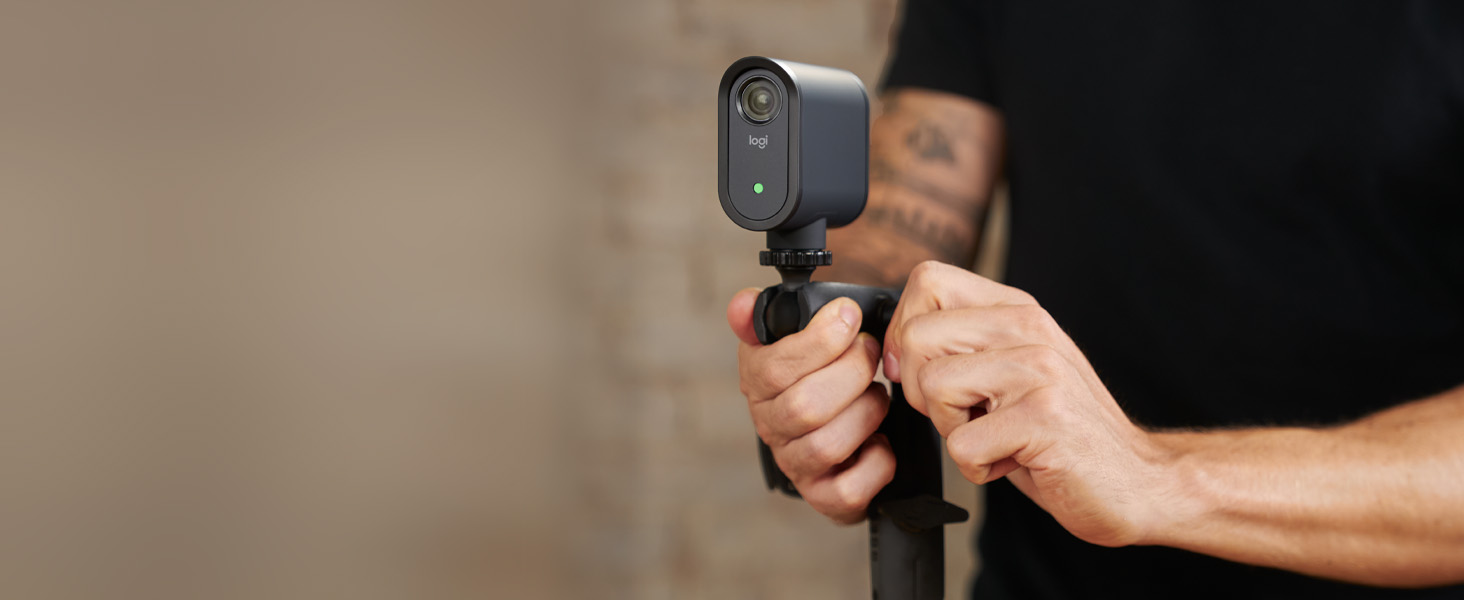
🎬 Elevate your live streams—be the director of your digital stage!
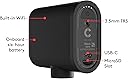
The Logitech for Creators Mevo Start is a compact, wireless live streaming camera delivering stunning 1080p Full HD video with built-in microphone and intelligent app control. Stream effortlessly to YouTube, Facebook, Twitch, and Zoom using Wi-Fi or LTE, with up to 6 hours of battery life. Its multicam capability and versatile connectivity options make it a must-have for creators seeking professional-quality broadcasts on the go.




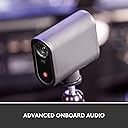
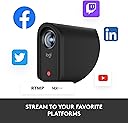

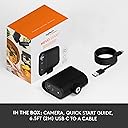

| Antenna Location | Live streaming of events, presentations or remote meetings |
| Are Batteries Included | Yes |
| Asin | B0866PZN76 |
| Battery Average Life | 6 Hours |
| Best Sellers Rank | 176,572 in Electronics & Photo (See Top 100 in Electronics & Photo) 91,371 in Camera & Photo |
| Box Contents | Mevo Start Camera, Microfiber Cloth, Quickstart Guide, USB-C Cable with QuickCharge |
| Brand Name | Logitech G |
| Camcorder Type | Video Camera |
| Colour | Black |
| Compatible Devices | Smartphone, laptop, personal computer |
| Customer Reviews | 4.3 4.3 out of 5 stars (2,301) 4.3 out of 5 stars |
| Digital Zoom | 4 x |
| Effective Video Resolution | 1080 Pixels |
| Exposure Control Type | Automatic |
| File Format | MP4 |
| Flash Memory Bus Interface Type | UHS-I or USIMM |
| Flash Memory Speed Class | C10 |
| Flash Memory Type | Micro SD |
| Flash Memory Uhs Speed Class | 3 |
| Flash Memory Video Speed Class | V30 |
| Focus Type | Fixed Focus |
| Form Factor | Compact |
| Has Image Stabilization | No |
| Image Aspect Ratio | 16:9 |
| Image Stabilization Type | false |
| Item Dimensions D X W X H | 22.1D x 8.6W x 19.2H centimetres |
| Item Type Name | Streamin Camera |
| Item Weight | 8.2 Ounces |
| Lens Type | Zoom |
| Manufacturer | Logitech for Creators |
| Maximum Aperture | 2 f |
| Maximum Display Resolution | FHD |
| Maximum Focal Length | 3.6 Millimeters |
| Minimum Aperture | 2.8 Millimetres |
| Minimum Focal Length | 2.8 Millimeters |
| Model Name | Mevo Start |
| Model Number | 961-000498 |
| Network Connectivity Technology | Ethernet, Wi-Fi |
| Number Of Batteries | 1 Lithium Ion batteries required. (included) |
| Number Of Speakers | 1 |
| Operating System | Windows 7 or later, macOS 10.13 or later |
| Product Features | Wireless live streaming and app control |
| Product Warranty | 2 year manufacturer |
| Sensor Type | CMOS |
| Shooting Modes | Action, Conference, Interview, Landscape, Night, Portrait, Presentation, Studio |
| Style Name | Single unit |
| Supported Audio Format | PCM |
| Supported Image Format | JPEG |
| Unit Count | 1.0 count |
| Upc | 097855169815 |
| Video Capture Format | MP4 |
| Video Capture Resolution | 1080p |
| Water Resistance Level | Not Water Resistant |
| White Balance Settings | Auto |
| Wireless Compability | 801.11ac |
| Zoom | Digital |
User
Mevo - Start - a good starting point...
+ Quality materials+ Compact size+ Simple to use+ Excellent battery life+ Behringer UCA222 USB interface connects to the USB-c (with a converter) and it powers it+ Wireless if you want to use the built-in mic which is good (but not as good as my line in via USB)+ Ability to be used as a wireless webcam- App is good but could be better (I'm happy to beta test) as it's not the most user friendly- Gated functionality behind Vimeo is costly and adds little value- Additional cost carry case - a free soft case/bag would have been a good addition to the boxI wish it could (but it can't):- Allow mp4 to be played as a separate scene selection in my stream allowing me to have placeholder screens, additional video presentations, music etc
User
Mevo - really effective for streaming In-Church Services to YouTube
Our Church is looking to stream Christmas Services. The issue was, how and within budget. The Mevo delivers exactly what we need: a) simple to set up b) simple to operate c) simple to stream d) simple to live edit e) acceptable broadcast quality.The online tutorials are helpful and it took about an hour of trial and error to get the Mevo up and running.The sound quality generated when the camera is placed two or three metres from a presenter is really good. A Soft spoken reader five metres away could be heard - justThe Mevo camera is expensive but well made. Importantly it exactly meets its function. Highly recommended
User
Simple, easy, livestream in a box
Purchased this as an upgrade to a PTZ camera used for live-streaming church masses.This has been so simple to setup in comparison to the PTZ, which needed port forwarding, LAN connection etc.Took it out of the box, downloaded the app, connected the camera & we were live-streaming via Facebook in minutes.Camera quality is amazing in comparison even if average Wi-Fi connection.For best results in large areas external microphones are needed but even they were easy to use.This is simplicity itself.
User
Fulfils its design purose brilliantly
I bought this camera for live streaming of services and messages for the church I belong to. It is easily connects to the internet , gives a clear picture and sound. It can be controlled from a smart phone or tablet - to zoom in, crop etc.. We have connected it to broadcasting software. It is light and portable and is easy to attach to a tripod or microphone stand and has a great angle of view. People from church have commented that the broadcasts make them feel as if they are at church. A great investment. Looking forward to when the software is updated and we can run two of them at the same time from differnt angles.
User
Great Stream Camera
Great stream camera very happy with it it great for DJ streaming you can plug your audio straight into the back of camera and the Mevo app on your phone or tap and then from any you like that has wifi or even using internet data on your mobile phone or mobile wifi modem.
User
Brilliant!!
This little camera is magical for a lite livestream setup. The guys at Mevo have really tried to think of everything to make livestreaming quick and easy while maintaining a very high standard of production. Recommend
User
Mervo we’re very helpful
At the moment waiting to set it up. It’s not as easy as the advert says.How ever Amazon and mervo have been very helpful.When I get it going I’m sure I’ll give it full marks . Thank you.Unfortunately I’m sending it back taken hours and still not working. I want to use it with P C laptop . Apparently they are still in the beta stages?A shame.
User
Great idea to have a wireless camera
Its a bit restrictive in that you can only use it in wireless mode with an iOS or Android device. Cannot be used in wireless mode with a Windows PC or a Mac/Macbook. Also if you want to have the facility of introducing graphic overlays/ Powerpoint etc over your video image they want you to take out a Vimeo regular subscription which isn't cheap. Managed to overcome the difficulties, albeit in a cumbersome fashion using the RTMP interface in the Mevo App. Good functionality available in the Mevo App for manual/auto panning.
User
Excellent
I use this for all my kids softball games. Easy to set up and great quality. I’d recommend getting an external microphone with windsock to sure you can still hear what’s going on on windy days
User
mevo broke again
this is the 3 one we have bought in less than 5 years. It keeps breaking and we only use it once a week.
User
An Improvement Over the Original
Update: the video quality is so much better than the original Mevo. Some helpful hints if you have a large auditorium and you want to zoom in this is not the camera for you. We stream to FB and YouTube live. We only have 22 YouTube subscribers for our channel. So in order to go live on multiple platforms you need another software to do that. We use Vimeo. To go live on YouTube you must use the RTMP button on Mevo. Set up your stream on YouTube Studio and get your URL and streaming key to paste into Mevo. Great thing is the Mevo will save it and YouTube doesn’t change it for a new stream when you reuse your settings. Once everything is programmed into the Mevo it gets much easier to go live. Again the video quality with the Mevo Start is so much better than the Mevo Plus. We spent about $800 for the original and this was only $399. You get your monies worth if you can leverage all its features. Also if you are being asked for constant firmware updates which Mevo are you using and is your app updated.Our church has been using the first generation Mevo for over three years. We didn’t realize how outdated our Mevo camera was. The video streaming began to get worse and we kept losing signal and the audio was terrible. I went looking for another camera but Mevo still came up in the top. I looked at the specs of the Mevo Start and realized how outdated our original Mevo was. Today we streamed our service for the first time using Mevo Start and people complemented our video on how clear it was. We had no audio issues or dropped internet. We also didn’t have to plug it in since we stream for about 2 hours. We always liked Mevo and they have made streaming affordable for our church. This Mevo Start addressed most of our issues with the first Mevo we had. Also the price has gone down from what we paid for the original Mevo. It is worth the price. It does so much more than just record video. I love the app also.
User
Estremamente efficace anche in stand alone
Camera video estremamente efficace per chi deve lavorare da solo. Grazie al pannello regia è possibile, già con una sola mevo start, realizzare e gestire diverse inquadrature con zoom in e zoom out
User
EXCELLENT
Très bon produit, petit, élégant. Apres quelques jours d'utilisation je ne regrette pas mon achat. Belle qualité d'image et de son. L'application iphone fonctionne très bien meme si elle mériterait d'être en français. La fonction zoom sur l'image fonctionne vraiment très bien. Je me sers de plusieurs MEVO START avec le logiciel pour mac MIMO live ca fonctionne vraiment parfaitement. Latence assez faible. LA possibilité de brancher un micro en jack 3,5mm sur la camera elle même est très pratique pour du multicam ca evite d'avoir a gérer aussi le mixage son, car le son est transporté par la camera.
Trustpilot
2 weeks ago
2 days ago