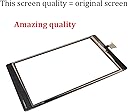
🔧 Revive Your Kindle with Confidence!
This Original Quality Screen Replacement Digitizer is designed specifically for the Amazon Kindle Fire Tablet HD 8 (8th Gen, 2018). It features a glossy tempered glass surface with a 9H hardness rating, ensuring durability and scratch resistance. The kit includes everything you need for a full repair, making it an ideal choice for those looking to restore their device to its original glory.
| ASIN | B08P8BFPW2 |
| Brand | GoodFixer |
| Brand Name | GoodFixer |
| Clarity | 10 |
| Compatible Devices | Kindle Fire HD 8 (8th Gen 2018 Released, 8 Inch) Model L5S83A |
| Compatible Phone Models | Fire Tablet HD8 8th Generation Model L5S83A (2018 Released) |
| Customer Reviews | 4.1 out of 5 stars 432 Reviews |
| Finish Type | Glossy |
| Item Hardness | 4H |
| Manufacturer | GoodFixer |
| Material | Glass |
| Model Name | L5S83A |
| Model Number | L5S83A |
| Number of Items | 1 |
| Part Number | HD8-2018 |
| Screen Size | 8 inches |
| Screen Surface Description | Glossy |
| Special Feature | Scratch Resistant |
| Special Features | Scratch Resistant |
| UPC | 033985357494 |
| Unit Count | 1 Count |
| Water Resistance Level | Not Water Resistant |
L**N
Good Product; Great Customer Support
Reviewed two YouTube videos as directed on the package on how to replace the screen. Used a heat gun rather than a hair dryer to get the original screen adhesive to release. Took about an hour but the wife’s tablet is now good as new after the grandson dropped the unit on the floor and cracked the glass. Only additional advice is to make sure to transfer the four tiny magnetic bars that will come loose with the screen removal back into place along the case edge and cover with the double sided tape supplied with the new glass. These are the magnetic catches for the protective case (if you use one). The supplied tools were exactly what was needed. The replacement glass fit perfectly and did not work initially, but Customer Support gave me some things to try. I found a connector cable was misaligned (my bad), and once corrected the screen came on and has been working ever since. Great product and support for the money!
O**E
A delicate & relatively involved installation, but great replacement part & tool kit.
An effective replacement part & tool kit- great fix so far. The part's only been installed for a day, but it seems to works just like the OEM part at a great price. This purchase came with all the necessary tools to make the repair, except for a heat gun. A hair dryer *might* work in a pinch, but I had to get the perimeter of the glass and plastic perimeter lip pretty hot, else I think I wouldn't cracked the plastic perimeter lip during the glass removal step. I also needed magnifying optics to see what was really going on with the glass/plastic junction & small electrical connectors on the back, but I have middle-age eyes. Notes from my install: -A youtube video that I found for the 8th gen (L5S83A) almost misguided me for the broken glass removal step. No way a straight blade or knife-like tool would've worked without badly damaging the device's plastic frame because of its raised plastic lip that goes around the edge of the glass. Maybe that would've worked for other generations, but not 8th gen/2018. -For me, the 90 degree wedge-pry tool was the most important tool in the included kit, as it allowed me to get the old glass off without apparent damage to the plastic device frame. -After getting things up to a high enough temp to soften the double-sided tape that holds the glass in place, I had to go straight in between the glass and the lip all the way around w/ the wedge-pry tool, to allow enough space to then very slowly work *under* the glass at a right angle. I used the picks to wedge in a few spots after using the 90deg wedge/pry tool. I had to reheat the perimeter a few times to keep it a good temp. -The backside electrical board required the unscrewing of the 4 small phillips screws to tilt up and fish the old digitizer connector from (and the new connector back to) the board. 2 plastic tabs had to be depressed to let the board tilt up, in addition to disconnecting 2 electrical connectors (1 ribbon and 1 flexible interconnect for the digitizer).
T**A
Not difficult to execute
It works great, not so difficult to execute, no instructions included but they do suggest a video on youtube. I personally watched and studied a few different videos before pulling out my materials then watched the one i liked again with my tools and tablet before actually feeling comfortable to start.
C**Y
All the equipment you need to do this but you will need a guide and hair dyer/heat gun
The kit includes everything that is needed to replace the screen on your tablet. The packaging is great and includes more than enough tools to get the job done. The sticker gives instructions on what to search to find a video guide. I typed them in verbatim and there is a bunch of stuff that aren't for the correct model but finally found the correct one. The one I used that was easy to follow and step by step is a video called "Amazon Kindle Fire 8th gen screen digitizer replacement (part 1) Tablet teardown and repair" on Youtube. I used a hair dryer on hot setting to loosen the adhesive on the screen in small sections (about 3-4 inches) at a time by using the orange flat tipped tool to gently pry the glass up and then using the guitar picks as spacers as I moved along and then continued to follow the instructions. The kit had more than enough of everything and plenty of tools to do this repair in about 20 to 30 minutes with watching the tutorial for a bit and then doing that step and then continuing. The only step that wasn't in the video was that I had a black screen and nothing happened when I tried to turn it on after the repair and had to do a hard reset on the tablet after reassembly by holding the power button for 30 seconds. Everything works great now and my daughter is happy as ever to have her tablet back. Watch the video I quoted above before trying this repair to ensure you feel comfortable doing it and ensure you have a heat source as I'm not sure you could safety or easily remove the broken touchscreen without one or the other.
C**B
Experience required
I purchased the kit as it was cheaper than purchasing a new kindle fire. It did not say experience needed. It reads as if anyone can do this. When the kit arrived there were no instructions. I went to the internet to find the steps, but there are several versions and it was hard to know which exact kindle fire 8 to use. I followed the video, but my kit did not have the same tools as the video and the tools that I did have broke in the process of trying to remove the old screen. When I finished the process the kindle did not work and in the process of trying again, the new screen was damaged so I cannot return it. In the kit was a note saying that if you are happy write a review and if you are not happy email us at [email protected]. So I emailed them explaining my frustration. Their response was that it takes some practice. I offered them an opportunity to change me to a satisfied customer and they showed no interests. So my only way to warn others not to use this kit unless you have experience and your own tools was to write as honest a review as I could. Hope you have better results than I did.
R**S
No instructions, but worked
It did not come with instructions, but I was able to find a YouTube video that explained how to use the kit. Wish it had come with instructions and some of the items to help assist the replacement were flimsy and broke. Thankfully was able to replace the screen.
A**R
Small business with huge customer service!
I most say the replacement kit was great ,it had everything needed to do the job. The screen looks original. Unfortunately mine didn't work. I contacted the seller and they responded immediately, just ask for a picture and the same day i was getting a refund without sending the damage item back. It says a lot about caring for your customers, items can be damaged, but the customer service of a company has to be trustworthy. I will definitely recommend buying from then, I myself will give them another try!!!
M**E
A little involved but stick with it
I ordered this after my son accidentally cracked his Kindle screen. After watching the video on how to replace it, I started. When it comes to getting the screen off, the original screen had to be really warm. I used a hairdryer for about 15 minutes, but after much cursing and swearing to give up, it came off. The rest of the time it took to replace was pretty easy. The replacement screen worked perfectly. Just what I needed.
Trustpilot
2 months ago
1 month ago