⚡ Power Up Your Productivity!
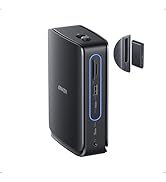
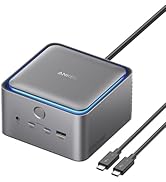
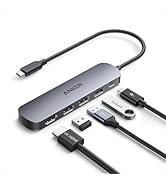
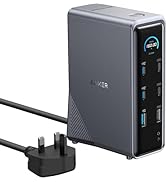
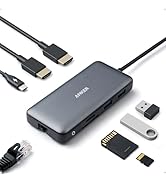
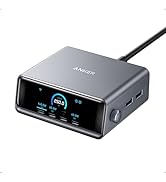
The Anker PowerExpand 5-in-1 Thunderbolt 4 Mini Dock is a versatile docking solution designed for modern professionals. It features an 85W charging capability for laptops, supports high-speed data transfer up to 40 Gbps, and offers impressive media display options with up to 8K resolution. Compatible with both Windows and Mac systems, this dock is perfect for enhancing your workspace efficiency.



| ASIN | B08S32HSPX |
| Brand | Anker |
| Brand Name | Anker |
| Colour | Gray |
| Compatible Devices | Laptops |
| Compatible devices | Laptops |
| Customer Reviews | 4.2 out of 5 stars 56 Reviews |
| Hardware Interface | Thunderbolt, USB, USB Type C |
| Hardware interface | Thunderbolt , USB, USB Type C |
| Item Dimensions L x W x H | 12.4L x 7.1W x 2.3H centimetres |
| Manufacturer Part Number | A83982A1 |
| Model Number | A83982A1 |
| Number of Ports | 5 |
| Product dimensions | 12.4L x 7.1W x 2.3H centimetres |
| Total USB Ports | 1 |
| Total USB ports | 1 |
| UPC | 194644169206 |
| Wattage | 85 watts |
B**O
Great, fast Thunderbolt port expander and power supply for MacBook Air
Used to expand Thunderbolt / USB-C ports on a MacBook Air, running Big Sur (it doesn't work on Catalina or earlier). I love it. At last I can have more than the miserable two ports Apple provided. Seems to work extremely well - the Mac runs fast even with the operating system on an external SSD. The power supply is very large, but I have measured its energy use and - even with the Dock added to my previous configuration - it uses less energy than the standard Mac power supply. It has a much better power factor too. So its greater size seems to reflect good engineering. What is more, when you turn it off at the mains, everything can stay plugged-in (together with all the peripherals) without draining the MacBook's battery at all. Previously I had to unplug everything or the battery would be nearly empty the next morning. The push-push power switch is a slight problem, being close to the ports. So it can get pressed inadvertently. I would have preferred a slider switch or a switch on the side of the unit.
S**M
Works well with TB3 and does what it says
The Dock is and small and works somothly, almost daily use. In gerneral I would like the possibity to use it mobile, so it would be great that one can power the TB Dock with an USB-C Charger. The included power supply is quite bulky!
C**E
Just works .. very reliable (compared to various unreliable thunderbolt 3 docks)
Used with my new MacBook Pro 14'' 2021. Using it to drive 2x 4K 60Hz screens, 1 external USB SSD and gigabit ethernet (via USB-C Ethernet adapter). Have tried several other docks, including the Anker 13-in-1 Thunderbolt 3, and the CalDigit TS3 and nether worked reliably (either the disks would disconnect, or one of the screens wouldn't connect, would overheat or if connected one of the screen wasn't in 4K resolution). This has been plugged in for > 3 weeks without issue .. both screens always appear with full 3840x2160 (4K) @ 60Hz and don't rearrange etc, the disk has never unplugged etc. Buy this if you want a reliable solution for a docked Thunderbolt 3/4 machine.
B**1
Big heavy PSU
Comes with a big heavy PSU brick so the whole deal's not as compact as I'd hoped. Maybe I'm missing something but given the relatively small size of 100W GaN wall chargers (including Anker's own) I'd hoped for better. The headline specs are impressive but I can't comment on performance because I didn't test it. Returned for refund.
M**C
Anker PowerExpand 5-in-1 Thunderbolt 4 Mini Dockf
Excellent P 5-in-1 Thunderbolt 4 Dock. Paired nicely with my Mac mini M2 setup offering extra ports and power to my external SSDs
S**L
Drives both 1440p monitors at high refresh rates but hard to make clamshell mode work
Quite simple and easy to set up the dock but it's not fit for my purpose. I normally have the original MBP charger connected and two USB-C to HDMI cables - this method wakes up the MBP once I start smashing buttons on my bluetooth keyboard. I planned on using this dock to be able to have one cable to connect to two of my monitors while also charging. Unfortunately, my Intel i9 16-inch MBP (clamshell mode) doesn't properly wake up from sleep when connected to the dock. I can hear the chime the MBP makes when it's charging but there's no connection to the external monitors. In order to use it for my use-case, I have to turn the MBP on with the lid open and then connect the TB4 cable to the dock, and then close the lid. Shutting down the MBP and putting it to sleep will sometimes wake it up from sleep (in clamshell mode) to be able to connect just one monitor, meaning the second monitor is not detected. Sometimes, both monitors aren't detected. I've tried many different ways to make things work but it's not been reliable. It's quite an expensive item but I was happy to pay the price to have an additional charger that came with the option to connect to monitors. It just doesn't work for me. Maybe it's a limitation of MacOS 12.1 or I'm too dumb to get it to work.
R**D
Works perfectly in with my MacBook Pro 16" M1pro
I have the Anker 5-in-1 connected to an Eizo CS 4k monitor, Samsung T7 SSD and usb 3.0 4-port hub connected to a printer, two LaCie D2 drives and a usb ethernet adapter connected to a NAS and router which are all attached to the three thunderbolt 4 ports on the rear. Additionally, I have Chord Mojo DAC attached to the usb-a 3.0 port on the front of the unit. That's a total of 9 peripherals all connected to my MBP via a single thunderbolt 4 cable and so far after a couple of months, everything has worked faultlessly. I also managed to pick up the Anker at a good price, so all in all I can only give it a resounding 5-star review.
R**.
Very effective, … after finding the right cables to use
I had this TB dock for several months, and just couldn’t get it to work, driving 2 4k Samsung screens with HDMI inputs from an MBP. Even buying UGreen usbc to HDMI cables at £30 each didn’t work. 🤬 After much searching, and on a bit of a punt and before deciding to throw the Anker dock in the bin as yet another piece of useless IT junk, I bought a couple of usb c to HDMI converters from Amazon at about £7 each. I plugged these into my old HDMI to HDMI cables, and the other end into the Anker dock … and voila, it works perfectly driving 2 screens in either extended or mirrored modes. And runs cool, too! 👍🏻 So if you’re not getting any output to your screens from this dock, this might be a workaround? It would be really helpful though, if Anker (and other manufacturers) made this sort of stuff much clearer in their advertising and instructions, rather like Caldigit does so well IME.
Trustpilot
2 days ago
1 day ago