We remain fully operational. Our teams are working around the clock to ensure your deliveries continue safely.

قم بتنزيل التطبيق


معلومات عنا
حقوق الطبع والنشر © 2024 Desertcart Holdings Limited
قم بتنزيل التطبيق
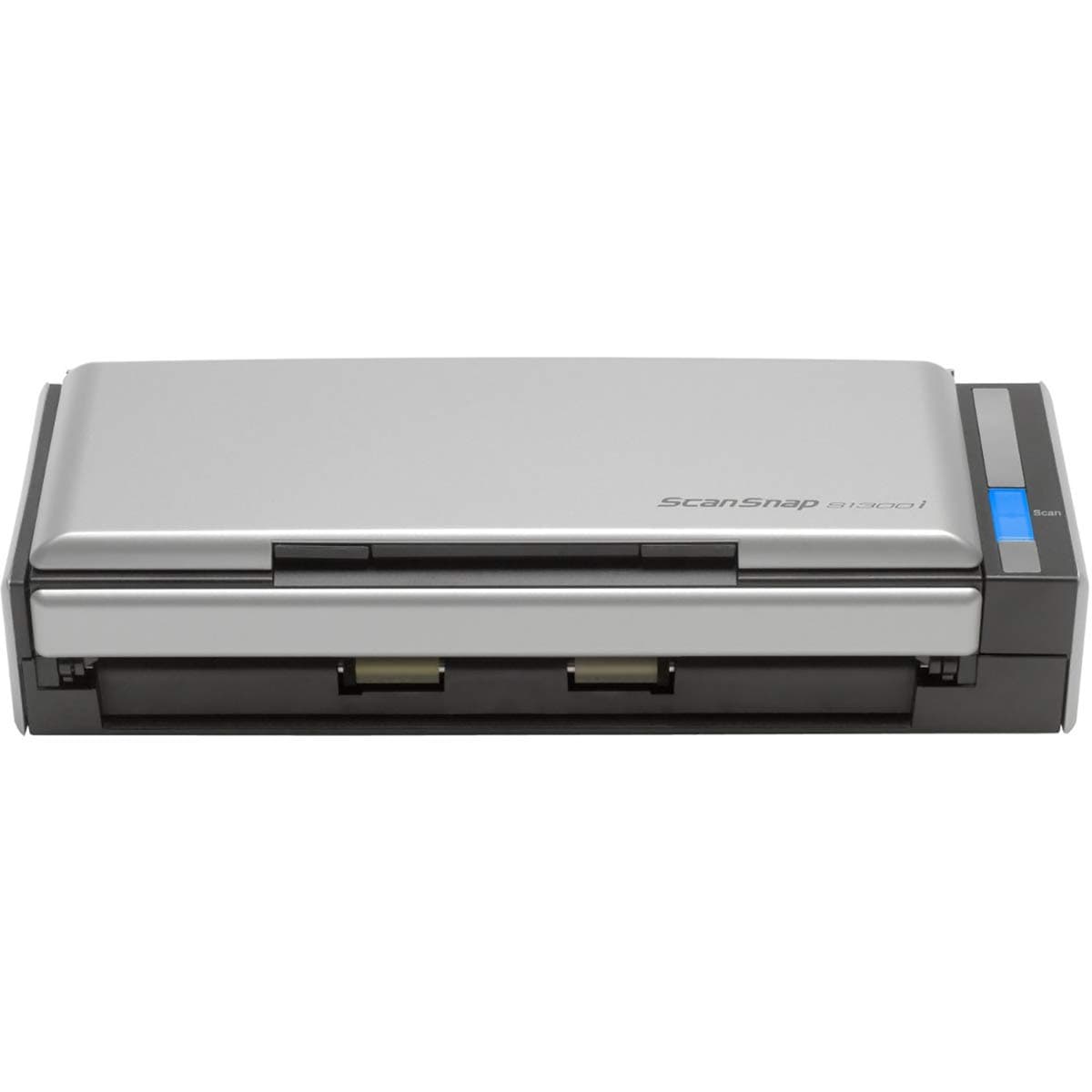

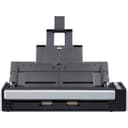
📠 Scan smarter, not harder — your ultimate mobile document sidekick!
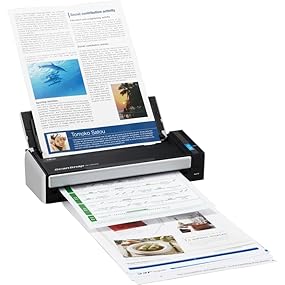
The Fujitsu ScanSnap S1300i is a compact, portable color duplex scanner designed for Mac and PC users who demand speed and efficiency. With a 10-sheet automatic document feeder and the ability to scan up to 12 double-sided pages per minute, it streamlines digitizing documents, receipts, and photos. Its intelligent image processing and seamless cloud compatibility make document management effortless, while dual USB and AC power options ensure flexibility for both office and mobile use.






| ASIN | B008HBFADQ |
| Best Sellers Rank | #163,375 in Office Products ( See Top 100 in Office Products ) #176 in Document Scanners |
| Brand | ScanSnap |
| Built-In Media | Computer Scanner |
| Color Depth | 24 bits |
| Connection Type | USB |
| Connectivity Technology | USB |
| Customer Reviews | 4.4 out of 5 stars 2,933 Reviews |
| Global Trade Identification Number | 00097564307904 |
| Item Dimensions D x W x H | 3.9"D x 11.18"W x 3.03"H |
| Item Type Name | Color Duplex Document Scanner for Mac or PC, Classic |
| Item Weight | 3.1 Pounds |
| Manufacturer | FUJITSU |
| Media Type | Business Card, Paper, Photo, Post Card, Receipt |
| Minimum System Requirements | Windows 7 |
| Model Name | ScanSnap S1300i Classic |
| Optical Sensor Technology | CIS |
| Paper Size | 2 x 2, 5 x 7, 8.5 x 11, 8.5 x 14.17 |
| Product Dimensions | 3.9"D x 11.18"W x 3.03"H |
| Resolution | 600 |
| Scanner Type | Document, Receipt |
| Standard Sheet Capacity | 10 |
| UPC | 808113035113 863121574245 799198553886 132017849089 804067422610 044113200667 872182839071 990053186106 012303034941 043396323933 042111662463 097564307904 897443698228 |
| Warranty Description | 1-Year Depot warranty |
| Wattage | 9 watts |
D**C
Small, Fast, Truly deserves all these great reviews. Fantastic machine.
I purchased this scanner to replace a full size do-it-all cannon pixima. The cannon was in the office with my work computer but was connected wirelessly to our home computer in the kitchen. I hate piles of paper - so my plan was to scan incoming documents to our home computer and shred the actual paper. Doing this on the canon took FOREVER and often required many trips back and forth between the kitchen computer and the canon in the office. I finally decided I need a scanner connected directly to our home machine to make it less painful. We have limited desk space in the kitchen so I wanted a machine with a small footprint. I saw the Neat-desk setup at Sams but it was expensive and the reviews poor. After talking to someone at work who owned the neat-desk and told me to avoid it I ruled out that as an option. The reviews for this scanner were almost too good to be true. I purchased it after a night of being particularly angry at my few month old Canon. It took maybe 5 minutes to install the software and hook up. It was a bit smaller than I expected - a bonus in my case. As for the performance all I can say is WOW, what a difference. The scanner turns on when you open the paper feed tray - then you hit the big blue button and like 2 seconds latter you are done. It is so fast and scans both sides at once. I scanned a whole pile of paper that had accumulated in minutes....I was saving that pile to do on the weekend because that is what I had to do with the Canon. I was trying it out after connecting it and it was so fast and simple that I went through the whole pile. I scan everything to PDF and I haven't tried OCR-ing things into WORD because that is not what I wanted t for. All I can say is that it is refreshing wen something works better than expected. As I read in an earlier review It performs best with similar sized sheets. However, I have seen it straighten out a regular sized receipt that got hung up on another page in the stack of paper I put on there and it went through at like a 30 degree angle. The PDF looked as straight as the rest. This thing is small and Fast. Highly recommended.
S**N
I Hesitated to Buy Because of the Price. Big Mistake! Great Product!
As I mentioned in the title, I hesitated to buy one of these. I thought about it off and on for months, and couldn't quite pull the trigger on the price. It seemed expensive, and why would I want to pay that much for a simple scanner? Especially when I already had a flatbed scanner in my office that would work just fine? Eventually, however, I got tired of the limitations of the flatbed scanner, and wanted more! So I bought it, and I don't regret it! A lot of the product reviews on here have already touched on the majority of the features of the scanner. So I will just quickly go over them. The best reasons to buy this scanner, over a flatbed / other scanner? Here's why: - Automatic color detection - Automatic size / crop detection - Automatic duplex / simplex detection - Automatic rotate detection - Multiple page sizes in a single scan (again, all detected) - Automatic OCR (Optical Character Recognition) after scanning - Automatic key / tag detection and sorting - FAST! While it's a scanner, and it scans (duh!), it's the corresponding software that makes it amazing. The scanner is nicely compact, with two scan heads inside of it, to be able to scan both sides of the page at the same time. But it's the fact that once it's scanned, it's run through some filters to automatically detect and perform all of the above functions. And best of all, it's all done before you've gotten your next stack ready to scan! And even better, since it comes complete with a built in ADF (Automatic Document Feeder), you can scan a whole stack of pages, rather than one at a time through a different scanner. The manual states that the ADF can hold 10 pages (I think). But I was able to get about 18 pages stacked together for it. So, that means that in one shot, it could scan 36 pages (double sides of the 18 physical pages). Awesome! Now, there is one slight negative that I've been wrestling with a bit. Unfortunately, the included software (ScanSnap Organizer) does not allow you to set up the organizer to point to a network file share. This may not be a huge deal for some, but it does limit some of the capabilities of a larger, networked company (or home). Many people prefer to have all of the files on a centralized network, so that they could collaborate with others, or access the files on a variety of devices. ScanSnap does not allow this. However, it does allow some workarounds, which include creating a shortcut to the network folder, etc. But they're a bit kludgy, and don't work perfectly. In addition, if the folders are saved on a network drive, and indexed on that computer, ScanSnap will be unable to find the files through it's search utility, even those it states that it's using Windows built in search utility. This doesn't make sense, as you could click on Start -> (Search), if running Windows 7, and find the networked files that way using your search criteria. Yet from within ScanSnap Organizer, it doesn't find these files using the same search string. Oh well. Either way, despite some minor limitations, this thing is great! It works great, it's fast, you can buy consumable materials for it (pick / pad) after using it for awhile instead of having to buy another scanner, and the included software leaves the files in a standard Windows directory format, so you're never locked into having to stick with a proprietary format for the rest of the life of your files. If you're thinking about buying it, stop thinking - BUY IT! It's well worth it, and your uncluttered office (and wife!) will thank you.
G**N
EXCELLENT PRODUCT - I have too much paper...
Recently, I was searching for a hard copy receipt from a purchase made a year ago and after several days of searching, I finally found it. Yes, several days. I have receipts, bills, other important documentation, and way too much paper saved in filing cabinets, boxes, desks, and who knows where else (Hence, I can't find them!) It was finally time to reduce this volume of "crud" and go electronic. Upon searching for a scanner, I called my sister who has a business and does A LOT of scanning. Without hesitation, she recommended the ScanSnap S1300i. I purchased the scanner and was pleasantly surprised by its' small size. It is about 11" wide by 3" tall and 4" deep, portable, and light weight. It was very easy to start up, connect to my laptop, download updates, and get it running. I am putting this scanner to work from scanning papers (some crumpled), receipts, light weight paper, multiple sheets at once, pretty much anything I can think of. It works GREAT. The best surprise has been that it scans double sided - it is like a magic genie - if it realizes there is information on the front and back of a page, it creates a scan of both sides of the document. It also scans very fast. Much faster then the all in one printer / scanner that I have. Paper Jams are very easy to fix. It also will straighten paper should they start to scan crooked. Although you can scan and save scans several ways, I just choose scan to folder. I am surprised just at how well this product works and am very pleased with the purchase. The best part is as I am scanning documents, I am recycling the hard copies and saving a lot of space. GREAT PRODUCT! I should have purchased this a long time ago. Reviewed by G. Swanson
C**R
Does just what I need
My wife and I finally were able to tackle the disaster we called our office in our home. One of the biggest issues was that we had papers everywhere. It was time to go towards being paperless. To do this I needed a scanner. I did some searching around. I normally go for HP products but looking around the Fujitsu's really stood out. The office we have isn't very big so we wanted something small. Not really portable but that seemed to be the only way we could get "small". So I gave this thing a try. The install is straight forward and easy. I'm running MS Server 2012 and didn't have any issues. Right when the software was loaded I had access to the scanner. It comes with an application to help you go paperless but I'm not using that at all. I'm using PaperPort 14 (standard) for my file organization. This scanner is not TWAIN compliant which means you cannot scan directly into 3rd party applications (such as PaperPort). So using the ScanSnap software that came with the scanner I was able to build a custom profile to scan documents into what I called a "Unsorted" folder. So now put the pages I want to scan into the feeder, press the button on the scanner, and all the documents are scanned to PDF format and put into that folder. I can then organize them as I need. The scanner works when it's powered on and your logged into a user profile on a PC. I also found that if you "Lock" your user profile you still have the ability to scan documents without needing to access the PC. So I can take documents as I get them, put them in the scanner, press the scan button, all without touching my PC. The performance of the scanner is good. It scans both sides of the document and can be customized a whole bunch of ways to fit what you might need out of it. It is a little noisy, probably due to the small size. Larger scanners will have a bigger shell to keep things toned down. It's small and doesn't get in the way. I'm excited to dig into things down the road and get everything organized. Also, anybody looking to go paperless remember that you'll want a solid backup solution. There are many ways of doing this but having an automated application is the best way. I use an application called StorageCraft ShadowProtect. This is a sector level backup utility so it captures anything that is written to my hard disk. I backup up the data volume to a stand alone internal drive that is used for my backups. I then replicate those backups to my external Seagate drive. You even have options of replicating offsite via FTP and other routes. Going paperless is great unless the hard disk crashes and you lose everything. Don't let that happen to you.
J**E
Very good scanner that seems to jam frequently
I purchased this scanner in conjunction with DevonThink Pro Office for my Mac. An expensive combination but I have been itching to go paperless and the Fuji ScanSnap line of scanners have native support for DevonThink which is generally regarded as one of (if not the best) the better document management software packages out there for the Mac. The scanner is extremely easy to setup and is very compact. Scanning is pretty simple, although it's worth noting that the "forward" document side of scans is the side that is facing towards the paper tray... which is a bit confusing... fortunately the ScanSnap tries to orient your scans automatically, so not that big of a deal, but if you are scanning a multi-page document then if you don't properly then your resulting multi-page scan will be in the wrong order. Scan quality itself is outstanding. I've scanned business cards, lease contracts (that were 4-5 times the length of a normal page), documents with lots of small type, etc, and this scanner does a great job with all of it. I even scanned some old birthday cards and they came out looking great, even the color seemed to be pretty accurate. One of the big advantages of this scanner (in addition to the small size and speed) is that it is full duplex, so you can scan all of your double sided stuff in one pass, which saves quite a bit of time, especially when scanning things like financial documents which are printed out on both sides (and which you want to fully capture). The only real downsides that I have found to the scanner is that there is no output paper tray, and the input paper tray is very limited (perhaps 10 sheets safely go in).. so if you need to scan larger documents it can be a bit of a hassle. Also, I don't know about others but I do get semi-regular paper jams with this unit. Frequently a scan will look like it has gone through fine but the ScanSnap Manager software comes up with an error indicating that scanning was halted due to a jam and I have to open the unit up, and re-do my scan after reloading the paper... I've noticed that this seems to happen quite a bit more frequently with certain kinds of paper, paper folded a certain way, etc. I don't think much can be done about this, but I have gotten into the habit of watching the scanner and trying to "pre-straighten" any documents that appear that they might not load correctly... I also will sometimes grab things that have scanned so that the paper output area does not get cluttered and potentially cause the scanner to believe that it is jammed. The second thing I've had happen is that the paper loading tray basically folds up and out of the unit. This is a clever trick so that you can fold the whole thing down for travel... folding the paper tray down also puts the scanner to "sleep" (the blue light goes off). The problem that I've had is that the paper loading tray is a little bit flimsy. When I opened it up one time I applied just a bit too much pressure while trying to extend the final section and it came off in my hand. Fortunately I was able to fix it, but it was a bit surprising. I really like this scanner, but as I occasionally scan larger documents I am wondering if I should have upgraded to the next model up, which has a larger capacity than this one... it's also worth pointing out that this scanner does track the use of "consumable" parts in the scanner, and after those parts are exhausted, you will be asked to replace them. Hopefully they are not too expensive. On the whole though, great product, drivers work great, and so far it's worth the price I paid.
S**E
Great buy!
Great refurbished scanner. Came with all the necessary cables and disc to install the software. Was very clean, packaged safely and works well.
B**.
Substandard Software
I bought the Fujitsu S1300i ScanSnap Scanner after doing research and reading the reviews on Amazon. I specifically needed to scan product/price lists into Excel to make pivot tables for my business. I had tried the free demo version of Abbyy FineReader on my slow flatbed scanner, and it worked perfectly. Since Fujitsu's advertising says that with the included Abbyy FineReader software, you can "scan to Excel" this purchase seemed like an ideal solution. The scanner itself works fine, if all you want to do is convert paper to PDF files. The paper-straightening function is especially good for small items. But, the software Fujitsu provides is pitiful! Once the sheets are scanned, and the ScanSnap does so quickly, it takes anywhere from 30 to 90 seconds to process. Then you must go through a laborious multi-step procedure to declare where to save the file. No pre-sets to send it directly to where you want. So while scanning itself is smooth and effortless, the software slows the process down to a crawl. The business card software has a "database" that is limited to the person's name, business name, e-mail, phone and fax numbers. No way to add useless information like an address. Have fun transferring it to Outlook! With regard to my original application, Fujitsu's claim that you can scan to Excel is not only misleading, it borders on being fraudulent. Yes, you can scan into an Excel file. But the results are useless garbage. From a six-column product sheet that is already formatted as a table, the first two columns appear in Excel correctly, the second two are placed below the first two and they appear one below the other with extra rows inserted between them. The last two columns appear below the others. Multiple pages appear in this same format. Scanned into Word, the information appears lovely, but it cutting and pasting it into Excel yields the same results. Ditto for cutting and pasting from a .pdf file. Even if cutting and pasting worked, I bought the scanner to save time, not to expend more. Surely there must be some setting that will make this right! I called Abbyy. They were pleasant but told me that they had sold the software to Fujitsu and did not support it. Any software Abbyy supports requires a scanner with TWAIN driver. If I needed help, I would need to speak to the folks at Fujitsu. The agent at Fujitsu seemed bored by my problem. He suggested I try changing the one and only setting that the ScanSnap version of FineReader allows. (Duh! I had already tried this with no success.) There is no ability to choose areas of the document to scan, as there is with even the demo version of FineReader. It's impossible to get the results I need from this software. Well, I'd have to spend the extra money and buy FineReader from Abbyy and connect it to the scanner with a TWAIN driver. Fujitsu informed me that NONE of their ScanSnap line has TWAIN drivers. If I wanted a scanner with TWAIN driver from them, I could take my pick from another line of $600-$1200 scanners. So, dear reader, if you are considering buying any ScanSnap scanner, be warned. Their scanners work ONLY with the proprietary driver and software that Fujitsu supplies. Their advertising uses the names of other software companies, but the Fujitsu version is stripped down to osteoporosis-eroded bones. And once Fujitsu has your money, they could care less whether their product meets your needs or not!
E**.
Wow. The Ultimate Tax Receipt Solution and Document Scanner.
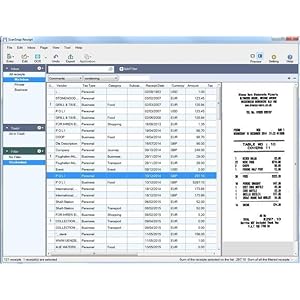
I'm a contractor in IT. I work on my own and needed a good solution for scanning and storing tax receipts as well as having a generalized document scanner for storing other documents I want to digitize. For the past year~, I have been using Neat Receipts, which was a quick, impulse buy when I needed a better way to store my receipts and track my deductions. Neat Receipts was driving me up the wall with numerous software-related issues; eventually I couldn't take it anymore and started searching for a new document scanning solution. I researched and investigated several document scanners out there, including models by Epson, Doxie, Brother and VuPoint. Some of them look great, but to my surprise, many were limited with tax-receipt solutions (they would scan documents, but didn't really have OCR-capable receipt software bundled in). I needed something that came bundled with some solid software for storing all of my tax receipts. One name kept coming up in my searches as the best all-in-on document scanner; Fujitsu. Albeit I work in IT and I am extremely competent in computer hardware, I was not very familiar with Fujitsu as a company and can't say I've ever owned nor worked with any of their products both in college or on the field (most likely because they are a Japanese company). I researched Fujitsu as a company as well as their line of products. I eventually came across the ScanSnap 1300i, which is similar to the 1500 model except it doesn't scan as many documents at one time not as fast a speed. $240~ is a big investment for me and was kind of out of my price range (I was really looking for something in the $150-200 range). But I learned the hard way with neat receipts; go cheap and you get what you pay for. Cheap junk that breaks in a year and comes with bloated, subscription-based software. I decided to bite the bullet and buy the ScanSnap 1300i. The scanner came packaged nicely and secure, and contained all the documents and cables needed to get me setup. Hooking it up to my Windows 10 workstation, I was quick to test it's receipt scanning capabilities. I have to say, I was instantly blown away; this thing blows through receipts, and albeit not as fast as the 1500 model, it absolutely smokes neat receipts. It's multi document capabilities are fantastic as well as it's ability to scan both sides of documents, also unlike Neat Receipts. This scanner is truly the "Cadillac" of document scanners. In regards to receipts, which is what I bought this for, the software comes with "ScanSnap Receipt", which I can't say enough good things about. It's simple, lightweight software with excellent OCR capabilities. When you scan receipts, they will load into an "inbox", where you can check over and verify the information on them; once finished, you can drag them to different folders you can create; I like to sort mine by year. Receipts can be quickly exported in CSV format and the software also comes with an "export to quickbooks" function if you are into that. The s1300i has some other, nice features built-in. For one, it powers down briefly after closing the lid. I like that it's eco-friendly (also energy star certified) and doesn't waste power when not in use. A nice touch; mine came with cable, so I can either power it via USB or with an AC power cord. Never a bad thing to have more than one means to power it, especially if an AC outlet isn't available. The closed lid can also help protect the insides from dust/dirt/debris. The scanner has adjustable plastic parts, to help fit to the side of the documents you're scanning and an extendable backside for scanning full-sized sheets of paper. It's not the most mobile-friendly device although it is a "mobile scanner"; it feels like it weights about 5~ pounds at least, although I like that it's sturdy. It does have it's limitations; very long, wrinkled, and/or thick receipts/documents may have problems. Sometimes scanning multiple receipts has issues, where it will try to feed two or three at a time. But the computer software always catches it when it does, and allows you to fix and re-scan, so it's not all bad. Also, common sense; don't stick thick plastic (like credit cards) inside of it or documents with staples/metal parts. Overall, I absolutely love this scanner; any of the negatives above are very small and overshadowed by how incredibly well it performs. I have tried it with different sized documents as well and it just absolutely blows through them all and scans them perfectly. My review is very eccentric towards receipt scanning so I'm going to leave it at that; if you need to track all you receipts throughout the year and are tired of sticking them all in a box or paying someone else to digitize them, buy this. This scanner is phenomenal, it absolutely blows away Neat Receipts, the price tag is so-worth it, this is a serious piece of hardware backed with very solid driver software; everything you will ever need in regards to tracking your receipts and expenses.
ترست بايلوت
منذ أسبوعين
منذ أسبوعين