Buy anything from 5,000+ international stores. One checkout price. No surprise fees. Join 2M+ shoppers on Desertcart.
Desertcart purchases this item on your behalf and handles shipping, customs, and support to EGYPT.
⚡ Speed Meets Reliability — Power Your Productivity Like a Pro!
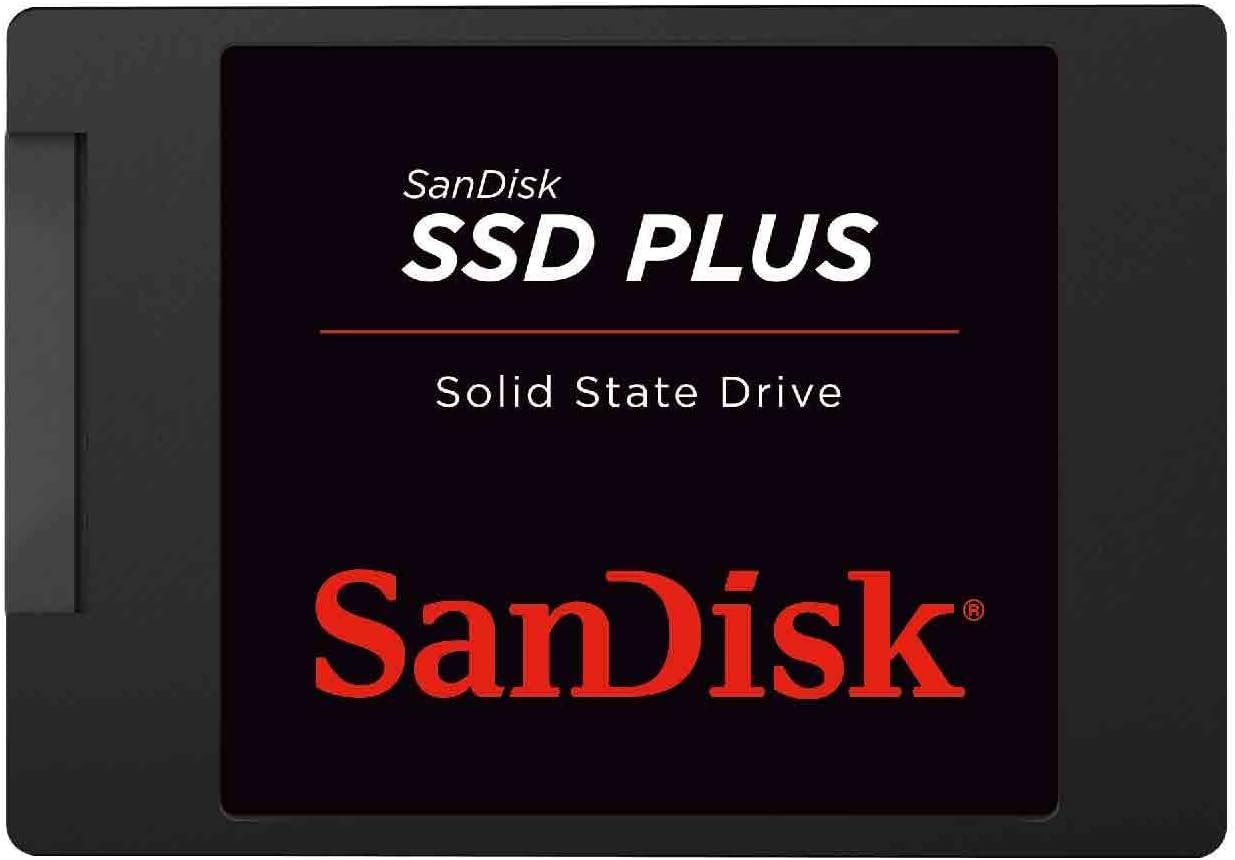
The SanDisk SSD Plus 240GB is a high-performance internal solid state drive featuring SATA III 6 Gb/s connectivity, delivering read speeds up to 530 MB/s. Designed for professionals seeking a reliable and fast upgrade, it offers shock and vibration resistance, a slim 2.5" form factor, and a 5-year warranty, ensuring durable and efficient storage for desktops and laptops.


| ASIN | B01F9G46Q8 |
| Additional Features | Boost burst write performance making it ideal for typical PC workloads |
| Best Sellers Rank | #224 in Internal Solid State Drives |
| Brand | Sandisk |
| Built-In Media | SSD Plus Drive |
| Cache Memory Installed Size | 480 |
| Color | Black |
| Compatible Devices | This drive is compatible with servers and arrays that accept 2.5" 7mm SATA drives |
| Connectivity Technology | SATA III |
| Customer Package Type | Standard Packaging |
| Customer Reviews | 4.7 out of 5 stars 85,347 Reviews |
| Data Transfer Rate | 750 Megabits Per Second |
| Digital Storage Capacity | 480 GB |
| Enclosure Material | Nand Flash |
| Form Factor | 2.5-inch |
| Global Trade Identification Number | 00619659146757, 04923143149800, 07899861880745 |
| Hard Disk Description | SSD gives significantly faster speed and improved overall system responsiveness |
| Hard Disk Form Factor | 1 Inches |
| Hard Disk Interface | Serial ATA-300 |
| Hard-Drive Size | 480 GB |
| Hardware Connectivity | SATA 6.0 Gb/s |
| Hardware Platform | PC |
| Installation Type | Not Specified |
| Item Dimensions L x W x Thickness | 3.9"L x 2.7"W x 0.25"Th |
| Item Part Number | SDSSDA-480G-G26 |
| Item Weight | 0.07 Pounds |
| Manufacturer | Sandisk Technologies, Inc. |
| Media Speed | 445 megabits_per_second |
| Mfr Part Number | SDSSDA-480G-G26 |
| Model Name | SanDisk SSD Plus Internal SSD |
| Model Number | SDSSDA-480G-G26 |
| Number of Items | 1 |
| Read Speed | 535 Megabytes Per Second |
| Special Feature | Boost burst write performance making it ideal for typical PC workloads |
| Specific Uses For Product | ... |
| UPC | 619659146757 |
| Unit Count | 1.0 Count |
| Warranty Description | kkk |
W**P
An easy-to-install SSD drive that performs well -- at a great price
I received this 240GB SSD in yesterday's mail on the 1st day of the 4-day promised delivery range. I was able to clone my C: harddrive to the SSD using the "HDClone 4" software (free version) that I have used for several years to backup the harddrive. It was as simple as cloning another harddrive, in fact, the SSD appeared just like another harddrive -- no change to anything (it plugs-in the same as any IDE harddrive). After a simple swap with my laptop's harddrive, it booted the 1st time into Windows XP with no glitches. My system is a 2007-vintage Toshiba A105-S4384 laptop, Windows® XP Pro Media Center Edition (SP3), Intel® Core™ 2 Duo Processor T5500 (1.66GHz, 667MHz FSB), 4GB DDR2, 160GB 7200rpm SATA Revision 2 harddrive, The SSD drive performs admirably. I've tested several different application's load times as well as cold boots into Windows. Results are consistently 50% to even 40% of the time taken by the replaced 7200rpm harddrive. With SATA Rev. 2 support, you should not expect the blazing speeds advertised -- they are based on an SATA Rev. 3 system (the SanDisk website explains this). Nevertheless, this SSD drive kicked my system into high gear -- it is much faster than it ever was. I was not able to download the "SanDisk SSD Dashboard" software, as Windows XP is not supported (Vista and forward are supported). Apparently, Dashboard is required to download firmware, so I wasn't able to do that. It may not be beneficial anyway, as XP is so old. The SSD drive itself is smaller than a standard 2 1/2" harddrive, and is almost weightless. It generates almost no heat. For the price ($67), this is a very good deal. It's an excellent product, and if you have SATA Revision 3 (see the BIOS), this will be a blazing fast drive with no risk of a head crash, and no need for defragmentation.
R**D
Great Drive for the Price
I’ve had this drive for over a year now, and it’s still running like a champ! I used it to upgrade an old laptop that I turned into a game server for several different games, and the performance boost was night and day. The setup was super simple — I used free cloning software with an external drive reader, swapped it in, and it worked perfectly on the first try. If you’re looking for a reliable, affordable drive that delivers long-term performance, this one’s an excellent choice.
V**M
SanDisk is a good SSD brand and this is my second SSD for upgrading an older boot disk
I already have one of these that was used as a Windows 7 boot disk in an older HP tower desktop system where the motherboard died. I bought this to replace the 460gb mechanical hard drive in a used Windows 10 HP i7 3rd generation laptop to provide faster booting like the other desktop. The increased boot speed using these SSD's is astounding compared to the old mechanical drives. I am right in the install process, so I will return and update this when done. Newer systems like my new Intel i7-8700K build have ability to use even faster NVME m.2 SSD drives, but this type of SSD works well for most older systems that don't have M.2 capability, and they are CHEAPER! I plan to use my older one as a video editing scratch disk in the 8700K system because it still works great. SanDisk is a good name in memory and SSD's, so you can't go wrong for the price. The biggest issue with installing these in an older desktop computer is that it may not have mounting brackets or holes and screws to fit in the older style 5.25" drive bays, or even the 3.5" bays. Another issue is older PC's may have four pin power cables, when this SSD uses a more modern connector, thus you need an adapter. So plan accordingly and either research the cable and mounting issues early, or allow time to deal with them when you install the drive. Another issue is the drive does not come formatted, or with a CD with user guide, drivers or info on formatting, so you have to find and download the manual, and know how to format the drive (called initialization). As soon as you get the drive running, I suggest you find a way to make a backup, and ALSO a clone using Acronix software. If this drive replaces an existing one, you will need to first clone your existing drive to this one AFTER formatting this new drive. That will require a cable or external device to run the drive while cloning it, then you remove the old drive and insert this one as the boot drive (I assume). I will post an update once the drive is running. My old laptop seems to have a slot for a second drive, so I can move the original mechanical boot drive to that slot (using a cable and kit I had to find and order) and use it for data only. Then setup an automated backup system using Acronix (the one I standardized on).
E**S
Fast, Easy Upgrade for an Old Computer
Fast, Easy Upgrade for an Old Computer I put the SanDisk SSD PLUS 240GB into an older desktop that had been running off a traditional hard drive, and the difference was night and day. Boot times dropped from several minutes to under 30 seconds, and programs that used to crawl now open almost instantly. Even browsing feels snappier, which is a big quality-of-life improvement. Installation was straightforward—it’s a standard 2.5" SATA drive, so all I needed was a spare SATA cable and power connector. The 7mm profile fits easily into most desktops and laptops. I didn’t even need to format beforehand; I cloned the old drive using free software and swapped it in. Performance is rated up to 530 MB/s, and while I didn’t run formal benchmarks, it definitely feels in that range for everyday tasks. For a 240GB drive, you’ll want to be mindful of storage—it’s perfect for an OS drive with some programs, but not big enough if you want to store large media libraries or games. SanDisk has a solid reputation for reliability, and so far this SSD has been stable without hiccups or heat issues. It also runs silently compared to the hum of the old HDD. Bottom line: If you want an affordable, high-impact upgrade for an aging system, this SanDisk SSD is one of the easiest ways to breathe new life into it. Great speed boost, simple setup, and solid value.
R**P
Great product
One of the best inventions of my lifetime: SSD's are fast and dependable. I only use name brand SSD's and have never had one fail, cannot say that about hard-drives.
W**A
Significantly improved the speed of my travel laptop that I use for work.
All right a few things to establish before I get into this: 1.) I installed this hard drive on a laptop I only use for writing word documents and browsing the web. I do not game or do any video card intensive things on here. Just admin and work purposes. 2.) I didn't rate easy to install because the hard drive itself is easy to install. However, the device you install it to will make a huge difference in how easy it is. If you're sticking this in a desktop case, it's as simple as 1, 2, 3. In my case, I was installing it on a Dell laptop with touch screen capability. The amount of steps took me at least an hour or two because I had to follow a Youtube video. So, I have a old Dell laptop that I bought in 2014-2015 that I needed to use while riding the train to work. It served me well until recently when I started to notice that the laptop was taking longer and longer to boot up and run applications. Boot up time would be about 3 minutes into Windows 10, then launching an app could take anyway from 7-10 minutes before it was ready. So we're looking at almost a total of 15 minutes just to do something basic like open word or a website. I assumed it was because I bought a slow laptop, but when I went into task manager I saw that the HD was always hitting 100% usage the entire time the computer was on. In task manager, under performance, your PC should be between 1% if you're not using anything or running any background programs. But my computer was at 100% with absolutely awful read and write speeds. Meanwhile my CPU was at normal values. So I bought the Sandisk SSD which was compatible with my laptop and went through the process of opening up my laptop to take out the original drive. I highly recommend using the IFixit toolkit with magnetic pad to not lose the dozens of screws you will be messing with and to keep notes. Once I got the original laptop drive out (a Seagate ST1000LM024) I plugged the Seagate and the Sandisk drive into my desktop PC and used a software called AOMEI dynamic disk manager pro edition. (Yes you have to buy this software but it's relatively inexpensive at around $50-$60. I cloned the original Seagate drive to the Sandisk drive. Plugged in the Sandisk, reassembled my laptop, and voila works like a charm. Now the laptop takes less than 30 seconds to boot up and be ready for me to use apps. It's even faster than my other work laptop I use strictly for my job which is newer and more expensive than my old machine. Great little drive that has significantly sped up my laptop which I was going to trash and sell. Really happy with this purchase.
V**E
Top quality
I've never had a bad experience with Sandisk. I've owned multiple different products from Sandisk, and all has been the best of it's type. From micro/mini memory cards, to USB sticks, and now this internal SSD. Someone gifted me a Crucial MX series and I didn't install it right away because I had been busy that season. When I did get around to installing it, it didn't work. One of the pins had bent with barely the slightest touch when plugging it in. I've done a few of these SSD's prior so I wasn't fumbling around trying to figure it out. I couldn't return it so I just tossed it in the trash and bought this Sandisk SSD. I wish I had automatically returned the gift one and got the Sandisk instead. Sandisk will always be my go-to brand for memory cards. Other brands like PNY, Crucial, and Kingston may have bugged out on me in the past, but Sandisk has never failed me. For some products, you can go with cheaper alternatives. For electronics, you have to stick to certain brands, like Sandisk, Seasonic, NVIDIA, and in some cases you might end up paying a little more, or the same, but with good brands you don't have to worry about returning or replacing.
J**A
Good for SATA. Won't beat NVMe, but still pretty fast.
If you're going all SSDs and don't want to rely on external drives, storage is still a bit of a problem. Most boards only have one or two M.2 slots, so if you want to keep going you need SATA drives too. Especially if you don't want it to cost an arm and a leg. These SATA drives aren't as fast as NVMe, but they're still pretty fast. For just about any normal task they should still exceed any reasonable requirements. Games run just fine on this drive and it's still fast enough for most high performance tasks like video capture or etc. Maybe UHD in uncompressed video couldn't keep up, but I think for most normal people this drive will do just fine. So far this drive seems to be reliable. It doesn't run especially hot or anything, so I have no complaints.
M**B
Great ssd
Great ssd works well as expected, fast reliable
R**W
Fantastic addition to my workstation!
I work in film and television creating 3D animation and VFX. I bought this SSD to use as a dedicated video playback Drive. It's incredibly fast and reliable. Great value!
V**A
Costly
Good product we use long time
I**A
recomendo
excelente produto aprovado
J**)
SEN-SA-TION-NEL !
À la lecture de certains avis, avant d'acheter ce SSD de 240Go, j'ai hésité. Quelques acquéreurs s'en plaignaient, alors que d'autres - heureusement majoritaires - en étaient enchantés. Finalement, l'ayant comparé à d'autres matériels proches, j'ai opté pour lui (car j'en possède un autre, de 960Go, depuis plusieurs années et n'ai jamais rencontré de problèmes avec). Pour être clair quant à son installation (et sincère avec Ceux ayant la patience de me lire), je préciserai que j'ai consacré deux jours de travail à la préparation du notebook devant l'accueillir. En effet, celui-ci s'est avéré très mal aisé à démonter (sans risquer de porter préjudice a sa fiabilité). Aussi n'ai-je pas hésité à bien réfléchir avant chaque 'geste technique'. Par ailleurs, sur un desktop récemment assemblé, je disposais d'un rack amovible pour y intégrer des périphériques externes 'en mode interne' ; ce qui m'a permis de sauvegarder les partitions (même celles 'cachées'), grâce à un logiciel professionnel de sauvegarde adéquat. Il m'a fallu recalculer les espaces de stockage (pour ajuster les dimensions des partitions), car ce support SSD est d'une capacité moitié moindre à celle du disque originel. Parallèlement, ma femme a acquis un boîtier externe USB3, afin d'avoir la possibilité d'accéder à 'ses données' originales. Bref, tout ceci étant fait, j'ai fait redémarrer le notebook... Et le résultat fut décevant : le disque n'était pas reconnu. Oups ! Avais-je fait une erreur au remontage ? Pas vraiment. En fait, la non reconnaissance du disque SSD était liée à une anomalie relative au MBR (repère indispensable au bon démarrage du système installé initialement). Ne disposant pas de support de restauration 'bootable' pour ce poste, j'ai téléchargé (en format ISO) l'image du système d'exploitation correspondant, sur le site de son éditeur (que j'ai remercié chaleureusement d'avoir prévu cette possibilité pour ses clients). Après gravure du DVD système équivalent, j'ai fait démarrer le notebook depuis le DVD d'amorçage ; mais je n'ai eu nul besoin de réinstaller l'OS. En effet, ce DVD d'installation prévoit la possibilité de "Réparer le démarrage du PC". Ce que j'ai fait. Et tout s'est bien passé. Après réinitialisation du MBR (et sortie du DVD), le notebook a enfin correctement redémarré. Eureka ! Cet EasyNote étant un notebook d'entrée de gamme qui 'se trainait' auparavant, au cours des tâches en exécution. Le processeur et le disque dur étaient souvent saturés à 100% et demandaient de la patience à l'utilisatrice du poste (ma Femme). C'était un vrai calvaire pour Elle. Désormais, le fonctionnement du notebook est devenu très rapide et ne pose plus de problème. Sauf 'un' : j'ai fait une erreur en remontant la nappe de liaison du clavier (très difficile à remettre en place ; même aidé par ma Femme). Le clip de fixation s'est cassé d'un côté et crée donc un faux contact permanent. Heureusement, Elle avait acheté un 'ensemble souris-et-clavier-étendu' ; ce qui a résolu le problème rencontré. Par ailleurs, je soulignerai aussi que les claviers de notebooks ne sont pas tous simples à démonter-remonter (cela dépendant de la conception du produit). Sur cet EasyNote (dont je vous laisse deviner la marque ;-), le clavier n'est pas conçu comme d'autres claviers (généralement aisés à démonter) ; car les touches y sont encastrées dans la partie supérieure du boîtier du notebook (or, je n'ai pu trouver, sur le site du fabricant, de documentation qui me permettrait d'en connaître la technique de démontage-remontage). Pour conclure, il est clair que l'installation de ce 'disque' SSD a résolu les difficultés rencontrées avec ce portable. Ce SSD est donc un très bon produit. Mais il faut cependant posséder un 'minimum de pratique technique' pour l'installer et en profiter sereinement. Par ailleurs, ce SSD étant vendu à un prix 'très compétitif', il ne faut pas s'attendre à ce qu'il soit fourni avec des accessoires (comme le SSD que j'ai acheté il y a 4 ans, mais qui coûtait beaucoup plus cher), tel celui permettant d'en 'corriger la faible épaisseur' dans le logement du boîtier hôte. Bien sûr, il s'agissait ici de faire en sorte que ma Femme dispose de son PC avec toutes les données qu'Elle y avait préalablement stockées. D'où la description de cette expérience (demandant beaucoup de patience et d'attention). Cependant, s'il n'avait s'agit que de l'installer dans un PC neuf (ce que j'ai aussi fait antérieurement avec un 3ème SSD de taille intermédiaire (480Go) pour le desktop évoqué, en lui adjoignant d'autres disques internes 'traditionnels' de grandes capacités ; ainsi que le rack cité, afin d'y effectuer des sauvegardes ou des travaux de maintenance, selon la diversité des besoins), cela n'aurait pas été si 'complexe'. Si vous avez pu et su lire ce texte jusqu'ici, je vous en remercie. Ainsi, dans le cas où Vous auriez besoin de changer le disque dur de votre ordinateur pour un SSD de ce type, n'hésitez pas : vous en serez probablement satisfaits. Mais penser à bien organiser cet assemblage, en vous référant aux notices adjointes à votre PC. Bon courage !
Trustpilot
5 days ago
1 month ago