🚀 Upgrade your home network to lightning-fast wired speeds—ditch Wi-Fi lag for good!
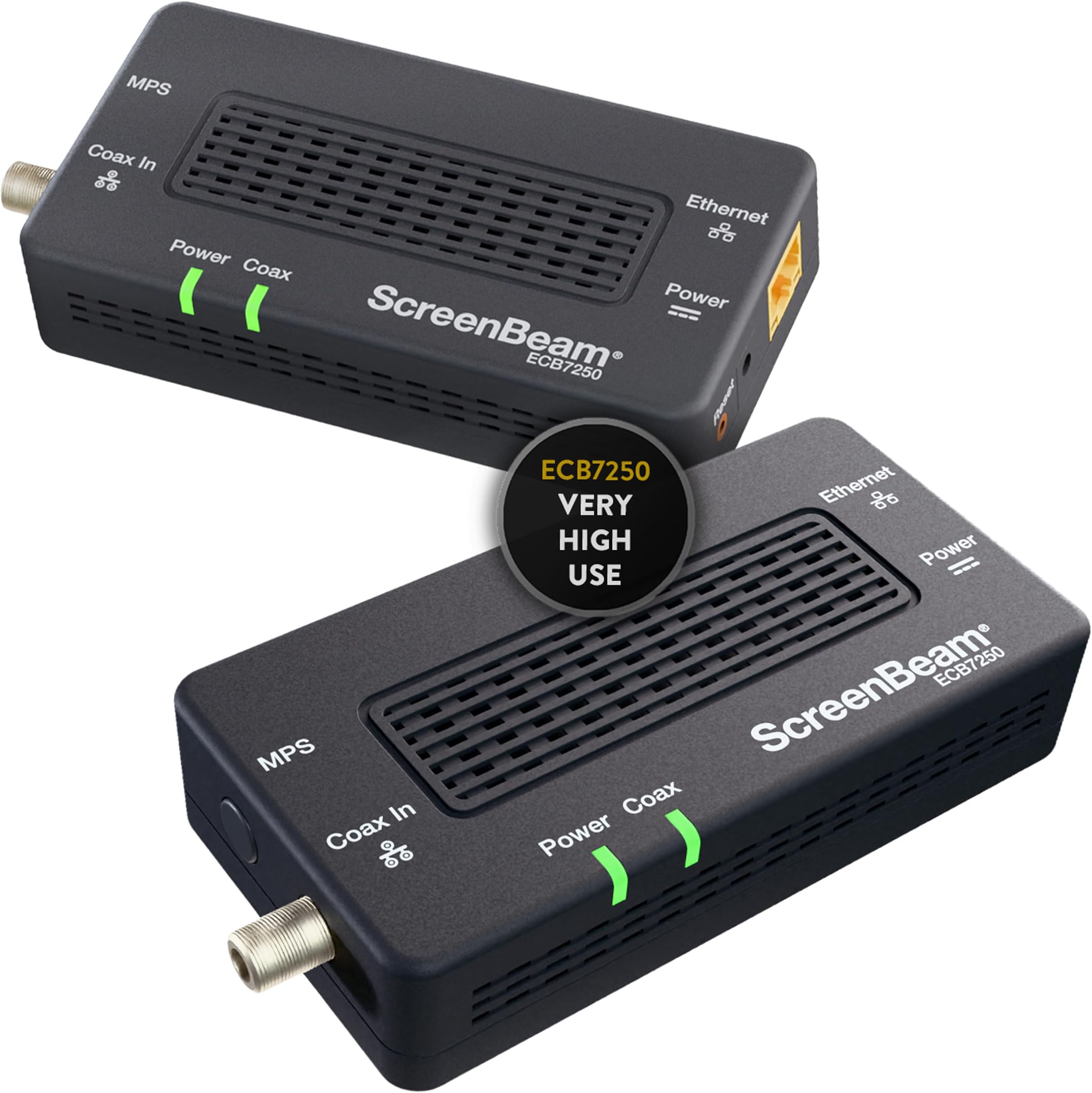
The ScreenBeam ECB7250K02 Network Adapter Starter Kit leverages your home's existing coaxial wiring to deliver ultra-fast internet speeds up to 2.5 Gbps, outperforming traditional Wi-Fi. Ideal for 4K streaming, gaming, and remote work, this MoCA 2.5 adapter kit supports up to 16 network nodes and is backward compatible with standard Ethernet speeds. The kit includes everything needed for a quick, plug-and-play setup, transforming your home into a high-speed wired network without costly rewiring.


| ASIN | B08ML1TSXC |
| Best Sellers Rank | #173,893 in Computers ( See Top 100 in Computers ) #282 in DVI to HDMI Adapters |
| Brand | ScreenBeam |
| Built-In Media | 2 Coax Cables, 2 ECB7250 Adapters, 2 Ethernet Cables, 2 Power Adapters, quick start guide |
| Color | Black |
| Colour | Black |
| Compatible Devices | MoCA/Ethernet/Wireless Extenders/coax |
| Compatible devices | MoCA/Ethernet/Wireless Extenders/coax |
| Customer Reviews | 4.4 out of 5 stars 1,318 Reviews |
| Data Link Protocol | Ethernet |
| Data Transfer Rate | 2.5 Gigabits Per Second |
| Data link protocol | Ethernet |
| Hardware Interface | Ethernet |
| Hardware interface | Ethernet |
| Item Dimensions L x W x H | 11.4L x 5.6W x 2.8H centimeters |
| Item Highlight | Ethernet Over Coax Network Adapter for Highest Speed Internet- MoCA Starter Kit for Streaming, Gaming, WFH - Very High Use |
| Item Type Name | MoCA Adapter |
| Item Weight | 0.65 Pounds |
| Manufacturer | ScreenBeam |
| Mfr Part Number | ECB7250K02 |
| Model Number | ECB7250K02 |
| Number of Items | 2 |
| Number of Packs | 1 |
| Product dimensions | 11.4L x 5.6W x 2.8H centimeters |
| UPC | 789286809537 |
| Unit Count | 2 Count |
A**R
Does what it says on the tin.
I bought a pair of these to cure my network issues in a 17yo double storey house. I was concerned I might have to find and replace incompatible splitters in my roof, etc. but no - it was plug and play, gigabit network 30 seconds after plugging them both in. No interference to aerial TV reception. Saved me a lot of nuisance and expense vs. having to get ethernet installed. Time will tell how reliable they prove to be. Australians retrofitting these to older homes will likely have PAL-type female sockets at the wall. You will need to buy an additional PAL male to F-type male cable to connect each of these units - Amazon sells them. If you will be connecting a TV at the same socket, you will need two of them in addition to the included F-type to F-type cable and splitter. The included power supplies (at least the ones I received) will accept 220V but have US pins, so you will also need two US>AU travel plug adaptors (or replacement Australian power supplies).
J**S
Works great for extending both your ethernet and Wifi Connections !!!
As all IT pros know the best way to extend WIFI is to have your house wired with ethernet cables, but how many people have that? Answer: not many. However, almost everyone has coax running in their house for cable TV and that is where MoCA (Multimedia over Coax Alliance) comes in. A MoCA adapter allows additional routers to receive an internet signal directly from your modem through the existing coax cable in your walls. You just plug the coax from your wall into an adapter and then plug the included ethernet cord from the adapter to an additional router, and now you have a super-strong WIFI signal as if the main router and additional router were connected by an ethernet cable. This is amazing for home network, easy to install and it works flawlessly I live in a condo with no way to run ethernet cable to the living room so this is great solution to this problem I went from 55mbps on my pc to 914mbps with this, I never could get any better speed than that due to there being a thick wall and furniture between our X1 Modem and my PC but because of these MoCA adapters I now have found my solution. It also has helped improve the download speeds on my Xbox as well I went from having 60.55 mbps to having 865mbps download speeds. This is the setup that I am using I connected the Moca adapter to my Router using Cat5e, then connected Coax to the other end of the MoCA adapter that leads from the coax coming from the wall. For the 2nd MoCA adapter I connected the Coax from the wall to one end of the splitter, and another Coax cable to my cable box and another to the MoCA adapter that connected to my Xbox Series X. Everything worked great, now I can get high speeds in a room that didn't have a ethernet lan cable. Getting speeds of 1G and fast downloads of 900Mbps on the xbox! Ok, now for the Pro-Life Tips. 1. THIS WILL NOT WORK FOR SATELLITE TV! CABLE ONLY! Sorry, but you're SOL w/ DirecTV and Dish 2. You do not need a MoCA adapter at your modem if your modem is already MoCA enabled. You will need to hook up one of the adapters to the modem if it is not MoCA enabled. A lot of people rent a combination modem/router from their cable provider. The newer ones are already MoCA enabled and if it's not, your cable provider will trade your old modem/router for an updated one for free. 3. Speaking of renting a modem/router combo...don't. Buy a separate ARRIS SURFboard Modem and whatever router you want and it will pay for itself in about a year. Don't give your hard-earned shekels to the corp bastards. 4. You need a MoCA 2 way splitter if you're running your additional router off a coax that is also providing a cable signal to a TV. The instructions and diagram that come with the adapters aren't clear about this. The adapter set comes with one 2 way splitter, but you will need a 2nd one if you're going to set up two adapters and two additional routers. You can buy a 2-way splitter at Lowe's or Home Depot for $6. Just make sure it is MoCA compliable. Also, the box comes with two short coax cables, but you will need two more if you're connecting them with two TVs. You can buy 3 ft. coax for cheap if you don't have extras laying around. 5. The MoCA adapter does not send out a WIFI signal by itself! You must use an additional router for each adapter. Any old router will do, so you don't need to blow your brains out on the latest and the greatest. However, you still need your original "Home Base" router that you have already been using. 6. Instructions. How to set up in a room where you already have a TV and your modem is MoCA enabled: Unscrew the coax from the cable box and screw it into the "cable in" port on the splitter. Now screw in another coax to the "cable out" port of the splitter and run it back into the cable box. Cable TV is now all set. Screw another coax to the other "cable out" port of the splitter and screw the other end into the "cable in" port on the adapter. Then plug the provided ethernet cable into the adapter and plug the other end into the WAN port of your router. Plug adapter and router into the wall or outlet strip and enjoy that sweet, sweet rock hard WIFI signal. 7. Please know the difference between "your" and "you're". Your is possessive, ie: your new MoCA adapter. You're is a contraction of you are, ie: you're going to love your new MoCA adapter. (See what I did there?) 8. Enjoy your strong WIFI signal and please be safe and please be nice to each other. We're all in this trying time together and a little kindness goes a long way. Cheers.
A**X
Excellent MoCA system
Solid MoCA 2.5 adapter for extending Ethernet over coax without new cable runs. Setup is plug-and-play, connect to an active coax line, link via Ethernet to the router or a second adapter, and the connection auto-negotiates with no manual configuration required. Throughput is consistent with bonded MoCA 2.5 specs, sustaining speeds well above what WiFi delivered in the same location, with stable latency and no observed packet loss during extended use. In other words, it works very well. Some notes: - Requires an active, unobstructed coax line at both source and destination points - If your cable modem shares the same coax line, a PoE (Point of Entry) filter is recommended to prevent interference between the MoCA network and incoming cable signal. ($10-$15) - The moCA adapter has 1 Ethernet port, meaning you will need a switch ($10-$20) In each room I have 1 moca adapter, 1 tp link network switch, 1 tp link omada access point. I get roughly 950Mbps off a 1 gigabit internet line.
A**R
Perfekte WLAN-Alternative für Gamer – Stabil und schnell!
Ich habe das ScreenBeam MoCA 2.5 Kit als Ersatz für schwache WLAN-Verbindung gekauft und bin total zufrieden. Die Hardware wirkt wertig und die Einrichtung war "Plug & Play": Anschließen, kurz warten, fertig. Wir nutzen die Verbindung auch für Spiele wie Fortnite und Valorant. Im Vergleich zum WLAN ist der Ping spürbar besser und vor allem absolut stabil – keine nervigen Lags und disconnects mehr. In meinem aktuellen 1-Gbit-Netz arbeiten die Adapter tadellos. Die vollen 2,5 Gbit/s konnte ich mangels Hardware noch nicht testen, aber die Performance ist für ein Gigabit-Netzwerk super. Verbindungsabbrüche haben wir nur noch wenn die DSL Verbindung abbricht. Wer Koaxialanschlüsse im Haus hat, sollte MoCA definitiv dem WLAN oder Powerline vorziehen. Der Preis ist zwar höher, aber die erhöhte Stabilität und Performance rechtfertigt meiner Meinung nach die Investition
H**N
Working perfectly
Getting tired with bad performance of powerline adapter. Using these ScreenBeam ECB7250, solve my problems. Connecting two rooms in my aparment, speedtest result is 950Mpbs up down using Gbps Ethernet and StarHub FO 1Gbps. At least it will be future proof for 2.5Gbps. The adapter is 110v and 220v ready, no need to buy adapters here. However you need converter plug adapter.
Trustpilot
1 day ago
4 days ago