Buy anything from 5,000+ international stores. One checkout price. No surprise fees. Join 2M+ shoppers on Desertcart.
Desertcart purchases this item on your behalf and handles shipping, customs, and support to EGYPT.
⚡ Level up your 3D prints with precision that never quits!
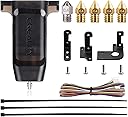
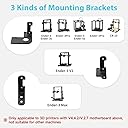
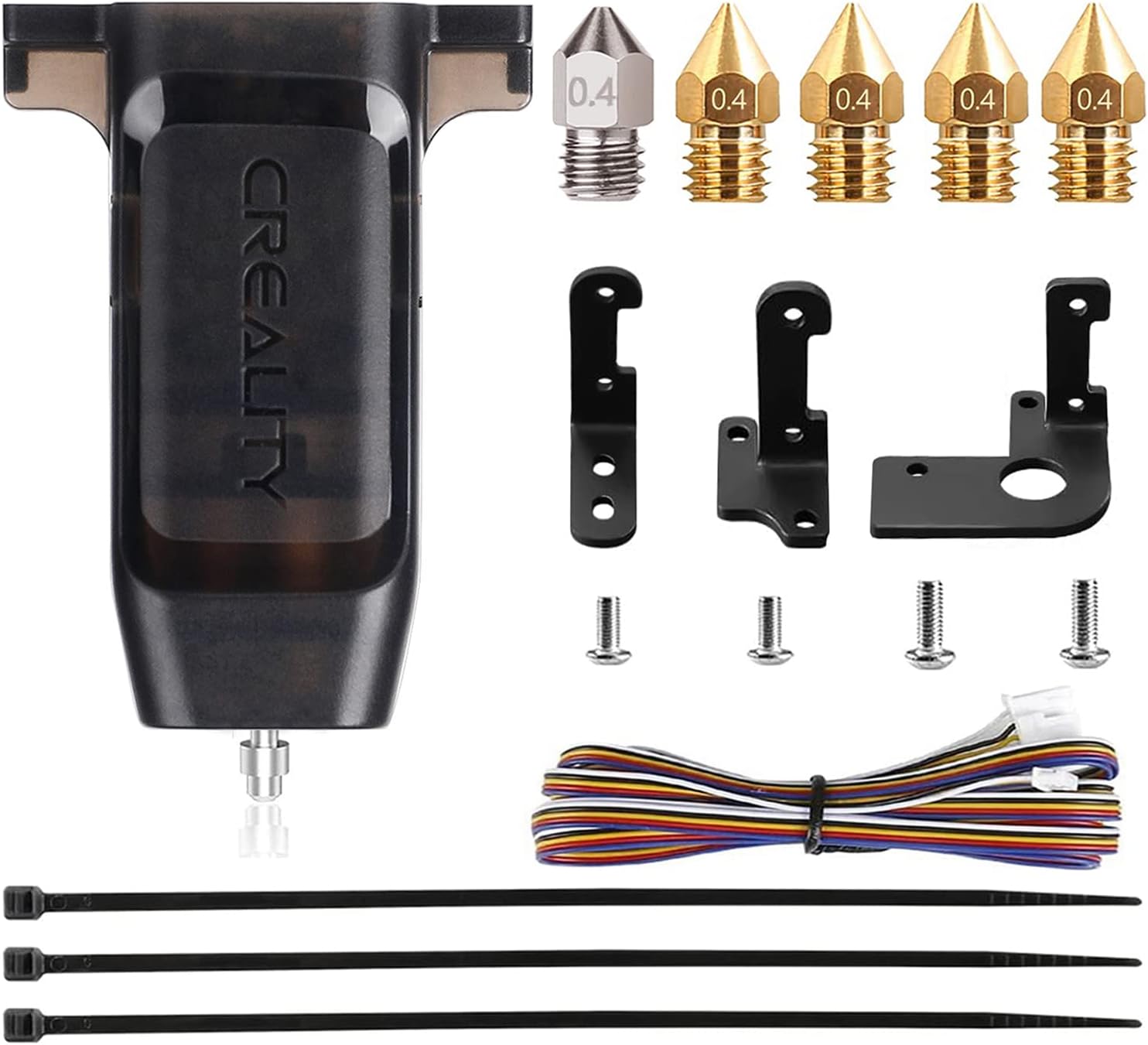
The Creality CR Touch Auto Bed Leveling Sensor Kit revolutionizes your 3D printing workflow by delivering ultra-precise, multi-point bed leveling compatible with popular Ender and CR-10 models featuring 32-bit V4.2.2/V4.2.7 mainboards. Its durable metal push pin ensures over 100,000 reliable triggers, while easy installation with multiple mounting brackets and firmware updates guarantees a hassle-free upgrade. Say goodbye to manual calibration and hello to consistent, high-quality prints every time.


| Best Sellers Rank | #12,762 in Industrial & Scientific ( See Top 100 in Industrial & Scientific ) #171 in 3D Printer Accessories |
| Brand | Comgrow |
| Color | Black |
| Compatible Devices | 3D Printer |
| Customer Reviews | 4.3 out of 5 stars 1,765 Reviews |
| Item Weight | 0.12 Kilograms |
| Material | Plastic Metal |
| Product Dimensions | 2.48"D x 1.61"W x 3.93"H |
P**S
Worth every penny
The CR Touch is an auto-leveling sensor designed to enhance the 3D printing experience, particularly when paired with 3D printers like the Creality Ender series. Here's a review highlighting its key features and benefits: 1. **Auto-Leveling Precision:** The CR Touch excels at its primary function—automatically leveling the 3D printer's build platform. It uses a precise probe to measure multiple points on the bed's surface, ensuring that the nozzle is always at the optimal height. This results in consistent first layers and improved print quality. 2. **Easy Installation:** Installing the CR Touch is relatively straightforward, especially if you follow the manufacturer's instructions or community guides. It's compatible with a variety of 3D printers, including the Creality Ender series, making it a popular choice among users. 3. **Compatibility:** This sensor is compatible with a wide range of 3D printing materials and can be used with both heated and non-heated beds. It's versatile and accommodates various printing requirements. 4. **Reduced Calibration Efforts:** With the CR Touch, manual bed leveling becomes a thing of the past. This not only saves time but also eliminates the frustration of fine-tuning the bed level before every print. 5. **Improved Print Adhesion:** Proper bed leveling enhances the initial layer adhesion, reducing the chances of print failures caused by warped or unlevel surfaces. 6. **Reliability:** Users often report that the CR Touch is reliable and accurate. Once set up correctly, it consistently ensures a leveled bed, reducing the need for frequent adjustments. 7. **Community Support:** The CR Touch benefits from an active and supportive community of users who share tips, settings, and troubleshooting advice. This can be invaluable for those new to auto-leveling systems. 8. **Price:** While it's an additional expense, the CR Touch is generally considered a worthwhile investment due to the time and hassle it saves in the long run. 9. **Longevity:** Many users have reported that the CR Touch is durable and has a long lifespan, making it a cost-effective choice over time. 10. **Print Quality:** The auto-leveling provided by the CR Touch often results in improved print quality, especially for intricate and complex models. It helps prevent issues like uneven layers and adhesion problems. In conclusion, the CR Touch is a valuable addition to a 3D printer, offering precise auto-leveling capabilities that greatly improve the printing experience. While it comes at an extra cost, the time saved and the enhanced print quality make it a worthwhile investment for both beginners and experienced 3D printing enthusiasts.
A**N
Must have upgrade
Easy to install on ender 3 and install firmware. Has been working great and helping my prints come out better.
D**D
I couldn't be happier
I can verify that this is compatible with my Ender 3 V3 KE (even though it is not stated anywhere - they only list models that it can be added to, not models for which it is a compatible replacement part). It is a replacement for the CR touch sensor that I stupidly broke by leaving a large print on the bed and initiating Z Homing. This caused the pin on the initial sensor to bend and the machine startup tests would fail since it no longer passed it's test. Without that, it won't print! So, this is an identical part, just take the broken one off and replace it with this one. First i placed a magazine on the print bed - in case I dropped anything I didn't want it to scratch the hot plate. It's a little tricky unplugging the wire harness from the old one. I used a small flat-head screwdriver to gently work one side up and then the other until it popped off .. then there was still a little bit of glue that didn't want to let go ... I used a utility knife to carefully cut that, being sure to keep the blade pointed AWAY from the wires. After that .. nothing left to do - since it is a replacement, there is no need to go through modifying the firmware - that's stuff is already in place. I did take it through it's initial calibration steps again before printing. My printer went from dead to alive in just a few minutes <insert maniacal laugh>
R**H
Why isnt every Ender getting one of these?
This is a fantastic upgrade for any Ender that doesn't have one. Granted I have this on four of my six Enders. I go to those four first. The other two don't get used as much just because they don't have it yet. I plan on adding this to the other two soon. I install it, flash the firmware, get the bed reasonably level, then auto level every time. Easy once its installed and I have way fewer issues after the install and calibration. And it is reasonably priced. Lots of videos out there on how to install this.
W**S
Hardware: Great! Firmware Installation: Nightmare.
This is a difficult product to review. The hardware itself is fantastic. 5/5 stars. I worry that the ribbon cable from the sensor to the motherboard is a bit flimsy and hangs precariously close to the Y-motor, but some simple cable management should mitigate that. That said, the firmware implementation by Creality is just abysmal. Depending on which of Creality's three different websites I checked, I found no fewer than three different firmware editions that appeared to be correct for my Ender 3. The first two bricked the machine, to the point it wouldn't boot. The third would boot, but left the screen scrambled. As of January 1, 2023, there appears to be no official working Ender 3 firmware support for the CR Touch. I finally stumbled upon the 3D Printscape website and YouTube videos. This guy is an absolute godsend. He has diagnosed the problem with the current firmware and re-compiled a working version. If you have the scrambled screen issue, I would suggest searching for "cr touch firmware scrambled screen" and working through his library of videos on the process. Installation is not difficult at all if you can find good instructions. Unfortunately, that is somewhat out of Comgrow's hands. Comgrow can't point to a specific firmware, as Creality could upgrade firmware at any minute rendering their recommendation obsolete. To their credit, Comgrow support did try to assist with the issue. I just found 3D Printscape before they were able to solve it. Unless Creality gets their act together, successful installation is a matter of good searching skills and a bit of luck!
D**O
Doesn't work with 4.2.7
This sensor does not work with the 4.2.7 mainboard and should not be advertised that it does. There is no CR Touch firmware released by Creality that facilitates using this sensor with the silent board. I tried to get the CR Touch working and failed for two months. I had a working CR Touch with a 4.2.2 mainboard in an Ender 5 pro, but I upgraded to the supposedly compatible 4.2.7 mainboard. To my dismay, the only version of firmware I could find from Creality absolutely did not work. Next I ordered a replacement CR touch device as well as a replacement 4.2.7 mainboard. The results were the same. I even tried using custom firmware to no avail. It's abundantly clear a working Creality firmware version doesn't exist for the component they advertise compatibility for. Unless you're experienced in 3D printing and you're highly tech savvy, I'd avoid Creality printers altogether. Customer Support is virtually non-existent and while the hardware is usually decent, the software required to make the printer usable is a crapshoot. In fact, Creality's entire firmware ecosystem feels like an afterthought. If looking for a bed leveling sensor for your Ender printer, go with the BL Touch. The BL Touch has been around longer and is more widely used, which means the firmware actually works (Creality's and other vendors) and there is a much more wide range of support materials, too. I bought a BL Touch and replaced the CR Touch. Ender 5 pro is now working again with the 4.2.7 mainboard, so please stop saying this sensor is compatible with 4.2.7. There is clearly no compatibility here.
E**S
A bit of a process to get setup, but it just takes careful planning.
This was my first time using a touch probe, and building my own firmware for the ender3. I probably could have used the official build but I decided to go with Marlin. I was still using the stock firmware from 2021-ish so I proceeded to learn how to build Marlin from source for the Ender-3 SE. In my video I’m using bugfix-2.1.x on a v4.2.2 GD board. Setup was a bit of a learning curve but I got through it and the bed tramming + mesh process eventually. First layers are printing great and adhesion is much improved, and I don’t need to baby step z and retram every time I power cycle the printer now 😅
M**.
Finally printing right after adding this!
Got an Ender 3v2 as a gift and was very excited but after printing the first test model successfully, everything else I was printing was coming out pretty janky! So much so that it got to the point were I was going to sell my printer out of frustration! I tried leveling using the receipt method, watched videos etc and nothing worked. It seemed like the more I researched, the jankier my prints were coming out and I was wasting filament. I was on Amazon checking out the deals for Black Friday/Cyber Monday & stumbled across the CR Auto Touch. It was pretty cheap so I read the reviews to see what others thought. I was convinced and ordered it getting the package same day only a few hours later. I quickly installed but being the typical “I got this, who needs instructions” type of man, I skipped the very important step to set the nozzle Z offset and failed initially. I tried printing but it wasn’t working right because the Z offset step was missed and the nozzle wasn’t even near the plate. I then went back and set the Z offset per instructions with the A4 paper and vioala!!! It worked! Now I can do my bed tramming and level it within seconds and NO MORE FAILED PRINTS! 😃. Like others said in their reviews, this should be the first thing you get if your new to 3d printing ,want to save time, money on filament, and headaches.
R**Z
Excelente producto
El producto está perfecto más sin embargo me desepciono demasiado que no me llegará el kit de boquillas que menciona que viene incluido, en cuestión de lo demás está perfecto el producto
J**N
works great
got for a ender 3 v2 and worked great plug and play
F**A
Time saver!
I started having a few problems with bad prints and I couldn't figure out if it was due to bad filament or the bed not being level. The center of the bed was also slightly lower than the corners. I tried fixing that with a couple of sticky notes under the glass and it helped, but I still hated having to manually level the bed whenever I ran into any problems. This has saved me so much time, and uncertainty about what could be causing the problem. I was also able to get rid of the sticky notes since this compensates for any unevenness across the entire bed. I highly recommend this upgrade. Be sure to check out some of the YouTube videos that walk you through the entire installation process because they have some good tips.
H**O
Problemas con firmware
No se si pase a otros pero el firmware bajado de creality hizo ilegible la pantalla y muchos problemas para leer las tarjetas de memoria. Mi equipo es una ender 3 pro con tarjeta madre v422 el sensor funciona pero la interface entre humano e impresora deja we funcionar. ahora estoy en si un cambio de tarjeta madre a la v27 resuelve los problemas o mejor tiro la impresora.
A**S
THIS IS A MUST HAVE!!!
The CR-Touch is a MUST have if you don’t currently have one. It’s extremely simple to install and is a game changer! My prints would always fail until I installed this! I would extremely recommend this if you own a 3D printer and don’t have this installed yet! 10/10
Trustpilot
4 days ago
1 week ago