


🖊️ Elevate your digital artistry with every stroke
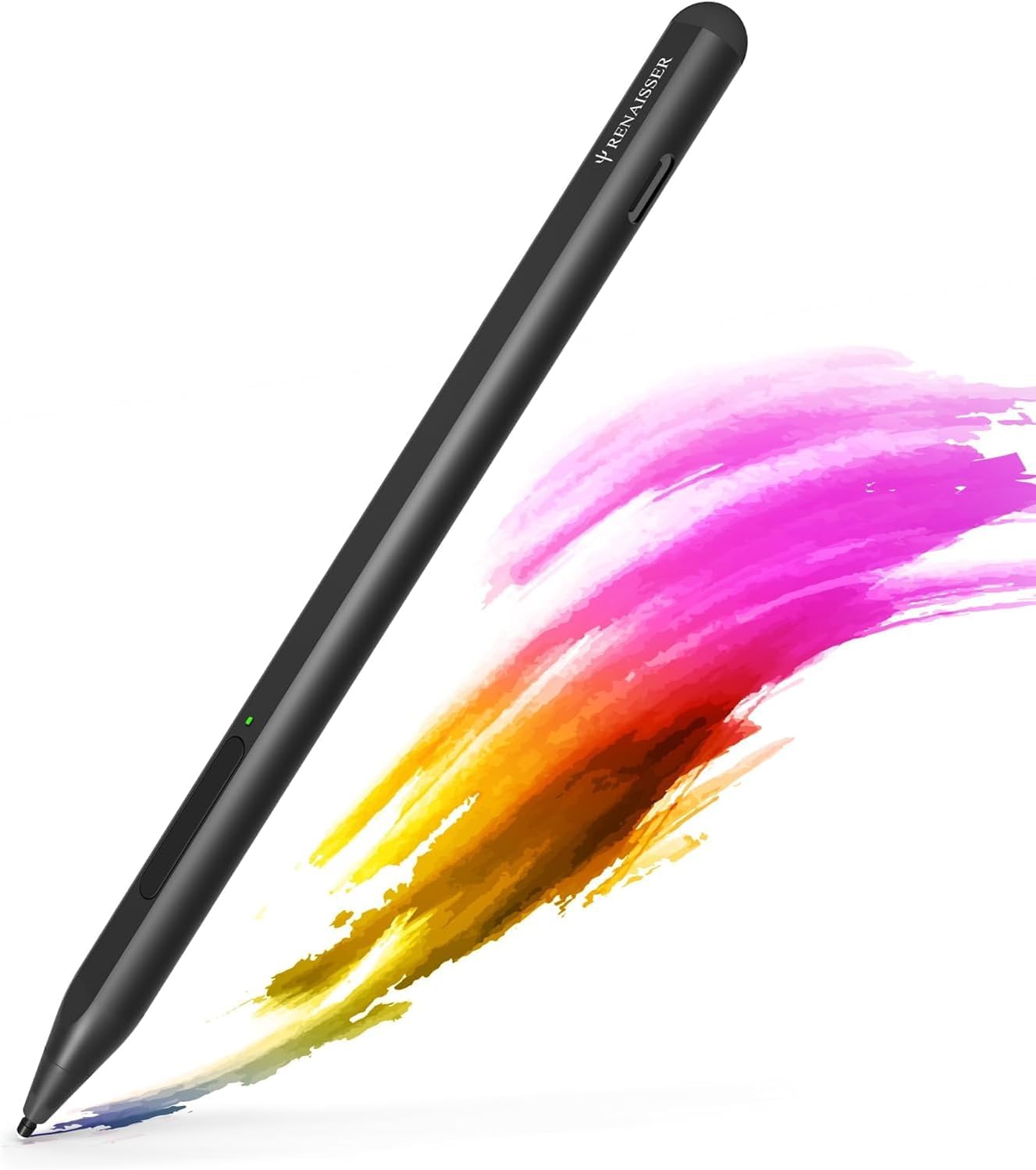
The RENAISSER Raphael 520C is a premium stylus designed for Surface devices and MPP-compatible tablets, featuring 4096 pressure sensitivity and tilt support for precise, natural drawing. It charges rapidly via USB-C, offering up to 100 hours of use on a single charge, and magnetically attaches to most Surface models for convenience. Lightweight and ergonomically crafted, it includes palm rejection and original Surface pen tips for a seamless, professional creative experience.


| ASIN | B0987J23K1 |
| Batteries | 1 Lithium Metal batteries required. (included) |
| Best Sellers Rank | #98,926 in Cell Phones & Accessories ( See Top 100 in Cell Phones & Accessories ) #2,073 in Styluses |
| Customer Reviews | 4.4 4.4 out of 5 stars (2,679) |
| Date First Available | June 29, 2021 |
| Item Weight | 0.494 ounces |
| Item model number | Raphael 520C |
| Manufacturer | RENAISSER |
| Product Dimensions | 5.87 x 0.35 x 0.35 inches |
A**A
Phenomenal quality for price
For being so much cheaper than other pens, the quality is outstanding. Got this when I first purchased my Surface Pro and have had zero issues. Really like how I can just plug it in to recharge instead of replacing the battery, which is extremely nice when I'm traveling. Pen pressure is absolutely perfect, she's very lightweight and doesn't easily fall off the side when magnetically attached.
Y**G
Great feel, easy install, nice quality
I purchased the RENAISSER Taiwan Raphael 520C Stylus Pen to use with my LG Gram Pro 16 2-in-1 (Costco version, which didn’t include a stylus). Initially, I expected to spend time configuring it since there isn’t much guidance for non-Surface devices. I was particularly concerned about setting up the Bluetooth connection, but to my surprise, it automatically connected and configured seamlessly with Windows 11. I tested it with the Wacom Bamboo Paper app preloaded on the laptop, and it worked perfectly right out of the box. The best part? It’s significantly more affordable than LG’s own stylus, which is sold separately. Overall, I’m thrilled with this purchase and highly recommend it!
K**E
ACCURATE! pen tip to line!
Bought this pen cause for some reason my official surface pen was feeling faulty, the "ink" line was falling under the pen itself and not on the tip like it was supposed to so it was REALLY throwing my drawing off (even after calibration). Buying another 100$ pen was not an option, and the surface pen 2 doesn't seem to work as well as it should with older surface devices so i tried this one. THE GOOD! pen tip and line align perfectly! even after changing orientation. The pen is thin like a normal pencil! you'll have a more familiar and comfortable feel to it when drawing! its metal just like the surface pen! very good quality! it brings 3 hard arrow nibs (think of the apple pen) these ive been preferring over the surface one, and these arent those bad quality nibs you get when buying those off brand nib replacement that smear over your screen. OH and you can use the surface pen nibs with it! isn't that convenient?. It has strong magnets so you can place it on your surface just like the official pen! So far i haven't had to charge the battery since the first charge when it arrived. The quality, the feel and the accuracy are amazing! put a windows logo on the pen and you could've swore this was an official surface pen! THE BAD! there isint much i can say thats bad about it but there IS an annoyance. The pen will have palm rejection hiccups even when having the pen a hair off the screen, its not that frequent but it gets suuuuuuper annoying when the slight touch of your finger just moves your canvas while youre trying to make lines, really does get into your work flow. Some people mention that you have to push the button to turn it on but thats just fine, pen turns on in a second, saves battery! and this isint a problem but I WISH there was a little lid to cover the usb C port like some wireless bluetooth earphone do, battery last long we're not gonna be using that port so much, but we're gonna be handling the pen a lot, it be nice to have a way to cover it to prevent getting that port to get dirty or even damaged In short! its a great pen! i plan on buying a second one to keep as a back up! no artist should have just one pen. Only reason i dont give it 5 stars is because of the palm rejection hiccups but what can you do....
M**D
Perfect for my Asus Zenbook!
Super accurate, no lag, comes with extra tips, battery life is amazing, only thing is I can't figure out how to get the palm rejection to work for my laptop? But it's nice & sleek, comfy and perfect weight in your hand. I often find myself just holding it even if I don't need to use it much but it's very useful and handy!
C**Y
Works well with the Asus ROG Flow Z13!
This is the first stylus I've ever used so I don't know how well it stacks up against others on the market, but what I can say for sure is that its a nice size and feels great to use. Lightweight without feeling flimsy/cheap. The button is well out of the way from where I grip, but not so far that it's annoying to get to. It charges fast and the battery lasts quite a while (take with a grain of salt from me, I don't use it all the time). There was no setup involved; I just took it out of the box, pressed the button to turn it on, and it worked. Will buy again!
N**F
Cheap yet productive
Normally a Surface Pen will set you back $100 to $120 but for $25 this pen dose just about everything the expensive ones can. The only downside is that you need to press the button power it on and it sometimes times out, Despite that it changes up in mere minutes. The aluminum body at first felt like plastic due to how lite it is but I've gotten used to it. That being said, it's a great stylus and is quite accurate and easy to draw with. I often enjoy using it over normal touch imput because it's like a mouse for your phone. Used with Surface Duo. TLDR:It's a great value but it does have a few comprises.
V**S
At last an affordable, rechargeable pen
I use my Microsoft Surface to create art, and for a long time I've been using a Wacom Bamboo Surface pen. However I was getting frustrated with constantly having to replace the expensive, and difficult to find AAAA batteries. When I found this pen for sale I thought I would give it a try, and so far I've been impressed. Accuracy is every bit as precise as the Wacom. It tracks my drawing accurately, while being rechargeable by USB-C, and holds enough charge to draw for days without a recharge. Like other pens it can magnetically cling to the side of the Surface, has full pressure sensitivity, and two buttons for additional control. There are maybe two minor gripes. You do need to push a button to turn it back on. It auto sleeps after a few minutes without use. This conserves battery, but it is a new habit you'll have to develop. The other is that it feels a bit light. I know the weight of my older pen was largely due to the heavy metal battery it needed, but making the pen's case out of metal, or including a small amount of zinc weights inside might have given it a bit more heft. Again that's something I'll just have to get used to. Neither warrants less than a 5 star review however. I've included a small snippet of artwork made with it.
م**ت
جدا ممتاز سواء سرعته في الكتابه او شكله ما شاء الله
O**K
First off, the initial product I'd received must have been a 1 in 100,000 (or more) unit missed during quality control. A standard USB-C connector could not fit into the pen's connector cut-out. Also noticed that the USB-C connector in the pen was not aligned to the cut-out. If the cut-out was a standard size, the misalignment would have prevent the connection. Notified the seller and advised to return as a defective product. A second purchase was effected and was "next-day" delivered. This works flawlessly. Felt better being more substantial compared to the SF Pro 8's slim pen. Drawing is not a primary use-case for me so did not do one-for-one comparison. For office automation with note taking and scribbling much prefer this Rena Pencil. Surface Pro 8 note - if you've upgraded from previous Surface Pro models (I did not) and used to the pen magnetic attachment to the left to the Surface Pro, it does NOT with the Surface Pro 8. The Rena Pencil will "stick" to the bottom and the right side. Both are NOT ideal as it would normally be connected to the keyboard and the power connector and USB-C connectors.
M**A
I bought it for my Microsoft surface pro 8 Very good quality
P**O
Llegó muy bien empaquetado y en perfectas condiciones, tanto la caja 📦 como el producto se sienten de una gran calidad, por otro lado funciona a la perfección en tablets con Windows y como se menciona no requiere conección Bluetooth para funcionar, simplemente con que estén cerca el uno del otro se puede empezar a utilizar. Lo único que se debe tomar en cuenta es que no funciona con Android por si alguien tenia la duda.
O**A
+++++ Muchas horas de funcionamiento con una sola carga de batería Carga rapida Carga desde el puerto USB Cómodo en la mano, no grueso, no pesado. Preciso, diferentes grados de presión - Es imposible configurar los botones del lápiz óptico para iniciar a los programas de Windows y algunas acciones de botón, porque el lápiz no funciona por bluetooth, como el lápiz oficial de Microsoft. En comparación con las ventajas, estas son pequeñeces que no son críticas para mí personalmente.
ترست بايلوت
منذ شهر
منذ أسبوع