We remain fully operational. Our teams are working around the clock to ensure your deliveries continue safely.

قم بتنزيل التطبيق


معلومات عنا
حقوق الطبع والنشر © 2024 Desertcart Holdings Limited
قم بتنزيل التطبيق
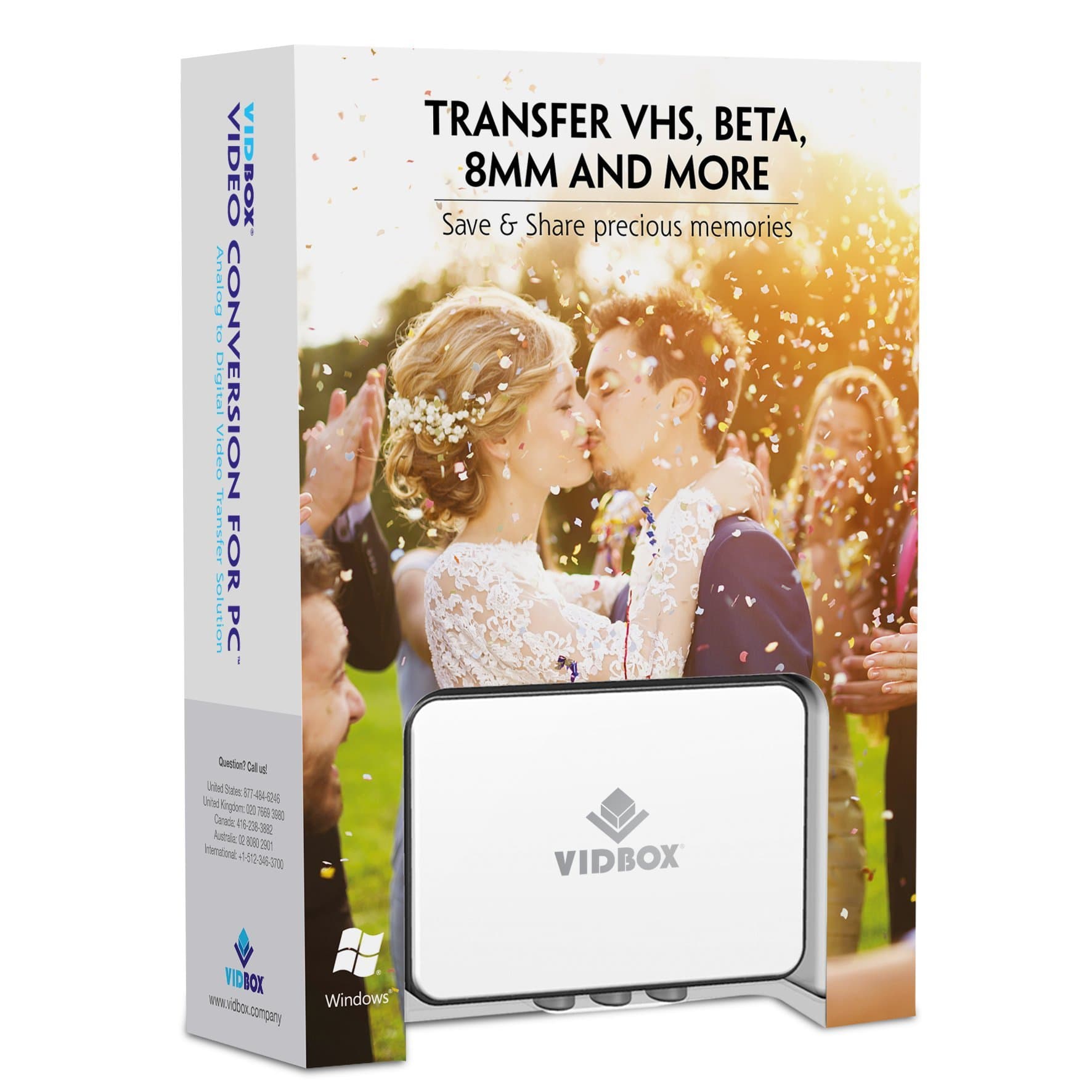
🎞️ Turn nostalgia into digital gold — don’t let your memories gather dust!
VIDBOX Video Conversion for PC is an all-in-one USB capture device and software solution that converts VHS, Betamax, 8mm, and camcorder tapes into digital formats like DVD, MP4, and MPEG-2. Designed for Windows 10/11, it offers easy setup with included cables and software, enabling users to preserve and share their vintage videos online. Bonus features include audio recording from cassettes and LPs, making it a versatile tool for safeguarding your multimedia legacy.


| ASIN | B01IP6N5MA |
| Best Sellers Rank | #418 in Video Converters |
| Customer Reviews | 4.2 4.2 out of 5 stars (1,923) |
| Date First Available | September 20, 2016 |
| Is Discontinued By Manufacturer | No |
| Item model number | VCP1M |
| Manufacturer | VIDBOX Inc |
| Manufacturer recommended age | 7 years and up |
| Product Dimensions | 5.38 x 2.13 x 7.5 inches; 8.82 ounces |
P**R
This is an excellent choice to convert old camcorder and VCR tapes.
The quality of the ViidBox unit, and its corresponding software is very good. There’s a slight learning curve if you’re not familiar with video formats and video hardware and software. There are several types of negative reviews I have seen, but as near as I can tell, these negative reviews come from when one of several variables required to convert old technology to new formats fail. Some of these variables are as follows: #1. the quality of the mechanical camcorder or VCR, that you play the media, #2. how the media was recorded in the first place and at what quality speed or resolution, #3. the system specs of the PC or Mac computer capabilities that you are using to do the conversion. The VidBox does exactly what is intended to do. The accompanying software for the vid box is pretty straightforward, but it does take a little bit to figure out how to use it. My opinion is, is that one of the biggest failures people would have would pertain to the PC or Mac that they are using to do the conversion. In order to manipulate, the large volumes of data that are required. When converting video, you cannot use a sub standard PC with low memory and perhaps without a dedicated video card. If you do not have a capable PC to handle the volume and speed of data, you’re going to get a crappy result in the software of the vid box and it will not record smoothly. Another thing, camcorders from the 90s are very old! They don’t have the technology or even the mechanical ability as when they were first manufactured. You have to take that into account that the source video could be low quality. As well, an old VCR is not going to produce quality video output like we are used to at the present age. I used my Dell Precision Workstation laptop. With windows 10 professional versions. My laptop workstation has a high end dedicated video card and a lot of video memory as well as system memory. It has a fast i7 Intel processor as well. It’s a machine that is almost designed for this kind of data volumes and speeds. Let’s be honest, if you are using a PC that’s any older than 5 to 7 years old that is fir casual use or surfing the web you are definitely at a disadvantage when it comes to converting video so please keep that in mind, if you don’t have a very powerful PC or laptop or Mac, perhaps borrow someone’s Computer that does and when finished converting transfer all of your new converted files onto a quality USB flash drive or Mobile SSD drive This has been probably one of the most satisfying purchases I have made in a while, I had to borrow a super eight camcorder to play back super 8 tape video that I haven’t seen in 30 years! I am presently converting all this video and putting it onto my computer and making a copy to put on a flash drive to put in my lockbox. This is a wonderful tool. Once you figure out all the variables that apply to you and your equipment and your situation and what you want to do with the video, you will not be disappointed. Please try to be patient while figuring all the variables out. You will not be disappointed in the end. If anyone has any questions as to how I broke the learning curve on this, I’m more than happy to answer. All in all I highly recommend this product I fully admit I am biased towards it because it has been a vehicle to save a lifetime of memories.
C**I
Easy to use, works great, quality conversion.
I had over thirty VHS tapes I wanted to save in digital format but the best price I could find for someone else to convert them was about $14 each. I saw this on Amazon and decided to give it a try. It was super easy to set up, less than a minute to connect and maybe a couple of minutes to go through set up. The instructions for “Easy” mode are simple and straightforward and that’s what I used to capture my VHS tapes. The capture was in mpeg format and so I, using this program, converted each one to another format as well, just in case I needed the videos in a different format later. I thought it would be simpler to go ahead and complete the conversions right after I captured each video because conversion does take time and that way I wouldn’t have to worry about it later. The time spent on each VHS tape was the length of the VHS for capture plus or minus 30 minutes conversion time per video, depending on the length of the video. I captured and converted all my VHS tapes in one to two weeks. My friend wants to borrow it now to capture hers! This device also has a more sophisticated capture mode that will allow you to edit your tapes, add transitions, etc. I didn’t use that mode because I didn’t need it, but that looks like something I might use in the future and am glad to have the feature. This device has worked great for me. It was easy to set up and use, I’m happy to have preserved all my VHS tapes, and pleased at the overall price I paid to get the job done!
M**E
Reasonably Easy to Use and Works Well
Hooking up the hardware is easy but the software & required computer settings aren’t 100% intuitive. Fortunately the website has a very helpful FAQ / troubleshooting section and a full users manual for download. I was saving old VHS videos to my computer within 45 minutes of opening the package. Like other reviewers I wish it were possible to save directly to an mp4 video file and the “Quick Start” manual included with the package isn’t the greatest, thus the single-star deduction. The video quality is adequate for viewing on a computer and I’m very happy that all my important family videos will soon be safe as digital files.
M**.
Easy, basic instructions. Easy to set up. Impressive
Quick disclaimer: I bought this on Amazon but was afraid it would have delayed shipping so I bought it also at a best buy store (higher cost). If I had been patient, it Amazon's was actually delivered a day early. It was very easy to set up. It has very basic, easy directions. Cables go from VCR to vidbox then other cables go from vidbox to the computer. Play the VHS tape and it records to your computer. So much easier to convert tapes at home instead of entrusting them to a mail away service.
T**E
VIDBOX video conversion OK but not great
Vidbox does record my VHS tapes from a VCR to my laptop. However, while the audio comes in clear the video has a jerky quality to it. The VHS tapes actually look good in the software window as it is recording but upon playback the video is not as smooth. Not sure why yet. I even copied one tape without using my computer, thinking web surfing.etc. may be affecting the quality, but it is still not a smooth video. Another little annoyance is the software only can record up to 3 hours. Some of my tapes run longer so I need to restart another file after the 3 hour point. A 3 hour tape used 4.3 GB of disk space, a 2 hour tape used 2.9 GB of disk space. The product works, just not sure why the video is not as seamless as the VHS tape. I've also used the S-video cable which is supposed to have the better video transfer.
H**S
De kwaliteit van de video, ook bij hoogste instellingen, valt via de S-videokabel behoorlijk tegen.
C**N
Reçu en bon état dans un délai convenable. Bon produit, très facile d'utilisation.
K**E
I don't really write reviews but I had to come back for this one, at first I had a few hiccups with it and thought I'm gonna have to send it back like the other one I tried but after having a Tech Whiz of a friend come round and sort out some settings for me it worked perfectly fine I'm now almost finished converting all of my home movies so they're immortalised forever and I even now have them on my phone! Just wanna add that I didn't use the vidbox software as I couldn't get along with it and it was reducing quality so I used OBS capture instead and now they're at the best quality they can be for their time
A**Y
Excellent device to digitalize my old videos of my family. Simple to use. They supplied an MP4 converter but I used a better one to obtain better refresh rates.
J**S
Todo perfecto . Ningún problema con el hardware ni con el software . Muy fácil de usar . Lo recomiendo .
ترست بايلوت
منذ أسبوع
منذ 3 أسابيع