
قم بتنزيل التطبيق


معلومات عنا
حقوق الطبع والنشر © 2024 Desertcart Holdings Limited
قم بتنزيل التطبيق
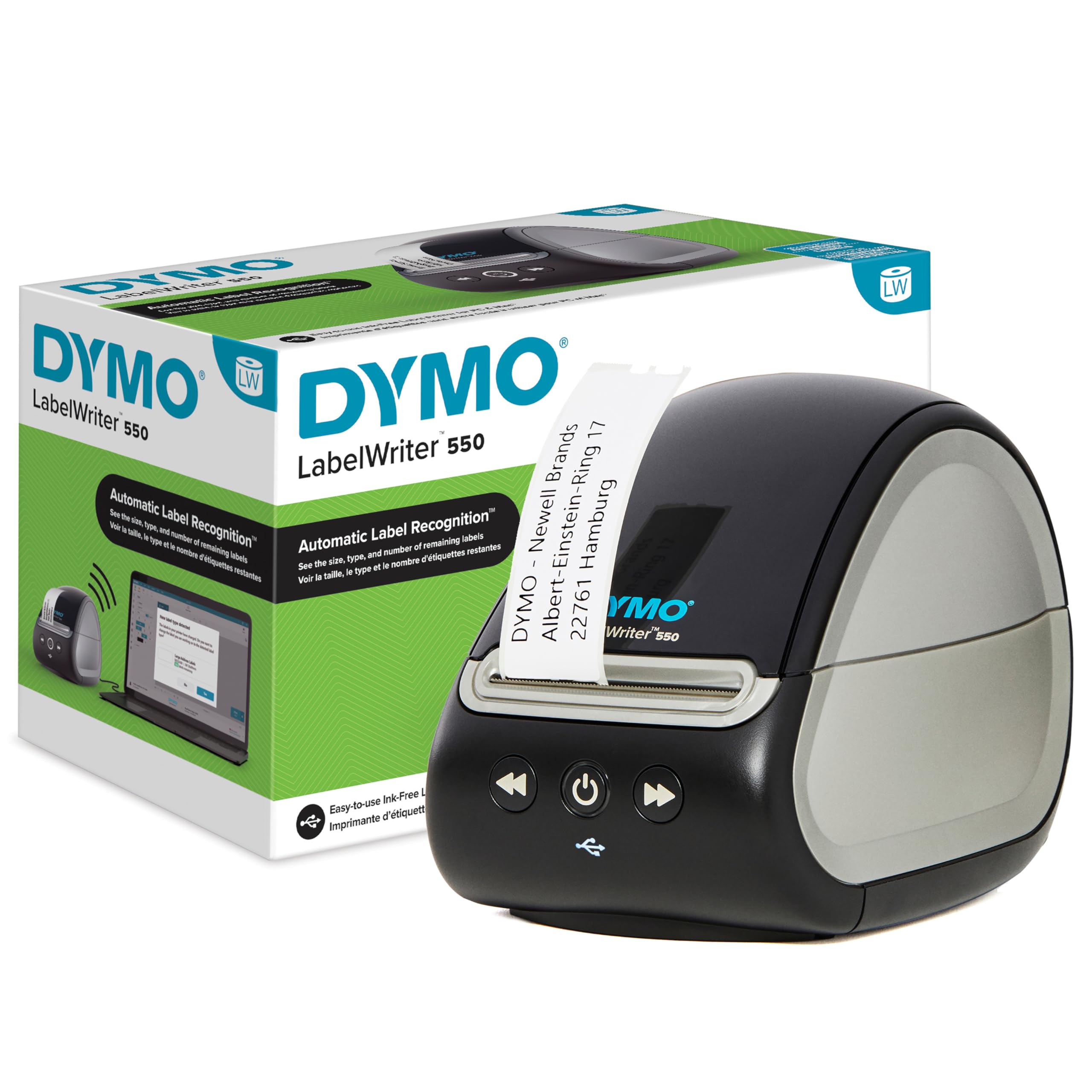
⚡ Label like a pro, save time and the planet!
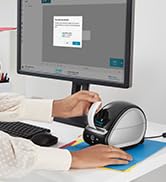
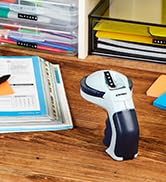
The DYMO LabelWriter 550 is a high-speed, direct thermal label printer designed for professionals who demand efficiency and sustainability. It prints up to 62 labels per minute without ink or toner, uses only BPA-free, FSC-certified DYMO labels, and features automatic label recognition to minimize waste. Perfect for office, warehouse, or home use, it connects seamlessly to your PC or laptop, making organization effortless and eco-conscious.


| ASIN | B09DY3YT4Y |
| Best Sellers Rank | 3,382 in Stationery & Office Supplies ( See Top 100 in Stationery & Office Supplies ) 18 in Label Makers 25 in Labels & Labelling Equipment |
| Colour depth | 1 bpp |
| Compatible devices | Laptops, PC |
| Customer Reviews | 3.7 3.7 out of 5 stars (350) |
| Date First Available | 30 Aug. 2021 |
| Dual-sided printing | No |
| Included components | Labels |
| Ink Colour | black |
| Item Weight | 1.26 kg |
| Manufacturer | Newell Brands |
| Manufacturer Part Number | 2112726 |
| Material Type | Paper |
| Max copy speed (black and white) | 62 ppm |
| Max input sheet capacity | 10 |
| Maximum Supported Paper Size | A4 |
| Maximum black and white print resolution | 300 dpi |
| Maximum colour print resolution | 300 dpi |
| Model Number | 2112726 |
| Number of Items | 4 |
| Print media | Labels |
| Product Dimensions | 12.67 x 13.57 x 18.7 cm; 1.26 kg |
| Scanner type | Portable |
| Sheet size | 210 millimeters |
| Size | Desktop |
| Warranty type | limited warranty |
K**G
Excellent product and fast delivery
Excellent product and fast delivery, A+ seller
K**E
Software is mind blowingly useless
Having had a Dymo Labelwriter before, I decided to go with another despite the reviews saying you could only use Dymo labels. I don't print many - christmas card addresses & a couple a week through the year. I thought as I had a considerable address book on the Dymo Label v.8 software, I would be able to continue to use these. I managed to import them with some difficulty in to the Dymo Connect software but the problems really start to occur when you want to print a label. The easy interface that I was used to is gone. Being able to alphabeticise the labels is gone - most are under Mr & Mrs! The previous software you could specify which part of the first line to use to arrange the list - very clever & very useful. So now you either use the search facility or trawl through the list. Ah, I hear you say, that's not so bad. Unfortunately, though, to get to this point in the process is not straightforward. Every time you open the software, you are faced with a label with "ABC" on it. If you click on New, it asks if you want to save this! Arrgh. So once you click on New, then click on the envelope for the addresses, then click "select contact" on the label, click the drop down arrow in My Contacts to select your address book. Click the address or addresses & then click print bottom right of page. This is so counter-intuitive that I have had to write it out on a sticky label. The software never remembers what you did before and doesn't open where you were. ARRRRRGGGGHHHH. Oh yes and whenever you open the software it redetects your labels and asks you if you want to change to that label type. AAAAAAAAAAAAARRRRRRRRRGGGGGGGGGGGGGHHHHHHHHHHHHHHH. I'd try another brand if I was you.
I**A
Excellent
Works well
A**R
Not as simple as it appears
No instructions you have to download everything including app to make it work
C**T
Dump printer
Really pleased with the printer and excellent service
P**C
Good ,fast printer but can use generic labels only and if things go wrong it gets difficult
UPDATE - after 10 months of use the labelwriter failed to recognise official Dymo labels and the software is buggy - I contacted Dymo ( given a registered 3 year warranty )but the best they do is sending a refurbished model and a complex process to send the failed unit back to France via UBS before you get the replacement. It didn't feel like a quality warranty or customer service excellence So just be aware of this issue.It is very time consuming and frustrating when the software refuses to recognise genuine DYMO labels.Frim start to finish it took 2 weeks to receive the refurbished replacement from France. INITIAL THOUGHTS An excellent label printer. You need to follow the set up sequence instructions carefully and first of all download the listed software/drivers from the Dymo site after registering the printer on there. The printer has warning stickers to remind you to do this.Then connect the power supply and the printer to your Mac or PC with the power cable and the usb cable.Only then turn the printer on Set the label roll up carefully as instructed and adjust the main black feeder roll to the size of the ticket roll , feed the roll paper through the slot and then adjust the grey small lever to the size of the label paper by sliding it to the left. Failure to do this will cause a jam. The printer will recognise the label size and the software enables you to write ,save and print labels.The thermal printing is very fast and efficient and it make label printing easy and accurate with no need for ink cartridges.Connectivity is usb only and Bluetooth,WiFi access would be a good next step. You are only able to use dymo labels but they are good quality. Would get 5 stars if Wi-Fi connectivity for printing and a high quality associated app.
P**L
Useful upgrade on the LabelWriter 450
I have previously used a LabelWriter 450 and this is a better product. I particularly like the label recognition and the way it tells you how many labels are left. Very helpful
N**S
Hugely regret buying!
I bought this label printer nearly 2 years ago and it has been a complete nightmare from the start! Unlike the previous model, this printer requires 'authentic' Dymo labels, which I was OK with. The label rolls have a chip in them which the machine is supposed to detect. However, my printer, half the time, refuses to print! It keeps telling me that my labels are not authentic! So I turn the machine off, I turn it back on, I turn it off again, until eventually the light stops flashing and it allows me to print! It is the most frustrating thing! Then half way through printing my labels, the light starts to flash again telling me they are not Dymo labels! Ahhh!! I print 30-80 labels a day and honestly, it is the most stressful part of my day! I have finally given up and bought a different label printer as I can't cope with the day to day stress! And just to add, the labels are very expensive!! So my recommendation is, DON'T buy the Dymo 550!!
R**V
Great Label Printer
H**R
Ich habe den DYMO LabelWriter 550 gekauft, um unseren alten LabelWriter 450 zu ersetzen, der uns viele Jahre zuverlässig treue Dienste geleistet hat. Leider hat sich DYMO beim Nachfolgemodell in meinen Augen klar in die falsche Richtung entwickelt. Das neue Gerät akzeptiert ausschließlich Original-Etiketten von DYMO – andere, günstigere Etiketten werden vom Drucker nicht mehr erkannt. Offenbar wurde eine Art „Chip-Erkennung“ eingeführt, die verhindert, dass Etiketten von Drittherstellern genutzt werden können. Das bedeutet konkret: Die alten Etikettenrollen, die wir noch in größerer Menge vorrätig hatten, funktionieren nicht mehr. Für uns macht das Gerät damit keinen Sinn mehr, da die Originaletiketten ein Vielfaches teurer sind als gleichwertige Produkte anderer Anbieter – und für unseren Zweck waren diese immer völlig ausreichend. Ich habe den Drucker daher zurückgeschickt und mir stattdessen einen gebrauchten LabelWriter 450 besorgt, der wieder tadellos arbeitet. Interessanterweise werden diese älteren Modelle inzwischen teilweise teurer gehandelt als die neuen, einfach weil viele Nutzer das gleiche Problem erkannt haben. Für mich ist das Ganze so, als würde man einen Laserdrucker kaufen, der nur Papier des eigenen Herstellers akzeptiert – das ist weder kundenfreundlich noch nachhaltig. Ich würde mir wünschen, DYMO würde lieber den Drucker etwas teurer machen, statt über das Zubehör künstliche Abhängigkeiten zu schaffen. Fazit: Tolle Marke, aber diese Entwicklung geht in die völlig falsche Richtung. Klare Daumen runter.
I**.
Bonne impression
A**N
Not satisfied
T**S
This printer is junk. It won't work with any third party labels, because the label spool has an RFID chip in it. Apparently, you can take Dymo label spool and hold it close to the back; this is ridiculous in my opinion. Ironically, I use Dymo labels for most of my label sizes, and only generic ones for file folders. On principle, I'm migrating to a Brother QL printer and labels.
ترست بايلوت
منذ شهر
منذ يومين