We remain fully operational. Our teams are working around the clock to ensure your deliveries continue safely.

قم بتنزيل التطبيق


معلومات عنا
حقوق الطبع والنشر © 2024 Desertcart Holdings Limited
قم بتنزيل التطبيق
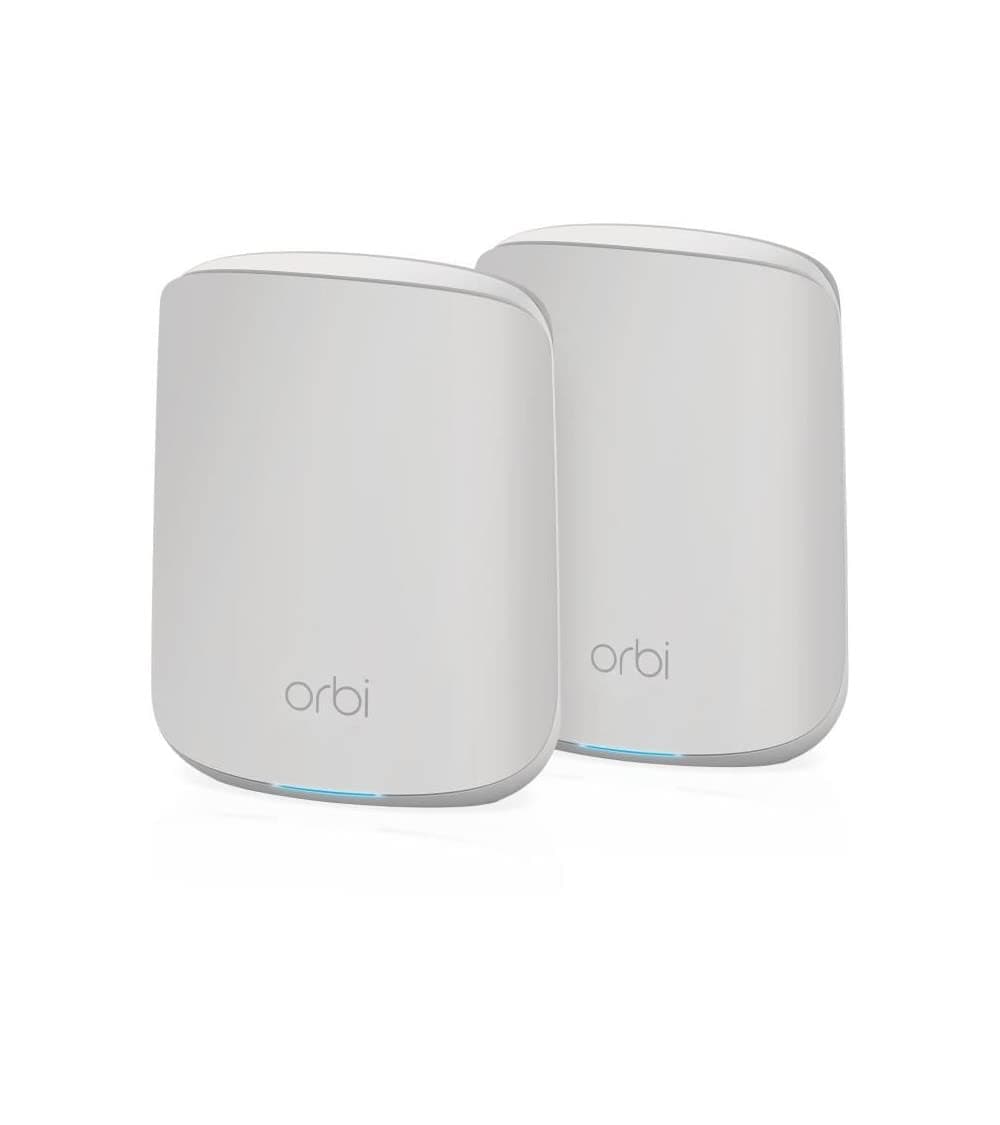
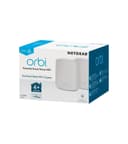
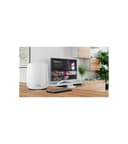
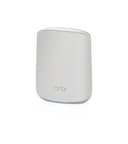
🚀 Elevate your home network — fast, secure, and everywhere you need it!
The NETGEAR Orbi RBK352 Mesh WiFi System delivers powerful AX1800 WiFi 6 performance with dual-band coverage up to 2,500 sq. ft. and supports 30+ devices simultaneously. Featuring 4-stream WiFi, 5 gigabit Ethernet ports, and advanced security via NETGEAR Armor, it ensures seamless 4K/8K streaming, gaming, and smart home connectivity. Easy to set up and manage through the Orbi app, this system is designed for professionals and families seeking reliable, high-speed internet throughout their home.


| ASIN | B08FT6NWZ8 |
| Antenna Location | Gaming, Home |
| Antenna Type | Internal |
| Best Sellers Rank | 69,913 in Computers & Accessories ( See Top 100 in Computers & Accessories ) 184 in Whole Home & Mesh Wi-Fi Systems |
| Box Contents | Orbi Router (RBR350), 1 x Orbi Satellite (RBS350), 1 x 2m Ethernet cable,k 2 x 12V/1.5A power adapters, Quick start guide |
| Brand Name | NETGEAR |
| Colour | White |
| Compatible Devices | Laptop, Personal Computer, Smart Television, Smartphone, Tablet |
| Connectivity Protocol | Wi-Fi |
| Connectivity Range | 2500 Square Feet |
| Connectivity Technology | Wi-Fi |
| Control Method | App |
| Controller Type | App Control |
| Coverage | 2,500 sq. ft. |
| Customer Reviews | 4.4 4.4 out of 5 stars (1,635) |
| Data Transfer Rate | 1.8 Gigabits Per Second |
| Frequency | 5 GHz |
| Frequency Band Class | Dual-Band |
| Global Trade Identification Number | 00606449149951, 10606449151814 |
| Has Internet Connectivity | Yes |
| Has Security Updates | Yes |
| Is Modem Compatible | Yes |
| Item Dimensions L x W x H | 14.5L x 17.8W x 6.1H centimetres |
| Item Type Name | Router |
| Item Weight | 1.2 Kilograms |
| LAN Port Bandwidth | 1000 Mbps |
| Manufacturer | NETGEAR |
| Manufacturer Part Number | RBK352-100EUS |
| Maximum Upstream Data Transfer Rate | 900 Megabits Per Second |
| Model Name | RBK352 |
| Model Number | RBK352-100EUS |
| Number of Antennas | 3 |
| Number of Ports | 5 |
| Operating System | Linux-based OS |
| Other Special Features of the Product | Mesh Networking, Network Optimization |
| RAM Memory Installed | 512 MB |
| Router Firewall Security Level | True |
| Router Network Type | Mesh |
| Security Protocol | WPA2-PSK |
| UPC | 606449149951 606449151817 |
| Unit Count | 1.0 Count |
| Voltage | 12 Volts |
| Wi-Fi Generation | Wi-Fi 6 |
| Wireless Compability | 802.11a, 802.11ac, 802.11ax, 802.11b, 802.11g |
A**B
I have mixed feelings about this expensive tech - Good for small commercial perhaps?
The dream - is fast, solid, stable WI-FI in every room, with not much messing about during setup, and no need to switch from network to network. You are thinking to yourself "I want to just go up and down stairs, out to the shed, down the garden and in the garage on my WI-FI network. I Just want to connect and not think about it" - Well YES, this product will do that. Its fast, and once its working (read on) its really solid, sometimes my devices choose a weird base point to join, so for example, a printer in my office (next to an access point) has decided to connect to the living room base point which is a long way away ... it works its just odd? Can I change the default base station for a device ? No. I do like the guest network settings, so if you have a cafe, or B&B and you want to use EPOS and "private" devices such as laptops, tablets, Sonos speakers for example, then the private network is perfect. Then you can simply create another "guest" network with a different password and give different access to people. The setup was great - (but there is a down side so read on) - This system uses a wizard to set you up, it works and it took the pain out of it. BUT. a big BUT... If you want to play Jazz with it, like fiddle with settings, or do some pro setup of your network then you are going to be disappointed. It does it one way and that it... It works perfectly (mostly) but it's very restricted. Something that is REALLY GOOD, is the switch handling - So I have a load of devices, like Philips Hue, Smartthings, Hive heating, NAS storage boxes, Sonos devices, and the all need a base station type connections somewhere. With a Cable to a router somewhere. So buy a cheap Netgear (or whatever) un-managed switch like "NETGEAR 8 Port Gigabit Network Switch GS108 £25 on Amazon" and just plug everything in, then connect it to a single Ethernet port on the ORBI base station - and wow wow wow it just all works. If you want to tinker and play jazz (read on) you can't - it works but there is no controls you to touch - that might sound like heaven or hell depending on your skill level ! It is very restricted to "home users" with kids... The safety settings, and internet restrictions are powerful but pointless if you just trust your family or want "normal" internet. I turned on Parental controls by accident, and when I tried to turn it off I managed to lock everyone (including myself) out of the internet. Support gave me nothing useful (using my phone 3g to access) so in the end I did a hardware reset to factory setting and started all over again. Painful day that was.... Not sure I like the Rewards feature of the parental controls - granting "internet time rewards" for good behaviour sound like a house I would not like to grow up in.... but I am old and have no children so I will let you be the judge of this feature. Here is the BIG negative. - Netgear I expected better. - This system is basically only compatible with itself. There are lots and lots of NETGEAR ORBI models and kits, too many to count, and basically they all do the same thing - some faster, some with more concurrent connections, newer models with more whizzy stuff but in principal all doing the same job. EACH SYSTEM IS NOT COMPATIBLE WITH THE OTHER - RBK752, RBK762 base stations and extension points will not work with other Netgear Obi systems - you have to have the exact model from a look up table on Netgears website to extend the system. That has got to be deliberate ! I only found out this when I purchased an extra pair of satellite range extenders which looked identical but were not compatible - I Had to return them. BAD NEWS - I could not buy single or even (at the time) double satellites that were compatible with my existing ORBI system- even though it was pretty new, so after only 9 months, even though nothing was faulty with them at all, I had to but this system again NEW because it was the only way to get my hands on compatible satellites to extend the range. BOOoo Netgear. For a system that is supposed to be fully extendable, and totally "capable" of connecting everything together, that's is job at the end of the day, I fail to see why NETGEAR have chosen to build in incompatibility into their systems with no way to join or extend freely from the range. With the benefit of hind site - I should have just paid a lot less for a mesh network, I don't know how much better this is for the money, but I help a friend set up a DecoAX3000 the other day and it was brilliant, at a quarter of the cost. I don't expect that to last a lifetime but I can buy one every two years for a decade for the price of the ORBI !
P**E
Great wifi 6 kit at a bargain price
I recently purchased an Orbi RBK352 system (1 x base unit & 1 satellite) as a Christmas present for my daughter. I had previously done some research as to the best systems on the market and Which had given this Orbi system a 90% top rating. The router in her house is on the opposite side to her office, where the wifi is absolutely woeful. As I'm going to be installing this on Christmas Eve, I thought I'd try it out in my own house first, just to make sure there were no 'hidden' issues. My daughter and husband aren't really 'techie' so I'll just be setting it up in 'Access Point' mode. It really is plug and play. I setup the base unit first - the instructions were clear and took a couple of minutes to change the mode. I then connected the base unit to my BT HomeHub6. Using the Orbi app on my smartphone, I checked the connection. I had internet (150Mbps) and my wifi connection was 856Mbps. Perfect! I now took the satellite and set it up in my loft, which is about as far away as you can get from my router. I plugged it in and synced it with the base unit - it took a couple of minutes to connect. Reception brilliant! The wifi in my own house isn't that good but now it's great. So I'm keeping it! I've just had to go out and buy another Orbi system for my daughter's Christmas present. I work in IT, and for my own house, I wanted to use the base unit in 'router' mode to replace my BTHomeHub6. That's where I came across a few 'issues'. Whilst it is possible to replace the BTHomeHub with a separate modem (expensive - and not an option for me), it took quite a few Google searches to find out how best to leave the BTHomeHub6 in place as a primary router and setup the Orbi base unit as a secondary router. A more knowledgeable IT friend of mine explained that I just needed to setup the Orbi on a separate subnet and everything would work fine, which it did. There was no information on the Netgear site to help me regarding this issue. This is a great piece of kit which I highly recommend.
D**N
So expensive but so worth it
So, the only reason I've given this product 4 out of 5 stars is because it's so expensive. Apart from that, this device has solved so many problems. I am so happy with it. I have a lot of internet enabled devices in my smart home. My old router wasn't coping. Facetime was breaking up. Devices were losing connections. Streaming services were stop/start/stop/start. Enter Orbi ... You put your old router into modem mode (Consult your ISP for details on this), connect your Orbi to your router (now acting as a modem), and follow the setup procedure in the app. It's actually quite a simple setup procedure. I had it all up and running in no time. Now I'm getting maximum speed from everywhere, including the bathroom. All of my devices are connected, working and responding quickly and reliably. Facetime is high quality, stable and clear. The only issue I've had is with a network drive which sometimes doesn't seem to respond. I'm still investigating that. At one point I tried to get tech support using chat on the app. I got in the queue and then it told me some time later, moving down the queue, that support was not available. So thumbs down for that. The system seems stable. I've only had it 2 days and not really had any problem with it. But, it has only been 2 days, so I've taken a star off for stability just in case. So, in conclusion, my advice is ... take a deep breath, pay the money (As a general piece of advice, I would say never buy anything on credit. Save up for it. Don't get yourself into debt on credit cards, overdrafts etc), get the Orbi and enjoy trouble free WiFi.
M**M
A pesar de los numerosos comentarios negativos que hablan de la caida o cortes del wifi de este mesh me aventuré e instalé el Orbi RBR752 para sustituir el Mitrastar de Movistar/O2 y los cambios han sido inmediatos: Cobertura total en casa de dos plantas, sin caídas desde que lo configuré, y velocidad casi calcada a lo contratado. La conexión entre router (planta baja) y satélite (planta alta donde finaliza escalera) la he hecho de manera inalámbrica (6 metros, no hay visión directa pero si hueco de escalera). Pero esto no fue así desde un principio pues a pesar de realizar la instalación recomendada por el fabricante a los pocos días empecé a tener los problemas de conectividad wifi relatados en otros comentarios. Cómo he conseguido finalmente un funcionamiento correcto (pasos rápidos): A) Mitrastar en modo puente (monopuesto): 1. Desactivar NAT, DHCP, Wi-Fi, firewall y UPnP (unas configuraciones en básico y otras en avanzado) 2. Mantengo activado NAT Loopback y “Filtrado NAT seguro”; IGMP proxy y SIP ALG desactivados. No uso tv ni telefono fijo en O2 3. Cable desde el puerto LAN 1 del Mitrastar directo al puerto WAN del Orbi. B) Orbi como Router principal, gestiona toda la red: 1. Conexión PPPoE con los datos genéricos de Movistar usuario y contraseña: adslppp@telefonicanetpa y adslppp. 2. UPnP activo (para juegos y streaming), coexistencia 2,4 / 5 GHz sin separar SSIDs. Resultado Eliminando asi duplicidades (NAT, DHCP,...) los dispositivos hacen roaming a la perfección y no hay micro-cortes ni caidas de wifi ni lag en partidas online. Tanto el router principal como el satelite me dan la velocidad contratada (en mi caso 300mb simétricos) Conclusión Si sufres cortes de Wi-Fi con el Orbi la solución está en una buena configuración del router de la compañía y del propio Orbi. Bien es cierto que esto no está al alcance de cualquier usuario pero tan facil como preguntar a la ia
A**R
I purchased Orbi Netgear RNR750 Router and a Satellite from amazon.sg in Nov 2020. The device was working fine for the first 6 month or so but then my satellite started to disconnect all the time from the base station / router. I called Orbi Netgear number in Singapore and they informed me that they cannot replace a faulty device because they do not have a warehouse in Singapore, they only have warehouses in the US, Australia and New Zealand. Beware, if you are buying a device from Singapore, you cannot have a warranty on it and you cannot replace a device if it stops working....
S**S
Negative: Usually this is a plug and play device into your NBN however if you have a 3rd party supply (like IINET) you will need to use their router and run off the back of that. Netgear Techs had no idea how to fix the issue as did the (IInet team) Positive: A great system that covers the 3 levels of our house extremely well. Approx size of the house 800sqm and only needed the satellite unit that comes with this Orbi Tri Band WiFi 6 System. Highly recommend it.
O**E
Går ej att separera 2,4 GHz och 5 Ghz så för utrustning som bara funkar för 2,4 Ghz så funkar det inte
L**.
Après plus d'un an d'utilisation, je suis très satisfaite de cet achat qui m'etait indispensable. Mon logement comporte de multiples extensions séparées par de gros murs en béton, que le signal de ma box seule n'arrivait pas à traverser. Et comme j'ai deux réseaux électriques, des CPL auraient été inutiles. J'ai beaucoup hesité par rapport au prix, mais après m'être bien renseignée, j'ai opté pour ce modèle et ne le regrette pas du tout. La connexion est parfaite dans tout mon logement est, même au bout du jardin. Le lien avec la box n'a du sauter qu'une fois en 1 an et demi. J'avais peur qu'il émette en lumière bleu en continue, mais ce n'est que lors de la mise sous tension ou lors de la connexion. Le design est sobre, épuré et élégant. Enfin, la mise en fonction ainsi que l'appairage sont très faciles, même pour quelqu'un qui n'est pas spécialiste en réseaux. Vous pouvez y aller les yeux fermés ;)
ترست بايلوت
منذ شهر
منذ أسبوعين