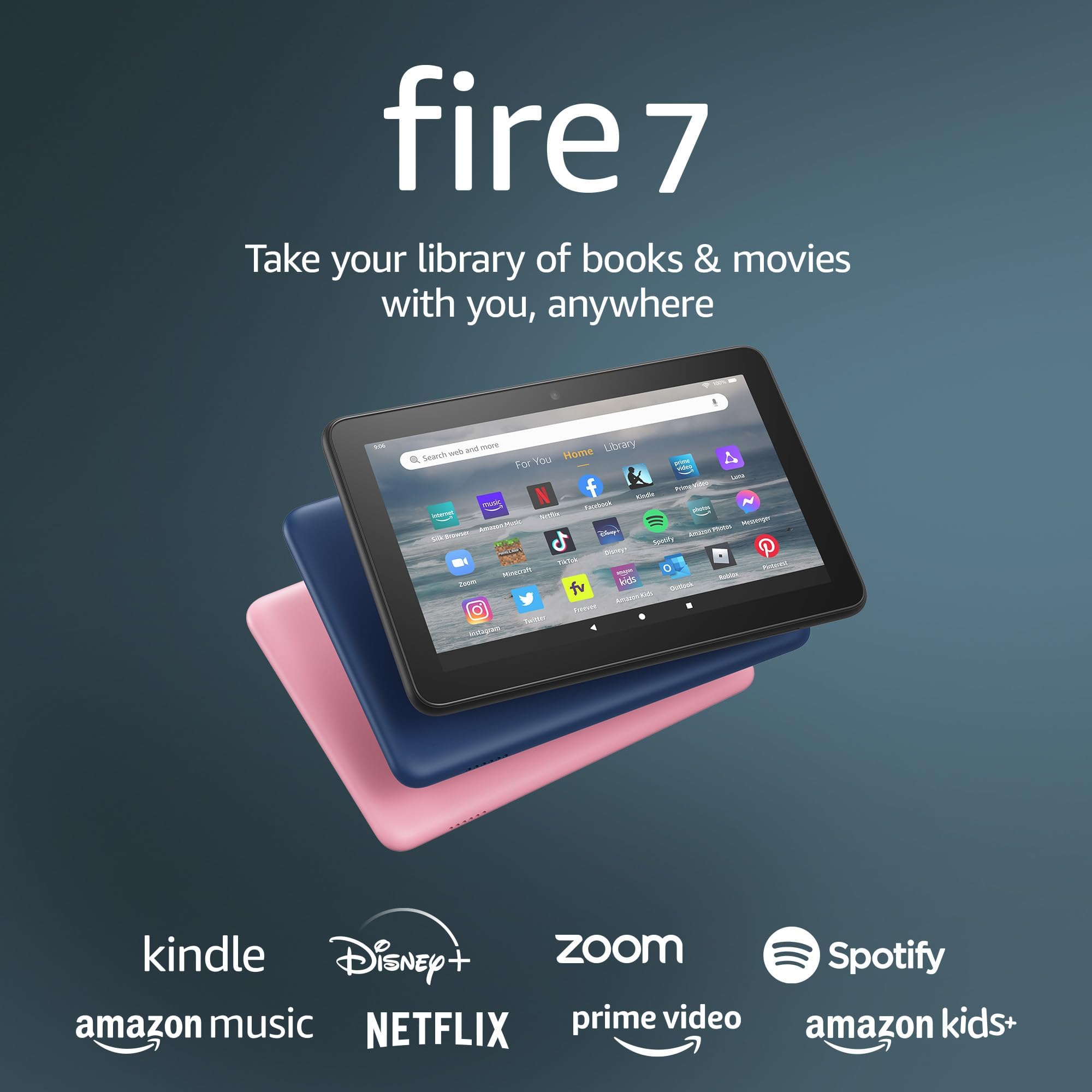




Amazon Fire 7 tablet (newest model) 7” display, read and watch, under $60 with 10-hour battery life, 16 GB, Black
Product ID: 436829944
💾32 GB + 1 TB expandable
📱7” IPS touchscreen
🔋10-hour battery life
🔥 Pocket-sized power with endless possibilities!
The 12th generation Amazon Fire 7 tablet delivers a vibrant 7-inch IPS touchscreen, powered by a quad-core 2.0 GHz processor and 2 GB RAM. With 32 GB internal storage expandable up to 1 TB, it offers up to 10 hours of battery life for seamless reading, streaming, and browsing. Featuring Alexa hands-free support, USB-C charging, and family-friendly controls, this budget-friendly tablet is a versatile companion for work, play, and everything in between.
| Display | 7” touchscreen, 1024 x600 resolution at 171 ppi, SD video playback, with IPS (in-plane switching) technology. |
| Size | 7.11” x 4.63” x 0.38” (180.68 mm x 117.59 mm x 9.67 mm) |
| Weight | 9.9 ounces (282 grams). Actual size and weight may vary by configuration and manufacturing process. |
| CPU & RAM | Quad-Core 2.0 GHz with 2 GB of RAM |
| Storage | 16 GB (9.5 GB available to user) or 32 GB (25 GB available to user) of internal storage. Add microSD card for up to 1 TB of additional storage. Some apps may require that they are installed on internal storage. App or feature updates may impact available storage. |
| Battery life | Up to 10 hours of reading, browsing the web, watching video, and listening to music. Battery life will vary based on device settings, usage, and other factors such as web browsing and downloading content. Certain software features or apps may reduce battery life. |
| Charge time | Fully charges in approximately 4 hours using the USB-C power adapter included in the box. |
| Wifi connectivity | Single-antenna dual-band wifi. Supports public and private wifi networks or hotspots that use the dual-band 802.11a, 802.11b, 802.11g, or 802.11n standard with support for WEP, WPA, and WPA2 security using password authentication; does not support connecting to ad-hoc (or peer-to-peer) wifi networks. WiFi 6 (802.11 ax) is not currently supported. |
| 4G connectivity | N/A |
| Ports | USB-C to connect to a PC/Macintosh computer, or to charge your device with the included power adapter; microSD slot for external storage |
| Audio | 3.5 mm stereo jack and integrated speaker |
| Sensors | Accelerometer |
| Camera specs | 2 MP front and rear-facing cameras with 720p HD video recording |
| Location services | Location-based services via wifi |
| Available colors | Black, Denim, and Rose |
| Additional features | External volume controls, built-in Bluetooth with support for A2DP compatible stereo headphones, speakers, microphone, and LE accessories support |
| Accessibility features | To enable features that personalize Alexa to your abilities, go to Settings → Accessibility. • VoiceView screen reader enables access for customers who are blind or visually impaired. • Screen Magnifier enables customers to zoom in/out, and pan around the screen. • Tap to Alexa enables access to Alexa via touch, instead of speech, through on-screen tiles or a keyboard, including the ability to save your favorite actions. • Switch Access enables access for customers who have motor impairments, and are unable to touch the screen, via compatible Bluetooth devices. • Kindle Read Aloud will have Alexa read your Kindle books aloud. • Fire tablet Accessibility features also include settings for Closed Captioning, Font Size, Display Size, High Contrast Text, Color Inversion, Color Correction, and Convert Stereo to Mono audio. (Captions are not available for all content.) |
| Warranty and service | 90-day limited warranty and service included. Optional 1 year, 2-year, and 3-year extended warranty available for U.S. customers sold separately. Use of Fire 7 tablet is subject to Amazon's Conditions of Use and these terms. |
| Included in the box | Fire 7 tablet, USB-C, 5W power adapter, and Quick Start Guide |
| Generation | 12th generation - 2022 release |
| Software Security Updates | Learn more about these software security updates. If you already own a Fire tablet, visit Manage Your Content and Devices for information specific to your device. |
A**F
Good for kids
A little slow on some things but overall good for what I purchased for- for my kids to watch movies and play games on long road trips. Decent battery life and charges pretty quick. Overall good value.
G**.
This tablet was a good buy for my grandson!!
I purchased this tablet for my grandson and he's loving it. It's clear and he's able to do things better on this tablet than on his phone. Thank you!!
D**Y
Entertainment and Portability Combined - Amazon Fire 7 Tablet Brings the World to Your Fingertips
The Amazon Fire 7 Tablet is a versatile and affordable device that opens up a world of entertainment, information, and productivity. With its compact size, vibrant display, and extensive content ecosystem, this tablet is the perfect companion for on-the-go entertainment and everyday tasks. The standout feature of the Amazon Fire 7 Tablet is its portability. With a 7-inch display and a slim profile, it easily fits into your bag or pocket, allowing you to take it with you wherever you go. Whether you're traveling, commuting, or simply relaxing at home, this tablet provides convenient access to a wide range of digital content. The vibrant 7-inch IPS display offers vivid colors and sharp details, making movies, TV shows, and e-books come to life. Whether you're streaming your favorite shows, reading e-books, or browsing the web, the display delivers an immersive visual experience. The tablet also features front and rear cameras, enabling you to capture photos and videos or engage in video calls with friends and family. The Amazon Fire 7 Tablet provides access to a vast content ecosystem, including thousands of apps, games, e-books, and more. With the Amazon Appstore, you can explore a wide range of apps and games tailored for the Fire tablet. The tablet also offers seamless integration with Amazon services, such as Prime Video, Prime Music, and Kindle Unlimited, allowing you to access a wealth of entertainment options with ease. The tablet is powered by a quad-core processor and 1GB of RAM, ensuring smooth performance for everyday tasks and app usage. Whether you're checking emails, browsing social media, or multitasking between different apps, the tablet handles it all without lag or slowdowns. The expandable storage option allows you to add a microSD card, providing extra space for your apps, media files, and documents. The Amazon Fire 7 Tablet features Alexa, Amazon's virtual assistant, built-in. With just a voice command, you can ask Alexa to play music, provide weather updates, answer questions, and control smart home devices. This hands-free functionality adds convenience and further enhances your overall tablet experience. Battery life is impressive, with the tablet offering up to 7 hours of mixed-use battery life on a single charge. This allows you to enjoy extended browsing sessions, movie marathons, or reading sessions without worrying about running out of power. The USB port ensures easy and convenient charging, whether you're using the included charger or connecting it to your computer or a compatible power bank. In conclusion, the Amazon Fire 7 Tablet is a compact and feature-rich device that offers a wide range of entertainment, productivity, and connectivity options. Its portability, vibrant display, extensive content ecosystem, and affordable price point make it an excellent choice for casual users, travelers, and those seeking an affordable tablet experience. Whether you're consuming media, staying connected, or tackling everyday tasks, the Amazon Fire 7 Tablet brings the world to your fingertips in a convenient and accessible way.
S**R
It's a great tablet, but not for most people.
This is either a great tablet or a terrible one, depending on who you are and what you want out of a tablet. If you are a kid who wants to play games, this is not for you. It simply cannot run many of the more popular games out there. It's just too slow and limited. If you are a student that is looking for something to do your homework on, this is not your tablet. Too slow, too limited, and the inability to run Google apps is a serious issue. I was able to attend a Zoom class with it, so there's that, I suppose. If you want to create videos, no. Just no. It can be done, but any other tablet would be better! For work? Only if you have a Bluetooth keyboard and mouse. Even then your phone would be a better choice. So who is this tablet good for? Anyone going on a long trip. It's small and easy to carry. You can use your wired ear buds. It can use huge SD cards. You can load it up with enough movies, TV series, Kindle and Audible books, and music to get you through months of waiting for flights or on long train rides. It's something to hand to your kids when they get crabby in the car. It is perfect for people who are worried about their tablet being stolen. Openly using an iPad makes you a potential target in some places. A Fire 7 tablet? Not so much. And if it is stolen it is easily replaceable and Amazon makes it easy to clear everything off the tablet remotely. Anyone who wants to protect their data. Using public Wi-Fi is sketchy. One can set up a Fire Tablet without any bank or credit card or other sensitive data on it so that there isn't as much risk. Anyone who wants a really cheap color Kindle. No, the Fire Tab 7 doesn't have a Paper White screen and some people may not like reading on it. But the screen is good enough for the vast majority of readers. The tablet is light enough to hold for hours, and the screen is large enough to hold a typical book. I have several better tablets but if I just want to read I grab the Fire 7. Anyone who is broke. The Fire 7 doesn't do most things as well as most other tablets, but it CAN do them (in most cases). If you can't afford anything better, then the Fire 7 is great!
C**R
12th Generation (2022) Version is almost perfect
So I only just got this and thought I'd share my initial review and hopefully answer questions that others might have that has been difficult to find answers for. Size differences As most have already seen, this version is different from the previous in shape and size, yes it is slightly smaller. For most users who had the previous version, the kicker is that your covers and cases etc. are no longer compatible. Also the Charger uses USB-C plug also which is different from the previous versions. In terms of performance This is night and day in comparison to the older versions. The older version was slick when it first came out but like most people know, the FireOS is basically Android and as more and more updates have been applied, the older version is now running really slow. So basically this new version hardware was tailored for the today's version of android thus it runs very fast and very slick, this is a very crucial issue. NO YOUTUBE KIDS APP The biggest issue anyone will encounter and is well known about is that this does not have the Google Play Store or accompanying services. That means that IT DOES NOT HAVE THE NATIVE YOUTUBE KIDS APP. There are many people on here that simply either don't understand what a native app is or simply confuse it with the main Youtube. I myself had multiple answers that failed to answer this basic question with multiple contradictory answers or reviews that failed to understand the question. Amazon FIRE tablets DO NOT HAVE YOUTUBE KIDS Apps. Amazon has their own Youtube.com app which it seems they created as the developer email address for that app is an amazon.com email address. When you click YOUTUBE KIDS link in that app it jumps to the browser and opens in the browser which is a terrible experience. It is strange given that on the fire TV, the YouTube app allows you to switch to kids profiles, if only Amazon would do that for their tablet youtube app. But until then What you have are 3rd party apps built by you know who on the AppStore that plays youtube. They are not native apps, nor do they support most of the functionality as is. They are not written by Youtube, Google or Amazon either, so if you want to give those apps your google login which is used for Youtube Kids then you do so at your own risk. YES YOU CAN INSTALL YOUTUBE KIDS NATIVE APP, BUT YOU HAVE TO DO IT YOURSELF. I don't know why nor will I try to even get into this very very old topic of not having youtube kids, but the GOOD news is that it is very simple and easy to get Youtube kids native apps on this 12th gen version. You don't need to be a modder or anything intense. But a simple web search will tell you how to do this. Just know that you will have to install 4 different google apps/services first to get the Play Store. This is even easier as you simply open the browser, download each of them from the website and Click to install. DONE AND DUSTED. Once you have the Play Store you can easily install any of the native youtube Kids apps or even the original Youtube app from google and even login to your tablet with your gmail account. I was able to do this in 30 minutes. With YouTube Kids installed. I am now able to give this 10 Stars. This is basically very decent hardware and latest OS for $60. You cannot go wrong with this as a kids tablet especially with the ability from Amazon to quickly lock this down. Touch Screen is extremely responsive I have struggled to find a decent priced kids tablet that is responsive enough to use the ANTON app without lag. This is the fastest tablet I have seen at this price point. For those that haven't used ANTON, it is by far the best app for teaching your kids. It has school derived lessons, I would recommend every parent should download ANTON. But it's writing lessons, needs a screen that is responsive and a fairly decent tablet. This tablet passes the ANTON test with a gold star. Sound is clear with some bass. It doesn't sound like a tin can. Sound quality is very loud and clear. Trust me, if you've been through the dozen kids tablets I have, you will be surprised how much of a let down it would be when you have poor sound. Kids need to hear clearly and this does it without issues. The Amazon AppStore itself is actually pretty good. All the apps we had on our old android tablet were available except for Youtube Kids. I'd imagine there are many more that are not available but most of the decent kids ones are on there including ANTON, ABC Kids etc I would think that since the FireTV Youtube app allows kids profiles, that Amazon would at some point do the same with their own tablet Youtube app. As it is right now this table is almost perfect especially once I was able to manually install play store and youtube kids easily. I'm ordering a second one.
D**R
Perfect kindle book reader; all else secondary
I snagged this latest 12 th gen 7” fire tablet at one of amazons sales $39 in late 2023. The latest chip and 2 gigs RAM makes a real difference compared to a 7” fire I had a couple or so years ago. Last one was basically useless, slow, crashed, and the book reader could not even smoothly do page curl turns. BUT THIS ONE IS DIFFERENT. IF YOU ARE A BOOK READER I ASSURE YOU THERE’S A LOT TO LOVE HERE. (and see one more surprising positive below in my update). The kindle app is flawless and almost snappy on this device. Page turning page curls are smooth and totally free of stutter or lock up like the earlier generation. It has a LOT of nits of brightness - surprisingly VERY bright even for my somewhat older eyes. Making text a bit larger is great (if your vision can use that help) and the screen resolution is totally fine for reading text, no issues at all even though it seemed like it’s a bit lower resolution in its specs. I leave it full brightness and still the battery lasts forever. Given a choice of the e-ink kindle costing much more, and this tablet (I have both) this little 7” fire tablet is FAR SUPERIOR FOR BOOK READING THAN THE e-ink tablet: it is more responsive, agile in changing text size, and lots of nits of brightness for easy reading. If you buy it ONLY as a dedicated book reader, and especially if you get the $39 price - it’s a steal and an incredibly under recognized useful budget reading tablet. Scale of 1-10 as a book reader I give it a 10. No question. More pros: surprisingly solid feel, no bending or creaking- really feels solid in the hand. Not too heavy but it’s not like so paper light that it feels flimsy. I recommend you get a case however cheap, because it is a little slippery to hold. Current OS on it is reasonably responsive and has not once ever crashed. Ok now some practical comparisons. As a tablet it is maybe a 4 on that same scale of 1 to 10: it is not super fast opening apps, the selection of fire available apps is poor, and you should accept that this is not a high end android or apple tablet. Yet, several streaming apps work flawlessly and you can watch media on it but the screen is a little washed out on color and lower resolution when your eyes compare to a high end tablet, or iPhone or 4k TV. The silk browser does work, just not super fast. The USB C charging port (!) was a splendid surprise, and the files app built into the OS let’s you surf a USB flash drive you can plus into that USB port which is surprising and kind of really cool FOR A THIRTY NINE DOLLAR TABLET! I did find that USB 3.0 maybe 3.1 works plugged into the USB C port but not USB 3.2. Last note: it has a standard headphone jack. Streaming audio including Spotify through headphones gives very very good sound. Shockingly the OS is sophisticated enough that you can plug a USB C to 3.5 mm female headphone adapter and plug headphones into that and it DOES stream the sound that way to headphones too. Sound quality seems identical either way. Portable, fun, great book reader, quite competent on card game apps and streaming apps including Netflix, Amazon prime, HULU, Disney, other free streamers like Crackle and Pluto and more; long lasting battery life, quite solid, lots of fun and so budget priced that if these capabilities sound appealing just buy the thing you will love it. Great toy to add to the small electronics fun gadgets in our lives. Update 11 22 23: one more positive to note: surprising but absolutely true: just discovered that Facebook's Messenger app will handle video calling and the result is extremely good - even shockingly good; sharp image, no dropped frames, perfect clean sound quality. Years ago it would have been impossible to imagine an inexpensive tablet gadget that could do video calls like that; yet, here we are. Outstanding!
C**L
If you like Kindle then this is the tablet for you
I can't say whether this product is worth buying or not I kind of on one hand regret buying it but on the other hand it was very affordable This does not have any Google base anything in this tablet It does not tell you that right off the bat I found that out once I bought it and I was very disappointed So you can't sync your cell phone if you are Android person you have Google on everything you can't sync this with this tablet but if you're can do everything Amazon everything then you might be fine with that The apps on here for games and stuff sucks is very limited This is not a tablet that you can download games or anything like that it doesn't have all those apps that I'm used to seeing on like my cell phone or something like that So for Kindle it's perfect it does exactly what I want for my Kindle books and that's usually what I use it for You do have Amazon music on here You do have Spotify on here and I just use it for reading my Kindle books cuz it has a automatic voice activating reader thing that reads the book to you and you just push play in the book reads to you I like that feature the cell phones don't have that feature I don't know what's up with that So that's a plus for me Amazon music and Spotify when I get ready go to bed I use my tablet to listen to my music instead of my cell phone save my phone battery life So that's pretty much what I use it for The only game app I have on here will be surfer I think it's what it's called and that's about it there's some free TV show stuff you can watch on here It searches the web very nice but it's not your Google web search is Amazon's web search but I haven't run into any problems it's searching the web or it can't access something so the web is perfect I don't see this as a work tablet though It don't have any apps that supports that I don't think I get word on here but I haven't looked it up to actually see if it works like I said the App store put more decent apps into this tablet. Oh in the lock screen The lock screen won't show a picture that you put it would show advertisement for the device or whatever that they put on it that's annoying can't get it off I think you need a computer to actually get it off which I don't have with dealing with codes and all that other nonsense so yeah you're stuck with whatever advertisement they want to put on your lock screen once you open it up then you'll see what you have as your background picture You can and if it's more affordable to find a tablet that will suit your needs I recommend you do so if you just looking for a Kindle reader and that's all you want it for and some Amazon music and Amazon TV and some Spotify and audible because audible is on here as well obviously it's an Amazon thing then you're good then this is the tablet for you it's lightweight it works you'll be straight If you want more then you going to have to find something that fits your knees and it's affordable or cost more So I recommend you you really think about it before doing it and if you can look up some review videos I recommend you do that too
K**R
Battery lasts a long time, touch screen awesome
Great price. Works great. Personally I still use the 6" tablet for reading in bed because the 7" one is just a tad bit heavier. Always worth paying the extra to go ads-free.
Trustpilot
1 day ago
1 month ago