Desertcart purchases this item on your behalf and handles shipping, customs, and support to EGYPT.
⌨️ Elevate your typing game with precision and power — because your workflow deserves the best.
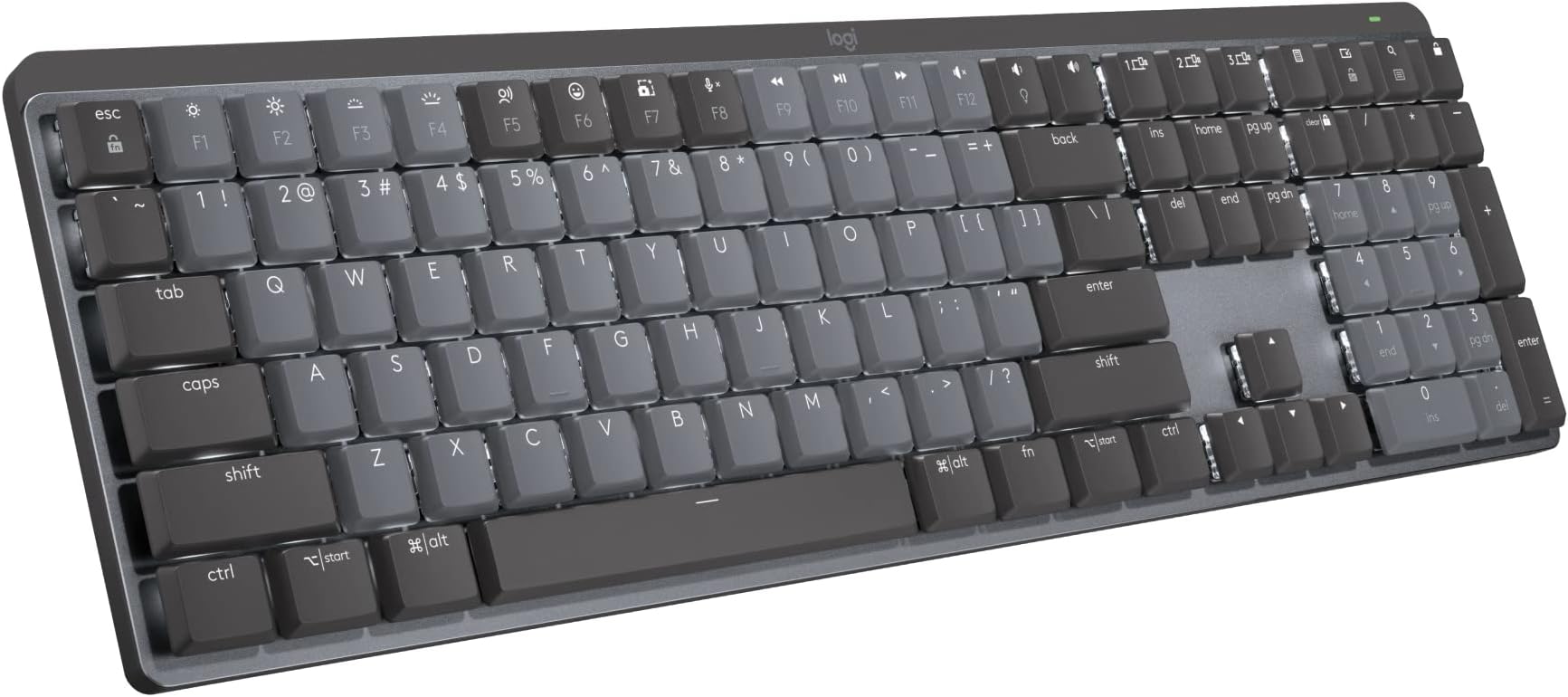
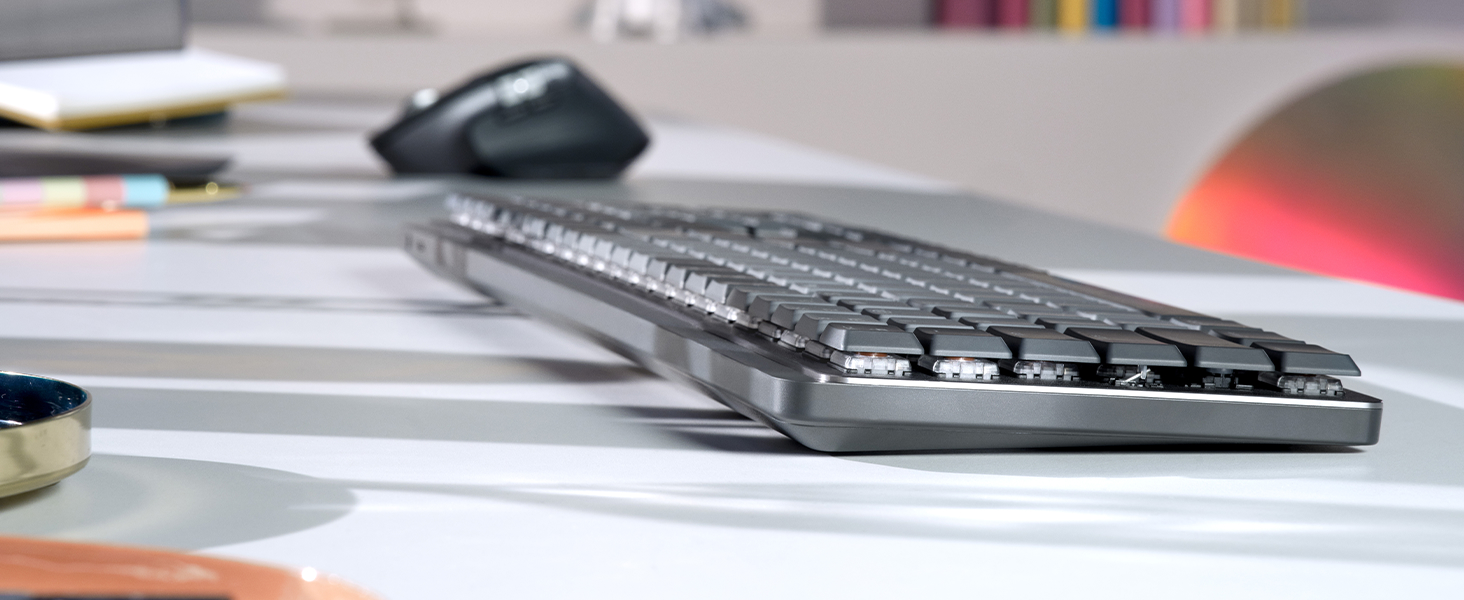
The Logitech MX Mechanical Wireless Illuminated Performance Keyboard combines low-profile linear mechanical switches with smart backlighting and multi-device Bluetooth connectivity. Designed for ergonomic comfort and productivity, it offers up to 15 days of battery life on a USB-C charge and supports seamless customization via Logi Options+. Compatible across major operating systems, this full-size keyboard is crafted for professionals who demand speed, style, and versatility.


| ASIN | B09LK2Q3HL |
| Additional Features | Illuminated |
| Antenna Location | Office |
| Best Sellers Rank | #26 in Computer Keyboards |
| Brand | Logitech |
| Built-In Media | Logi Bolt Receiver, Master Series MX Mechanical Wireless Illuminated Performance Keyboard, USB Cable, User Documentation |
| Button Quantity | 110 |
| Color | Graphite |
| Compatible Devices | PC |
| Compatible Operating System Family | ChromeOS, Linux, MacOS, Windows |
| Connectivity Technology | Bluetooth |
| Customer Reviews | 4.3 out of 5 stars 524 Reviews |
| Enclosure Material | Information Not Available |
| Global Trade Identification Number | 00097855174666 |
| Hand Orientation | Ambidextrous |
| Item Dimensions L x W x H | 17.8"L x 5.9"W x 2.1"H |
| Item Highlight | Low-profile full-size, 3 device Bluetooth pairing, Smart backlight auto-adjusts, USB-C rechargeable, Up to 15 day battery |
| Item Type Name | Keyboard |
| Item Weight | 2.5 pounds |
| Keyboard Backlighting Color Support | Single Color |
| Keyboard Description | Mechanical |
| Keyboard Layout | QWERTY |
| Keyboard Plate Material | Metal |
| Manufacturer | Logitech |
| Mfr Part Number | 920-010548 |
| Model Name | MX Mechanical Master |
| Model Number | 920-010548 |
| Number of Batteries Required | 1 |
| Number of Items | 1 |
| Number of Keys | 104 |
| Number of Packs | 1 |
| Number of Sections | 3 |
| Power Source | Battery Powered |
| Recommended Uses For Product | Office |
| Series Number | 1 |
| Special Feature | Illuminated |
| Style Name | Linear (smooth typing) |
| Switch Type | Linear |
| Theme | Keyboards |
| UPC | 097855174666 |
| Warranty Description | 1 Year Limited Hard Warranty |
C**.
Premium keyboard for the office
Since being relegated to 100% remote work as a programmer, I finally put together a dedicated desk space at home. Unfortunately, my Corsair Strafe mechanical keyboard didn't agree with my new docking station and it was doing downright dangerous things like repeating keystrokes or dropping out altogether. Not a good thing for someone working with live production machines. So I tried the only other keyboard/mouse that I had, which was the entry-level Logitech wireless set. Not terrible for the money, but not really the caliber of keyboard/mouse that you'd want to work on all week. So I decided to splurge and step up to a premium wireless keyboard and mouse. I chose the Logitech MX Mechanical with linear (red) switches and the Logitech MX Master 3S mouse. Honestly, I wish that I had made this choice a long time ago, because I am deeply in love with both of these items as daily drivers for work. The keys are so satisfying to type on. They're not clicky (that'd be the blue switches instead) but they have a very pleasant resistance and overall feel to them. It just feels...premium. There are more shortcut keys than I will likely ever take advantage of, but I've already taken a liking to the mic mute, volume controls, and brightness adjustment shortcuts. The size and weight are perfect for my setup. It's a full-size keyboard with 10-key numpad but it's noticeably more compact than my Corsair mechanical keyboards. Wireless connectivity is a plus, which keeps the desktop uncluttered and allows me to type on my lap if I want to lean back for a while. Bluetooth setup was painless, and it allowed me to connect directly to my laptop instead of using the included USB dongle. I only have a couple of gripes about it. First is that the function key row is too close to the number key row. There isn't a familiar gap between the two, so it's been tough for me to use the function/media and number keys by feel. And the num lock key isn't immediately identifiable by its icon so I have to hunt for it any time I need to toggle it. Overall I'm extremely happy with the keyboard, and I'd highly recommend it to anybody looking for an office-worthy piece.
G**G
A great low profile mechanical keyboard with one caveat
For my own usage, I want a low profile mechanical keyboard with a great typing experience. Moreover, I value battery life and wireless connection with low latency greatly over other features such as hot swappable keys or RGB back lights. When I start searching for low profile mechanical keyboards, 3 products immediately get my attention: logitech mx mech mini, keychron k3, and nuphy air75. After using and comparing all three keyboards, I realize that none of them is perfect, and I have to sacrifice certain things in order to get the features I value the most. For logitech mx mech mini, it is pretty much the perfect keyboard for my use case except the keycaps. I really dislike the default keycaps because of how they feel, and logitech makes it impossible to switch all the keycaps because the spacebar's stabilizers are not standard. Each stabilizer stem is about 2mm closer to the center than the standard one, and these abs keycaps will get a shine with minimum use from the skin oil on your finger tips. No matter how much I like the rest of the product, this one issue with keycaps is almost enough for me to turn it down since keycaps is what I have contact with the most on a keyboard. At this point, the only nitpick I have is the keycaps. Therefore, I replaced the keycaps with Nuphy's air75 twilight keycaps. I have to modify the stabilizers placement on the spacebar in order to make the spacebar fit the keyboard. After some chiseling and applying some super glue, the logitech mx mechanical mini keyboard now looks awesome and feels even better!
C**O
Great premium looking keyboard
Great keyboard with a premium feel. The build quality is solid and sturdy, and the design looks very clean on the desk. The keys have a soft touch with a pleasant, quiet sound that makes typing comfortable. The backlighting is also excellent and very convenient in low light. Overall, a great mechanical keyboard for both work and everyday use.
A**R
Nice keyboard, but still not slim enough to ditch a wrist rest.
I bought this keyboard looking for a slim, portable, durable, quiet wireless keyboard. Even though it is pretty slim compared to most mechanical keyboards, it is not slim enough that I can use it without a wrist support or else I will get carpal tunnel when typing for hours at a time. I don't like using a wrist rest because I travel often and change my seating position often, so I'm constantly moving my keyboard around, and having to move a wrist rest with it makes it quite cumbersome. Unfortunately this keyboard is too thick, so I returned it and got the logitech MX Keys Mini instead, which I am happy with. Other than thickness, keyboard was pretty nice, but the keys do wobble a little bit, and there's significant light bleeding through between the keys when the backlighting is on, making the backlight less than perfect. I had no problems with the logitech options+ software, and everything else was good.
N**E
Impressions after one day
This is not a cheap keyboard, but, if you have the scratch, you should try it. It takes awhile to get use to it, but once you do, you can fly on it, if you know how to touch type. The lighting is nice and done very logically. The Cap key blinks when you have it on. You can set it so you don't have to hold down the fn key while you use the functional keys. It's rechargeable and built solidly. I don't know about its longevity yet. But, at first impression I am impressed. Not cheap for sure.
J**U
Outstanding
Great Quality
B**R
Terrible choices made here. Buy a different mechanical keyboard so you can repair and customize.
Logitech made some really annoying choices for what could have been a great keyboard. Key Mapping and "Smart Actions" The removal of the PrtSc key (and some others) feels like a deliberate design choice, likely because Logitech thinks their software makes the physical key unnecessary. In reality, their custom replacements fall short. If you program another key to take its place, modifier keys like Alt or Win won't work with it. Even trying to fix this with a "Smart Action" is a headache because the software requires you to press the PrtSc key to set the trigger. Since the key is missing, you actually have to use a second keyboard just to program this one. It’s a major oversight that their templates don't include easy ways to fully emulate the very keys they decided to remove. Backlighting and Visibility The backlight animations look cool, but because you can't set a minimum brightness, they are basically a gimmick. Without a baseline light level, you can't see the keys well enough to type, which forces you to just switch back to static lighting. Another issue is the top row: only the shortcut icons light up, not the F keys. Anyone using this for gaming or professional work needs to see those function keys, and it’s unclear why Logitech chose to leave them in the dark. Repairability and Proprietary Parts There is no excuse for a keyboard this expensive to be built like it's disposable. The battery is glued down and hard to reach, and the switches are soldered in, so you can't swap them out if one fails or if you want a different feel. Finding third-party low profile keycaps is already difficult, but Logitech also uses specialized, non-standard stems for keys like the spacebar. This effectively locks you into using their OEM parts. Software and Value The software attempts to be "hyper-useful" with many features, yet it fails to polish the basics. For a product that clearly had a ton of design hours put into it, some of these choices feel incredibly short-sighted. If they had made the switches replaceable, they could have sold us different sets to mix and match. Instead, you're left with a locked-down device. With better, more repairable options available from brands like Keychron and Glorious for about the same price, the MX Mechanical feels like it suffered from too many cooks in the kitchen. While I'll miss the battery life and proximity lighting, a mechanical keyboard should be a long term investment, and this one isn't worth it.
R**.
3 Star Device at a 5 Star Price
This is a 3-star device being sold for a 5-star price. Logitech should listen to the critical reviews and fix some of the ergonomics and quality of life issues if they really want to sell a professional market segment mech keyboard. I wish Logitech would clone Nuphy's new keyboard and add bolt 2.4ghz. This product needs to be more robust even if it costs more. The keyboard's built-in KVM features can be scripted into a command. This means this keyboard is the only mechanical keyboard I could find that is capable of being used in a pure software KVM. One batch file swaps monitors using controlMyDisplay and keyboard + mouse using HIDApiTester. As far as I could find, this is the only mechanical keyboard that has documented support for this feature. Other mech keyboards may be tri-band, but they don't support three 2.4 GHz receivers, which is significant for multiple devices. It is a great multi-device solution, but I hate this keyboard. I switch it out when I'm not using multiple machines and I don't especially like typing on it. It's passable, but the upcharge for the only decent switch is insulting. At writing, linear was $25 more than either other variant. The keys are not rebindable, only the FN keys. This makes it all but useless if you're accustomed to QMK on other keyboards with full control. The keycaps are garbage in comparison to other keyboards at this price point. The material shines quickly and is uncomfortable to type on. PBT would have been a better choice at this price point, instead, you can solve this on your own for an additional cost. Better like the spacebar, though, because it mounts proprietarily despite having an MX stem. A cruel joke. Does it perform its task? I guess. Do I regret every dollar spent? Also yes. I am held hostage by its multi-device feature. As a pure touch typist, I don't find this keyboard comfortable and I blame a combination of the slippery bad material spacebar and its low height. The ultimate joke is that the spacebar mounting system is unique so you can't even swap the worst most offending keycap.
A**R
High end keyboard that doesn’t hold back on the features.
Typing: great typing experience, good quality key caps and switches. The red switches aren’t too loud either. Features: the Logitech software offers lots of customizability. Can connect to 3 devices at once. Great battery life. Keyboard illuminates when you put your hand close to it. Conclusion: The only downside is the price, if you have the money for it, it’s a great choice that should last a long time.
T**E
My favourite mechanical keyboard (I got 2 of them at home).
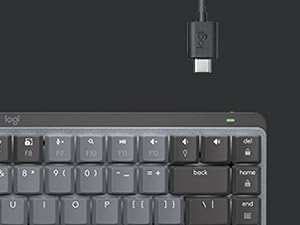
As a professional writer, I have very specific needs in terms of keyboard and their aesthetics. The MX Mechanical Mini is a dream. Its features suit me, the size is perfect and the clikety clacks it makes are music to my writer's ears. With a USB-C charging port, it works seamlessly with modern docking stations (see picture). It holds its charge for a long time and even has a fun emoji 😎 key. I got two at home and I could not be happier.
W**L
Initial Impressions from a software developer
I really like it so far, its taken a few days to get used to compared to my old keyboard. I found the right shift button to be small when trying to hit the '?' key or ':' key. I really like the switches and it sounds amazing. The backlighting is great, I really like how it uses sensors to detect light, and adjusts the brightness of the backlighting accordingly. Its definitely a bit overpriced, but if you are looking for a sleek satisfying keyboard that feels like a laptop keyboard, you definitely will enjoy using this one.
H**N
I own a lot of keyboard
Best Bluetooth office keyboard ever. Trust me, long lasting battery life. You can interchange between 3 devices including both window and maxOS keyboard layout. You can still feel little bit of mechanical keyboard yet maintain quiet noisy for office environment. Also it’s super light!!! So you can carry around with your work laptop. However the body is plastic and the space key makes squeaky sound. Price can be little bit considering but I rather buy one nice keyboard than bunch of cheap Bluetooth keyboard that you will never use.
A**T
Failed just outside of warranty
I enjoyed this keyboard for 1 year and 3 months until a few keys stopped working. I am not a heavy user, and this is the first time I've had dead keys on any keyboard. Too bad it's out of warranty - I switched to the MX Mechanical from my G915 because I liked the feel of a mechanical keyboard but wanted quieter keys.
Trustpilot
3 weeks ago
3 weeks ago