We remain fully operational. Our teams are working around the clock to ensure your deliveries continue safely.

قم بتنزيل التطبيق


معلومات عنا
حقوق الطبع والنشر © 2024 Desertcart Holdings Limited
قم بتنزيل التطبيق
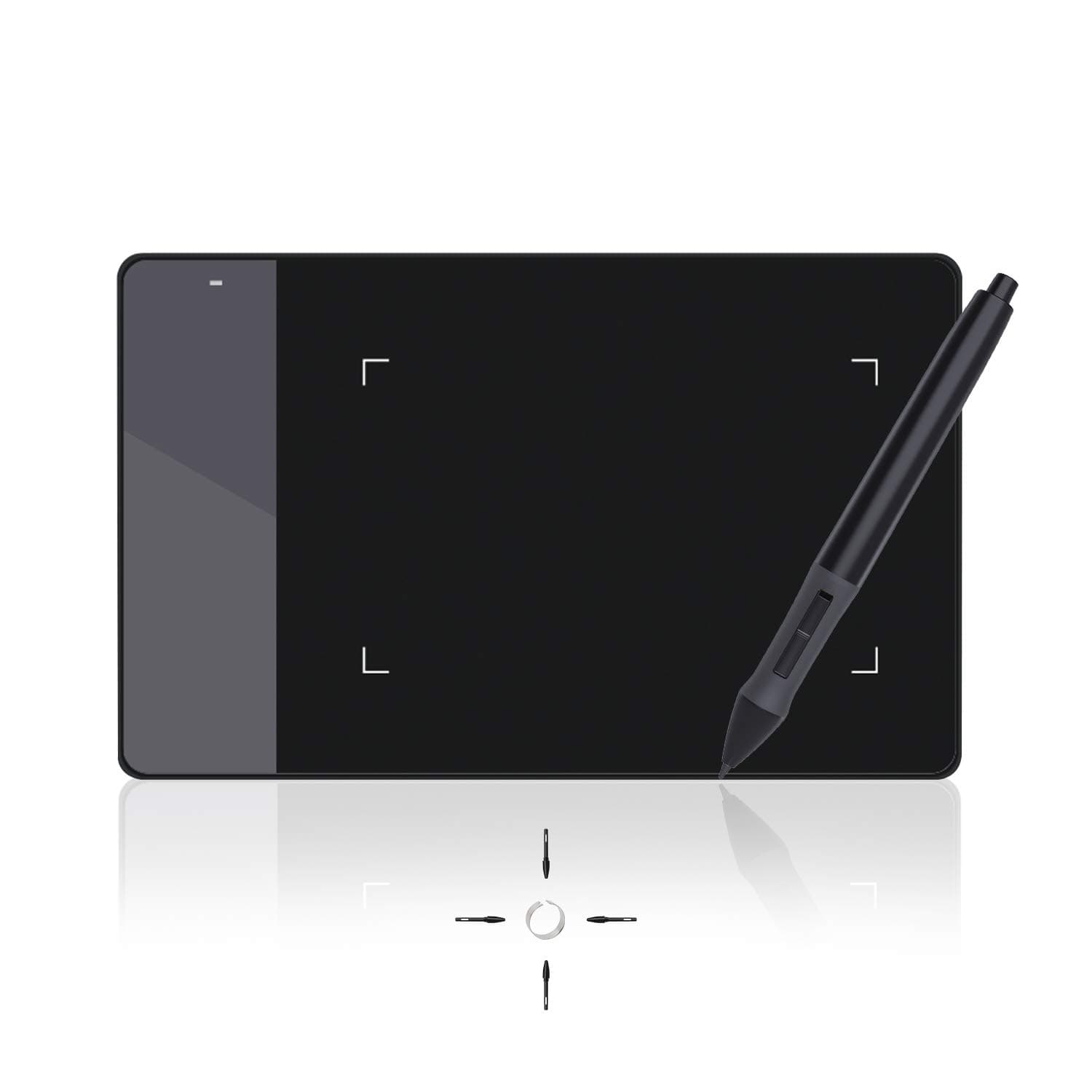
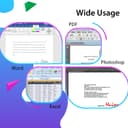
🖌️ Elevate your creativity anywhere — don’t just keep up, lead the digital art wave!
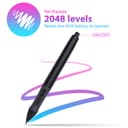
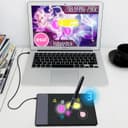
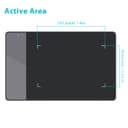
The HUION 420 is a sleek, budget-friendly graphics tablet featuring a 4x2.23 inch active area, 2048 levels of pen pressure sensitivity, and 200 RPS tracking speed. Designed for beginners, students, and remote professionals, it offers plug-and-play USB connectivity compatible with Windows and Mac OS. Its compact, lightweight form factor and customizable stylus button make it an ideal tool for digital drawing, photo editing, note-taking, and even gaming like OSU, enhancing productivity and creative expression on the go.


| ASIN | B00DTPYWBG |
| Active Surface Area | 10x5.6cm (4 x 2.23 pollici) |
| Best Sellers Rank | 5,866 in Computers & Accessories ( See Top 100 in Computers & Accessories ) 13 in Graphic Tablets |
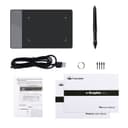
| Box Contents | 420 pen tablet, USB cable, battery Pen, 4 pen nibs, drivers Installation CD, user manual. |
| Brand Name | HUION |
| Colour | Black, White |
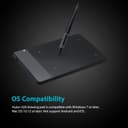
| Compatible Devices | Computers running Windows 10, 7, and Mac OS 10.8.0 or later, including supported desktops, laptops and tablets. |
| Country of Origin | China |
| Customer Reviews | 3.6 3.6 out of 5 stars (6,667) |
| Display Type | LCD |
| Global Trade Identification Number | 00520324307390 |
| Item Dimensions L x W | 10.2L x 5.7W centimetres |
| Item Weight | 125 Grams |
| Manufacturer | HUION |
| Model Name | uk huion 420 |
| Model Number | Huion 420 |
| Native Resolution | 4000 LPI |
| Network Connectivity Technology | USB |
| Operating System | Windows |
| Pressure Sensitivity | 2048 Levels |
| Product Features | Portable |
| Product Warranty | Manufacturer warranty for 1 year from date of purchase. |
| Screen Size | 5.6 Centimetres |
| Specific Uses For Product | education, photo_editing |
| Target Audience | Children, beginners, remote workers, students and professionals |
| UPC | 520324307390 760352094842 |
R**T
In-Depth Review for OSU
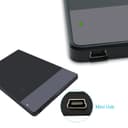
-First off, this tablet is (probably) enough for OSU (for most people). You don't have to spend a lot of money on a tablet just for OSU, and this comes in at a perfect price point. The small form factor also makes this tablet great since most people playing osu will have their tablets next to a keyboard and you only need a small active area available anyway. The pen is comfortable and you will get used to it in time coming over from a mouse. Tablet is just so much better than using a mouse on OSU, BELIEVE the hype around tablets vs mouse. -With that said I will come onto the biggest con of the tablet, the EXTREMELY bad placement for the micro-USB port on the tablet. With it being on the left of the tablet, you have to give up more space next to your keyboard for the slack of the cable. Not too mention the cable then effectively needs to run under the keyboard. Very poor design choice. There is an easy fix however, you just need to enable left hand mode in the device's driver and then you can turn the tablet upside down and use it normally, which means the cable is now in the bottom right, and runs away from the keyboard. Not everyone will find this to be an issue, but I'm putting this out there for people to know who are in my position. -This leads me onto my second con which is installing the drivers were a pain for me, however I think this was a problem for me exclusively due to other factors. However I do strongly recommend downloading the drivers from the HUION website as opposed to the ones provided on the disk, since the disk ones are a little out of date compared to the website one.
T**2
Tablet is good. Pen not so much.
I've racked up about 250 hours of game play on Osu with this tablet and it still remains perfectly responsive. My only critique, (and this may just be personal preference), is that the pen's curvy design makes the pen hard to hold continuously. I struggle to play maps above 3 mins on Osu with this pen as my hand is forced into an awkward position after having moved it for that long. Furthermore, the buttons on the pen are annoying and even when disabled the buttons still cause a registered click in Osu.
M**W
Don't waste your time.
Don't waste your time or money. Spent nearly a whole day fighting with this to try to get it working on my PC, but simply would not recognise it. Installed, uninstalled and reinstalled the drivers from the website several times, rebooted the PC more than a dozen times and dead as a dodo. They clearly know these issues are common as when I tried to get support via Amazon, there were just pages of 'how to fix it' (none of which worked). I also tried to contact them via their website, but their contact page just kept crashing. Extremely frustrating waste of time.
A**I
good for price and works decently well
good for the price and works pretty well. i use it for digital art on krita and skribbl.io.
S**I
Entry level
It is entry level so I can't expect much. Also I'm not a graphic designer and I need this just for minor works. I'm not using it very much to be honest...
A**R
Brush 🖌️ failed precision.
While drawing, it very difficult to get in precision. Goes up and down with the brush 🖌️
T**S
The disk was unnecessary, as windows has native tablet device support
Functions perfectly plugged in straight out of the box. The disk was unnecessary, as windows has native tablet device support, and the Huion420 seems to work with that just fine. The drivers just made my experience worse. The shipping itself was mostly fine. Package took about twice as long to arrive than estimated, the exterior packaging was busted up pretty roughly around the edges, but It was thick solid cardboard, so the product box was mostly intact, except for a moderate bump on the bottom of the box, all of that, however, is a non-issue. As for the tablet itself, it's a very solid tablet for the price, much more so than I expected. The input is very responsive and feels easily comparable with my low latency gaming mouse in delay time. The input resolution is phenomenal, as I'm only using about 1/4th of the tablet active area for my entire desktop as the full area is too tedious to swipe around for desktop use, and It's not too difficult to hit a tiny task-bar icon, which on the active area measures about 1/4th of a millimeter! I mainly bought this tablet for playing 'Osu!' with, and it just feels.. 10/10. I mean, it's something you'd expect from a tablet after playing with a mouse. Again, comparing to a 2ms latency mouse, the 3ms of the tablet feels negligible, it's exactly the same. And to add on top of that, 'Osu!' has native Huion420 integration, as in, scaling up the mouse sensitivity option scales down the active area, pretty intuitive! I'm not too much on the artistic drawing side, but I've tried writing and sketching a bit, and it just feels finicky. The area feels too small to draw consistently, as any amounts of shaking on the hand get well exaggerated, again, by the small area. However as mentioned, point to point motion is where this tablet shines at. Disclaimer: in my opinion. Osu!? - Get this tablet, drawing? - get something with a larger area.
K**N
Good for learners
Used for a while whilst in education
S**K
Good product
E**R
Ein ganz OKAY Grafiktablett! Der Stift vom Tablett ist sehr leicht... wenn man keine Batterie ( AAA ) im Stift ist! Macht man eine AAA - Batterie rein, ist der Stift sehr schwer, aber mach gewöhnt sich nach ner Zeit. Außerdem ist die spitze vom Stift ist sehr Spitz heißt, das Tablett zerkratz sehr Schnell! Das Tablett hingegen ist klein, und perfekt für spiele wie Zum beispiel: "osu!". Es ist sehr gut für Anfänger, da der Preis sehr Niedrig und das Tablett auch eigt. nicht schlecht ist! Für erfahrene Tablett Nutzer, würde ich es nicht empfehlen, da würde ich ein Tablett für mind. 50-100€ suchen, ein gutes Beispiel ist das "Wacom Intuos Art Small Black Grafik-Tablett" für 100€! Für Anfänger würde ich das Tablett empfehlen, da es sehr einfach gehalten ist, nicht schwer zu installieren und sehr billig ist! für Anfänger nur zu empfehlen!
J**N
Una buena tableta barata llevo 1 semana probandola y todo va de maravilla precio calidad muy recomendable Sirve para osu, para diseño gráfico si apenas vas empezando (si ya tienes experiencia mejor busca otra tableta mejor) todo muy bien con la tableta, tal vez el único pero es la pluma que necesita pilas triple A y que la punta si es algo frágil pero vamos este tipo de productos siempre tienes que cuidarlos, Sin peros ni quejas lapson México ya había comprando anterior mente con ellos así que tenia la confianza que llegaría mi producto
H**W
ペンタブの購入は初めてなので使用感等はそこまで参考にならないかと思いますが、 最初は画面の大きさに対してのサイズで、移動の感度になれなかったのですが 少しづつ慣れてくるととても使いやすい事がわかりました。 ペンを動かすのに単4電池が必要ですので 切らしている方は届く前に買ってくる事をオススメします。 自分は近くの電気屋が閉まっていたので少し遠いスーパーまで走りました。 これの購入を考えている方にアドバイスですが Huion H420という3つボタンが付いている新機種が200円程の差で販売されています。 そちらもかなりの高レビューですので、これから買おうという方にはそちらをオススメします。 私はこれが届いてからそれに気が付いて悶えました・・・ 後、携帯用として、ライトな使用なら良いかと思いますがしっかり絵やイラストを描きたい方はもう少し大きい物を オススメします。 自分は割とライトな使用なのでこれで大満足です。 3つのボタンを逃したのは惜しいですが・・w 最終的な評価としては 携帯式の物でかなりの低価格ですので品質もコストパフォーマンスも良いと思います。
H**I
I like this product which I received yesterday. But I didn't give full stars because I encountered a problem, a big one. When I work on photoshop and try to use any brush it shoots lines . So when I put the brush on a picture or anything I am working on to put touches or just dots, what happens after that is I have lines on the side. So there is a problem somewhere. It doesn't do that for example when I use it with Paint. I heard I need to adjust the tip of the pen but how? The software I downloaded, online, was enough to hook the drawing tablet to the computer and it doesn't offer anything else. I am not sure if it is defective. It is too early to say that. I will reinstall it and download the drivers from the CD provided. Maybe it will help. I will keep you update. I hope the seller, whom I haven't contacted, will help me with this problem if he knows any tricks to do. The product seems solid and really good but I need to figure out the problem. I might return it if there is no solution to this problem. I will do my experiments. I will keep you updated. I am writing my second review as I promised to update my first review. I put 5 stars. It was my mistake. I didn't download the right software. After downloading the right software my problem (I talked about in my first review) was solved right away. So I had the defect, not the product! It is a great pad that can be very very useful in working on Photoshop and any other painting program. I love it. Sorry for my wrong early impression. I know very well you need to be very patient with technology but sometimes I don't follow this rule. I recommend this pad. By the way, it can be used by children and adults alike.
ترست بايلوت
منذ أسبوعين
منذ أسبوع