
Desertcart purchases this item on your behalf and handles shipping, customs, and support to EGYPT.
⚡ Elevate your fibre game with the DrayTek Vigor V130 — the pro’s choice for seamless, stable, and scalable internet.
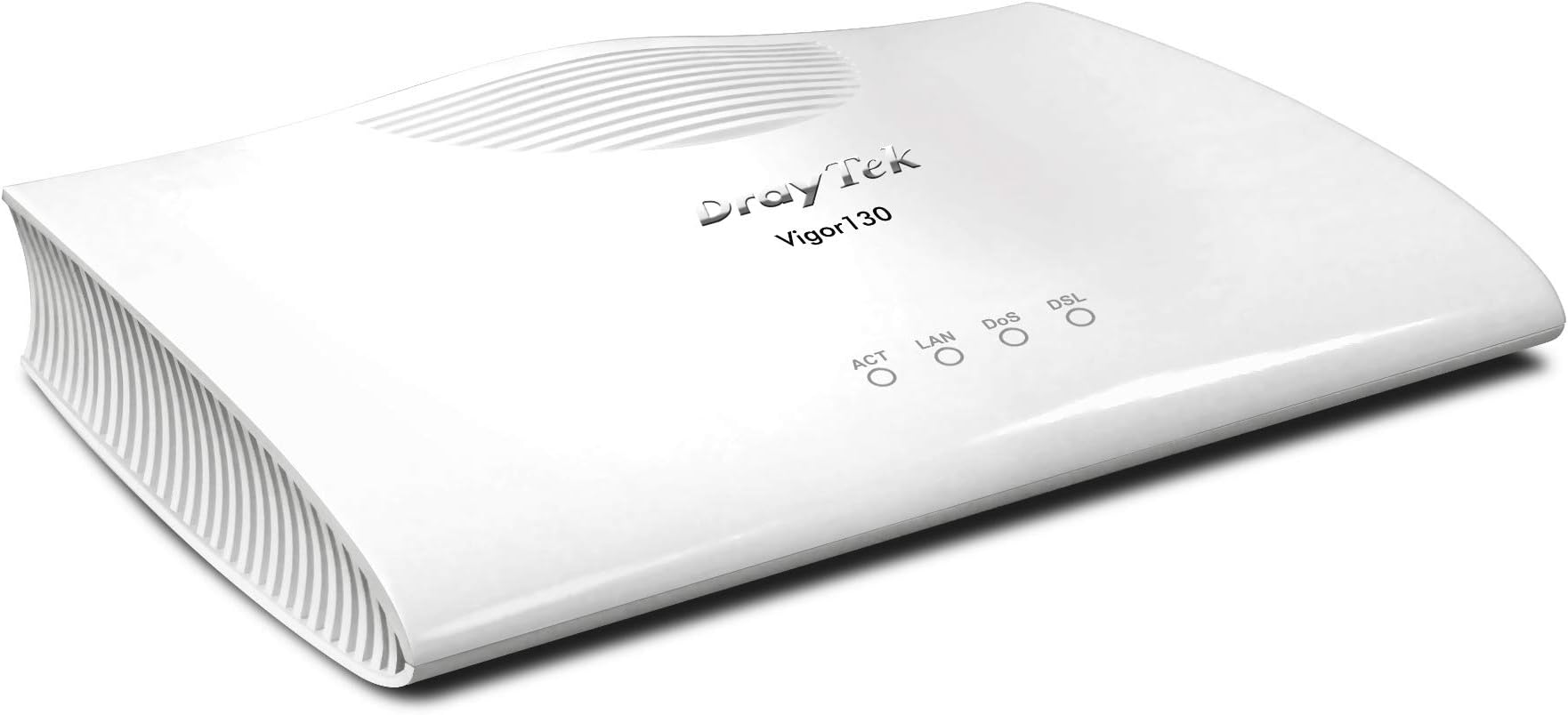
The DrayTek Vigor V130 is a high-performance VDSL2/ADSL2+ Ethernet modem designed for UK fibre and DSL connections. It features plug-and-play setup, dual IPv4/IPv6 compatibility, and bridge mode that delivers a direct public IP to your router or firewall. With 3 Ethernet ports and BT SIN 498 MCT approval, it’s the ideal partner for advanced dual-WAN or firewall setups, offering rock-solid, future-proof connectivity for professional-grade home or office networks.


| ASIN | B00F9E5LQA |
| Best Sellers Rank | 27,767 in Computers & Accessories ( See Top 100 in Computers & Accessories ) 7 in Modems |
| Box Contents | 3 |
| Brand | DrayTek |
| Brand Name | DrayTek |
| Colour | black |
| Compatible Devices | Personal Computer |
| Compatible devices | Personal Computer |
| Connectivity technology | Ethernet |
| Customer Reviews | 4.5 out of 5 stars 932 Reviews |
| Data Transfer Rate | 3 Gigabits Per Second |
| Global Trade Identification Number | 04716779075205 |
| Internet Service Provider | DSL providers |
| Internet service provider | DSL providers |
| Item Weight | 1.76 Pounds |
| Manufacturer | Draytek |
| Manufacturer Part Number | 4716779075205 |
| Maximum Upstream Data Transfer Rate | 50 Megabits Per Second |
| Model Number | v130-B |
| Modem Type | DSL |
| Network Connectivity Technology | Ethernet |
| Number of Ethernet Ports | 3 |
| Number of Items | 1 |
| Number of Ports | 3 |
| Number of ports | 3 |
| Product Warranty | 3 |
M**S
DrayTek Vigor 130 VDSL2/ADSL Fibre (FTTP/BT Infinity) Ethernet Modem - and NETGEAR ORBIs
So many mixed reviews on this product - I decided to take the plunge. Original system was TP-Link Modem/Router and TP-Link Deco M9 Plus pack of 3. I was having problems with my modem/router dropping out and lack of range with the Deco's. My ISP is Plusnet Fibre. At least that's what they call it - still a thin cable from a bog standard telephone socket to the modem - and I average about 60mbs download. Decided to ditch the modem/router as well - Purchased DrayTek Vigor 130 VDSL2/ADSL Fibre (FTTP/BT Infinity) Ethernet Modem. Now this did worry me as I researched so many settings. Anyway - Orbi's and Draytek arrived. I disconnected existing setup. Downloaded the Orbi app to my iPhone and registered. Plugged in the Draytek modem to power. And cable to telephone socket. Plugged in the 3 Orbis side by side. Connected provided ethernet cable between the main Orbi and the Draytek modem. Then powered everything up. The Orbi's started configuring and the app offered me the option to connect and I selected PPOE (or something similar) and entered my Plusnet username and password. All the Orbi's light were going different colours as it set itself up - and installed an update. My Drayteek Modem had all the right flashing lights. I was offered an option to change my network name or use the one from my previous setup - I used my previous name as I would not then have to reconnect all my network devices. Fifteen minutes later all the lights on the Orbi's went out (as they should when all working correctly). The app told me I was up and running. I unplugged everything and moved the kit to its new home. I live in a Bungalow so distance has always been an issue. The Main Orbi sat connected central and each satellite was placed one at each end of the Bungalow. I also connected an ethernet I had run some time ago - between the Orbi Router and one of the satellites. Then powered up and watched the system get ready. I checked the Orbi app and it was a delight to be informed it was all working correctly. I went into each room testing Echo's - Smart TVs - NAS etc and all worked. On all of our 4 computers running Win 10 I did a Network Reset and watched the magic happen. Early days yet - only been running a few hours but it all seems great. I may play with the system to tweak and test speeds etc. But the Draytek and the Orbi's seem to be a winning combo albeit expensive.
M**R
excellent replacement for the bt openreach modem.
I bought the DrayTek Vigor 130 modem as I needed to replace my ageing and outdated BT OpenReach modem. I have this modem rigged up to my Asus RT-AC68U router (with merlin firmware). I have a TalkTalk fibre connection (FTTC, Fibre-to-the-Cabinet), I had to put it into bridge mode to work with TalkTalk. Draytek has a FAQ section where you can find the instructions on how to setup with TalkTalk, Sky etc. You have to register and login to view the Draytek support guides etc. It's a few second simple process, nothing complex. Majority buying this will likely have a good understanding of networking anyhow. The majority will not need to do anything other than plug it in and turn on, you should however update to the latest firmware and check regularly for new firmware updates, I didn't get any speed improvements but i am maxed out on my line anyway so wasn't expecting to. I am also accessing the modem web gui without having to connect my laptop to the vigor 130 via ethernet. I followed a simple guide on the snbforums for achieving this, it's great as now i can access the modem web gui and vdsl stats wirelessly from my laptop. I unlocked my BT OpenReach modem with custom firmware but the custom firmware has not been updated in a few years now. I can't think of a better replacement for the BT OpenReach modem other than the Draytek Vigor 130 modem. Only owned for a few days but so far rock solid stable performance. A bit pricey but you get what you pay for in this case. Highly recommend. For accessing Vigor 130 modem web gui without ethernet cable: (instructions are what i followed and works very well) from snbforums using asus-wrt merlin firmware and asus router. -------------------------------------------------------------------------------------------------------------------------------------- If you are using Merlin's firmware, here is a definitely working way of accessing modem interface through the router: 1. Give your modem an IP that is outside the router's ip range. (Your IP numbers 192.168.0.1 for modem and 192.168.1.1 for router are ok). 2. Enable jffs partition. 3. You need to add two scripts to the /jffs/scripts directory, namely wan-start and nat-start scripts. wan-start script : #!/bin/sh ifconfig `nvram get wan0_ifname`:0 192.168.0.2 netmask 255.255.255.0 Note : the IP number shown in bold must be one more than your modem's IP. If your modem's ip is 192.168.0.1 then it must be written as 192.168.0.2. nat-start script : #!/bin/sh iptables -t nat -I POSTROUTING -o `nvram get wan0_ifname` -j MASQUERADE Before adding scripts, you can check if this works for you easily. Just SSH to your router and enter the commands in the scripts (you can use copy-paste). Then open a browser session to your modem (192.168.0.1 in your case) and there is your modem interface. Adding scripts just makes sure that the commands are run on router startup. --------------------------------------------------------------------------------------------------------------------------------------
S**Y
Wow, wow, wow. THE simple solution to all those WiFi 6 Routers with no integrated modem
This is a brilliant piece of kit. Simple instructions and dead easy to set up. If you are with a mainstream ISP in the UK, it is plug and play, no configuration to use this as a simple modem. Connect and power it up first, then connect to your router, it passes the internet signal via an Ethernet cable straight into your router WAN port for the router to use and distribute with no messing about required. An absolute breeze and does what it says on the tin. I haven’t explored it, but it also has a more advanced configuration user interface if you wish to access it via your PC, that’s one for the real techies. For me, I just wanted a solid reliable and separate modem to work with my new WiFi 6 router. This is THE solid simple solution to all those WiFi 6 Routers with no integrated DSL modem - all the new WiFi 6 routers I’ve seen are routers only, with no integrated modem. Been up and running now 24 hours, no drop outs just a great internet connection. UPDATE: July 2020: been running flawlessly now for nearly 2 months. Great plug and play modem if you are with a mainstream UK ISP.
G**W
Solid VDSL with minimal setup
I wanted to use cable router on a FTTC line so needed a dedicated modem. I'm not with BT and found their modem was flaky anyway so bought this based on reviews. Setup on Zen Internet was a doddle. Literally plug in. Unfortunately the instructions are poor (and a little arrogant). What it should say is that the unit passes through the DSL providers requirement for username/password entry to the router. So basically you don't enter these details until you connect your chosen router. Once I'd figured this out I found I had really low latency and a solid connection. Happy with unit - crap instructions
S**X
Reliability is king.
(I've given one star for wifi because it is NOT a router, it is a modem) The wifi router/modem supplied by my ISP was bugging me. At first the wifi kept dropping out or when streaming online content (iplayer/netflix etc) it would buffer or switch to the low quality. This eventually annoyed me and I bought a wifi mesh system and switched the routers wifi off completely. This seemed to work for a little while but then even that started throwing problems and the router needed resetting several times a day, annoying when you're in the middle of a film and the internet just dies. (The wifi mesh was working, just not the router) Since I've had the Draytek Vigor, ping is the lowest I've ever seen on my wifi mesh (12ms), download and upload speeds are up too, but more importantly it's super reliable. I had to spend an hour or so setting it up when I first got it as I'm with talktalk that requires specific settings that have to be manually entered. Since then I haven't touched it and I've never had any problems. Streaming is now always in HD and load times for stuff is negligible. The connection is now super stable which means that my other linked devices now work better too (wifi cameras, smart thermostat, smart lighting etc). Yes, it seems expensive for a simple modem, but it just works. And works really well. Theres no point having all the bells and whistles in one box if it needs constant attention.
D**N
Great modem for DSL
Firstly, this is a modem only and not a router. If you buy this on its own, you can only connect one computer to it. There is no router, no wifi and no access controls. Until recently I was forced to use the ISP supplied modem/router what was built to a low price and it showed. Drops, lockups and poor range. I'd been using a decent router in AP-only mode for ages but wasn't allowed to get the PPPoE settings. This suddenly changed and when it did, I ordered this. From a user perspective, it is fast, stable and has some useful options. Since moving over, I've seen a 50% reduction in ping returns, a 5% increase of download speed but no increase in upload. So far no lockups, Draytek supply firmware updates to keep the bugs in check. Well worth the money
C**9
It just works straight out of the box!
To be clear, the Vigor 130 is just a modem and you need a separate router, but that's the setup that I prefer. I've just upgraded from 38mb to 76mb fibre. However, my line speeds were much lower than expected and during a BT engineer visit they diagnosed that my old BT Openreach modem was causing a drop in line speed from the master socket of 26mb. The suggestion was a new modem and I had three options. 1. Use my ISP's modem/router (this doesn't allow me free choice of how to set up my network and has no guest network) 2. Buy a new fibre modem (the Vigor 130) 3. Buy my own modem/router (but there is nothing wrong with my existing router, an Apple Time capsule, which also provides me with backup facilities using Time Machine on my Mac) I'd read an article about DrayTek's Vigor 130 some time ago and it sounded like an ideal replacement for the BT Openreach modem should I ever need one. Boy, is it simple. Connect 3 wires (power, DSL to BT socket and ethernet LAN to modem), switch on and wait less than 2 minutes and you're up and running with no configuration required or changes to the router settings. If you're in the same position as me, dislike the idea of being locked in to an ISP's modem/router and want something that's easy to set up, you just have to put the Vigor 130 on your wishlist.
O**H
This is JUST a modem and that is EXACTLY what I wanted!
I bought the DrayTek Vigor as I needed a modem to replace the "toy" router that my ISP sent me. Already owning a perfectly good router, I did not need another and using the "toy" in bridge mode was not good enough. Originally I was going to buy a BT OpenReach VDSL modem via eBay. However, BT have officially stopped supplying them and by the end of the year are going to stop supporting them when they fail. Therefore, I needed to find an alternative bridge-only modem that was BT approved and VDSL compatible. This was a harder task than I thought, until I found the DrayTek Vigor 130. This little guy works in exactly the same way as the BT OpenReach VDSL modem and as an added bonus, only has one LAN port that both gives you your modem bridge AND can be used to access the modem GUI to retrieve line stats etc. If you are buying this you already need a router, and thanks to this handy setup you can use the same port for pppoe to the internet and as a LAN connection into the modem to get line stats. Diving in deeper, there was a small issue after I connected the LAN GUI to my router - the modem does not have a way to set it's local networking into DHCP mode (that I have found anyway) which means you either have to statically configure the IP in your IP range, or as I did, leave it set how it is and then add a route to the modem back to your router. To this end, the DrayTek modem has a well documented CLI. Overall, I am extremely happy with this modem, so happy that I now own two of them and to anyone who needs a modem only, or would like to replace the EOL BT OpenReach VDSL modem I could not think of a better replacement.
F**E
Modem DrayTeck
Il prodotto è arrivato puntuale e funziona perfettamente e corrispondente alla descrizione del fornitore. Quattro stelle perché il firmware è in tedesco e non era stato segnalato nella descrizione
D**N
Incompatible/inadecuado...
Me parece se calidad pero no llego el libro en español solo en alemán. Aparte de eso no consigo entrar en la página de la configuración del router lo voy a devolver ya que no puedo darle uso.
R**I
Bien mais so british !
Fonctionne en VDSL2 avec Orange. Il suffit de tagger le VLAN 835 à la place du 101 d'origine et on peut se connecter via PPPoE sans soucis. J'ai un léger gain de débit par rapport à une Livebox. Seul détail: le modem est livré avec un transformateur avec une fiche anglaise ! J'ai donc dû acheté un adaptateur !
A**X
Perfekt für VDSL Vektoring
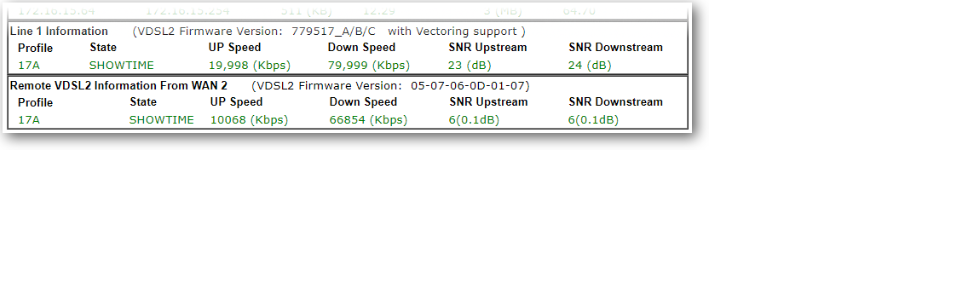
Grund für die Suche war für den Umstieg auf VDSL100 (Vectoring) einen Ersatzrouter zu finden, welches Vectoring tauglich ist und noch als reines Modem betrieben werden kann. Der Speedport W921V macht zwar auch seinen Dienst sollte aber als Ersatzmodem dienen. Nach vielem Suchen in diversen Foren war der Vigor 130 von Draytek ins Auge gefallen. Ich kannte die Draytek's noch von damals und auch da waren sie immer positiv aufgefallen. Kurz noch im Netz eine Anleitung gesucht wie man das Modem für VDSL100 konfiguriert und schon war er auch bestellt. Zum Glück gab es schon ein Firmware Update (3.7.8.1) die schon diverse Bugs bereinigt hatte. Jetzt muss man allerdings wissen, das es hier verschiedenen Firmwaremodemversionen gibt. Diese gehen von 1 -7 und noch Standard. Jede Modemversion ist für bestimmte ADSL/VDSL Anschlüsse optimiert. Dies geht aus der Release.pdf hervor die man sich durchlesen sollte. Für mich war dann schnell klar das Modem7 für VDSL (G.vectoring) das richtige sein muss. Also Firmware heruntergeladen und über die Weboberfläche das Update durchgeführt. Ich will nicht verschweigen das das Draytek-Menü gewöhnungsbedürftig ist. Wenn man vorher Fitzbox-Menüs gewohnt ist, wird man hier erstmal große Augen bekommen. Ist aber alles halb so wild. Etwas Basiswissen sollte man allerdings schon mitbringen sonst wird länger dauern ;-) Das Einrichten als Modem dauerte nach Anleitung grade mal 5 min. Link kann ich gerne mal posten wenn gewünscht aber wenn man Vigor130 und PPOE eingibt kommt man auch schnell zum Ziel. Das gute ist, dass er auch VLAN-Tagging beherrscht. Grade bei Telekom und VDSL ist das ein Muss. Da ich kein Entertain habe reichte bei mir VLAN 7. Nachdem alles fertig war syncte das Modem und war nach knapp 1ner Minute fertig. Ich muss dazu sagen, dass ich hier 19db Dämpfung und eine SNR von 6db habe. Daher dauert es etwas länger. Aber das Resultat war erstaunlich. 71,6 Mbps Down und 26,7 Mbps UP und das stabil. Im Gegensatz zur Fritz und dem Speedport 67,7 Down und 27,3 UP hier hat sich der Down-Wert erheblich um gut 4Mbps erhöht. Sind zwar nur Peanuts aber immerhin. Das Modem hängt beim mir hinter einer Fortigate 60D von daher werden alle Firewalltechnischen Sachen hier erledigt. Zu erwähnen sei noch das der Vigor über Telnet zu konfigurieren ist. Hier kann man Statuswerte und auch alle anderen Sache die man sonst über die Weboberfläche einstellt auf Telnet-Ebene bearbeiten. Syslog und SNMP beherrscht er auch. Die Mibs für SNMP findet man auf der Draytek-Seite. Für diejenigen die es als Einwahlrouter benutzen wollen bietet der Vigor auch eine sehr große Konfigurationsvielfalt, die man sich bei anderen Anbietern nur wünschen kann. Allerdings und das muss man nicht unerwähnt lassen unterstützt er kein VOIP direkt. Damit mein ich man kann dort kein Telefon direkt anschließen. Das ist grade bei Telekom und auch anderen Anbietern ja mittlerweile unumgänglich wenn man auf ALL-IP umgestellt wurde. Ich habe es gelöst indem ich dies dann einer Fritzbox überlassen habe. Hier muss man Voip dann Firewalltechnisch speziell zu der Box routen. Wie gesagt es geht und man muss es auch jeden Fall im Hinterkopf behalten, bevor man sich wundert das Internet geht aber kein Telefon ;-) Abschließend sei zu sagen das ich den Kauf nicht bereut habe. Der Vigor 130 ist nun jetzt gut 3 Monate im Einsatz und habe vor 3 Tagen noch die FW 3.7.8.2 eingespielt und er rennt und rennt. In dem SInne noch viel Spass damit
C**N
Pas compatible ADSL France
Attention le modèle V130B (Vigor 130 Annex B) n'est pas compatible en connexion ADSL. Il faut a priori prendre le modèle Annex A. A vérifier si le modèle Annex B fonctionne en VDSL
Trustpilot
1 month ago
5 days ago