Desertcart purchases this item on your behalf and handles shipping, customs, and support to EGYPT.
🚀 Scan smarter, not harder — your office’s new productivity powerhouse!
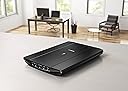
The Canon CanoScan LiDE 220 is a compact, USB-powered image scanner delivering ultra-high 4800 dpi resolution with 48-bit color depth. It offers rapid 10-second A4 color scans, direct cloud integration, and one-touch multipage PDF creation, making it an ideal tool for professionals seeking fast, high-quality digitization in a sleek, space-saving design.


| ASIN | B00MWLHV2U |
| Best Sellers Rank | 198,345 in Computers & Accessories ( See Top 100 in Computers & Accessories ) 221 in Document Scanners |
| Box Contents | scanner, cable |
| Brand | Canon |
| Brand Name | Canon |
| Color Depth | 48 bpp |
| Connectivity technology | USB |
| Customer Reviews | 4.4 out of 5 stars 2,192 Reviews |
| Global Trade Identification Number | 04549292013405, 04549292013412 |
| Item Type Name | Canon CanoScan LiDE 220 Compact Scanner |
| Item Weight | 1.6 Kilograms |
| Item weight | 1.6 Kilograms |
| Light Source Type | LED |
| Manufacturer | CANON |
| Media Type | USB |
| Minimum System Requirements | Modern computer with USB port |
| Model Name | Lide 220 |
| Model name | Lide 220 |
| Network Connectivity Technology | USB |
| Optical Sensor Technology | CIS |
| Product Warranty | europe |
| Resolution | 4800 dpi |
| Scanner Type | Image Scanner |
| Scanner type | Image Scanner |
| Standard Sheet Capacity | 1 |
| Wattage | 5 watts |
K**N
Less than an hour from delivery and I am already scanning and saving images AND THEY ARE GOOD QUALITY TOO.
I bought this inexpensive lightweight scanner for scanning documents and photographs etc for my family tree read to upload to Ancestry. I opened the box and all was present. At first you have to wade through the pieces of paper and put aside all the ones in foreign languages. Not too much info really in paper form. It says there is an manual on the cd. What it does not say is that you have to move the black plastic slider from LOCKED to UNLOCKED which is on the base of the scanner. This merely unlocks the mechanism that stops the scanning heads from moving while in transit. It must be unlocked before you plug into your computer/laptop etc or you will hear the scanner making noises while it tries to set itself up. My computer has Windows 7. Attached the scanner to my laptop using the cable that came with the scanner thus you don't need any additional cables so the one new one I bought with it is now just another cable to add to my collection. I put the cd in my laptop and quickly things started happening. I followed the screen instructions. It then placed an L shaped icon in bottom right of my laptop screen right OVER THE TOP OF SOME SHORT CUT ICONS - I tried to move the new icon as I could not get to the original underneath but it would not move so move any short cut icons you have in the bottom right of your screen to somewhere else on the screen before you start. The downloading failed because as mentioned in another review the cd contents proved to be because out of date. I switched of my computer and counted to 30 slowly and switched back on. The scanner does not have an ON/OFF switch so because it was still connected to my laptop I heard the setup movement of the mechanism inside it. I am thus not going to leave it connected to my laptop except when in use. I touched the L shaped icon with mouse and an X appeared so clicked and the icon disappeared. I could move my short cut icons before I tried again. I googled Canon CanoScan LiDE 220 Compact Scanner and found a Canon website mentioning updates and selected it. I clicked to download the files and my computer showed all the screens as before but this time direct from Canon. Finally it was complete - Actually easy weasy. I put a label off something in the scanner - bottom left hand corner with the scanners buttons which I did not use nearest to me. I clicked on the little picture on the L shaped shortcut icon on my screen and the scanner jumped into action. A time line counted down the scanning. A screen popped up with the image of the label visible, I clicked to copy and opened up Paint Shop Pro 9 but the Paste words were greyed out - Damn. Back to the picture and by investigating discovered a pop up menu of the visual programs on my laptop. I clicked on Paint Shop 9 which then opened up automatically. At first there was a pop up message appeared saying it could not be done. I clicked on OK thinking "damn again" but the message just disappeared being contradicted followed by the appearance of the image. So there it is. Easy weasy. Paint Shop Pro allows you to SAVE in whatever format you want. Ancestry allows ,jpg so it is fine. I decided to experiment with something thicker - you see I had arranged the scanner on it's stand which leans slightly to the right. I put a dvd case in place but of course this time I had to press lightly on the cover of the scanner with my right hand while I clicked on the icon with the mouse in my left. The mechanism did its job. and I soon had the image of the dvd case in Paint Shop Pro. Not being into copying these - I found where the Canon software had placed the file and touching the image with the mouse shows you a fingerprint of the image. I deleted the file. This of course means I can save the image in .jpg format and place it in the correct folder amongst my Family Tree folders and delete the original scan. I remember my old scanner that had to be fixed to my computer and then my printer attached to the scanner - imagine the cables. There were a lot more settings to get used to. I expect this scanner has things I need to learn about but the quality of the label and the film dvd cover through its vinyl protector were very good. So I hope this simplistic explanation of what to expect will help anyone who is worried about a new scanner. Now I need a padded case such as a laptop case to store and keep safely in when not in use. These days I tend to do scanning in batches - not every day. I CANNOT BELIEVE HOW QUICKLY I GOT IT SET UP EVEN INCLUDING HAVING TO DOWNLOAD MORE UP TO DATE FILES. If you want a scanner and you don't want to deal with slides and film then this is an ideal for non professional use. A photographer may want a more highly spec version.
M**K
Great scanner, poor manuals HOW TO INSTALL
My old LIDE80 finally packed up after many years good service , so purchased an LIDE220 from Amazon. Very similar machine in all respects to the LIDE80 except no direct photo negative scanning. Although i notice another review does say you can scan negatives from the platten and use photo editing software(eg free Fastone Image Viewer) to reverse the image. The resolution on this scanner is high enough to do so. The scanner is USB powered but doesn't like my USB hub(unlike LIDE80) so must be plugged directly into the laptop USB port. Manuals very poor,so i will briefly outline important points in installation. Firstly turn machine over and slide lock setting to unlocked. Then download the FULL software package from Canon website(LIDE220 Support page- Software) to get the latest software. Do not use the CD, it will be out of date. https://www.canon.co.uk/support/consumer_products/products/scanners/lide_series/canoscan_lide_220.aspx?type=download&language=&os=WINDOWS%207%20(32-bit) Install software BEFORE CONNECTING SCANNER. It will tell you when to connect the scanner. Set a restore point. Double click on downloaded file to install. Once the install is complete, go into the main program list from the start button. Find Canon IJScan utility. Right click and send link fron IJScan utility to desktop. Dont bother with Quick Menu--it doesnt work very well on Win 7. Start IJScan utility, go into settings to set up filenames, locations for saving scan files eg photos or docs- and set function parameters for scans eg always apply recommended image optimisation, or for docs produce a searchable PDF or an image file. The Scangear option is important if you want control over image enhancement eg restore faded photos, adjust brightness etc. It should have been called 'advanced settings'.You need to run PREVIEW to get all the options. You can select the higher DPI options in this mode. Thats it really! Had a lot of trouble installing under Windows 7, needed to reboot immediately after completing installation and i needed to repeat the whole process twice to get it to work. This might be because Win7 searches windows update for software and installs the wrong driver first time --to avoid this cancel this search and select install from pc option. I only realised this was probably the cause afterwards, so cannot say this works. Installing twice does work if you disconnect the scanner before the second try and connect again once instructed to do so. Then reboot again. No problem with Win 10 installation.
W**N
Excellent scanner - quality and long-lasting
Top quality scans. Backed up all my old photos dating back to the early 20th century from my grandparents. Great piece of kit and still have it. Works brilliantly.
C**N
Great quality scans - excellent valu
I bought this to replace an HP Envy 100 all-in-one I was using for scanning. I've had the Canon DSLR cameras for years and I've always liked them so I thought I'd try out the CanoScan range. I'm using a Macbook Pro with High Sierra so I just plugged it in. May laptop has no disk drive so I have no idea what's on the CD that came with it. The scanner worked with Adobe Photoshop straight out of the box but with slightly limited functionality. If you want to use the higher resolutions and colour depths you'll need to first install the driver, then the catchily named "Canon IJ ScanGear Starter EX" - both downloaded from the Canon website. In the advanced mode you can access the 48 bit colour depth and the 1200dpi scan resolution. The "IJ Scan Utility" app seems to be a more straightforward interface if you just want to press a button and scan, but it doesn't allow 1200dpi scanning. Don't bother with the "My Image Magic" app which is total rubbish. I couldn't even get it to recognise the printer and it looks like they dug it up from 1999. The scanner itself is not expensive and it feels a bit flimsy so I was sceptical of how good the image quality was going to be. It turns out it's actually great. It handles documents and artwork with no issues. I haven't needed to scan any photos in yet but it picks up watercolours and gouache just as well as any other non-specialist scanner I've used in a professional studio. I think it's really good value and it's nice and small and light so you can pop it away in a drawer.
J**O
Best scanner I've ever used and quick too
I needed a scanner urgently to replace a broken "all in one" device, but didn't need the printer/fax parts - so looked for a good scanner instead. I use windows 7 pro 64 bit, so the scanner had to work with that, and although transparencies/negative option would have been nice it would have more than doubled the price of some of the scanners. I had read the review of this items predecessor, the LiDE 210, which was great, and then found this one at an even cheaper price on Amazon. It arrived as promised, and so far has performed extremely well in scanning some old photos - the supplied software does a good job of splitting multiple photos into separate files - but is not always successful. Compared to other scanners I've owned (usually as part of all in one printers etc) this one is so quick. It takes about 10-12 seconds to scan the A4 bed in photo mode at 600dpi, and less than 10s to scan a document page. I like the fact it's powered just by the USB cable - less clutter and easy to connect when I need to use it. Overall - very pleased with this, especially at the price paid.
C**G
Great for everyday use
Great little scanner for all uses, easy to set up and quick to scan. Auto page detection is excellent, saves cropping scanned receipts etc. USB power is so convenient. On the down side, while it will scan at the stated resolution of 4800 DPI, it's not available from the drop down options and has to be set manually in advanced mode. It also cannot handle this above a small size, although this is mainly down t the software. This is really a great little scanner for everyday tasks, I would not recommend it for professional digital archiving, but then for the price, you really can't do much better. It's also very compact, not much larger than a sheet of A4
Y**T
Handy
OS: macOS Sierra Version 10.12.6 Driver: downloaded from canon website (Did not use the CD). Software: hasn't installed No power button, simply connect it to the computer by USB. Use Utility2 to tweak the image quality. I played around about 10 mints and found using Utility2/Driver then set Colors to Billions and Resolution to 600dpi seems the best quality as far as I found. The file size gets super big and take longer to scan but the image quality is very impressive especially for this price tag. But I would not need this high quality for general use... I like Starter EX for scanning general docs (e.g. the receipts for expenses) because of its preview function, but I found I cannot crop multiple items neater than Utility2's auto crop. Somehow I cannot use the buttons on the scanner (nothing happens after pressing any of the buttons) but I don't really care and can't be bothered to make them work, because it's so simple to use and it is placed literally next to the computer when it's in use, clicking a couple more on the computer is easier than spending time (possibly hours) to try to make them work. Now I can scan all sorts of things (my child's drawings or scrapbooking) more casually and quickly. I highly recommend it. Attached is the zoomed in scanned image of a book cover, to show you that the scanner is picking up the colour dots(?) neatly.
W**Y
Must Try Harder
Like many others my main gripes are about the software and its usability. an example is that if you scan in a photo the default DPI is only 300. You can change that, to a maximum of 600DPI, within the software but why is the default so low !?? I love Canon Cameras for their quality. I really like their printers (I have a TS8050 and the 8000 A3 printer - both are excellent quality printers. But wow the software is very average, its windows XP level at best. If you scan in hundreds of old photos take with film cameras, this will do it but very very slowly. The scanner can take A4 size but you can only squeeze in 2 6x4 photos if you want that to produce two scans, one per photo. If you add a third, it fits but its one scan of 3 photos, which you than have to crop 3 times, and save ........ ouch. It takes about 60 seconds to load, scan and get the results. They are OK at 6x 4 level but if you want to do anything with them, such as crop or turn let alone anything like change exposure, then use other software. I get the feeling the 65 pounds I paid is so little its not worth Canons time to make better software for users. This did work out of the box with using windows 8.1 - no driver issues, and after about 800 scans my sense is I would recommend it, especially if you want something cheap and fairly small in desk size. but the stand they supply if you want to store it on its edge, vertically, is so cheap and flimsy that its useless. It has no rubber feet, its plastic and weighs almost nothing - it has two tiny pegs that the scanner (which has two holes to match) is supposed to fit into and rest on ........why/how would anyone use that as a stand and not expect it to fall off if lightly brushed - come on Canon - use the Product and ask yourself are we trying to make the best scanner and make it easy to use ?
L**N
Klein und Fein
Warum dieser Scanner ------------------------------------------------- Der Canon hat bei mir einen Epson Scanner ersetzt. Gut fand ich vor allem das man nicht noch extra ein Stromkabel anschließen muss weil der Scanner USB Buspowered ist. Gleichzeitig ist er von den Abmassen sehr klein. Mein Epson war knapp 3x so dick und sah dagegen wie ein Gerät aus einer vergangenen Zeit aus ;) Ja, und sehr viel Geld ausgeben wollte ich auch nicht... Installation ------------------------------------------------- Unter Windows nicht den Scanner gleich einstecken, sondern erstmal die Canon Lide Software von Canon runterladen und installieren. Dort ist alles enthalten was man braucht, Scannertreiber und Zubehör und außerdem werden damit auch erst die Funktionstasten direkt auf dem Scanner aktiviert. Während der Installation fragt die Software dann nachdem einstecken des Scanners und dann sollte man es auch erst tun.. denn: Wenn die Canon Software nicht installiert ist, versucht Windows Standardscanner Treiber/Software zu installieren. Allerdings funktionierten bei mir damit nicht die Funktionstasten. Scannen ------------------------------------------------- Die Scannersoftware ist sehr gut bei Canon. Es gibt vorgefertigte Einstellungen die man aber noch anpassen kann und es gibt auch einen manuellen Mode der gerade zum scannen von Photos etc. die beste Wahl ist. Es gibt gerade im manuellen mode noch verschiedene Bildverbesserungsfunktionen. Hatte mal einen Schwung alte Fotos gescannt die schon ziemlich verfärbt waren und was man dort mit den Filter insbesondere der Farbverbesserung rausholt ist schon enorm. Das scannen ist also wirklich eine runde Sache mit der Software. Besonders interessant fand ich hier noch die Möglichkeit mehrseitige PDFs zu erstellen... das ist Klasse wenn man irgendwas kopieren muss was mehrere Seiten hat.. Nachdem Scanvorgang fragt die Software dann ob man noch eine Seite scannen will und wenn man fertig ist wird ein mehrseitiges PDF erstellt. Wenn man noch einen passenden Duplex Drucker hat, kann man das dann alles zweiseitig ohne manuelles eingreifen in einem Rutsch ausdrucken. Wenn ich daran denke was das immer ein hin-und hier mit meinem alten Scanner war.. also das ist wirklich gut. Die verschiedenen Modi bieten je nachdem auch unterschiedliche Optionen für das Ausgabeformat. PNG/TIFF/Jpeg/PDF... und man kann auch angeben was nachdem Scan passieren soll z.B. den Explorer öffnen, eine Anwendung oder auch den OCR der dann versucht Text zu extrahieren. Die Software hat auch noch einen speziellen Mode um mehrere Scans zu einem Bild zusammenzufügen. Also eine Art "Stitch" Funktion. Wenn man sehr große Bilder scannen muss ist das sicherlich sehr nützlich. Der Scanvorgang ist recht schnell, hängt natürlich von der gewählten DPI Auflösung ab und die Resultate sind sehr gut. Der Deckel vom Scanner ist so flexibel angebracht das man auch Bücher und grössere Objekte scannen kann. Gerade bei Büchern gibt es noch einen speziellen Mode wo dieser dunkle Bereich in der Mitte dann aufgehellt werden soll ("Bundstegschatten").. Wie gut das funktioniert kann ich allerdings nicht sagen. Resümee ------------------------------------------------- Insgesamt ein schöner Scanner für den Hausgebrauch oder auch Small Office der mit den meisten Medien sehr gut zurecht kommt. Wenn die Medien einigermaßen Plan liegen ist da kein Qualitätsunterschied zu einem CCD Scanner (der Epson den ich vorher hatte war so ein CCD Scanner mit extra Kaltlichtlampe und noch einem Durchlichtaufsatz). Wenn man jetzt eher Bücher scannt oder Medien die nicht unbedingt Plan auf dem Scanner liegen, dann würde ich aber doch eher nach einem CCD Scanner gucken weil dort die Tiefenschärfe besser ist. Wer eher Fotos, Rechnungen etc. kopieren will wird mit diesem Scanner keinen Fehler machen. Ich habe mit dem Scanner einige hundert Rechnungen zu PDFs gescannt und in Evernote archiviert ohne irgendein Problem. Selbst einige alte Fotos haben es über den Scanner in das digitale Archiv geschafft inklusiver manuellem Scan in dem Canon Scan Programm ("Scan Gear" ist dort das manuelle Scannen inklusive einfacher Bildbearbeitung). Deswegen kann ich den Scanner empfehlen.
S**S
Consigliato
Qualità/prezzo buon scanner. Per quanto oramai sia longevo e sostituito da modelli più prestazionali, quanto più costosi, devo dire che fa il suo dovere, nonostante si tratti per utilizzi amatoriali e senza troppe pretese. Acquistato in super sconto, ne sono rimasto soddisfatto. Foto e descrizione rispecchiano il prodotto e gli allegati in inserto. Nulla da aggiungere. Facile da usare ed installare, leggero ma degnamente robusto. Quanto alle qualità, queste dipendono da cosa si scannerizzi. Sicuramente disegni a matita (soprattuto colorati con queste) sono una cosa problematica anche per scanner professionali. Mentre foto e immagini vengono riprodotte con ottimi risultati e qualità sia di saturazione che di intensità cromatica (per quanto mai tale e quale) anche ad alta risoluzione. Agli interessati, consigliato sicuramente il brand e gli eventuali modelli successivi, dato che presumibilmente questo è fuori commercio, oramai. Ovviamente le pretese devono essere conformi al tipo di prodotto che state acquistando. Non è un top di gamma, né lo vuole essere. Sappiatelo!
A**R
Its usage
Very complicated product
P**D
Interface Software
Interface software from Cannon is terrible...Scanner seldom works
C**R
Producto totalmente recomendable.
He concedido cinco estrellas al producto al entender que cumple en su totalidad con lo ofrecido, y calidad / precio lo merece. Las pruebas que he podido llevar a cabo, que son bastantes, me llevan a confirmar todo lo que he leído en los informes de especialistas. He podido verificar la fidelidad en el escaneado de fotografías antiguas y modernas, en blanco y negro y color; tanto en lo que respecta a nitidez como a color. Obviamente, por el precio no te van a ofrecer un programa de retoque fotográfico maravilloso. Eso se lo busca uno aparte. En mi caso, con Affinity Photo me las he arreglado perfectamente, y con unos resultados inmejorables. Por otro lado, el escaneado realmente es rápido, silencioso y se controla perfectamente desde el ordenador, sin que sea ningún problema la inactividad de sus accesos directos. Me ha llamado la atención la queja respecto a la dificultad de su instalación, ya que en mi Mac ha sido en un abrir y cerrar de ojos: simplemente descargue los controladores desde la página oficial de la empresa Canon y, hecho, conecté el escaner al Mac y comenzó a trabajar al instante. En resumen, un buen aparato, que, además no ocupa espacio. Lo recomiendo sin ninguna duda.
Trustpilot
1 day ago
1 month ago