Desertcart purchases this item on your behalf and handles shipping, customs, and support to EGYPT.
🚀 Elevate your smart space with radar precision—because your home deserves next-level awareness.
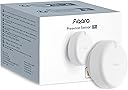
The Aqara Presence Sensor FP2 is a wired mmWave radar motion sensor that covers up to 40㎡ with 30 customizable zones, detects multiple people simultaneously, and supports fall detection when ceiling-mounted. It integrates seamlessly with major smart home ecosystems without needing a hub, operates with USB-C power (no batteries), and prioritizes privacy by using radar instead of cameras. Its local automation capabilities ensure reliable performance even offline, making it ideal for advanced home automation and elderly care.


| ASIN | B0BXWZMQJ3 |
| Antenna Location | Presence Sensor for Moving and Still Detection, mmWave Presence Sensor Home Automation, mmWave Presence Sensor for Fall Detection, mmWave Presence Sensor for Light Detection, mmWave Presence Sensor for Sleep Monitoring |
| Battery Description | Battery not included |
| Best Sellers Rank | #8,970 in Electronics ( See Top 100 in Electronics ) #33 in Motion Detectors (Electronics) |
| Brand | Aqara |
| Built-In Media | Presence Sensor FP2 ×1, User manual ×1, USB-C to USB-A Cable × 1, Metal Plate × 1, Sticker × 1, Screw Kit × 1 |
| Color | White |
| Compatible Devices | Alexa |
| Customer Reviews | 3.6 out of 5 stars 2,502 Reviews |
| Frequency | 60 hertz |
| Item Dimensions D x W x H | 2.51"D x 2.51"W x 1.14"H |
| Item Type Name | Human Precense Sensor |
| Item Weight | 2.72 ounces |
| Lower Temperature Rating | 14 °F |
| Manufacturer | Lumi United Technology Co., Ltd |
| Maximum Range | 8 meters |
| Mfr Part Number | PS-S02E |
| Model Number | PS-S02E |
| Mounting Type | Ceiling Mount |
| Number of Items | 1 |
| Number of Packs | 1 |
| Operating Temperature | 14 °F |
| Power Source | DC |
| Temperature Range | 14 °F |
| UPC | 192784000830 |
| Unit Count | 1 Count |
| Upper Temperature Rating | 104 °F |
I**.
Amazing sensor, easy for techy people to operate.
This product is absolutely amazing. I love having the ability to set multiple zones and each having different routines/automations. It is very easy to use and not having to worry about batteries is a major plus. If it's this good now, I can't wait to see the company's future products. Well worth the price! Update, still works very well. Once in awhile it has detection issues where one person won't be detected. I would like to see a microwave sensor that would really add functionality. With this one sensor I was able to remove 4 motion sensors. I can't wait to see the next version of this amazing sensor. No batteries required+++
J**B
Great Device That Needs Tweaking
I've been incredibly excited for this to come out. I was able to purchase an FP1 model from Alibaba a few months back, which was never sold in the US, and it had promise but the motion detection capabilities were very lacking. I had to pair it with an Aqara motion sensor to get the best results. So when they talked about this version I was excited to see the updates made. Overall I really like this product but be warned, it's not perfect and definitely needs to be tweaked, hopefully future software updates will fix some of the things I ran into when setting it up. You really need to set up your zones in the Aqara app before you start messing with it in Homekit. I was able to purchase 2 of these, one for my kitchen/living room and the other in my master bathroom to replace the FP1 and Aqara motion sensor. For the kitchen one I've set up 4 total zones to control my Homekit devices, the main one being in the kitchen where I have 2 NanoLeaf lightstrips under my cabinets. When you walk into the kitchen the lights will turn on and when you walk out they'll turn off. Took a bit of time to get the zones worked out correctly but after messing with it I was able to get a good result. It's not perfect as it sometimes doesn't register that you've entered the kitchen or left but I'd say since tweaking everything in the beginning it works 90-95% of the time as I'd expect. In the master bathroom I set up 4 zones with 2 primarily being used to control devices. The bathroom area turns on the main lights from my Meross dimmer switch and the shower area turns on the shower light and shower fan with both regular Meross switches. Initial placement didn't work out very well as the bathroom mirror seems to mess with the sensor so I moved it to be over the mirror to get it out of the sensor's view and that seems to have fixed a lot of the initial issues I was having. The glass shower door seems to mess with it a little bit but overall like the kitchen one it's working 90-95% of the time as I would hope. I think after some more software updates this will be even better over time. The motion sensing actually works really well when it's functioning properly. It's incredibly fast, even faster than the regular Aqara motion sensors. The design of the FP2 is better than the FP1 as it's flatter and you can remove the cord from the sensor itself which uses USB C. The mount is very smart in my opinion as it is magnetic. So you get an adhesive sticker that you put the included metal disk on and your sensor sticks to the magnet which makes it so much more convenient to take off if needed. All in all I'm happy with the purchase but I will say it's a bit overpriced. I was hoping for this to cost around $50 so when I saw $82.99 I was in shock, thankfully at launch they did have a 15% coupon that helped a bit but I'd say if you can wait I'd wait for the price to drop a bit.
M**M
Useless junk
Got this to use for presence detection in my bedroom. Unfortunately it has far too many problems to be useful. Minimal annoyance, this comes with a short USB cord but does not come with a power supply so you'll have to buy that separately. That's probably the nicest thing I can say about the product though. First, the setup is quite annoying as it requires an app with an account to set up the sensor, even if you only want to use it local with Homekit connectivity. There are also many confusing, contradictory, and vague labels and descriptions in the app that I'm guessing are related to badly translated words or unknown differences between parts of the world and no good descriptions such as which sensitivity is for what size room in quantifiable units. It is also very vague and confusing how you set up the detection zones/squares and then attempting to use the guided/automatic setup generates errors saying something can't overlap but doesn't really explain what is overlapping or wrong to guess how to fix it. Worth noting, Homekit integration (at least with Home Assistant) only shows a true/false indication of presence in a zone, not the count of how many people are in a zone like the Aqara app reports. So don't plan to use this to do something like tell if you have 1 vs multiple people in an area. Assuming you get it set up, it doesn't seem to work well. I tried having it in the middle of a wall as suggested, as well as in different corners of the room. All of these had massive mis-detections with numerous false-positive and false-negative results. I tried running the "AI learning" mode, however it didn't seem to help much. If I ran "learning" with my ceiling fan off, it would work decently until I turned the fan on or the blades were moved. If I ran "AI learning" with the ceiling fan on it would work slightly better on false-positives but frequently failed to detect people actually in the room. I'd also tried the "ignore pets" mode (which warns it will miss children) but it didn't actually seem to do anything for reducing false-positives from either of our dogs. Even more confusingly it seemed like it more-frequently would "lose track of" our bigger dog (around 50lb) and more frequently thought our smaller dog (around 40lb) was a person. The other very annoying thing I found was it seemed to have false-detection on stuff that can move around - for example the pillows on my bed being piled differently seemed to be detected as another person and/or it would get confused if I was laying on my side holding a pillow then got out of bed without putting the pillow back up at the headboard would think I was still in the bed after I left the room, or would think 2+ people were suddenly in the room. A similar thing happened when I did laundry and put the laundry bag on a chair until I got to folding the clothes it thought there was a person randomly in the chair. And again with a suitcase that I put down after a weekend trip when I didn't have time to unload and store it immediately. I also briefly tried this in our livingroom but it had many issues there too. It frequently "lost track of" where I was if I sat on the sofa behind a table in the middle of our room for a couple minutes but then getting up would think I was a 2nd person. Do that a couple times and it thinks there are 4 people sitting on the sofa when I'm the only one in the room and would not "clear" the ghost-people until I forced a re-learning or power-cycled the unit (and then that wouldn't fix the problem, just cleared it until I sat down again). It seems this product is aimed at only people who have a perfectly clean room with nothing in the middle and nothing that ever gets set down or moved, and does not have any ceiling fans. I guess maybe an office building or schoolroom might work acceptably but it sure is not suitable for a residence where you have personal belongings that can be picked up or set down on different furniture or might not put everything away instantly upon returning home. It also seems unsuitable if you have pets. I can't recommend this unit, especially given its quite expensive and requires constant power. I'm going to stick with inexpensive PIR sensors.
H**5
Excellent Smart Sensor, Previous Shortcomings Improved
Ok first, earlier reviews that talk about the shortcomings of the app and installation were on point at the time of their writing, however, with updates to the app and device, that is no longer the case. The app is much more intuitive and I’ve had no issues with detection and clearing. So much so, I now have three. I have one in the master bathroom, one in the kitchen, and another in the garage. These are all places where we might be for a while, moving too little for a traditional PIR motion sensor to pick up that we’re still present and so cut off the lights on us. This sensor is double the price of other motion sensors out there, but then there is a Great Deal more going on under the hood with this sensor. Also, the device is not battery powered, which I love. One less to keep up with and given all that it’s doing, you would be constantly changing the batteries anyway. Now if you want to add this device to Home Assistant as I did (it was useless to me otherwise), that too is an absolute breeze as an Apple iOS user, as long as you know how to do it - Apologies , I cannot speak for the Android path. There’s only one video out there describing it. It’s important that you know that this device DOES NOT require the Aqara hub as their customer service will tell you. In fact, it’s actually incompatible with it. The hub is used to add Zigbee based devices and the FP2 is WiFi based. It does not use Matter for the connection either. When adding the FP2 via the Aqara Home app in iOS, the app will automatically add the device to the Apple Home app. Once the entire set up m/config process is complete, you just need to open the Apple Home app, use the ellipsis in the upper-right to navigate to the room you selected for the device and remove either the luminosity or presence sensor from the app. Now open Home Assistant, navigate to Settings —> Devices and look for an as yet configured HomeKit integration with “FP2” in the name. Click configure and it will ask you for the 8 digit PIN code that is just above the QR code located on the swing arm on the back of the FP2 sensor. Once entered, the device is now available for automations and you done. Again, while this process is a cinch to execute, it is anything but intuitive so the process could either use some work or at the least they should make that process clear in the instructions or that the sensor ties itself to Apple Homekit. I also think they should make it clear in both the instructions and on the item page in Amazon that the FP2 cannot be added to the Aqara hub rendering the hub irrelevant for the FP2. Other than that, this sensor hits all the marks and is Exactly what we needed.
R**N
Lots of Potential, But Firmware Needs Improvement
The Aqara Presence Sensor FP2 is a promising device which has the potential to transform smart home automation. I will echo the reviews of others who feel this device is in a beta state. I consider myself very technical, but there has been a lot of trial/error and tinkering to get the FP2 configured properly. I am currently using the device with the Aqara app, and exposing the zones to Home Assistant via the HomeKit integration. The FP2 is very quick to detect when someone enters/exits a room and trigger automations. Each zone created in the Aqara app comes into Home Assistant as its own presence sensor which can be used to trigger automations. The light sensor is also exposed to Home Assistant, so lighting automations can only run if the light level is below 100 lux, etc. While $82.99 is steep for one sensor, combining multiple zones with the lux sensor opens the door to some incredibly powerful automations, with the potential for big electricity savings in the long term. However, multi-person detection is flaky and inaccurate at best. I have these set up in the corners of a bedroom and living room mounted approx. 5’-3” above the floor, with edges, entrances/exits, interference sources, stickers, and zones all configured in the Aqara app to match my room layout. Aqara’s support recommends a wall mounting height of 1.4-1.8m, and corner placement gets you the best coverage due to the sensor’s 120 degree FOV. Frequently, I will get up and leave the room while my wife is in bed or on the couch, and the sensor will turn off all the lights while she is still in the room. In its current state, I cannot fully recommend this device as a replacement for PIR motion sensors, at least for scenarios where tracking multiple occupants is important. I’m hopeful that this will be improved via future firmware updates. Aqara’s other sensors are great and the company has a good track record of improving their products, so we’ll see what happens. As exciting as the potential of this device is, it’s not quite ready for primetime yet.
M**O
New tech to identify a fall with out device on the pearson.
Got the products next day. Able to set up the system with few minutes. Aqara pressed Sensor FO2 able identify fall accurately. Hope there is a system to call a phone number when it detect a fall or movement in a room. After installing it, I came to learn this is not at all effective system for any thing. This never generate alarm to check for anything. Not able use as monitoring to identify a fall because the system do not have provision for alerting. Who need system where you have observe 24 hrs to identify a fall. If you are going to install on ceiling where you get your power source? If you don’t have a power source in the ceiling you need to spend lot money to install a power plug to power it.
D**5
I wanted to like it....but seems like a "beta" product..don't buy just YET
I'm very much into the Smart Home with both Home Assistant and Apple Homekit. I have a ton of smart devices and a lot of automations. I really, really wanted to love the FP2 but it has some significant teething issues. I'm using the latest 1.1.6 firmware as a reference, and the iPhone v3.2 Aqara app: 1. The iOS Aqara Home app will frequently freeze and not show my location in the room in real time. I have to force quit the Aqara app dozens of times while mapping out a new room. The FP2 seems to be OK, as Homekit/Home Assistant still gets real time updates. This seems to be an iOS App problem, not a sensor problem. 2.On a few occasions when saving a zone I get a popup error saying the zone can't be saved. I have to exit creating the zone (losing my zone work), then re-create the zone. This only happend 3-4 times while setting up several rooms. 3. Often the FP2 will show multiple people in the room even though there is just one. A lot of room map changes and setting 'absence' state when I leave the room does help, but doesn't totally resolve the problem. 4. Each FP2 calls home to USA Amazon/AWS servers exactly every 15 minutes, even though I have NO cloud integrations configured. I'm ONLY using Homekit. 5. Automatic room mapping doesn't really work at all. 6. Although the FP2 has a USB-C port, the FP2 does NOT support USB-C power delivery. You MUST use a USB-C to USB-A cable for power. Big design flaw. 7. You can't add "height" information to Interference sources. So if I have a ceiling fan right over a zone (like a couch), I can NOT add the interference zone as it sees the couch as a zone and I can't say the interference zone is 'on the ceiling'. So I'm unable to add ceiling fan interference zones. 8. Stickers have a maximum size, which often are not large enough. I have a very large couch and also a kitchen island. None of the stickers can be enlarged enough to match the real physical size. 9. You can't rotate the "door" sticker in all the possible orientations, such as which way the door swings. 10. Tracking multiple people in a room is VERY buggy. 11. Aqara is a Chinese company, and some of the English localization in the iOS Aqara Home app is awkward. One screen still had some Chinese on it. 12. I don't have any pets, but I've read reviews that the FP2 is hit or miss on whether it detects pets or not. Aqara is supposed to release a future update to better detect or ignore pets. 13. Using the FP2 in the bedroom for tracking sleep zones can be buggy, and doesn't always detect presence throughout the whole night. Aqara is supposed to release a firmware update to help ix this. When the FP2 works, it's like magic. But the 'magic' is greatly tarnished by the firmware and app issues. So I would NOT purchase the FP2 in it's current state. I would give it a month or two of firmware/app updates to see if they can address the issues above. Many people on Reddit and other forums report the same issues, so I know it's not just me.
C**J
Presence sensor from the future
I had to buy another one of these for my main floor after seeing how it worked in my basement. I'm very impressed with the accuracy and ability of this presence sensor. I have each of my main living spaces split up into about 7 zones each with their own automations (lights turning on, etc) using HomeAssistant. It's not perfect with accuracy, but it's very close, and better than I've gotten with PIR sensors and ESPHome mmwave sensors. Those sensors only detect presence, but this Aqara sensor gives a highly accurate (again not perfect, but VERY good) 2-dimensional (x,y) representation of where the "presence" is in the room. Accuracy is highest with only one person in the room, and it maxes out at about 5 people as far as telling where they are. However, even with that, it still does a great job with general presence. For setup, this WILL take a bit of time. No, it's not complicated. But yes, it takes a decent amount of configuration. I love playing with home automation projects, so it wasn't a chore for me, though some people who want things to "just work" may not enjoy the setup. It takes a bit of configuring, because it's extremely versatile. For my setup, I had to install the Aqara app and configure it through there first. I then calibrated the sensor, setup the zones with names, etc. After that was done, I added it to HomeAssistant, which does not see the x/y map but instead a list of binary sensors for each zone I configured and if presence is detected in them or not. It also exposes a binary sensor that reflects if any of the zones show presence or not. Lastly, it provides a light (lux) sensor which seems pretty accurate. I haven't tried the other features light sleep monitoring, etc. My main need is presence detection by zone, and I'm very happy so far!
W**K
Excellent sensor but some minor issues.
I have bought another one….i liked it so much. Great presence sensor but the reviews that it can detect a heart beat are a little optimistic. 1. It’s finicky to set up so recommend you perform a factory reset after initial plug in to start, then add it to Apple HomeKit. 2. Make sure you have let it set up its AI empty room scan after a few minutes of the room being empty. It works great . I’ve smaller rooms to our American cousins so in the UK I only use about 1/3 of the available zone range. In general it’s fairly immediate but can occasionally take enough seconds to take 2-3 steps into a dark room before a trigger happens. I only experienced ghosts on initial setup and before the AI room scan was completed so in general it’s been fine detecting presence. And in general it does a fine job of not triggering a leaving event until I actually leave But…… I have been able to stay still and empty room event triggered but it is quite hard to do. If for any reason you wanted the presence mode setting to keep a light on in a lounge even if you fell asleep, then this might still turn a light off. I haven’t tested or needed the fall mode or sleep monitoring modes. Regardless of the finicky setup and rare moments of it thinking you are unalive, it does work great and much much better for your home automations under Apple HomeKit than what a Pir sensor can do. 100% recommended.
A**9
Capteur précis avec intégration Home Assistant via HomeKit, mais nécessite une alimentation filaire
Je suis très satisfait de l’Aqara FP2, notamment grâce à son excellente intégration avec Home Assistant via HomeKit. La configuration est simple et les zones de détection définies dans l’application Aqara fonctionnent de manière fluide pour détecter l’occupation. Le capteur est très précis, et il s’intègre parfaitement dans des projets domotiques avancés. Cependant, il y a quelques points à améliorer. Par exemple, il n’est pas possible de récupérer le nombre exact de personnes occupant une zone, ce qui pourrait être une fonctionnalité utile pour optimiser les automatisations basées sur la présence multiple. En outre, il est important de noter que ce capteur nécessite une alimentation continue, ce qui peut parfois rendre son intégration plus complexe si l’on souhaite éviter les câbles apparents. C’est un point à prendre en considération lors de l’installation, notamment dans les espaces où l’esthétique est importante. Aussi, les différents modes de détection (détection classique, détection de chute, et analyse sommeil) ne sont pas combinables et fonctionnent séparément. Bien que chaque mode soit efficace dans son propre contexte, pouvoir les utiliser simultanément serait un réel avantage. Malgré ces quelques limitations, c’est un excellent produit pour ceux qui recherchent une solution avancée de détection de présence et d’occupation. Je recommande vivement cet appareil pour sa fiabilité et son efficacité, surtout pour les utilisateurs avancés en domotique.
L**K
Samen met een Aqara Hub heel gemakkelijk te gebruiken
Ik ga deze melder gebruiken om enkele ruimtes die met elkaar verbonden zijn in één keer goed te in kaart te brengen (met een Aqara hub) en zo de verlichting slim te kunnen schakelen. Ben benieuwd of dit goed gaat lukken maar na het zien van wat Youtube videos zal ik probleemloos moeten gaan. Mocht het toch niet helemaal gaan zoals ik wil dan is het een optie om eventueel nog een te bestellen en die toe te voegen.
S**5
Präziser Sensor für komplexe Automatisierungen - ein Muss für jedes Smart Home
Habe den Sensor seit fast einem Jahr im Einsatz und kann nur sagen: Der Aqara FP2 ist ein fantastisches Gerät, das meinen Smart-Home-Alltag auf ein komplett neues Level gebracht hat. Ich habe ihn in HomeAssistant integriert und steuere meine Automatisierungen via NodeRed. Damit steuere ich nicht nur die Beleuchtung, sondern auch die Monitore meines PCs und den Fernseher. Die korrekte Positionierung des Sensors ist hierbei entscheidend, daher sollte man sich etwas Zeit nehmen, um den perfekten Platz zu finden. Hat man diesen einmal gefunden, funktioniert der Sensor tadellos. Bei mir gibt es keinerlei Ghosting oder falsche Erkennungen. Die Zonen habe ich in der Aqara-App eingerichtet und nutze sie dann weiter in HomeAssistant und NodeRed. Der Sensor bietet vielfältige Anwendungsmöglichkeiten. Hier ein paar Beispiele, wie ich ihn verwende: Wenn es draußen dunkel wird, folgen mir meine Lichter automatisch durch die Wohnung. Früher habe ich das mit Bewegungsmeldern realisiert, die allerdings deutlich langsamer und fehleranfälliger waren als der FP2. Dieser reagiert fast instant. Wenn ich einen Raum betrete, gehen die Lichter an, und sobald ich den Raum verlasse, schalten sie sich wieder aus. Mein Fernseher pausiert, sobald ich den Sofabereich verlasse, und spielt weiter, wenn ich mich wieder hinsetze. Ich verpasse nichts, selbst wenn ich mir etwas zu trinken hole, und muss dabei nicht einmal die Fernbedienung anfassen. Ähnlich funktioniert es mit meinen PC-Monitoren: Verlasse ich die Schreibtisch-Area länger als zwei Minuten, gehen sie in den Ruhezustand und schalten sich wieder ein, sobald ich den Schreibtisch betrete. Das funktioniert so gut, dass sie noch während ich mich in meinen Stuhl setze, wieder verfügbar sind. Zumindest in meiner Konfiguration ist der Sensor extrem zuverlässig und macht mein Leben deutlich komfortabler. Selbst bei Besuch kommt er nicht durcheinander. Die Kombination aus präzisen Zonen, schneller Reaktionszeit und reibungsloser Integration in HomeAssistant macht ihn für mich mittlerweile unverzichtbar. Fände es für zukünftige Modelle noch schön, wenn man die Möglichkeit hätte, den Sensor direkt via LAN ins Netzwerk zu bringen. Aber dank Ubiquity APs konnte ich trotz WLAN noch keinen Verbindungsabbruch oder ähnliches feststellen.
D**N
スマートホームを構築するならこれは必須!
エリアごとには人を探知してくれるので、細かく照明や、エアコンなどの動作を指定できます。 例えば、ソファに座ったときにソファ横の照明をつくように設定することも出来ます。 元々は、赤外線の探知機能を持つデバイスを使っていましたが、赤外線の場合、動いてないと人を探知できないのですが、こちらのデバイスの場合は、動いてなくても探知してくれるので、すごく便利です。 スマートホームの構築を検討されているのであれば、是非試してもらいたい商品です。
Trustpilot
1 week ago
5 days ago