








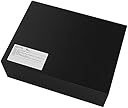

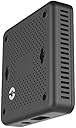
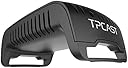


TPCast Wireless Adapter for HTC VIVE - PC
Product ID: 53698943
📶2K wireless transmission
🔋6-hour battery life
⚙️Plug & play setup
🚀 Cut the cables, not the experience — VR freedom unlocked!
The TPCast Wireless Adapter transforms your HTC Vive into a cable-free VR powerhouse, delivering up to 2K resolution streaming with a robust 6-hour battery life. Designed for easy installation without hardware modifications, it uses a high-bandwidth antenna system to maintain low latency and smooth gameplay, giving you the freedom to move naturally in virtual worlds. While setup can be tricky and performance depends on your network speed, it remains a top choice for professionals seeking untethered VR immersion.
| ASIN | B074D471C4 |
| Batteries | 1 Lithium Polymer batteries required. (included) |
| Best Sellers Rank | #140,489 in Video Games ( See Top 100 in Video Games ) #32,279 in PC Games & Accessories |
| Customer Reviews | 3.2 3.2 out of 5 stars (111) |
| Date First Available | August 15, 2017 |
| Is Discontinued By Manufacturer | No |
| Item Weight | 3.31 pounds |
| Item model number | CE-01H |
| Manufacturer | TPCast |
| Product Dimensions | 22.64 x 8.78 x 13.82 inches; 3.31 Pounds |
| Release date | December 29, 2017 |
| Type of item | Video Game |
K**Y
Amazing but if your connection speed is average, you might have problems!
I have to admit, after reading the reviews and researching and making sure this would be something worthy, I finally bought this and got it yesterday. I was worried from the start that this was going to be a waste but I was so hopeful due to the fact that the INTEL wireless adapter was not an option for me because of the laptop set up. I was so disappointed because INTEL is the real deal and backed by the company 100%! I got all the items and started the set up. I was scared as @@&)&!$ after paying out $300 for this thing, all I could remember is saying to myself please work please work lol! Got everything set up, lights blinking everywhere, the manual totally sucked and didn’t tell you jack! I quickly turned to Utube for help. It took me exactly three videos and almost two hours later to get everything connected. The router was connected wrong and the headset was not recognizing the receiver. If you have a TPCAST or you are thinking of getting one, you have to sync the headset receiver to the other receiver that will be placed higher than you. It doesn’t have to be next to a base module as explained in one of the videos. Your other connection from your computer to the router has to be connected in one of the yellow ports, not the blue one if you are running WiFi to your set up. This was part of the frustration for me after understanding this. FINALLY after almost two hours everything was on and ready to go. Make sure you power down everything if you run into a problem during set up, it will NOT recognize anything if you just simply restart your set up. Unplug and shut down everything. Once that’s done and you download the software from the website, it will check to see if everything is connected. I have a Alienware 17r5, the connection to TPCAST is flawless and smooth as butter! I think one of the issues that some people are having is if your internet connection speed is not above average, your going to have issues. My connection is the fastest speed/connection that Comcast has and it worked flawless. I would definitely recommend this product to anyone. But, the set up is a mother LOL! Other than that, this is a five star rating for me! Update: 10-26-18 so the TPCAST is still working great. One small issue. When I first start it up it says that the VIVE has an error 208. Simply unplug the unit box, USB cables and HDMI cables only. After re connecting them, reboot the VIVE through steam and presto, your back in business. I was able to enter VR games, quit those games and enter other games with no interruption. Now I know this isn’t how things are suppose to work. The playing and selecting should be flawless. Unfortunately that’s not how it works for me and I’m ok with the extra small steps to get it to work over all. This is still a 5 star rating for me. The only mistake I made was getting the laptop because although it’s a powerful machine that can run VR, a desktop is just going to be better because of the upgrade options. So, I bought a desktop lol. Now the other option for it is the intel wireless which should perform much better and consistently than the TPCAST. But, it still works. If it’s not completely broke, don’t fix it lol!
R**N
Hot garbage, bricked before a month in
The Good: - When it's working it doesn't drop frames and has low latency - Five hours worth of charge The Bad: - It's not just a three-piece setup, the simplicity is oversold - You need to add in an additional (included) router - You lose front camera functionality (can't use chaperone mode with camera) The Ugly: - It's a temperamental bugger. Took ages to set up initially and then it worked fine for a while but after that it all went to hell. - Instructions are worse than useless and refers to sections that are not even present in the user guide. Needs better localization. - No troubleshooting steps in user guide and troubleshooting recommendations on site are copy-pasted from user guide. Lack of support. I like what it promises but ultimately it fails to deliver. It's more frustrating than anything else. UPDATE 2018-01-14: So after using this for a while I have some additional tidbits. Part of the connectivity problems stem from how the software interfaces with SteamVR. If you can't get it to connect the first time here's my recommended steps: 1. Close out Steam entirely and relaunch SteamVR. 2. Repeat previous step and also close out and restart the TPCast software. 3. Repeat previous steps and also unplug/replug battery and cables. It turns out there is a troubleshooting guide that wasn't immediately apparent or in the documentation. I found it only by clicking the text in the software saying "HMD not bright?" Link here: tpcastvr.com/vive-errorcode The hardware can suffer frame stuttering as time goes by due to the receiver on your head starting to overheat. It *really* should have been built with active cooling because sometimes it heats up enough I'm worried it's going to set my hair on fire. One 5V fan can't cause that much EMI on the 5GHz band :/ Update 2018-01-22 Well it's dead now and won't even connect anymore. Support is unresponsive so off to the return bin it goes. It powers on but beyond that it's a brick. I'd go through the whole warranty process but at this point it's just worn me down enough I no longer care. I'll try this again after the Vive Pro comes out.
D**.
To buy or not to buy, I will answer this for you.
*UPDATE* 4/10/19 after nearly a year use. This has been running without fail for a long time now, it seems as if things have matured. Vive Starts every time for at least 3 or 4 months now. Original Post--- Many of you (like myself at one point shortly ago) were wondering if this wireless device is worth it. I am here to answer that question for you. Concerning the green light on the edge of the lens. This is nearly a non issue. It is there, but barely visible if there is a dark screen such as during loading times. It is COMPLETELY invisible during game play. In fact it was days and days of use before I even noticed it. Do not let this be a factor in you decision. A non issue. Concerning the “whine” coming from the transmitter. I have none. Not at all. I am not sure if this is newly fixed or a random event that some people complain about. But in either case. I have no noise at all. Concerning latency and general usability. Nearly perfect. When I am playing, I notice no difference in lag or latency. It works the same as wired, only no wires! The immersion is so much better. I have about a hundred hours now of play time with the wireless, occasionally you will get a small drop (grey screen) for a few seconds, but that is about it. I can play Skyrim VR for hours and will have a drop out only a few times. So it is not perfect, but not a deal breaker. I have my satelites 20 feet apart, further than recommended. I have a huge room play area. So I am really testing the limits of the satellites and wireless ability. Again, results are about the same as wired. At this point, I could never go back to the wires. So here is my issue. Getting the headset to light up is somewhat challenging. Many users experience the same issue. Often you must restart the “ritual” of rebooting PC, restarting the TPcast software and finally the SteamVR software. If it is a good day, the headset will light up and off you go. Once the headset lights up, you can play for hours and hours without any trouble. If the Vive does not light up, A tip to all the frustrated users- simply unplugging the diplay port cable (which I use for the Vive) from the computer, and plugging it back in will get things going. But before I discovered this tip, truth is that I had spent 10 or 20 minutes some days trying to get it going, frustrating. There seems to be no logic or explanation for this, and appears to be a common event as reported by forums and reviews. I experience about a 90% rate of success, there have been a few days that I gave up and could not play. Only to try later that day, and miraculously everything works fine??? I have worked with TPCast support several time and they were quick to help, but didn't have a solution for me. They suggest rebooting etc. as described earlier. Setup of the hardware was relatively easy, a little time consuming, but not bad. It does work with the Deluxe audio strap which I have and recommend. I didn't have any trouble at all with set up or downloads. The battery life is really good. I have yet to run out. I get a true 4 or 5 hours of play, which I can never use in a session. If you have multiple users in your household, consider an additional battery because the take a long time to recharge, typically overnight. So to do or not to do. I always believe that if I'm going to do something, I might as well go all in. I want the best experience possible. But for most people, truthfully it depends on you wallet. If $300 is not to big of a deal, then go for it. The immersion and usefulness are worth every penny. You will likely be frustrated from time to time attempting to get it going, but not as happy as you will be when you are using it. But if the money is a stretch, you might want to hold on until prices drop or more mature connectivity is available. I hope this helps.
D**N
Terrific! Works exactly as expected!!!
After reading other reviews I was seriously concerned that the product was not ready for sale. However I decided to take a chance and order it anyway. Yes it does take some to set up, but it really isn’t too bad. The written instructions are ok, but I found the video tutorial easier to follow. I suggest watching it once or twice all the way through, before attempting the installation. There are numerous typos and grammatical errors, but they aren’t a big problem. Having used the TPCast I’ll never go back to wired. Latency is not noticeable and the ability to walk around unthered is awesome! Buy an extra replacement battery.
J**D
it was pretty cool being cordless
First let me say that, it was pretty cool being cordless, and it "not working" is not the reason that I didn't like it. There were numerous issues that contributed to me not liking the product. 1) Green circle out of the corner of your eye. I contacted support and they said it was a known issue and they were working on it... which is scary, since my device couldn't have been the first or second sold... how long have they been working on it? there was no eta on a fix either... 2) Transmitter emits a very high pitched whine when in use, this is normal according to support... It might not be a huge issue if I was the only one in the room and was using headphones, however... 3) The wireless router that is required and is not configurable (there's warnings not to reset or re-configure it). If you have only 1 net card in your computer like me, this router will hijack your IP and place your computer on a different subnet. This effectively cuts off your computer from the rest of your network. Why this is an issue is that I use Steam Link to stream my desktop/audio to my home theater system when I use VR so that I don't have to use headphones for games like Audioshield. Steam Link will not find your computer if it is on a different subnet, so you either need to run your steam link off of the same router (requiring re-cabling) or have a 2nd net card. The problem is even a 2nd net card (which I bought solely for doing this) you have to screw around with settings before/after you start up the TPCast software to get things working... Which brings it back to #2, even once it was working the high pitched whine of the transmitter made it more or less unbearable. The product did work without any issue as far as quality loss, so if you don't use SteamLink (or anything else that might be sensitive to the subnet in order to find your computer) and you use headphones with no one else in the room then this is a great product.
R**K
Wait for an alternative. Wireless VR isn't here yet.
The TPCast is a great idea, but horribly executed. Starry-eyed about no longer being tethered down by a cord, I looked up some YouTube reviews about the product. While they did mention some of the downsides, I believe that many VR enthusiasts downplayed the TPCast's flaws due to being so excited about the prospect of wireless VR today. I too shared the same enthusiasm and dropped what came out to about $350 after tax and shipping. While it did technically deliver a wireless VR experience (which was awesome at times), the TPCast does the bare minimum in every other area. The following issues I had with the TPCast are not only common issues that every buyer seems to be having, but they end up overshadowing the novelty of wireless VR very quickly: 1) It cripples your internet. This was the number one deal-breaker for me since I actually like playing a few online VR titles (Bridge Crew, Elite Dangerous, Orbus, etc). Personally, I use LAN for internet since Wi-Fi is much less reliable, and like any reasonable motherboard I have one Ethernet port. Well, the TPCast needs that LAN port apparently (instead of just being able to connect to your existing network...) so I have 2 options: - Run my internet connection through the TPCast rounter, which is limited to 10Mbs! Christsake TPCast this is 2018!) - Unplug my LAN port and switch to Wi-Fi every time I want to use VR, which wouldn't be a problem if the TPCast router didn't cause so much Wi-Fi interference that a simple Google search takes 30-120 seconds. To the apologists saying I should just buy another network card, if that hardware was required it should be included. I am judging this based on how it comes out of the box. 2) The green line. I honestly didn't notice it at first. I have my headset pushed away from my face to fit my glasses, but I was playing with contacts and I noticed it out of the corner of my eye. I searched around to see how to fix this bug but apparently artifacting is just part of the package? 3) Tracking was noticeably worse. I don't know if it's a CPU bottleneck, wireless interference, or what, but I noticed my tracking stuttered so much while using the TPCast that I started to measure lost tracking and re-projection on some more demanding titles. I encountered an average of 12 tracking stutters per hour and 10-20% more reprojection in certain titles versus wired VR (4790K, GTX 1080 if you're curious). 4) No camera or mic. These are more than just "nice-to-haves". The camera and mic are an integral part of the experience for many players and games. The community allegedly has a fix for this through open source firmware updates, which proves that the hardware is capable, but TPCast just couldn't be bothered. This device is the embodiment of most non-enthusiast's complaints about VR. It's a cool proof of concept, but it's a pain to use and is certainly not ready for the consumer market. I think I'll wait to see how Intel's wireless tracking performs. They have much more R&D and a solid QC reputation for the most part. Either way, I think I'll steer clear of the TPCast 2.0 regardless of what it promises. I did not try OpenTPCast as it was already a tedious process and I didn’t want to have to mod the crap out of everything just to get it to work properly. I’m honestly wondering why if these open source fixes exist, why they don’t implement them out of the box?
R**.
As a wireless Vive solution, it works and works great for me!
A little finicky to use, and a little tricky to set-up, but definitely works as advertised. I have a very low-latency, high-quality wireless VR experience with the TPCast. Sometimes, in order to get it to start-up the headset display, I need to re-power the HDMI transmitter and sometimes the receiver, but more often than not it works right away. I can always get it running quickly and once running I haven't had it stop working. I have two Ethernet ports, so I use one exclusively for the TPCast router. The lines on the outer edges... I see them if trying, but not during normal use. The transmitter whine... yes it does, but not really an issue for me. I am surprised that others find either issue a deal breaker. It's a generally inexpensive unit and has worked great for me. I use the OpenTPCast software, but had no issues with the TPCast version either. I just liked the idea of knowing a little more about how things were working. I'd recommend it to anyone with a bit of tech experience. Looks out of stock now, but at the $299 I paid, was worth it to me.
E**Y
Flawless tracking for better immersion
You can't fully appreciate a room scale VR experience without full immersion. With a cord, you always need to be careful not to trip on it, or over-twist. Just the feeling of it dangling around your leg can pull you out of the experience temporarily. Another thing that you may not hear from other reviewers, is the possibility of the losing connection because the cord is always moving, which would force you to reset a connection every hour or so. This was a major drawback in our VR experience. The TP-cast Wireless Adapter is a little on the expensive side, but it performs well. Even better than I expected. Theres no noticable latency, and no loss in video or tracking quality. What you get is a sence of freedom, and enhance realism in some games that is so good, it's easy to forget that you're not actually there. That's what VR is supposed to be about, right? One thing that I found a little annoying. if you leave the battery plugged into the TP-link when you're through using it, it will drain it as fast as if you're using it. There is no power switch of sleep function, it just stays on. So you have to remove the battery after every use. I had to get an additional battery because I could never get my kids to unplug it after use.
D**D
A Bad but Good product
The Good: You get complete freedom no wires works well for games like budget cuts also works with the audio strap The Bad: works for about 2months even at first its a troubleshooter and it only gets worse, It comes with a router and a wireless box that connects to the box on your vive headset wirelessly all 3 parts are buggy and as for VRchat users Don't bother this takes more processing power than you think and will lag you HMD out this also happens on other games too and lastly your wireless box that connects to your headset box often bugs out (out of range) even when your stood next to it Verdict: a Good start well-done product, however a prototype at best, Troubleshoot is required everytime you turn it on
E**K
Nach anfänglichen Problemen Top
Mich hat das Kabel bei meiner HTC Vive ziemlich genervt, deswegen habe ich das TPCAST gekauft. Mir war im Vorherein bewusst das Kamera und Mikrofon nicht funktionieren, da ich die bis jetzt nicht gebraucht habe, ist mir das egal. Die Hardware war schnell zusammengebaut, den Router habe ich mit einem Ethernet-USB Adapter angeschlossen. Hier gibt es auch andere Möglichkeiten, aber für mich war das die einfachste Lösung. Die Software muss man von der TPCAST Homepage downloaden, und hier habe ich einen Fehler gemacht. Die Installation der Software brach bei mir mit einer Fehlermeldung immer ab, ich habe die Anschlüsse mehrmals überprüft, aber keinen Fehler gefunden. Ich war dann schon ziemlich verzweifelt, und habe den TPCAST-Support angeschrieben, und sehr rasch eine Rückmeldung erhalten. Es gibt zwei Software-Versionen, eine für die chinesische und eine für die europäische Hardware. Ich hatte die falsche Version installiert, nach Installation der richtigen Software lief alles so wie es sein soll. Den Empfänger habe ich an der Decke montiert, und es ist ein leiser Pfeifton zuhören. Zuerst hatte ich den Pfeifton auch in dem Kopfhörer, was sehr nervig war. Ich habe dann den Kanal gewechselt, die Verbindung neu synchronisiert, und seitdem ist der Pfeifton im Kopfhörer weg. Ich habe keine Aussetzer oder Ruckler, ich sehe keinen Unterschied zur kabelgebundener Vive. Etwas aufpassen muss man bei der Spielzeit, der Akku hat keine Warnmeldung ehe er komplett leer ist, das heist mitten im Spiel schaltet sich dann die Vive plötzlich aus. Das Aufladen des Akku über USB dauert rund einen ganzen Tag, mittlerweile habe ich einen zweiten Akku samt passenden Ladegerät (Ladezeit wesentlich kürzer als über USB) über Amazon gekauft. Mein Fazit: Zuerst was ich mir wünschen würde: Auf der Download Seite von TPCAST Hinweise für welche Version die Software ist, damit man nicht wie ich versehentlich die falsche Version installiert. Ebenso würde ich mir einen Warnhinweis (Akustisch oder eine optische Einblendung im HMD) wünschen, ehe der Akku komplett leer ist, damit man Zeit hat das Spiel zu speichern und zu beenden. Ich bin aber sehr zufrieden, das Spielerlebnis ist ohne Kabel eine völlig neue Erfahrung. Der Preis ist es mir wert, aber das muss jeder für sich selbst entscheiden. Von meiner Seite aus eine Kaufempfehlung
D**Y
Great VR experience
Vive is an amazing VR experience. Feels very immersive. Easy to use controls and for the most part easy to set up. Their customer service is ok, it may take longer then expected to get an answer to your questions but you will eventually get the answer. The only problem I have with Vive is the controller thumb pad button wears out after 200-300 hours of use, so be prepared to repair them.
G**.
BUY IT AT YOUR PERIL!!!!!!
For the few that get it to work it is apparently pretty good. For the rest of us it is a nightmare. I love tec and ive messed around building and repairing pc's since the 8086 came out, but this thing is totally beyond me. I started by following the instructions. then videos. Then tec pages. Then searchs for other people with the same problems. Ive tried different cables. different connections. blah blah blah! Some people get it working and some don't. If you have a spare few hundred pounds to gamble with, be my guest. If not, wait for the tpcast air to become available. That is supposedly working out of the box, like this crap was supposed to do. Gave it a 1 star rating as it dosnt go any lower.
C**K
Schrott ... von wegen kein Kabelsalat
Der größte (überteuerte) Schrott den ich bis jetzt in den Händen gehalten hab... Wieso kann man nicht einfach eine Funkübertragung basteln... Das System erfordert, das man einen billigen TPCAST WLAN Router zwischen den eigenen Router und dem PC schaltet... dies kann ich schon mal gar nicht ab und ruiniert die gesamte Netzwerkstruktur da man IP Adresse und ähnliches nicht verändern darf (Sonst läuft das System ja nicht - das bedeutet ich baue ein WLAN Netz auf zu dem es online überall die Zugangsdaten gibt)... und selbst bei direktem Anschluss findet die Hardware sich nicht. Man kann den Router in das eigene Netz integrieren müsste dann aber anscheinend die IP Adresse des eigenen IP Bereichs auf die des Routers ändern ... Fazit - geht ja mal gar nicht.... und wandert zurück an Amazon Pro: Kabel liessen sich verbinden ... alles benötigte ist anbei Negativ: -Zwang den ein quasi offenes WLAN Netz in das eigene Netzwerk zu integrieren -System anscheinend Störanfällig - selbst wenn man den Router direkt verbindet stockt die App beim Verbinden mit dem Wireless Adapter.... - Passwort für die Anmeldung an der Benutzeroberfläche vom Router steht nirgends.... (Was soll das denn bitte!) - Router darf nicht angepasst werden - da ja sonst die Installation nicht funktioniert
Trustpilot
1 week ago
3 days ago