🖱️ Elevate your workspace with precision and freedom — the MANO 703 touchpad that keeps you ahead.
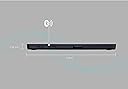
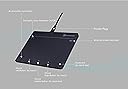
The Keymecher MANO 703 Wireless Touchpad is a sleek, rechargeable Bluetooth 5.0 and USB trackpad designed for Windows 7, 10, and 11. Featuring a large 6-inch multi-gesture surface with haptic feedback, it offers intuitive navigation and dedicated shortcut keys. With up to 30 days of battery life and smart LED indicators, it delivers a seamless, ergonomic experience for professionals seeking versatile, high-precision input control.


| Are Batteries Included | Yes |
| Asin | B0C3LWY5ZZ |
| Batteries | 1 Lithium Ion batteries required. (included) |
| Best Sellers Rank | #140,607 in Computers (See Top 100 in Computers) #100 in Computer Touch Pads |
| Brand | KEYMECHER |
| Color | Black |
| Customer Reviews | 3.9 3.9 out of 5 stars (184) 3.9 out of 5 stars |
| Date First Available | 20 June 2023 |
| Hardware Platform | Desktop, Laptop, Tablet |
| Item Model Number | MANO-703UBV2-BK-FBA |
| Item Weight | 240 g |
| Lithium Battery Energy Content | 1.11 Watt Hours |
| Lithium Battery Packaging | Batteries contained in equipment |
| Manufacturer | KEYMECHER |
| Number Of Lithium Ion Cells | 1 |
| Operating System | linux, linux Linux Windows 10 |
| Power Source | Battery |
| Product Dimensions | 10.21 x 13.72 x 0.58 cm; 240 g |
| Series | MANO703UBV2-BK |
C**S
Reliable bluetooth touchpad for Windows machines.
I got this to mount to my Kinesis Advantage2 keyboard. There really aren't that many options when it comes to trackpads without a wire. There is the Magic Trackpad and then there are "the rest". Most of the rest seems to have issues for many. NOTE: This is for Windows only. They clearly state this, but some may miss it. It does not work with Apple products. This one works perfectly. I am running Windows 11 Pro on a 13th Gen Intel NUC. It supports all the gestures, and comes back from sleep very quickly. The sleep after 90 minutes function is nice for those of us who don't always remember to turn things off. Bluetooth connection is rock solid. There is another bluetooth transmitter that is a special unit to turn a wired keyboard into a bluetooth one literally right next to it. They do not conflict with one another, and there are no drops. I never liked trackpads on laptops because they were hard to use. This is completely different from one of those things. Being able to put it in an easier place to reach (I have also used it next to the keyboard with no issues) makes it very easy to use. I have a wired one on my other keyboard, this one is "better". That one may have an aluminum back, but it FOR ME, it doesn't track as easily on precision movement. No wireless track pad is cheap. If price isn't a consideration, get the Apple one and go on with your life. For half the price, this one is 95% of the Apple one. I am considering buying another to replace the wiredc one on my other keyboard. 5 stars, and worth every one of them.
M**A
Practico.
Muy bueno, acostumbrándote trabaja muy bien.
J**B
Works as advertised and just like the MagicPad.
Works as advertised. I use this with Linux Mint and Windows 10+11 w/o issues. I was going to play it safe and just spend the extra money and get an Apple MagicPad but decided to take a chance on this one instead. Glad I did. Works as well as the Magic Pad. I just wish the angle was steeper....
M**E
Works but so so.
Overall this works well, I do like the gesture functionality. Battery life is just ok. I get about 2 weeks per charge. The size works well for me as well, however, here are my issues: It will not wake up my computer from sleep, and then takes some time to reconnect via bluetooth. The little function icons on the bottom, I am constantly hitting them. I wish they were at the top, above the the pad line. Since there is no functions in that area anyways. The same thing with the virtual keyboard icon. I am always hitting that as well. The other issue is the charging port. Mini USB. . . .??? Really. . . ? Only thing I can think of as to why is that these were produced before the widespread use of USB-C. More cables to have around or to tote. Sensitivity is good but accuracy can be challenging sometimes. Like when you want to resize a window, positioning to grab the edge is ok but it can move when you double click to actually grab it. I have found myself fiddling several times to finally grab it. Three stars, that's it.
A**N
3 days then broken
For 3 days it was actually really well. Then it just stopped working. It turns on, it lights up, it appears in my connected devices but nothing. Whether I plug it in or connect via bluetooth, nothing. Junk. UPDATE: I gave it another try a few days later. Oddly, I discovered that it worked. After more testing, I learned that letting the battery completely die, then plugging it in directly to the computer appears to bring it back to life. However, then once you put your computer to sleep overnight, the next morning it is useless until you let the battery completely drain and start over. Based on this, I suspect there is some kind of configuration/state stored on the device that is conflicting with Windows and letting the battery die is the only way to reset. Still junk, but hopefully this helps someone.
Trustpilot
2 weeks ago
2 months ago