


⚡ Print smarter, faster, greener — stay ahead in the office game!
The Kyocera Ecosys P2040dw is a compact, duplex black-and-white laser printer designed for small offices and home use. It delivers up to 42 pages per minute at 1200 dpi resolution, featuring eco-friendly toner-only replacement technology to reduce waste and costs. With Wi-Fi connectivity and a mobile print app, it offers seamless printing from smartphones and tablets, all while operating quietly to maintain a professional workspace.





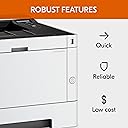


| ASIN | B01MZZ4WAW |
| Additional Printer Functions | Copy, Print Only, Scan |
| B&W Pages per Minute | 40 ppm |
| Best Sellers Rank | 64,122 in Computers & Accessories ( See Top 100 in Computers & Accessories ) 85 in Laser Printers |
| Box Contents | Printer, power cable, toner, DVD (software and manual), Quick Installation Guide |
| Brand Name | KYOCERA |
| Color Depth | 1 bpp |
| Color Pages per Minute | 40 ppm |
| Colour | Black |
| Compatible Cartridge | KYOCERA ECOSYS P2040dw CL-4103 Toner Cartridge |
| Compatible Devices | Smartphones |
| Control Method | App |
| Controller Type | Android, iOS |
| Customer Reviews | 4.1 4.1 out of 5 stars (414) |
| Display Type | LCD |
| Dual-sided printing | Yes |
| Duplex | Automatic |
| Global Trade Identification Number | 00632983040256 |
| Hardware Interface | Ethernet |
| Initial Page Print Time | 1.5 secondes |
| Ink Colour | Black |
| Is Electric | Yes |
| Item Type Name | Mono A4 Printer |
| Item Weight | 14 Kilograms |
| Manufacturer | KYOCERA |
| Maximum Copies Per Run | 42 |
| Maximum Copy Resolution Black and White | 1200 dpi |
| Maximum Copy Resolution Color | 1200 dpi |
| Maximum Copy Speed Black and White | 42 ppm |
| Maximum Print Resolution Black and White | 1200 dpi |
| Maximum Sheet Capacity | 850 |
| Maximum Supported Paper Size | Super/A3 (8.5" x 14") |
| Maximum print Resolution Color | 1200 |
| Model Name | 1102RY3NL0 |
| Model Number | 1102RY3NL0 |
| Model Series | 2040 |
| Network Connectivity Technology | Ethernet |
| Number of Drivers | 1 |
| Number of Ethernet Ports | 1 |
| Number of Trays | 2 |
| Other Special Features of the Product | Auto-Duplex |
| Output sheet capacity | 50 |
| Paper Size | A4 |
| Power Consumption Size | 620 Watts |
| Print media | Paper (plain) |
| Printer Output Type | Monochrome |
| Printer Resolution Vertical in Black and White | 472 Centimeters |
| Printer Type | Laser |
| Processor Count | 1 |
| Product Warranty | Kyocera provides a 2-year warranty for printers*. This manufacturer’s warranty that is given to end-users generally operates on a Return to Base (RTB) policy for desktop and workgroup printers. On a fault diagnosis, the printer will be repaired quickly and reliably by an authorised Kyocera service partner or at a Kyocera Repair Center. *Check with your supplier at point of purchase for exact lengt… |
| Resolution | 1200x1200 or higher |
| Scanner Type | Flatbed |
| Series Number | 2040 |
| Specific Uses For Product | General purpose |
| Total USB 2.0 Ports | 1 |
| Total USB Ports | 1 |
| UPC | 702142500232 632983040256 |
| Unit Count | 1.0 count |
| Warranty Type | limited warranty |
| Wattage | 620 watts |
A**W
This just works as it should.
Install was a bit fiddly with the usual pictures but no text. Both Ubuntu and Windows found the printer straight away. The printer is networked and wakes up when needed and prints beautifully. I bought a Pantum printer 13 months ago and it was nothing but trouble. It's now sitting under my desk while I decide what to do with it. ** Initial switch on takes up to 10 minutes to complete! I thought this was an error. Youtube confirmed a 10 minute initialisation. ** Toner cartridges work out at around £60 for a genuine one. There are loads of cheaper ones available for around a quarter of the price. I have not tried these yet. After all the problems I had, re-booting and re-installing my previous printer numerous times, I am very pleased with this one. This one just works as it should across my network of several PCs. I wish I had found this one before wasting money on the Pantum printer.
D**N
Well built solid machine
Quick and efficient printing. We haven’t had the machine for very long so early days.
F**W
avoid - faulty item turnng into nightmare
Evri and the Post Office will not take the parcel — it's too heavy and the dimensions are not permitted. It's in the identical box it was sent in. This is a faulty item and I need to return it and get a refund.
M**B
Excellent printer
Quiet and efficient. The only problem I have is setting up the wireless
L**A
Fiddly to set up and slower / noisier than I expected but print quality is good
It took me a while to get this up and running - instructions were not clear and I still havent got the wifi to work - ended up connecting with a wire to the router. I've still got no idea what most of the lights mean so hopefully wont have a problem with paper jams or anything else! Speed is about 5 double sided pages a minute and whilst not deafening is not super-quiet either. On the plus side it seems reasonably robust and print quality is pretty good.
P**R
watch out for niggles - not for Macs
Infact this was the P2235dn that arrived - print OK but three things to remember - it is no wifi enabled - that is the dw version; though said to be fully compatible with a Mac it is not - the Ecoprint mode does not work and there are limited printing options; when you unpack it the set up instructions forget to mention to remove all the toner cartridge and drum to remove a piece of tape on the hot wire cleaner see the instructions on cleaning the drum at every toner change. So will not be so cheap to run as they claim.
E**A
Rápida silenciosa y bien empacada. Solo que llego de cabeza. Nada qué le pase trajo todos los sellos de fabrica.
D**H
My wife got tired of the ink jet getting fouled all the time. I got tired of having to clean it all the time. Since my wife mainly uses black and white printout 99% I was looking for an easy to use and reliable printer for her while I took the Ink Jet to my office. I unboxed and carefully followed the instructions about how what to do before turning on the printer. I used the ethernet port plugged in directly to the router. I also went into the router and reserved the IP address for the printer so that DHCP wouldn't keep changing its IP port. If your printer (regardless of the kind you have) seems to keep getting dropped by the network, you may want to do this. Installed the drivers on her desktop and it found the printer, and everything worked. My wife is thrilled that the paper loads from a tray and does double sided printing. Fonts come out nice and crisp and the refill cartridges are somewhat reasonable. To tell the truth all printer cartridges are way overpriced from what they have to be. So far so good. I just hope it lasts a long time.
B**X
Gayet güzel ve kullanışlı
K**E
Solid steady printer at a value price
A**L
Mucha calidad y terminación profesional a el mejor precio.
ترست بايلوت
منذ شهرين
منذ أسبوعين