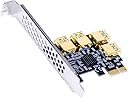
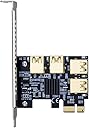
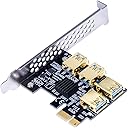
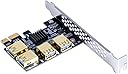
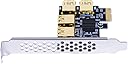
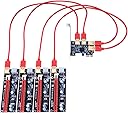
So I bought this card not to long ago I can say that my version has no LEDs whatsoever on it. My main reason for writing this review is to explain some misconceptions with compatibility. This is my setup: Asrock B450 Pro 4 AMD Athlon 3000G Samsung 970 Evo in Sata Mode (To conserve PCIE Lanes) Windows 10 Pro (Latest build as of 4/19/21) (3x) Gigabyte RTX 3070 Vision Cards (1x) Gigabyte RTX 3080 Aorus Xtreme Card (2x) Seasonic PRIME TX 850w Titanium PSUs G.Skill Ripjaws V Series 8 GB (2 x 4 GB) DDR4-2800 CL15 Memory (Because it was on sale) Bios settings: 4G Decoding Enabled Integrated Graphics Disabled Spread Spectrum Disabled 2800Mhz DDR4 XMP Enabled CSM Enabled With that context out of the way lets go over the adapter. I tried using this card in multiple configurations starting with the topmost PCIE 2.0 1x slot on my motherboard with ALL 4 GPUS plugged into it. This worked but only for the system to recognize the cards. Running the mining software is where I ran into issues. While in this configuration Trex Miner that I had been using stable for ages now gave me 2 major errors including "not enough memory to finish DAG gen" and "GPU(1,2,3, or 4 variably) has been inactive for 30 seconds" the miner would then proceed to shut down. I tried PhoenixMiner as well but got similar although less descriptive errors. Next step, I tried the same thing but instead I moved the adapter with all 4 GPUS plugged into it 1 slot lower to the PCIE 3.0 16x slot. Obviously since I assume this is a 4x adapter card that it is actually running in PCIE 3.0 4x Mode. In this configuration Trex Miner worked perfectly fine with the same performance as if they were plugged directly into the motherboard. I did not test PhoenixMiner as I did not have the time to do so. Next step, can I use the 3.0 slot and the 2.0 slot together? So for this experiment I plugged (1) 3070 into the first PCIE 2.0 1x slot and the other GPUs into the 4in1 adapter in the next PCIE 3.0 16x slot. System booted fine and the GPU driver detected all GPUs like in the above tests. However TRex Miner only detected the GPUs attached to the 4in1 adapter and didn't seem to see the one plugged directly into the system, which is odd being that it was the one I was using as my monitor output. Trex miner ran for about 2 minutes before the whole system blue screened and rebooted itself. This was the extent of my ability to test this adapter. My theory is that while it CAN USE BOTH PCIE 3.0 and 2.0, it requires at least 4 lanes if running in 2.0 mode. I believe my motherboard only supplying 1 lane in 2.0 mode is causing a bandwidth bottleneck for this 4in1 adapter (at least for mining Ethereum). This seems to be reaffirmed by the fact that it did perfectly fine in the 3.0 slot. As for why it crashed when using both slots.... I have no idea yet, possibly an inadequacy of the motherboard I am using. TLDR: Works in PCIE 3.0 perfectly May/may not work with PCIE 2.0 4 Lanes or higher with Ethereum mining Probably won't work on a cheap motherboard when using multiple slots Hope this helps, I will post this review on Reddit as well. Edit 4/29/21: I have been able to get this card working 100% by doing the following, Plug 1 GPU in directly to the motherboard via riser (and not the 4in1 adapter) and allow the system to recognize this as the main GPU. Disable the iGPU in the bios after that. Then plug in the 4in1 adapter and plug 1 GPU in at a time and allow the system to boot to windows with about 5 min in between each boot to allow the system time to recognize each one. The issue for me seemed to be that the system was making one of the GPUs plugged into the 4in1 risers the main GPU. This caused issues for whatever reason, to compensate the system would re-enable the iGPU causing the system to crash when you have a limited amount of PCIE lanes. Edit: 12/6/21: Getting a higher PCIE lane CPU such as a Ryzen 5 3600 seems to make life a lot easier since it has significantly more lanes then the Athlon 3000G. Although the Athlon processor can be made to work with a lot of troubleshooting depending on your hardware configurations.