We remain fully operational. Our teams are working around the clock to ensure your deliveries continue safely.

قم بتنزيل التطبيق


معلومات عنا
حقوق الطبع والنشر © 2024 Desertcart Holdings Limited
قم بتنزيل التطبيق

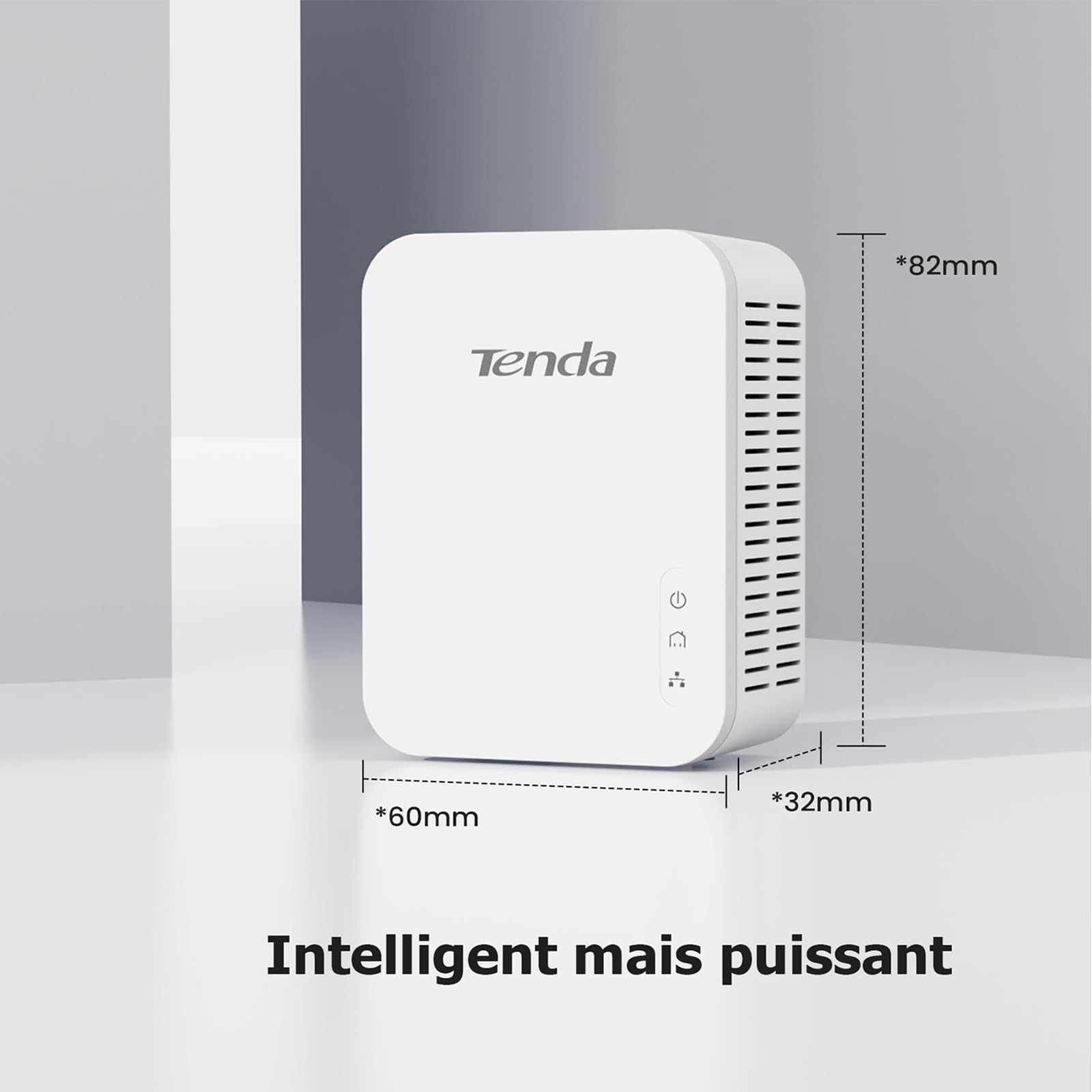
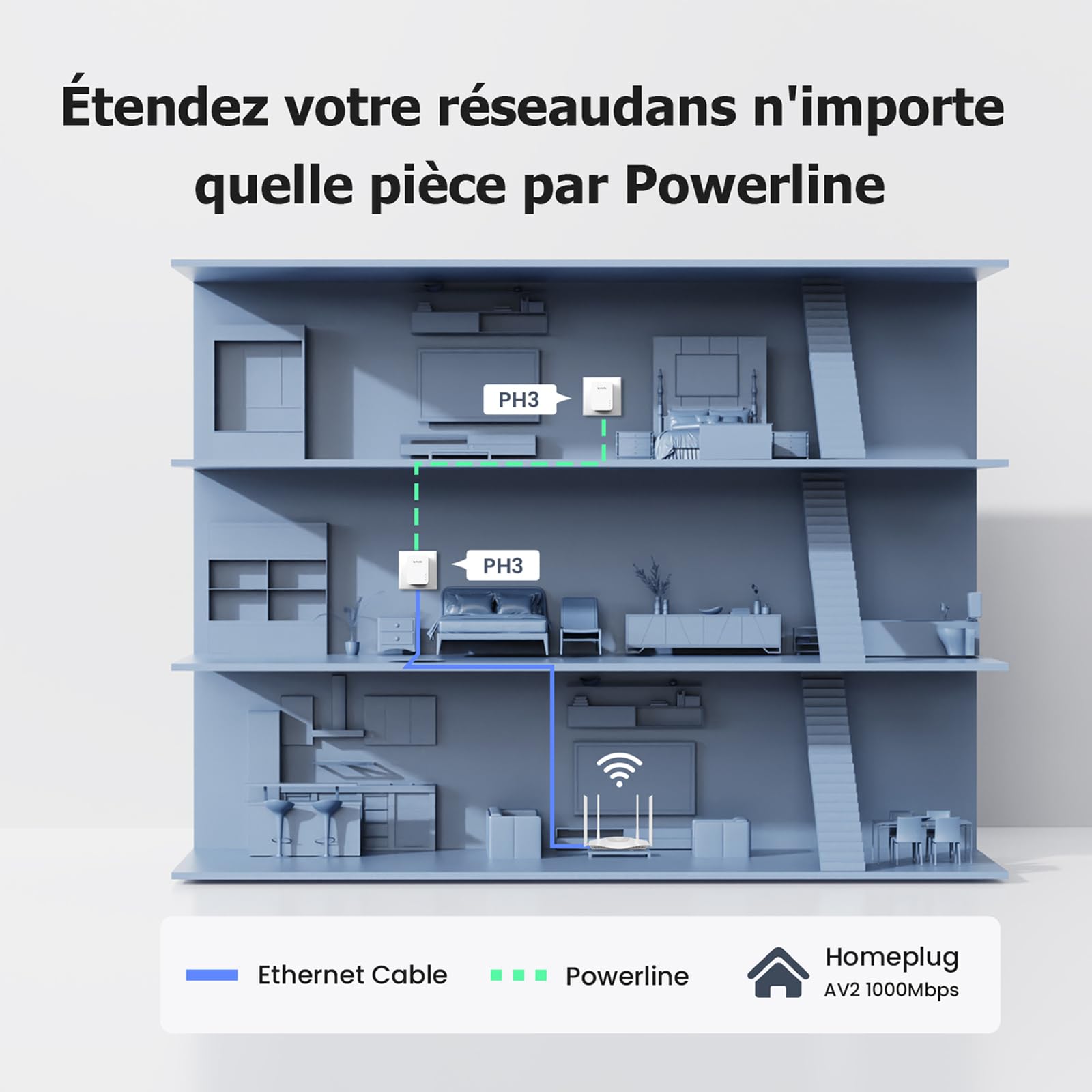


⚡ Power your home network like a pro—fast, simple, unstoppable!
The Tenda AH3 Powerline Set delivers gigabit-speed Ethernet over your existing electrical wiring, enabling seamless whole-home WiFi extension and wired connections without complex setup. With plug-and-play simplicity, a unified WiFi network, and robust certifications, it’s the perfect upgrade for professionals craving reliable, buffer-free connectivity.
| ASIN | B01NAYUP7W |
| Best Sellers Rank | #178 in Powerline Network Adapters |
| Brand | Tenda |
| Built-In Media | Tenda AH3 Poweline Set |
| Color | White |
| Compatible Devices | Desktop |
| Customer Reviews | 4.1 out of 5 stars 1,751 Reviews |
| Data Link Protocol | Ethernet |
| Data Transfer Rate | 1000 Megabits Per Second |
| External Testing Certification | CE, FCC |
| Global Trade Identification Number | 06932849433258 |
| Hardware Interface | Ethernet |
| Item Dimensions L x W x H | 4.72"L x 2.48"W x 1.65"H |
| Item Type Name | Tenda Gigabit Powerline Adapter Kit PH3 - 1000Mbps |
| Item Weight | 331 Grams |
| Manufacturer | PH3 SET |
| Product Dimensions | 4.72"L x 2.48"W x 1.65"H |
| UPC | 885397270690 |
| Warranty Description | 3 year manufacturer |
R**G
Works like a charm.
I already had the non Wifi version of this hooked to my power lines for Ethernet. I just wanted a simple way to extend the regular Wifi into another area of the house. This worked perfectly. The only thing that takes a bit of time is changing the default SSID and password to a custom one.
J**B
NOTHING COULD BE EASIER!
I bought this unit yesterday. This is the easiest electrical device I've ever put used. It literally took me all of 5 minutes to do it. I've now been rewarded with FAST internet speeds throughout the house and the pleasure of owning an electrical device that has lived up to every promise. With this device you only need ONE wifi name and password - that automatically comes from your wifi router - no computer app setup at all - just connect a wire and push a couple of buttons and plug the 2nd module where the wifi signal is the worst and you're done. Afterwards as you travel through your house, you'll not have to switch your various devices to the extender wifi network, AND, if you have a remote desktop, the second module can be plugged in next to you computer and you can run an ethernet cable from the module to your computer. It's EASY! I wish that I had bought one of these units YEARS ago. No more buffering while watching movies or YouTube. It's almost as easy as plugging your telephone into a wall jack. This is an AAAAA+++++ product!
M**.
Issues with setup
So had some initial setup issues, and wifi strength where this is placed is not always great, but overall better than before it was installed. It also would not work on the two most convenient outlets in my office, it had to be plugged into the wall my book shelf is on, so can't use the cat5 jack.
A**S
Limitations of power circuit severely limit speed.
This is a good unit for this type of technology. While this is a gigabit device and the transmission light was green, the best speed I achieved was 50 Mbps. See, while "logically" the home electrical wiring is a "single network" each floor may have different circuits and the signal has to travel throughout as many circuit breakers which severely affect speed. In my case, I have a large home so this type of extention technology does not work well for me. Now, it may work well for your conditions. My target area in my house suffers from poor wifi signals despite having installed a Mesh network....wifi strenght varies by its own nature, so any wired solution is better in maintaining a constant connection, and the Tenda unit did this well, but speed suffered. I got technical support and the explanation was as described, not good enough for my application.
R**G
didn't work everywhere, but probably not the fault of the device
We had two spots where we wanted wifi, but where an older (pre-AV2 standard) powerline adapter I bought a few years ago would not connect. One was our porch, and here the Tenda AV1000 kit worked well. (It even worked on a 6ft extension cord but the speed dropped sharply.) The other spot is our detached garage, in order to get wifi to our cars' head units. This device would not pair there, even after I bypassed the GFCI. However, the power line is ~100ft of old buried cable, and who knows how well shielded it is, so I can't really blame Tenda. One thing to note is that the power pins are positioned close to one edge, such that the other outlet in a pair of wall power outlets remains available. Many TP-Link and other models will wholly or partially cover the second outlet. The internal web page of the Tenda is almost identical to similar pages for TPLink devices, so possibly these devices are all made by the same people in China. One can connect to this configuration web page easily, without the contortions required by some other manufacturers.
J**V
Fails to reissue DHCP when main router restarts; and WRONG wifi config instructions
The instructions for changing the wifi SSID are outright wrong, and the system breaks if you reboot your main router, because the remote devices do not know to re-issue new DHCP requests. I wanted to change the WiFi SSID and password. The instructions, in the FAQ section, tell you to log into the wifi management interface via a url starting with "plc." then "tendawifi." and then "com". (Amazon won't let me just give the url). Presumably that website would somehow detect the local IP address of the wifi unit and redirect there... but that tenda web site does not exist! What you have to do is open the admin interface of your *main* router and find out what IP address the Tenda wifi box has been given via DHCP, and then point your browser there. To make matters worse: The Tenda wifi extender does not notice if you reboot your main router, which invalidates all local IP addresses assigned by DHCP. The Tenda wifi box thinks it still has the old IP address but your main router might assign that address to something else after it reboots (it's first-come, first-served), causing a conflict. The Tenda system should make a new DHCP request every time the link to the main router goes down and up again (the powerline adaptor at the router end should detect when the Ethernet connection comes up and notify the other powerline devices, namely the Tenda wifi unit, to issue a new DHCP request). To prevent conflicts, you should "reserve" an IP address for the Tenda unit's MAC address in your main router (usually under something like "DHCP address reservation"). Once running, I got 60-80 mbit/sec in a detached garage which is perfectly fine.
T**T
Works better than anticipated
The Tenda AV1000 Wi-Fi extender was easy to install and provides a much wider range of signal than I expected. I was a bit concerned that as I had learned prior to my purchase, the internal wiring between my wall outlets and my breaker box might not allow the Tenda to work as designed. Knowing Amazon's return policy, I decided it was worth trying. Bottom line: I am delighted with how well the Tenda works and would not hesitate to recommend it.
J**S
Network
Excellent item. No issues. Thank you!
ترست بايلوت
منذ 3 أسابيع
منذ 4 أيام