We remain fully operational. Our teams are working around the clock to ensure your deliveries continue safely.

قم بتنزيل التطبيق


معلومات عنا
حقوق الطبع والنشر © 2024 Desertcart Holdings Limited
قم بتنزيل التطبيق
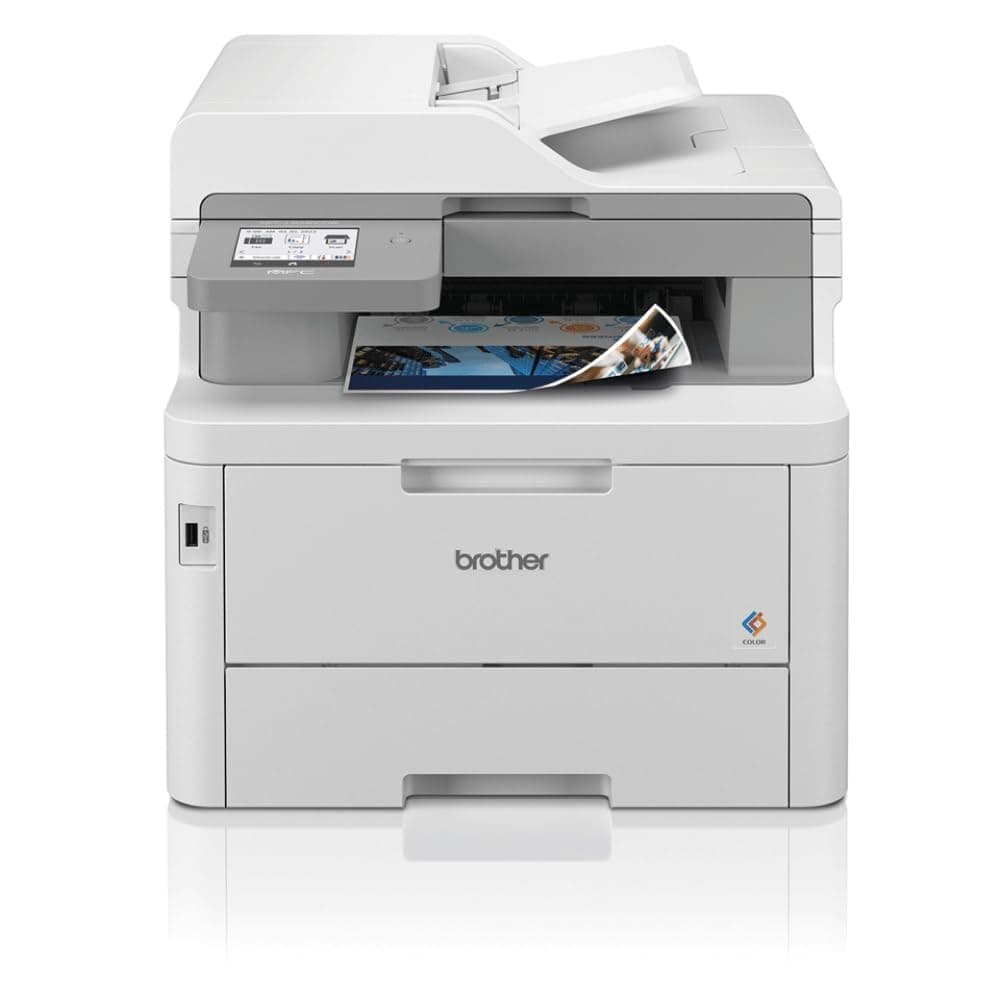
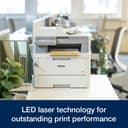
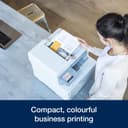
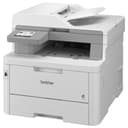
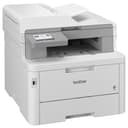
🚀 Elevate your office game with speed, style, and wireless savvy!
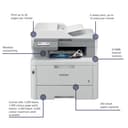
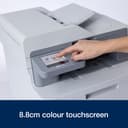
The Brother MFC-L8340CDW is a professional-grade compact color LED all-in-one printer designed for busy managers and entrepreneurs. It delivers rapid 30 ppm printing, seamless 5GHz WiFi connectivity, and an easy-to-navigate 8.8cm color touchscreen. With a large 250-sheet paper capacity and high-yield genuine Brother toners, it ensures long-lasting, high-quality color prints, copies, scans, and faxes—perfect for modern hybrid workspaces demanding efficiency and reliability.


| ASIN | B0CRZWGNR6 |
| Additional Printer Functions | All In One |
| B&W Pages per Minute | 30 ppm |
| Best Sellers Rank | 2,822 in Computers & Accessories ( See Top 100 in Computers & Accessories ) 49 in All-In-One Printers |
| Box Contents | s |
| Brand Name | Brother |
| Color Depth | 24 bits_per_pixel |
| Color Pages per Minute | 30 ppm |
| Colour | Black |
| Compatible Cartridge | TN248/TN248XL/TN249 |
| Compatible Devices | Laptops, PC, Smartphones, Tablets |
| Control Method | Touch |
| Controller Type | Touch |
| Country of Origin | Vietnam |
| Customer Reviews | 5.0 5.0 out of 5 stars (2) |
| Display Type | LED |
| Dual-sided printing | Yes |
| Duplex | Automatic |
| Hardware Interface | USB 2.0 |
| Initial Page Print Time | 12.5 Seconds |
| Ink Colour | Black |
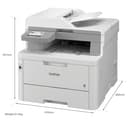
| Item Dimensions D x W x H | 53.3D x 58.3W x 49.7H centimetres |
| Item Type Name | Multifunction Printer |
| Item Weight | 21659 Grams |
| Manufacturer | Brother |
| Maximum Copies Per Run | 250 |
| Maximum Copy Resolution Black and White | 600 x 600 dpi |
| Maximum Copy Resolution Color | 600 x 600 DPI dots_per_inch |
| Maximum Copy Speed Black and White | 30 ppm |
| Maximum Print Resolution Black and White | 600 x 600 Dots Per Inch |
| Maximum Sheet Capacity | 250 sheets |
| Maximum Supported Paper Size | A3 |
| Maximum print Resolution Color | 600 x 600 dpi |
| Model Name | MFCL8340CDWQJ1 |
| Model Number | MFCL8340CDWQJ1 |
| Model Series | MFC-L8340 |
| Network Connectivity Technology | NFC, USB, Wi-Fi |
| Number of Drivers | 2 |
| Number of Trays | 1 |
| Other Special Features of the Product | Auto Document Feeder(Auto Document Feeder), Auto-Duplex(Auto-Duplex), Display Screen(Display Screen), Internal Memory(Internal Memory), Paper tray media types: Envelopes,Executive,Plain paper,Recycled paper,Thick paper,Thin paper, Scan To Email(Scan To Email), Touch Screen(Touch Screen) |
| Output sheet capacity | 250 |
| Paper Size | A4 |
| Power Consumption Size | 620 Watts |
| Print media | Envelopes, Paper (plain) |
| Printer Output Type | Colour |
| Printer Type | Laser |
| Processor Count | 1 |
| Product Warranty | 1 year manufacturer |
| Resolution | 1200 x 1200 |
| Scanner Type | Sheetfed |
| Series Number | 8340 |
| Specific Uses For Product | Business |
| Total USB 2.0 Ports | 2 |
| Total USB Ports | 2 |
| Warranty Type | Limited |
| Wattage | 620 watts |
P**E
Superb investment!
I bought this to replace an old Inkjet printer that habitually used to gunk up whenever it hadn't been used in a while. I also got tired of constantly having to buy more ink and clean the heads out. The Brother printer is a dream. It's easy to set up (although heavy!), easy to use on both iPhone and laptop using wireless and the scanner works perfectly (when you remember what side up to put the paper). I know this printer is more expensive than Inkjets, but in terms of lasting value and convenience, it really makes sense - you can leave this alone for a couple of months between prints and it doesn't miss a beat - every page printed is flawless. I'm still using the same ink as was supplied and it'll probably last me out for the rest of the year. It'll print out coloured graphics and charts perfectly, but it won't of course print photos in high quality - it's never meant to be a photo printer after all. I can't recommend this printer highly enough.
S**Y
Affordable, Fast, Quality Printing for Office and Even Home
My wife and I used our home HP inkjet printer just infrequently enough to find the heads clogged and streaky EVERY SINGLE TIME. I'd have to burn through ink (Genuinely the most expensive fluid on Earth) doing a head-cleaning pass any time we needed to print off a document. We were also sick of the subscription to the ink service from HP. The solution? Friggin' Lasers! Well, LEDs (the new lasers!) I'm a retired IT pro, but I hadn't used an LED laser printer. Old laser printers used spinning mirrors and other moving parts susceptible to failure over time. They also put off an ozone plume (which I honestly didn't mind) from the corona wire. Coming from an IT background, I knew Brother had a solid reputation. I did some research on their current reputation. I discovered Brother is still top tier. While this is technically geared towards a small office setting, its price point and footprint (keep in mind it's not tiny by any means, but manageable) make it serviceable in home. And since laser printer toner doesn't dry up and clog its delivery system, it's nice to have a very fast and efficient colour printer ready to go at a moment's notice. Linux Mint OS just knows it's there and is ready to use without downloads, drivers and setup on the user end of things. My wife was thrilled to find out that there is an ADF (Automatic Document Feeder) on this unit. No more having to lift a lid on the scanner bed to position a page manually for copying and digital file scanning. And this machine scans office-fast. Not home inkjet multipurpose printer fast, which is slow. Getting it onto our home network was a snap with a press of the WPS button on the router. Absolutely no regrets with this purchase.
ترست بايلوت
منذ 3 أسابيع
منذ أسبوعين