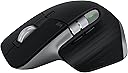
🖱️ Elevate your Mac workflow with precision, speed, and style — don’t just work, master it!
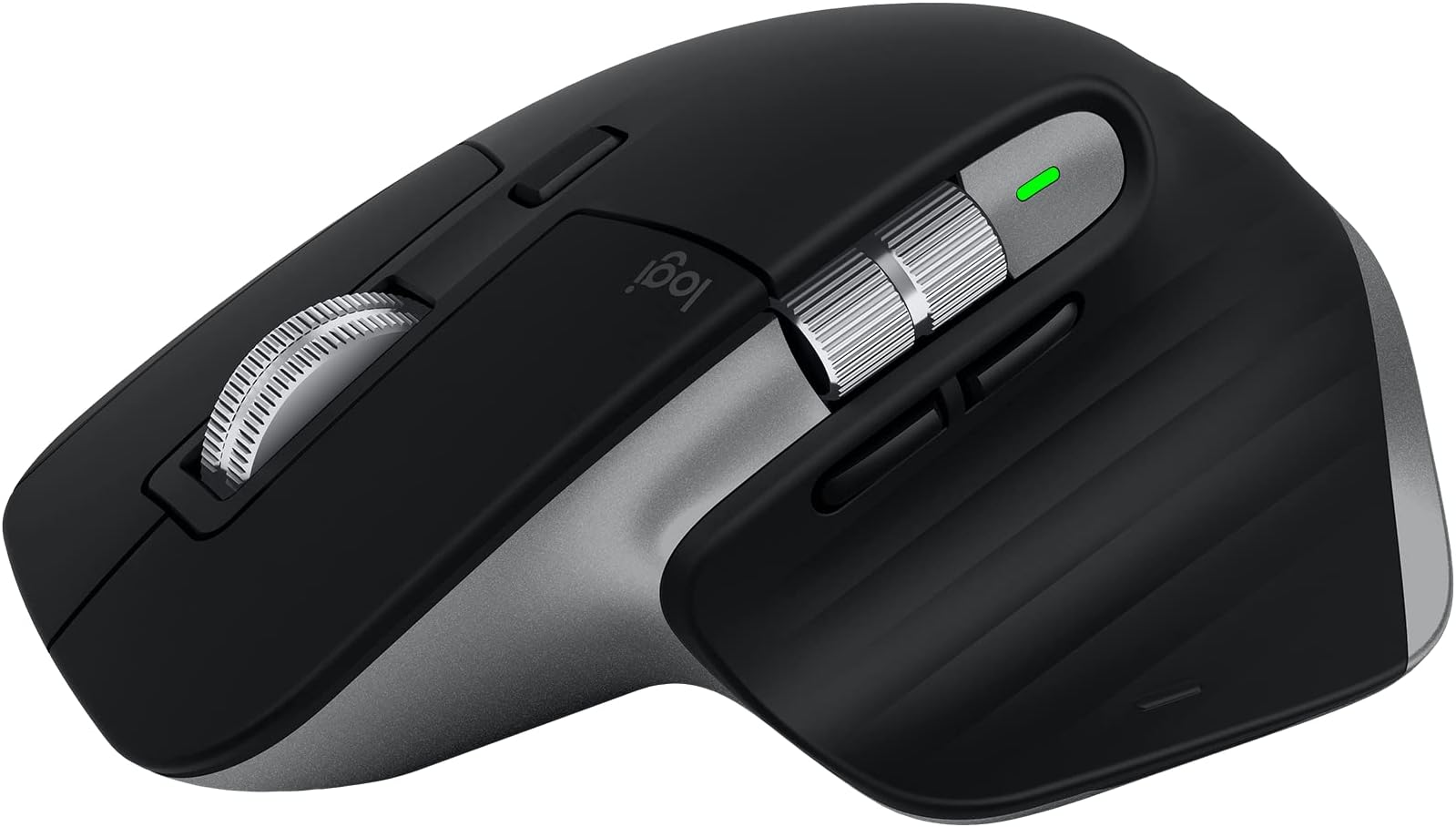
The Logitech MX Master 3S for Mac is a professional-grade wireless Bluetooth mouse optimized for macOS and iPadOS. Featuring an ultra-precise 8000 DPI optical sensor that tracks on glass, MagSpeed scrolling that’s 90% faster and quieter, and an ergonomic design crafted for all-day comfort. It supports multi-device pairing with seamless file transfer, offers deep app-specific button customization via Logi Options+, and boasts a rechargeable battery lasting up to 70 days with quick 1-minute charging. Made with 27% recycled plastic and certified carbon neutral, this renewed Space Grey mouse combines sustainability with industry-leading performance.
| ASIN | B0CTJ5FSFT |
| Additional Features | Ergonomic Design, Rechargeable, Touch Scroll, Wireless |
| Are Batteries Included | No |
| Are Batteries Required | No |
| Battery Average Life | 1 months |
| Best Sellers Rank | #975 in Computer Mice |
| Brand | Logitech |
| Button Quantity | 4 |
| Color | Space Grey |
| Compatible Devices | Laptop |
| Connectivity Technology | Bluetooth |
| Customer Reviews | 4.7 out of 5 stars 200 Reviews |
| Enclosure Material | Plastic |
| Hand Orientation | Left |
| Hardware Platform | Mac, PC |
| Item Dimensions L x W | 4.9"L x 3.3"W |
| Item Weight | 4.97 Ounces |
| Manufacturer | Logitech |
| Model Name | MX Master 3S |
| Mouse Maximum Sensitivity | 8000 Dots per Inch |
| Movement Detection | Optical |
| Movement Detection Technology | Optical |
| Number of Batteries | 1 Lithium Polymer batteries required. |
| Number of Buttons | 4 |
| Operating System | iPadOS, macOS |
| Power Source | Battery Powered |
| Range | 30.0 feet |
| Special Feature | Ergonomic Design, Rechargeable, Touch Scroll, Wireless |
| Style Name | MX Master 3S Mac (NEW) |
| UPC | 657768973840 |
| Unit Count | 1.0 Count |
| Warranty Description | 90 days limited warranty |
E**N
ABSOLUTE BEST MOUSE - FROM CHECKING EMAILS TO VIDEO EDITING, IT CAN DO IT ALL!
THIS IS THE MOST ERGONOMIC, COMFORTABLE, VERSATILE, AND BEST MADE MOUSE ON THE MARKET --- SUMMARY --- No matter how you interact with our computers, whether it's just checking your email, watching YouTube videos, or you're an industry professional, video editing, graphic designing, etc, this mouse will improve your efficiency with each program you work with. It is the industry standard for ergonomics and comfort. The only negatives I can see for some people is the inability to change the weight of the mouse. In the Gaming industry, being able to customize the weight of the mouse to your preference is an industry standard that this mouse doesn't allow. --- CUSTOMIZATION --- Logitech has continued to improve this product, as this is the 3rd generation of this mouse, it continues getting better. There are 6 BUTTONS in total YOU CAN CUSTOMIZE. The LogiOptions+ app is easy to download, which allows you to connect to the mouse and easily customize how the mouse functions on your computer and program each button for specific functions. You can even customize the button functions on the mouse to change based on which application you are in. As in, you can customize every button on the mouse specific to Chrome, and a completely different button set up for iMovie. When you switch between applications, the mouse function buttons will automatically switch based on which app you are in. ***The only buttons on the mouse you can not program or customize is the Left/Right click buttons. --- MATERIAL QUALITY --- Very similar to all previous versions of this mouse, Logitech uses a very soft and comfortable polymer base for your palm and thumb, with the Left/Right click buttons made of plastic. The plastic parts in MX Master 3S include certified post consumer recycled plastic —27% for Graphite and 22% for Pale Gray. The base and all silver/grey looking parts on this mouse are made of plastic. I had the first generation MX Master Mouse for 8-years on daily use before it started having connection issues and the battery life declining but the quality of the mouse never did. I'm expected an minimum of 8 years with this version as well.
2**N
Perfect mouse
Ergonomically comfortable, versatile productivity mouse with a sleek design and ultra silent clicks. Available to use with 3 different devices via Bluetooth (no USB receiver, that is the MX MASTER 3, whereas this is the 3S). For me, it’s my MacBook Pro & iPad for personal use, then HP Dragonfly Z Book with two monitors for work. In total I have 5 screens and this mouse flawlessly floats between them. No cross compatibility issues here For the Apple devices I don’t even need to click the switch device button on the bottom since the universal control desktop continuity feature allows the Mac & iPad to talk to each other. My mouse cursor The battery life is also pretty great. I’ve owned this for a month now with daily office use and it has only went from 80% down to 60%. Quick charging is mega convenient for a few hours of use in a pinch. Customizable buttons are so useful. I love the thumb scroll wheel for switching between Internet browser tabs and the thumb button for application switching in macOS. Also the forward & back buttons are handy for navigating through web pages. That time saved really adds up and makes for a less tedious user experience. Worth the investment for that reason alone. Logitech also has great customer support via video or chat. 100% buy this mouse! I got mine for $55 which is a steal for the feature set.
S**C
Ergonomic, flexible functionalities and compatibility.
amazing mouse. There is no turning back for conventional one.
D**Y
A great mouse with one key flaw. (and a couple of minor ones)
This mouse is great. I had an MX Master 2 that I use at work and after about a year of using that I finally decided to pull the trigger on this one for my home workstation. The customization and practicality of this is hard to beat. I admit I don't like the feel of the gestures button that much compared to the MXM2. The new back and forward button placement took a little getting used to, but after a while my brain got good at switching between this one and the MXM2 at work. The left and right click buttons are not as loud as the previous version, which I personally find less enjoyable (I'm the kind of person that prefers loud, clicky cherry blue keys on my keyboard FWIW) but admittedly the feel of the click is ultimately an improvement and feels good and clicky without being as loud. The most satisfying area of improvement is the scroll wheel though. It both feels smoother to operate in either mode and is much quieter in just about every area of use than the one on the MXM2. So if you are thinking of upgrading for the quieter experience, you will certainly not be disappointed. Another area of improvement is having USB type C charging. Yeah I know its not THAT big of a deal. Except when it is.. At work pretty much everything that we use is either type C or type A (or lightning cause my job insists on being an apple workplace). So having to dig out a micro B cable any time that I needed to charge my mouse gets annoying pretty quickly. But with this one I don't have to worry about that. It means that when I need to charge my mouse at home all I need is to grab the single Type C cable that I keep hooked up to my computer that works with all my other accessories for charging and data transfer. Very convenient and it just further makes me wonder how Logitech had the gall to release a premium/professional level product in 2019 that still used Micro USB to charge.. But enough of the praises and the nitpicks. Let me get to the issue that almost made me return this product. Connectivity.. So Im a bit of an odd case I guess. I have a sit/stand desk and have my workstation suspended under the desk to maximize desktop work area for my personal hobbying, tinkering, and tech repair projects. The desk is about 1.25 inches thick. The reason I'm saying this is because despite that I had no issues getting connected initially to the Bluetooth on my PC. I noticed that randomly the mouse would either briefly drop connection entirely if I hadn't used it in a short period of time and need a second or two to reestablish, or it would get really laggy and stuttery quite often. Initially I thought that I might have had a dud mouse. So I tried it on my laptop, which of course was on top of the desk. No issues. I then decided to bring it to work and try it on my work computer. No issues. On any other computer it seemed like a perfectly functioning mouse. But with my home PC it was this janky connection mess. Eventually I brought my MXM2 home from work with me to try out on my PC. Sure enough it suffered a similar problem, though not nearly as frequently as the 3 did. And I should point out that I've used other wireless mice as well as other Bluetooth devices, both logitech and otherwise with this setup and had zero issues like this with them. Eventually I had the idea to try using the mouse under the desk. Issue was gone. As long as it wasn't on top of the desk everything was peachy. I was incredibly close to just returning the mouse and going back to my old one. (I should point out that it only connects to the PC wirelessly. I did try to hook it up via USB and use it like a wired mouse and for whatever reason Logitech had decided that this is not allowed) But some forums I had seen while looking up the problem mentioned a more reliable connection in general when using Logitechs Bolt receiver dongle. So I figured why not. I already dropped a bunch of money on the mouse. Why not spend a little more to see if it fixes the issue. Im happy to report that it did. My gripe is 1. this does not work with any of logitechs previous Unifying receiver dongles, of which I had several already. 2. that because this version is the "Mac" version it does not come with a Bolt receiver in the box, despite costing the same as the regular version. And 3. That such an otherwise well crafted mouse has flaw like this in literally one of the most basic parts of what a wireless mouse is supposed to do. All that said, be wary (and opt for the non Mac version so you can at least have it as a backup in case yours has issues like mine did) of the connection issues. Outside of that its a fantastic mouse.
V**N
Must have for Macs
I have been using it only for a day so far, and I can't believe I was living without it! I bought the renewed version, no issues so far, feels brand new. If you are on the fence, just go ahead with the purchase, an amazing addition to my mac.
J**E
It’s great
Great mouse really like the ergonomics of it, sucks there’s no option for left handed people. I wish it also had the option of choosing between what kind of click the mouse buttons have. Overall the device selector and the build of it makes it one of if not the best productivity mice especially on Mac.
V**E
Like new
Works perfectly for a refurbished product, almost like new to be honest. The battery still holds for 1 month with a full charge and the plastic is not too roughed out. The key here though is making sure the person you're buying it from is NOT amazon - I have found amazon refurbished usually have the wrong thing because people switch stuff and return it.
K**A
Excellent mouse with controls optimized for macOS
This mouse singlehandedly is boosting my productivity. I bought this renewed from Amazon at a discounted price and it arrived in pristine condition along with the original Logitech USB-C charging cable. Clicks are quiet and swipes are smooth, and most of the native gestures on the Apple Trackpad or Magic Mouse are supported using the various buttons and scrollers on the MX Master 3S. The side scroll wheel acts as a swipe gesture, and the button below previews all of your open windows. Overall, I'm very pleased with this mouse and definitely recommend it to macOS users, and especially over the dismal ergonomics of Apple's Magic Mouse.
ترست بايلوت
منذ 3 أسابيع
منذ شهر