Desertcart purchases this item on your behalf and handles shipping, customs, and support to EGYPT.
🚀 Double your screens, double your impact — Mac multitasking just got legendary!
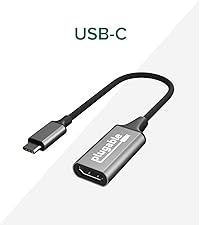
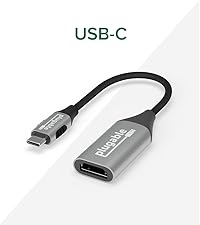
The Plugable USB-C DisplayLink Adapter enables MacBook Air/Pro M1 through M5 users to connect two 4K 60Hz HDMI monitors via a single USB-C port, overcoming Apple's native single external display limit. Compatible with Windows 10+, ChromeOS 100+, and macOS 11+ (driver required for Mac), it supports extended and mirrored displays, ideal for professional multitasking and hybrid work environments. Compact, reliable, and backed by lifetime North American support, it’s the go-to solution for maximizing screen real estate on modern laptops.


| ASIN | B0CS8D3KF2 |
| Best Sellers Rank | #93 in Audio & Video Connectors & Adapters #149 in Computer Cable Adapters |
| Brand | Plugable |
| Color | Space Grey |
| Compatible Devices | Driver Installation required. |
| Connector Type | HDMI, USB Type C |
| Customer Reviews | 4.3 out of 5 stars 577 Reviews |
| Item Dimensions | 3.1 x 2.4 x 0.6 inches |
| Item Weight | 4.16 ounces |
| Item dimensions L x W x H | 3.1 x 2.4 x 0.6 inches |
| Manufacturer | Plugable |
| Mfr Part Number | USBC-6950M |
| Model Number | USBC-6950M |
| Number of Items | 1 |
| Number of Ports | 2 |
| Package Quantity | 1 |
| Specific Uses For Product | Monitor |
| UPC | 819927013372 |
| Unit Count | 1 Count |
| Warranty Description | 2 Year Limited Parts and Labor |
| Warranty Type | Limited |
C**U
It work!!! Dual monitors on MAC13 chip
It WORKS! I tried for days to get my 2 monitors connected to my Mac only to find out that although I have a MAC book pro with a MAC 13 chip. It's the base model chip. And natively a dual monitor is only with the MAC13 Max or MAC13 Pro... (Apple should be more transparent with their fine print). ChatGPT recommended this product and it was extremely easy to set up and within just a few steps I have DUAL monitors working on my Mac. I used the extended setting on my MAC. I highly highly recommend this product. Because not every dongle can handle dual output. I tried several dongles before this one. Thank goodness for this product and the easy website to download the driver.
G**L
Works great with my M1 MacBook Air to extend displays
This Plugable adapter works great to connect my two LG 24" HD monitors to my MacBook. I bought a Lenovo Thunderbolt 3 dock to have a one-cable connection with my Dell work laptop and at the time, my i5 Intel MacBook Air. When I upgraded to an M2 MacBook Air, the dual-monitors no longer worked, and it would just mirror. It was frustrating on multiple levels- M-series Macs don't support MST for DisplayPort devices, and Apple artificially limits the capabilities of M1 and M2 Macs so they only output to one monitor, despite being more powerful than the Intel Macs that they replaced. I mainly use Zoom, Google Meet, and web-apps/ Word for my volunteer and personal work on my Mac. This adapter works great- it plugs in to the spare USB-C/ Thunderbolt port on my dock, and both displays connect via HDMI. I had to download DisplayLink drivers, but they work great and I don't notice any issues with casual use. Using all three monitors at once works well, and my Mac doesn't seem to slow down at all. As a bonus, this adapter works with no apparent drivers on my Windows 11 work laptop- Not re-configuring my monitor inputs or keyboard/mouse was a goal of my home office setup, and I'm happy to say that it just works- plug in one cable and go! This was better than buying a new monitor with USB-C or Thunderbolt, and I'd likely still have the issues with my MacBook. This was much cheaper than buying a new Thunderbolt Dock, and it's hard to find docks that support DisplayLink. Bottom line- this is the most cost effective solution to enable multiple monitors on a M-series MacBook Air.
J**A
It just works
I love this thing. One of the most affordable display link adapters and it has dual output. Which is great because if you have priced display link adapters you know how the pricing goes for most others. This works great for my android phone which officially doesn't support usb-c video out. I work in tech and mostly keep this in my bag so i can have it with me when needed. It is my "I am not dealing with incompatibility" solution. Both HDMI ports work fine. I have also used this for MacBook airs and had no issue. I haven't noticed any overheating, delays or lag like I was expecting but I also haven't used it for gaming either. Obviously for display link you need the displaylink software installed. TL:DR version, good product, no issues. Works with everything I have thrown at it. Small so you can keep it with you.
J**.
Got Triple Monitors Working on My iMac
I bought this to run two external monitors on my 2025 iMac and overall it accomplished exactly what I needed. I now have all 3 screens running and working together. There are a couple quirks worth mentioning. The external monitors do not always wake up automatically when I sit down at the computer, but it’s manageable and not a huge issue for me. Also, on Mac you do need to allow screen recording permissions in the system settings for these adapters to function properly, which wasn’t immediately obvious at first. Once everything was configured, though, it worked well and solved the problem I was trying to fix. If you’re trying to expand monitor support on a newer iMac, this definitely does the job.
M**X
I wouldn't waste your time on this product.
This never worked for my 2022 M2 Macbook Air. I was never able to drive more than one VGA monitor. Plugable took a week to even respond to my request for support and then suggested more expensive HDMI to VGA converters that did nothing to improve the situation. Then another 2 days elapsed before support follow up. I gave up and returned everything to Amazon and advised Plugable. The next day I received an email asking me to post a review. They need to be careful what they wish for.
R**N
Easy installation - works perfectly!
Works perfectly! Installation couldn't be easier... Plugged monitors into the device, plugged the device into the Windows laptop - that's it. Monitors came up in extended mode immediately.
L**S
Good til it wasn’t
Good til it wasn’t! This worked pretty flawlessly for the first 10 months. At month 11, it would randomly stop working from time to time- usually when I had a super stacked work day. Today, just a year and a few days after I bought it, it died for good. I’ve noticed a couple of reviews with the same experience, so do your research and if this is the one, add the protection plan!
J**.
Overheats and needs to be restarted
This one is glitchier than another model I have used before. It gets hot really fast (like literally within an hour of starting my computer) and needs to be rebooted. It works well enough most of the time, but I am looking at alternatives. It's compact and doesn't take up a lot of space, which is a plus.
D**E
Works to extend extra monitor on MacBook Air M2
I was pretty disappointed to find out my new MacBook Air M2 only supported one external monitor natively. This worked out of the box and I can have 2 external monitors plus the MacBook monitor. Very easy set up, much cheaper than upgrading to higher spec MacBook or buying a whole new docking station. Recommended
C**E
Parfait pour Mac
Fonctionne parfaitement pour ajouter deux écrans sur un Mac
Y**S
Amazing
amazing. fixed my screen issues. now i can run 2 additional monitors on mu Powerbook. even the apple adapters couldn’t solve the problem
G**Z
M3 Macのモニターを簡単に拡張
M3 MacBook Air(2024)で使用中です。 もともと、外付けの27インチ4Kモニターを拡張ディスプレイに使っていたので、本商品を使って3面目(本体+USB-C経由の外付け+本商品経由の外付け)を拡張するのに使っています。 導入は簡単で、メーカーのサイトから最新のDisplayLink Driverをダウンロードしてインストールするだけです。 これで、普通に「システム設定」の「ディスプレイ設定」に3つ目の画面が出てきて、他のモニターと変わらず設定し、利用することが出来ます。ちなみにMacOSはTahoe(26.3)を使っています。 このMacBook AirにはThunderbolt/USB4が2ポートしかないので、AnkerのTB4 Mini Dockで拡張した外部ポートに接続するという若干トリッキーな使い方をしており、さらに3面目は4Kモニターを1440x2560解像度(縦位置)で使っていますが、この複雑な構成でも全く問題なく動作しています。 基本的には作業用のフォルダをいくつか並べて配置しているだけですので、速度が問われるような使い方はしていないのですが、このアダプターで拡張したモニターでフルHDの動画を再生しても、特にコマ落ちなどは起きません。 接続解除〜再接続時やスリープ状態からでもスムーズに復帰し、ウインドウ位置も記憶しているので、使用上のストレスはほぼ感じずに済みます。 注意点としては、このアダプタは仮想画面を作って動作しているので、接続した状態ではMac全体がHDCPに非対応になります。そのため、著作権保護の関係で、Amazon プライムビデオやappleTV+の再生が全てのディスプレイで不能(ブラックアウト)になります。この状態を解消するためには、本商品とMacの接続を解除する(USB-Cを抜く)必要があります。 この1ヶ月以上、平日は毎日動作させています。動作中は、非接触温度計で測定して40℃前後と熱を持ちますが、それに起因するものを含め、今のところノートラブルで運用できています。 これなら、ビジネス用途でも安心して使えると思います。おすすめです。
A**R
Brilliant! Can’t fault it
Works exactly as it should. I have a M2 MacBook Air which natively only supports one external monitor however this device allows me to plug in a further external monitor giving me three screens in total which is exactly what I was looking for. I have tried many other ways using various devices but this is the only one which has worked for the M2 MacBook. Simple to install the required Driver then plug the device into the laptop and then the monitors. Highly recommended.
Trustpilot
2 months ago
2 weeks ago