
قم بتنزيل التطبيق


معلومات عنا
حقوق الطبع والنشر © 2024 Desertcart Holdings Limited
قم بتنزيل التطبيق


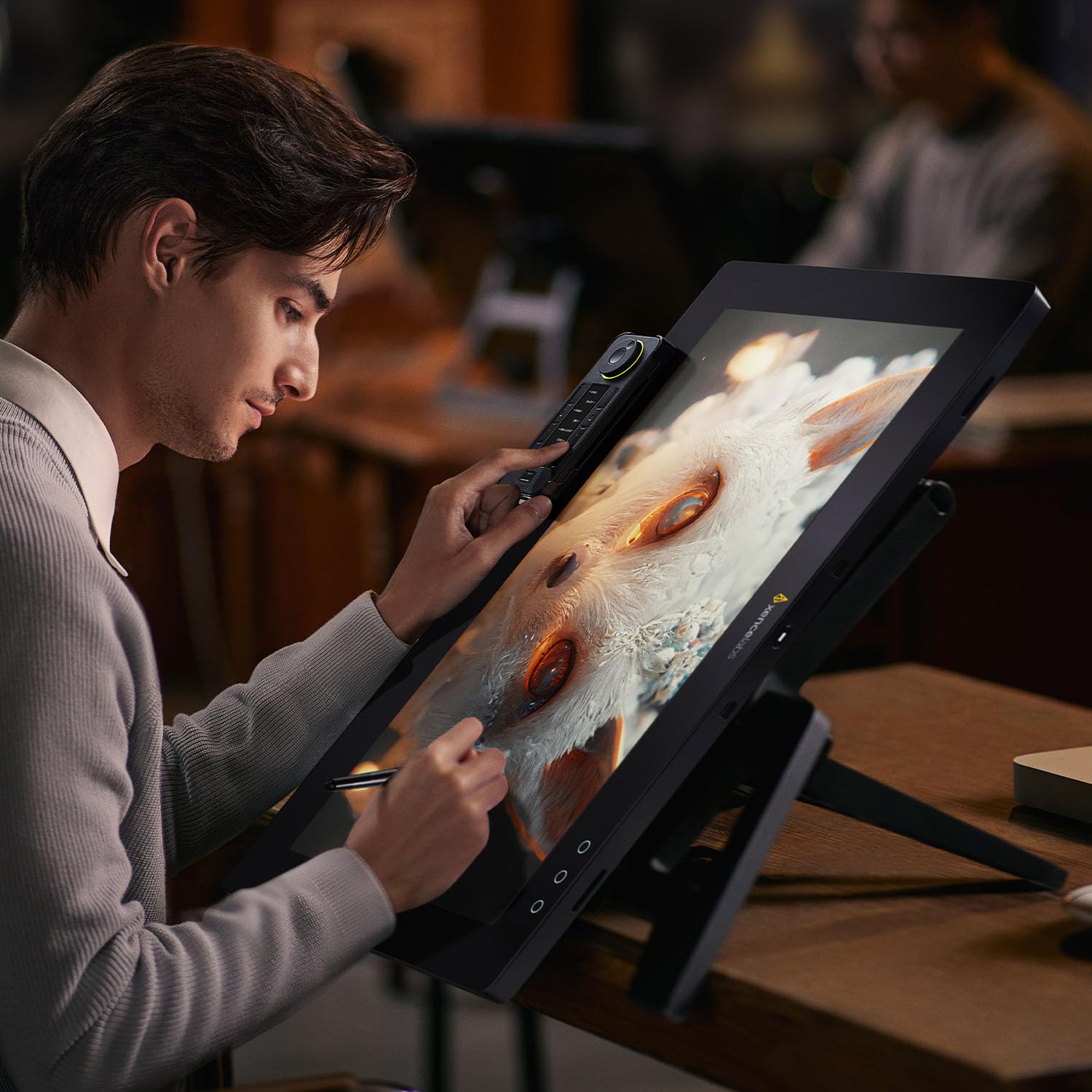


🎨 Elevate your creative game with precision, color, and speed — the Xencelabs Pen Display 24 is your ultimate digital studio!
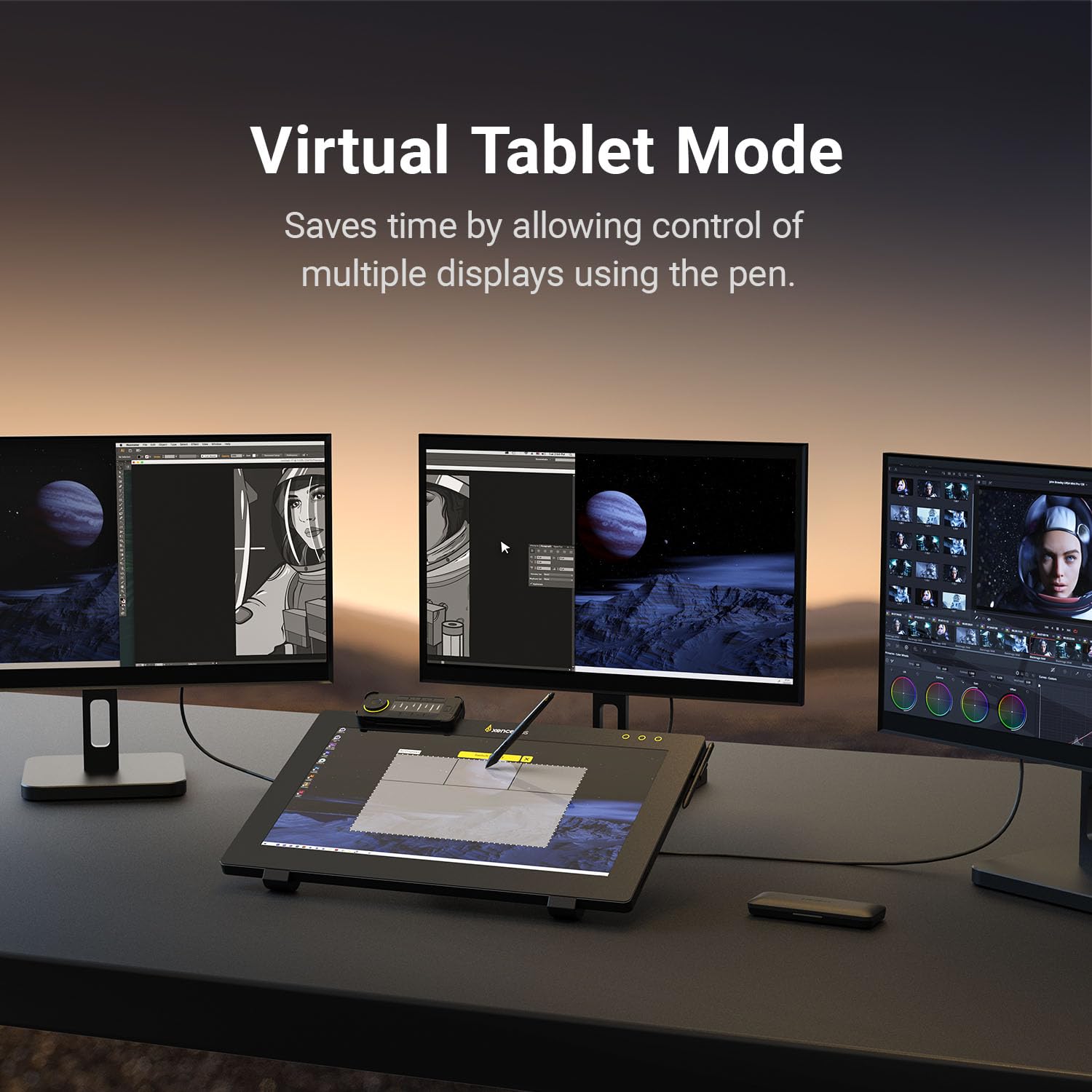
The Xencelabs Pen Display 24 is a professional-grade 24-inch 4K UHD drawing tablet featuring 99% Adobe RGB color accuracy, two battery-free pens with 8192 pressure sensitivity levels, and a fully customizable shortcut keyboard with OLED display. Designed for Windows, Mac, and Linux, it offers a smooth, paper-like drawing surface with reduced reflections and eye fatigue, plus advanced multi-display control for enhanced creative workflows.


| ASIN | B0C6N14R12 |
| Best Sellers Rank | #89,193 in Computers ( See Top 100 in Computers ) #282 in Graphic Tablets |
| Item model number | LPH2412-A-K02-A-BK |
| Manufacturer | XENCELABS |
| Product Dimensions | 61.8 x 38.8 x 0.1 cm; 6 kg |
T**S
Let me say right up front that this is my fifth tablet over the last 30 plus years, and far and away the best of them. It is a pleasure to use, and the driver has all the features you might need, like a user set cursor offset to allow for the nib hiding very thin lines. The drawing experience is like none I have experienced before with my previous four Wacom tablets (Graphire, Intuos 4, Cintiq Companion, Intuos 5 Touch). It is a real joy to use, and my art work is definitely better using it. However...! After eleven days of trying to contact Amazon to ask why I still didn't have a delivery date, and being fobbed off with what I suspect was an expert system designed to shut me up, I eventually raised a support ticket with Xencelabs. They replied the next day saying that Amazon could not find my order (I did have an order number, and the payment was showing as pending in my credit card statement), but less than hour after the Xencelabs email arrived, I got an email from Amazon with a delivery date. So Xencelab's approach to Amazon must have shaken something loose, but this was 13 days after placing the order. When the 16" Pen Display arrived, I was peeved to find that it did not have a mounting clip for the Quick Keys. That could not have cost them more than $10 to make so I thought that was penny pinching. I was also disappointed to discover that the 16" Pen Display does not have the three buttons as does the 24" Pen Display. I had devoured every video, review and write up of the 16" version, and yet found nothing to tell me that the PD16 did not have that mounting clip or the three buttons. It took me the best part of two days to get it working on my Windows 11 desktop system, but 15 minutes to get it working on a MacBook Pro M2. I already had three large monitors on the Windows system, and I could not them to work properly using the last HDMI socket on my RTX4080 GPU. I eventually got it working without wrecking the rest of the displays using an HDMI socket on the Asus ROG Z79 Maximus Hero mainboard. The Pen Displays will work using just a USB-C if it is DSP Alt enabled. Two of my USB-C sockets were Thunderbolt, but did not pass video. With the Pen Display powered up and all four screens working nicely together, I still couldn't get the driver to see the Pen Display. You need to have the PD connected and turned on when installing the driver, and to restart the system. I had to uninstall the driver, and reinstall and restart, and suddenly it showed on the driver. I still find that the driver loses the PD if not used for a while, and I have to remove and reinsert the USB-A plug (this is needed for data transfer if you are not using a USB-C for video). I might be missing something, but if not, this seems a bit clunky to me. So I love the Pen Display, but I am sure Amazon stuffed things up until Xencelabs kicked their arses. I feel bad for Xencelabs that I have only given this three stars. It would have been an easy five stars if not for the issues with processing the order, and lack of that $10 mounting clip and three buttons. I can duplicate their function on the Quick Keys, and probably, with the three button pen, so please don't let this review put you off, but order direct if you have that option where you live.
J**J
Das Tablet fühlt sich in allen hinsichten extrem hochwertig an. Die Oberfläche beim Zeichnen insbesondere fühlt sich an wie echtes Papier, ich habe nun schon einige Display Tablets ausprobiert aber solch ein schönes Gefühl beim zeichnen bisher noch nie! Ich finde es auch sehr lobenswert das man 2 Stifte mit geliefert bekommt (einen dünnen mit 2 knöpfen und einen dickeren mit 3) den dünnen finde ich zb super für lineart während ich den dickeren Stift eher für sculpting in Zbrush und ähnlichen verwende. Der Treiber funktioniert auch bisher einwandfrei und jede software war sofort ohne probleme kompatibel, getestet habe ich unter anderen, Adobe Photoshop, Substance Painter, Zbrush, Blender, 3DCoat, Rebelle 6 und Clip Studio Paint. Die Farben sehen auch wundervoll aus und man merkt den unterschied zwischen SRGB und Adobe RGB sofort! vorallen für Personen die Prints machen sollte dies sehr vom vorteil sein. Die Express Key Remote ist auch super und dank dem kleinen oled screen wo schön beschrifted ist welche Hotkeys drauf belegt wurden ist es auch schön einfach sich zu merken wo was ist und man wird schneller warm mit dem ganzen :) Alles in allen eine klare Kaufempfehlung!
S**P
This thing ain't no joke. For decades, Wacom has been the go-to drawing tablet/display, but this thing beats every Wacom product I've ever owned. Granted, my last Wacom Displays (Cintiq 22 circa 2015 and Cintiq 16 circa 2019) are now outdated, so I can't make a reliable comparison to their current products. But I can confidently say this: This display is not an "off brand" and should be regarded as a top-of-the-line alternative to Wacom. At a much more affordable price, I promise you are not compromising quality. This is my favorite tablet display I've ever used since I started digitally painting in 2005. I've used the Huion Kamvas Pro 24 (which, by the way, is a great budget option--it doesn't hold a candle to Xencelabs however), the XP-Pen 24 4k and various other budget tablets. This demolishes all of them. Everything about this display is incredible--the build quality, the display quality, the materials, the design, the performance and the driver software are all absolutely incredible. Drawing on this just feels natural. The antiglare surface almost feels silky, and the responsiveness of the pen is--I don't know how else to put this--luxurious. The pen calibration is spot-on and I've never had to adjust the default settings. The driver software is comprehensive and easy to use. It gives me every option I need and the custom display options (brightness, contrast, gamma and color) are in-depth and allow for minor refinement. That said, the display has several color-space options built in, so unless you're finicky like me, you'll likely never need to make custom adjustments. The display comes with two pens: one with 3 buttons akin to the standard Wacom pen (except there's one more button which is neat), and a slimmer more minimalist pen without buttons. Both are comfortable, though only the larger pen has cushioning. The slimmer one is great for a light-weight feel and particularly useful if you're prone to accidentally clicking buttons, like me. That said, the slimmer pen can eventually cause some discomfort, but I've only experienced this after 6-8 hour sessions. The pens come in a beautiful, high-quality case with a ton of replacement nibs. Another aspect that I absolutely adore about this display is that there are no extra "quick key" buttons on the device itself; instead, a wireless key remote is provided and connects via a USB dongle that conveniently plugs directly into the display. As expected, the wireless remote is fully customizable in the software. As with everything with this device, the remote feels super well-made and without cheap materials. The remote and both pens conveniently snap onto the display. The device is near perfection minus minor drawbacks: The power display connects toward the bottom of the back of the unit, but the connector doesn't secure as well as I'd like. I haven't had an issue with it coming unplugged, but it sorta feels like it should plug farther into the power supply and wouldn't take much force to pull out. This could potentially be an issue on a sit/stand desk where the tension on the power cable changes. Again, I haven't had an issue. The USB C cable is, like everything else, durable and high quality. However, it is an L connector on one end, which I've connected to the display. The USB C input on the display is horizontally aligned and the cable bends more than I'd like when the display is adjusted at a flatter angle. No issues here either, however. The only other gripe I have is that the ability to switch screens within the software is a bit clunky and unintuitive compared to other tablets I've owned. It's likely that I need to learn about how this feature works, but it's not the easiest to navigate out-of-the-box. Summary: If you're on the fence about this display and are considering spending over a thousand dollars more on a Wacom, get off that fence right now. Not only is this tablet much cheaper, you are not sacrificing any quality by ditching Wacom. On the contrary, this tablet is by far--and I truly mean by far--the nicest drawing display I've ever had the pleasure of drawing on. GET IT. Forget the W.
A**Z
Excelente calidad de producto. Superó mis expectativas. Previamente tuve una wacom de 24” pulgadas y Xencelabs logró hacer un muy buen trabajo de diseño y desempeño, mejorando por mucho esta otra tableta. Por el momento muy recomendada
C**D
Es una pantalla de increíble calidad, con una calibración de color impecable de fábrica. El tacto a la hora de dibujar en el panel es super suave y con una cierta textura que recuerda al papel, no hay paralax alguno y su velocidad de respuesta cuando usas la pluma es inmediata prácticamente. El sistema de refrigeración es silencioso y compacto, apenas se calienta aun con muchas horas de uso. Por otro lado viene con dos plumas con las cuales trabajar, en mi caso prefiero usar la gruesa que con 3 botones que hace que el flujo de trabajo sea muy pero que muy ágil. Por último el mando que trae es muy práctico una vez te acostumbras a el, con muchas horas de autonomía. El software de Xencelabs es muy intuitivo y facil de usar, com muchísimas opciones para personalizar el "tacto" que hay entre dispositivos. De hecho te permite personalizar todas las las teclas del dispositivo a cualquier macro que tú quieras. P.D: Viene con un soporte de acabado con un acabado metálico muy robusto que abarca muchísimos grados. Tu espalda lo va agradecer desde el primer día. Para mí la mejor opción en cuanto a calidad precio respecto a displays para un estudio de arte.
ترست بايلوت
منذ 3 أسابيع
منذ شهر