Desertcart purchases this item on your behalf and handles shipping, customs, and support to EGYPT.
🚀 Boost Your Signal, Boost Your Life — Stay Connected, Stay Ahead!
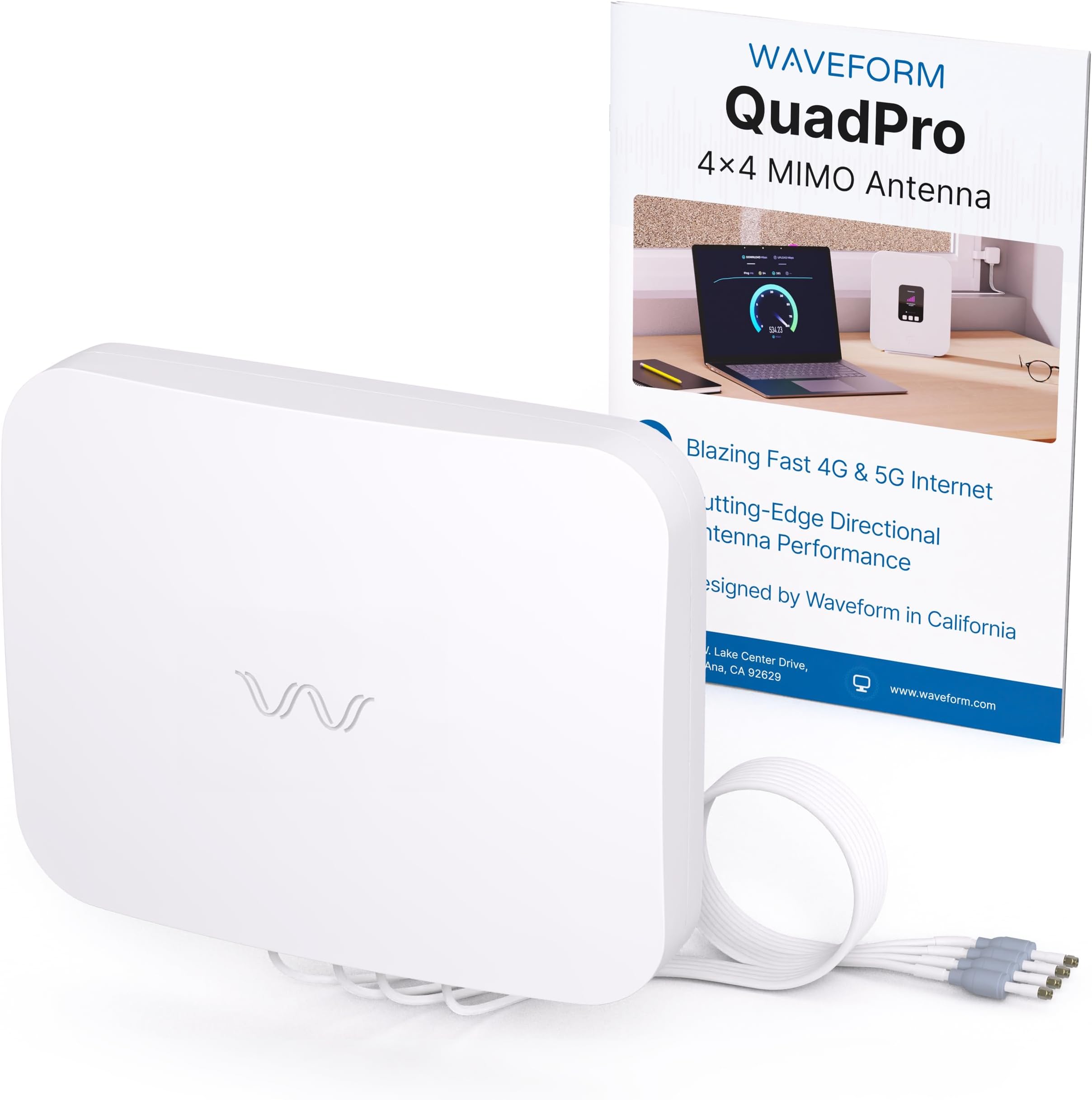
The Waveform QuadPro 4x4 MIMO Signal Boosting Panel Antenna Kit delivers superior 4G/5G performance with up to 9.1 dBi gain and full 4x4 MIMO support. Designed for professional-grade connectivity, it supports all major US carriers including T-Mobile, Verizon, and AT&T. The kit includes a Window Entry Cable, FlexMount, and UltraFlex-Quad cable for easy, no-drill installation, making it the ultimate upgrade for home internet users seeking faster speeds, lower latency, and rock-solid reliability.


| ASIN | B0CTSSC1X5 |
| Antenna | Radio |
| AntennaDescription | Radio |
| Best Sellers Rank | #54 in Computer Networking Antennas |
| Brand | Waveform |
| Color | White |
| Customer Reviews | 4.4 out of 5 stars 94 Reviews |
| Global Trade Identification Number | 00853722008935 |
| Impedance | 50 ohm |
| Item Weight | 2.28 kg |
| Manufacturer | Waveform |
| Maximum Range | 10000 meters |
| Mfr Part Number | QPRO-2U |
| Model Number | Complete Kit w/ 20' Cable & Window Entry |
| Number of Channels | 8 |
| Number of Packs | 1 |
| Unit Count | 1 Count |
| Warranty Description | 3 Year Manufacturer Warranty |
C**D
My Home Internet Screams!
This antenna is worth every penny. I am on the edge of the T-Mobile coverage map. Without this antenna, I was getting 18 to 38 Gbits . After connecting this antenna and aligning it, I'm getting up to 600 Mbits. I never get under 200 Mbits now. It was easy to set up. I had a problem after trying to reset my SSID on the T-Mobile gateway. I contacted T-Mobile. They replaced the gateway. I still had trouble getting the gateway to switch to the external antenna. I contacted Waveform and they responded quickly and helped resolve the issue. They later checked up with me to make sure everything was good. The support is done through texting, but they are very responsive. I've been using it for a few months now, and I am totally happy with it.
D**O
Works really well!
We live out in the country and we were only getting 40 MB per second paying nearly $100 a month. I think it was .2 MB per second upload when we went down to T-Mobile got their home Internet and you have to get the router that actually allows you to plug-in an external antenna some of the newer routers no longer have those ports once we put the antenna on and then kept adjusting until we found a sweet spot. It took Internet to 300 MB per second download an 8 MB per second upload of course this does fluctuate with rain fog, snow thunderstorms. I did not connect a lightning strike or any other cable not entirely sure how. and I did purchase a quad cable that was offbrand did not purchase the cables they had as the price was just too steep with everything save you a little bit of money. It does come with a mounting bracket and the screws even if you’re just buying the antenna, whereas I wasted additional money cause it didn’t or at least I didn’t read that it came with a mounting bracket. It’s amazing and yes it does work shooting through trees. We did have signal before we bought it. And it just made it better.
O**Y
The best thing going!
I have nearly a full signal where the signal was weak prior to the install. I finally have the internet that I paid for! Great unit! Just add some lightning protection if you install one.
N**E
Extremely pleased
Worked very well with T-Mobile Internet while we had it. We were on the outer edge of reception and it boosted our down speeds from 10-15 to 100-200, up speeds went from around 5 to 15-20.
A**Y
Incredible Speed Boost & Excellent Support!
I was struggling with slow speeds on my T-Mobile router, averaging around 20 Mbps download and just 2 Mbps upload. After installing the MIMO 4x4 antenna, my speeds skyrocketed to 200 Mbps download and 40 Mbps upload—an unbelievable improvement! The support team was extremely helpful in guiding me through the best placement for the antennas, ensuring I got the best possible signal. The setup was easy, and the results speak for themselves. If you're dealing with weak signals or slow speeds, this is the upgrade you need! Highly recommend both the product and the outstanding customer service.
T**.
Better than Expected
My goal was to get the gateway out of my office window and move it to a better location. I also wanted to put the router on my data panel where it belongs. Because it's still cold outside I decided to install it in my office attic near the outside wall which will make it easy to move outside in spring. I'm currently going through a sheet of OSB and vinyl siding with an extra 40 feet of cable. Because of this I was hoping to keep my speeds of 250/30 but to my surprise I'm now getting 600/40, way better than expected. I would also like to complement the support staff at Waveform. They followed up on the sale and offered a site survey which made it very easy to select the best tower.
J**.
DID NOT WORK
While this may seem like a good antenna it did not work for me at all. The tower is about 2 miles away and it could not pick up the signal enough to help my LTE router. Had to send it back a failure for me.
R**Y
Make sure you get what you ordered
Im only give it a 4 star because of all the hassle I had to go through to get what I needed. I originally purchased the whole kit, but Amazon kept sending me the wrong kit so I had to purchase it one item at a time. Nice quality, easy to set up, mine is on the roof of my house up 15 feet or also above the ground. 2.4 miles from cell tower with trees only in-between them and me. signal went from 2 to 3 bars, im still in the process of fine tuning it. I have much faster downloads and upload are from just under what I was getting with spectrum to just above. I think it averages out to just about the same speed in the end. im more concern about upload speeds. Ill update this if once I get it fine tuned the upload/download speed change. as of now im anywhere from 120-400 Mbs down and 8-20 Mbs up. about twice as fast on the download and about the same (give or take) on the upload. not as steady as cable but acceptabe. Every video I read was that when you got the kit you got chocolate included! I got nothing but run around from Amazons help desk on the wrong product being send out....and the return process was horrible.
K**N
15mbps to 300mbps very happy
I went from 5/17mbps to 300 mbps download and 2mbps to 11mbps upload. I purchased the antenna only, which comes with the antenna adjustable angle wall mount bracket and a U shaped pole clamp (not the full kit). I purchased separately the waveform 6m, 4 core extension cable. I also bought 4 pigtails to adapt the waveform cable to my ts9 antenna outputs on the router. The product is manufactured to a high quality and is packaged very well. Be prepared to spend the whole afternoon trying to find the perfect location for the antenna as the slightest change in angle can be the difference between ok or amazing speeds. I get almost zero 4g inside my house. Outside I get 2 bars on my iPhone 15 and zero 5g . I found that mounting the antenna at 2.7m from ground level, halfway down the side of my house was the sweet spot. From this position I was able to pick up 3/4 bars lte on my router and crucially 1 bar of 5g! With the 3/4 bars lte I got 50 mbps but as soon as I got the 5g it shot up to 300mbps. My router is the Three branded zyxel nr5103e. I had 4 antennas to aim at but only one had 5g. One important thing that I feel is not emphasised enough in the instructions is making adjustments in your router settings in order to get the router to lock onto the particular tower and signal that you want. I went from getting 2 bars 4g to laying the aerial down and suddenly getting4 bars 4g and 1 bar 5g. I thought I’d cracked it only to screw the antenna in position to find that I only had 1bar 4g. This was because the router was set to auto select a band/signal tower. I then spent at least an hour trying to get the 5g back. In the end as a last ditch attempt I went into the router settings using 192.168.1.1 in my browser on my iPhone and went to menu-network-broadband-cell band and un-checked the auto button. It then gave me a list of bands that I could click for my router to connect to. I clicked all the nr bands (5g) and bands 1, 20, 28. This automatically stopped my router from connecting to the other 3 towers which were all band 3. The map of the towers near me with which bands they provide was sent by waveform to me by WhatsApp. (See the photo). To test the best position for the antenna I connected the antenna to the router, held it in a position then looked at the router cell signal information on my iPhone. Once it showed as having a few bars plus a lower -db I would then do an internet speed test with the free ookla app to see how fast it actually was. I did a lot of these!! I could have easily missed out on the 5g signal and settled for 50mbps 4g which was easy to achieve without spending ages if I didn’t go into the router settings and change it to get the tower I wanted. Waveform recommendeds restarting the router every time you try a new position in order to get it to change which tower it goes to but this is massively impractical. I did it once , waited a few minutes for it to reboot and it still locked to a tower facing the other direction (no 5g). I am not that technical when it comes to router/internet settings but I strongly recommend doing a bit of homework on you router settings before you start as if I had done this I could have saved myself hours. Either way for me this was well worth while and even if I had only got 50mbps the price would have been worth it. Ps I bought a 3 year, prepaid Three mobile data sim off of amazon so my broadband comes to less than £8 per month.
J**R
Quality product
I've waited 6 months before writing this review as in my location, 4G internet speeds vary with the weather and seasons so I wanted to test it for a while before drawing conclusions. Put simply, the Waveform QuadPro is a marked improvement on the previous antenna I was using. Has it given me the blistering speeds it is potentially capable of in urban areas? No, but it's given me another 30% download speed (from 40Mpbs to 55Mbps) in my case. Upload speed is much the same. It was fairly easy to install (although I would have liked to see some adaptor options for the different pole diameters we use in the UK). The built quality is top notch - no doubt about that. I suspect there is speed throttling in my area (rural Wales) which prevents me from accessing the proper high speeds, but still this has given our internet a nice boost in difficult circumstances. Highly recommended.
A**Z
Works well
Had a poynting V2 and couldnt get usable WiFi signal. Now get Usable WiFi (10-15downlaod) with this antenna which is all I wanted 👍
D**O
Not powerful enough
Didn't work for me. Tried many different mounting options. Removed and now sitting in the shed. You need to be closer than a couple of miles to a mast and with clear sight, no good in the hilly countryside.
Trustpilot
1 month ago
1 week ago