Desertcart purchases this item on your behalf and handles shipping, customs, and support to EGYPT.
🏷️ Label like a pro, organize like a boss!
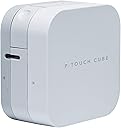
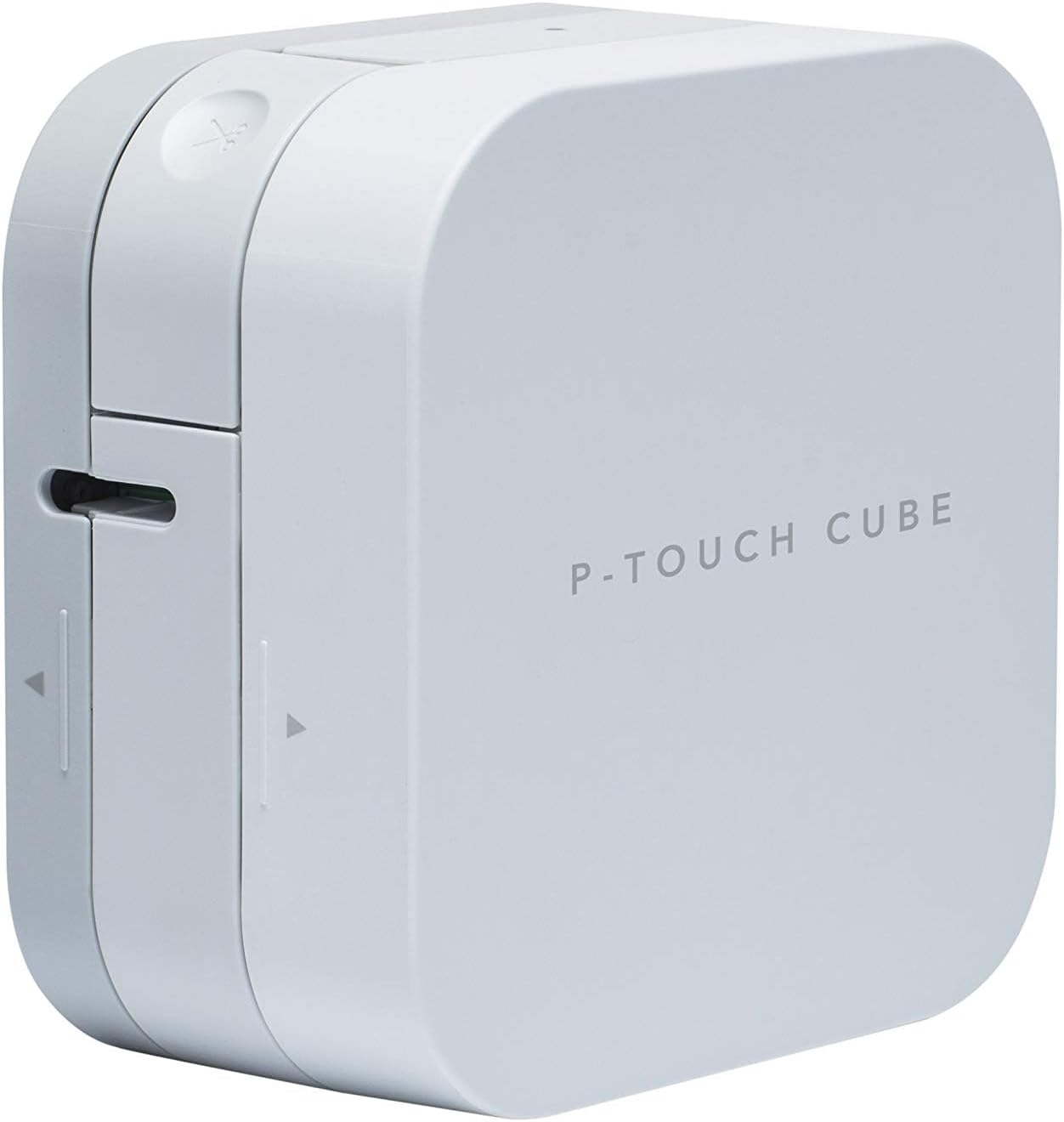
The Brother PT-P300BT P-Touch CUBE is a compact, Bluetooth-enabled thermal label printer designed for professionals and home organizers alike. It prints durable, customizable labels up to 12mm wide using TZe tapes, operates on batteries for portability, and pairs with a free app offering thousands of design options. With 300 dpi resolution and easy cartridge swaps, it’s the ultimate tool for stylish, on-demand labeling across multiple uses.


| Additional Printer Functions | Print Only |
| Asin | B01N7WAC19 |
| Best Sellers Rank | 16,990 in Business, Industry & Science (See Top 100 in Business, Industry & Science) 115 in Label Makers 217 in Labels & Labelling Equipment |
| Box Contents | s |
| Brand Name | Brother |
| Color Depth | 1 bpp |
| Colour | White |
| Compatible Cartridge | TZe |
| Compatible Devices | PC |
| Control Method | App |
| Customer Reviews | 4.4 4.4 out of 5 stars (1,241) 4.4 out of 5 stars |
| Display Type | LCD Screen or OLED Screen or LED Display |
| Dual Sided Printing | No |
| Duplex | Simplex |
| Eu Spare Part Availability Duration | 3 Years |
| Global Trade Identification Number | 04977766801102 |
| Hardware Interface | Bluetooth |
| Ink Colour | black |
| Item Dimensions D X W X H | 18D x 9.5W x 19.5H centimetres |
| Item Type Name | Label printer |
| Item Weight | 0.38 Kilograms |
| Manufacturer | Brother |
| Maximum Copies Per Run | 9999 |
| Maximum Copy Resolution Black And White | Mindestens 300 dpi |
| Maximum Copy Resolution Color | 300 dpi |
| Maximum Print Resolution Black And White | 300 dots_per_inch |
| Maximum Print Resolution Color | 300 dpi |
| Maximum Sheet Capacity | 1 |
| Maximum Supported Paper Size | 12 mm |
| Model Name | PT-P300BT |
| Model Number | PT-P300BT Cube |
| Model Series | PT-P300BT |
| Network Connectivity Technology | Bluetooth |
| Number Of Drivers | 1 |
| Other Special Features Of The Product | Portable,Compact |
| Output Sheet Capacity | 1 |
| Paper Size | 12 millimeters |
| Print Media | Labels |
| Printer Output Type | Monochrome |
| Printer Resolution Horizontal In Black And White | 0.09 Centimeters |
| Printer Type | Thermal |
| Processor Count | 1 |
| Resolution | 300 x 300 |
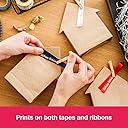
| Specific Uses For Product | Identification labels, storage labels, file and folder labels, school uniform name labels, food labels, freezer labels, plant labels, gift wrapping and wedding stationery |
| Total Usb Ports | 1 |
| Warranty Type | limited warranty |
User
Sleek, highly portable, and incredibly easy to use
The Brother P-Touch Cube has completely transformed how I organise things around the house and office. It is a brilliant little machine that looks incredibly modern and compact, taking up virtually no space on a desk or shelf.The setup is entirely effortless thanks to the seamless Bluetooth connectivity. Instead of typing on a tiny, clunky built-in keyboard like older label makers, you do everything directly from your smartphone using Brother's intuitive app. The app gives you massive creative freedom with an excellent selection of fonts, symbols, borders, and templates, allowing you to design clean, professional-looking labels in seconds.The print quality is crisp, sharp, and smudge-proof. The fact that it includes a twelve millimetre black on white tape cassette right out of the box means you can start organising immediately. The labels themselves are highly durable, stick firmly to a variety of surfaces, and peel off cleanly without leaving a sticky residue behind. It accepts tapes up to twelve millimetres wide, which is the perfect size for file folders, spice jars, storage boxes, and cable management.Overall, its portability, fast printing, and wireless convenience make it an absolute joy to use. It is a fantastic, high-quality gadget that makes custom labelling quick and fun. Highly recommended for anyone looking to get organised!
User
Great little compact labeller, easy to use and cheap
Great little labeller that is compact and easy to carry around. The app on your phone means the labeller needs no built in keyboard so makes it compact.Dead easy to set-up and use, app is a little bit clunky but does the job fine.Can be wasteful of ribbon/tape but you can easily work around this by printing multiple labels one after another and cutting manually rather than ejecting and cutting each label with the built-in cutter.To further reduce costs, buy the 3rd party label cassettes to use with it rather than the Brother originals.
User
Solid printer
This is my first label printer and it's great, with only a few nit picks.First is that I don't like that it takes 6 AAA for power and it doesn't seemed to like rechargeables. They don't last long and it's a pain to source 6 of them every time.I do tend to prefer user removeable batteries but I do think a built in lithium ion would be better for this product, or maybe use AA instead of AAA, they aren't much bigger and have much better capacity.Second is again related to power because they provide a barrel connector instead of USB C. It would be so convenient to be able to power it with my phone charger, laptop charger or power bank. I could almost do without it having batteries in it at all if they provided this.Lastly, as many have pointed out, there is a lot of wastage when printing. There are ways to mitigate it, but if you just want one label in a hurry, there is not a lot you can do about it.
User
Very useful device
Printer is easy to use with official apps on iOS/Android. Original tapes are expensive but cheaper clones are widely available. Very useful for labelling with various use cases. E.g. labelling power plugs around home, network cables, all wires in my 3D printer build, and my drone.
User
organising must have
great for organising I have used it to label my card making stamps
User
Trusted piece of kit
Nice label printer from a reputable manufacturer.Very easy to use from the Brother ‘Design&Print 2’ App. Gives very good results on various media colours.
User
Does not come with a power supply
Why would you sell something with a proprietary power supply and not include that power supply in the box?The label printer arrived, I was very excited to use it, but found I could not as it did not come with a power supply. Upon reaching out to brother customer service I was told I would have to buy one myself at an additional cost of £12. Not the best customer service I have ever received.
User
LABEL HEAVEN! Labels of different colours and sizes and so versatile.
I love this. I bought the Dymo one first but it really seemed like a step backwards as the print quality was poor.This is amazing, it comes with 12mm tape, but I like buying 9mm and 6mm more. Even with these sizes you can print multiple lines with a small font size. I was stunned at the number of fonts to pick from too, and on top of that you can make them bold, italic or underlined.The app is great so far. I love the fact that you can save your labels too, so you can make the same or similar ones again later.The only downside is that the cutter is obviously situated too far away from the edge of the machine as some extra tape is wasted with each label. The best way to avoid this is to print all the labels you want at the same time and not cut each one on the machine. It is an option on the app to add cut lines rather than cut the tape on the machine.
User
Etichettatrice pratica e compatta dal design minimal.
Etichettatrice compatta e comoda da portare ovunque. Tramite un'app è possibile stampare con diversi font e su nastri di diverso materiale. App molto intuitiva di facile collegamento con l'etichettatrice.
User
Muy buen producto
Una buena impresora. Robusta, funciona muy bien con cintas marca labelwell y tiene un aplicación muy intuitiva y fácil de usar.
User
Very quick and easy to use
I like most things about this. Plug in would be better than battery. Also, a lot of tape is wasted after each print sure to the print needing to roll out to them point it can be cut off. It wastes about 2-3 cm each time, almost as much as the label itself. If you can, print multiple labels at once, so you have only a little waste at the end of the tape after the labels come out (this only works for identical labels I think).
User
Umfassende Rezension zu Brother P-Touch Cube - ich bin begeistert und nutze es fast täglich
Für Fragen zu meiner Rezension und dem Produkt stehe ich gerne zur Verfügung. Ich habe diesen Artikel bei amazon gekauft (verifiziert).Lieferumfang und erste Inbetriebnahme:Der Brother P-touch Cube kommt in normaler Umverpackung. Es ist eher ein Produkt, mit dem man direkt loslegen möchte ohne eine Anleitung lesen zu müssen. Und dies funktioniert wirklich sehr gut! Das Kunststoffgehäuse hat eine sehr dezente, edle Optik in den Farbabstufungen weiß, hellgrau, grau und fühlt sich sehr angenehm und wertig an. Es lässt sich mit leichten Daumendruck auf eine deutlich markierte Stelle sehr leicht öffnen. In die Vorderseite wird dann das gewünschte Farbband eingelegt. In die Rückseite kommen die 6x AAA Batterien. Optional gibt es auch ein externes Netzteil, welches nicht zum regulären Lieferumfang gehört. Das Gehäuse lässt sich genauso einfach wieder schließen.Die App "Brother P-Touch Design & Print":Für die Nutzung wird die kostenlose "Brother P-Touch Design & Print" App benötigt. Auf dem Gehäuse ist ein QR-Code geklebt der direkt zum gewünschten App führt. Die App ist sowohl für iOS als auch für android verfügbar. Das Programm ist schnell installiert und lässt sich sehr gut bedienen. Für den Anfänger werden bereits Themenbereiche wie Küche, Geschenke, Garten und fertige Designs angeboten. Wenn man möchte, kann man aber wirklich alles individualisieren und seinen Ideen freien Lauf lassen. Grafiken, Schriften, Schriftgrößen, Schriftrichtung usw., alles ist möglich. Fertige Designs lassen sich abspeichern und immer wieder aufrufen.Daily Use:Der Brother P-Touch Cube steht bei mir immer griffbereit im Schrank im Arbeitszimmer. Immer wenn es etwas "zu labeln" gibt, ist dieser schnell einsatzbereit. Power-Schalter gedrückt, App geöffnet, Gerät mit Bluetooth gekoppelt (geschieht automatisch binnen 1-3 Sekunden nach der ersten Einrichtung) und schon kann gedruckt oder neu designed werden. Ich habe z.B. meine Gewürze in Marmeladengläsern gelagert, deren schwarze Deckel ich neu beschrifte. Mit dem Logo, Gewürz-Typ und allen Zutaten in kleinstmöglicher Schrift. Die Schrift ist trotzdem sehr gut zu lesen und man Übersicht im Schrank.Betriebskosten:Trotz intensiver Nutzung halten die 6x AAA Batterien bis jetzt problemlos durch. Das angesprochene Netzteil gibt es günstig hier bei amazon. Sehr hilfreich ist die eindeutige Beschriftung der passenden Bänder. Hierzu gibt es einen Konfigurator/Finder auf der brother Hersteller Homepage.Mein favorisiertes Band (edel und sehr gut lesbar) ist weiß auf schwarz TZe-335. Dies gibt es auch als kompatible Zweitmarke hier bei amazon zu sehr günstigem Preis.Preis-Leistung:Selten war ich so begeistert und zufrieden mit einem Produkt. Ich habe ca. 37.- EUR bezahlt und freue mich jedesmal über das Gerät. Die vielen anderen positiven Rezensenten sehen das genauso wie ich. Eine absolute Kaufempfehlung !Pro/Contra Übersicht:+ Preis-/Leistung überragend+ Mobil mit Batterien oder stationär mit optionalen Netzteil+ immer schnell einsatzbereit+ Intuitive Design-App mit Favoriten+ Wunderschöne Ergebnisse mit wenig Aufwand+ Riesige Auswahl an Bändern+ Günstige kompatible Bändern- Ich kann wirklich nichts negatives finden!Für Fragen stehe ich gerne zur Verfügung.
User
Smidig och bra!
Jättelätt att skriva texten i mobiltelefonen och sedan skriva ut remsan i märkmaskinen.Det enda som tar lite tid är att man får manuellt ansluta märkmaskinen till mobilens Bluetoothvarje gång den ska användas, men det är inga problem då att få den att ansluta, jag har en I-phone.
Trustpilot
3 weeks ago
3 days ago