


Desertcart purchases this item on your behalf and handles shipping, customs, and support to EGYPT.
🚀 Print Faster, Smarter & Bigger—Own the Future of 3D Creation!
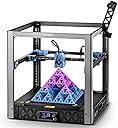
The Sovol SV08 CoreXY 3D Printer combines cutting-edge CoreXY mechanics with a spacious 350x350x345mm build volume and advanced Klipper firmware for ultra-fast, precise printing. Featuring quad-gantry auto leveling and a rapid-heating ceramic block with AC heated bed, it delivers professional-grade results with open-source flexibility, empowering makers and pros alike to push creative boundaries.


| Best Sellers Rank | #32,894 in Industrial & Scientific ( See Top 100 in Industrial & Scientific ) #67 in 3D Printers |
| Brand | Sovol |
| Color | SV08 Silver |
| Compatible Devices | OrcaSlicer(Win\Mac), Cura-Ultimaker(Win\Mac), Cura-Sovol(Win) |
| Customer Reviews | 4.0 out of 5 stars 1,412 Reviews |
| Item Weight | 39 pounds |
| Material | Metal |
| Product Dimensions | 21"D x 21.7"W x 22.6"H |
D**A
What a fantastic 3D printer this is!
I've just recently gotten back into 3D FDM printing and I was interested in purchasing a new printer that had some of the latest bells and whistles. When I began researching the purchase I became a bit overwhelmed due to countless brands, types, sizes and price ranges of printers that are on the market Needless to say I had a difficult time deciding on which to buy. I ended up stumbling across a video on youtube reviewing the Sovol SV06 which led me to finally make a decision. I thought the price was great and it has all of the features that I was looking for in a printer. I made the purchase on a Thursday night and it was on my doorstep by Saturday morning. Unboxing impressions - This printer comes packaged very well.... It's packaged so well that I didn't see the extruder assembly in the foam packaging and almost threw it out with the foam. All parts and pieces are tightly packed and there was no sign of possible damage to any of the components. Good job Sovol. Assembly impressions - Getting this printer put together and ready for printing was easy and quick (15-20 minutes). The instructions are simple to understand and the packages of screws used for assembly are all labeled based on which step you're on in the process. It couldn't have been easier. Getting it ready to print - The instructions show you how to level this bed properly using the mesh leveling. First you level the Z, which is automatic. Then you auto home and set your z offset using a piece of A4 paper. You then tell the printer to run mesh leveling which takes a couple of minutes but then you're ready to go. No more fiddling with knobs to level the bed (Amen!) Print quality impressions - Like most folks my initial print was the file that's included on the SD card - in this case it was the Boat Benchy. I'm not used to having perfect first prints on a brand new 3d printer but this one comes really close. There were a few whisps of filament on the model but nothing I'd go so far as to call "stringing" and one quick blast of heat from the heat gun made all whisps disappear. (Photo attached shows the whisps.) Ever since then I've had nothing but fantastic prints. Some models have whisps, others do not so I think it has more to do with me not having settings dialed in for the different filaments that I've been using. Regardless, the prints turn out looking great! After several successful prints on this machine I wanted to really test how level the bad was by loading it up and watching the first layer and I've attached an image to this review that shows just how well that layer went down. It was perfect and consistent across the entire bed. Adhesion was good throughout the entirety of the print and all parts turned out excellent (the parts in the photo were used to make the robot hand which is also pictured) The few failures that I've had on this machine have been while attempting to print with old Sainsmart TPU that's been sitting around my house for a year or two. I've attempted to dry it but I haven't yet to dialed in the settings but I expect that I'll have better results once I do. Filaments that I've used to print with so far - TPU, PLA, PLA+ and PETG. This is my first time attempting to print with PETG as I've always heard that it was a difficult filament to get quality prints with and surprisingly I've had NO issues and it turns out I really like printing with PETG now (go figure). Inland PLA+ has also been a really good filament to print with on this thing. The only minor thing that this printer is missing is a filament runout sensor. I've never had to rely on one but it's a nice feature to have, just in case. Sovol has addressed this with the release of the SV06 Plus that just recently came out and you bet I also ordered that printer for the larger build volume. . So, all in all I would absolutely recommend this printer to anyone. Ease of use and the high quality prints right out of the box makes this a great buy for beginners as well as those that have experience. For the price you can't go wrong with this machine. Mine has been going nonstop since I put it together!
T**N
Great open source printer, good features and decent prints within hours of unboxing.
Summary: Worked out of the box and was printing decent quality items the same day. The software is standard Orca Slicer and tweaked Klipper, so the manufacturer can't lock main features behind a paywall. Runs on your network and is opensource, they even provide the 3d files of the printer so you can print replacement/modified parts if you want. Sovol was smart and enlisted a few good content creators to make how-to videos, including setup and upgrades. I only have 24 hours of total print time and will update the review later if needed. Background: I started on a borrowed Monoprice MP Mini and learned a lot, especially about build volume and bed slingers. The Mini had ok print quality on most things, was slower, needed a micro SD card to get files to it, and had no way to check on prints remotely (prints fail, it happens but without having it close by you just don’t know if everything is ok). I am an IT person by trade, so anything that connects to my home network get severely locked down. I also have had far to many devices that stop working because the manufacturer decided not to support the web portion it needed even though the device still works great. My requirements: Needed larger build volume: 350mm x 350mm x 345mm vs 120mm x 120mm x 120mm Needed LAN connection: RJ45 (ethernet) and Wifi No Planned obsolescence: Open Source and upgradable with no internet required to work. Works without constant fiddling: I can send to Orca Slicer from thingiverse on my desktop and just print. Need remote monitoring: Has a webcam and connection to Orca Slicer. Simply print and watch it work from your desktop. Need a removable plate: PEI plate included Need option to print fast: 700mm/sec vs 55mm/sec After diving down the rabbit hole, I wanted to build a Voron but currently do not have the time or printer with a big enough build volume to print the parts needed. I looked at the other name brand printers, but ruled out most. The Sovol is like a Voron, but mostly put together. It took me a few hours with help from small curious onlookers to get it out of the box, setup, and printing (even though I overly complicated the setup). The directions are good and there are a number of Sovol sponsored videos showing tips and tricks to do a full setup. Once it was assembled and levelled, I connected it to its own vLAN on my network which had no internet (one of my big requirements). Then I downloaded and installed the latest Orca Slicer LTS build (an older version was on the included USB stick), plugged in the IP address of the printer (after creating a firewall rule because of the vLAN) and there it was. I used the “Open in Orca Slicer” option in Thingiverse (Printables has a button for Orca Slicer too), then hit the print button in Orca Slicer to send it remotely to the printer so it started printing and watched the printer auto level and start printing on the included web cam from the comfort of my office chair. No more walking to the basement where the printer is only to have forgotten the SD card. No more making 5 trips to see if the print is doing ok, just going back to Orca Slicer. The print quality was much better than the Monoprice and I could batch print things that were too big to fit one of one the Mini. Because it is so much easier to print and the prints look better, I use the Sovol printer far more. Future tinkering: I plan to enclose the Sovol, but can do that later because of the open source nature of the printer (they sell one or I can design my own). I plan to add a Bondtech INDX when they are out to give me a tool changer with Multi-Material (Looks pretty straight forward on the Sovol compared to other name brand printers). I plan to add fume exhaust with the enclosure, but again can wait until later. I was going to upgrade a whole bunch of things like the bed and leveling sensor, but the Sovol works good enough that I don’t have a reason too yet. The biggest benefit to me is that I CAN if I want and someone already has a video on how to do it which was probably sponsored by SOVOL. They want it to be your printer, not theirs that they are leasing you through software. Competitors: Prusa (top contender) - I really wanted an XL with a tool changer, but my pocketbook just laughed. Even a Prusa Core One or MK4s was almost twice the price. They are really nice and you get more features, but tinkering seems more difficult. Putting something like Bontechs upcoming INDX on a Core One would be interesting, but it will be a lot easier on the Sovol. Adding an enclosure to the Sovol is pretty easy, but would take tinkering to make it as good as the Core One. Also, software and parts seem a little more closed off, but again I would own a Prusa if Sovol didn’t make the SV-08. Bambu - Needs internet to use some of the main features and Bambu has automatically rolled out changes that ruffled a lot of feathers in the community. The printers look nice and are a great price if you are ok with being locked into the Bambu Ecosphere. The H2D looks amazing, but if their software stops working for some reason, so does your printer. The Sovol can be put on main line Klipper and already works with main line Orca Slicer. Voron 2.4 Kit - I just don’t have the time or budget right now. Maybe in a few years, but honestly I think starting with the Sovol and upgrading it is a better idea for people who don’t want the printer to be the hobby. The software and hardware are as open as you want, since you select and load everything. Creality, Anycubix, etc. - These all seemed to have similar issues with software and upgradability as Bambu (though not to the same extent). There are a lot of nice options and features on these, but I want to decide when I stop using the machine and how to make it better. Creality was a close contender behind Prusa, but again the Sovol just made more sense.
D**.
Major quality issues
Update 08-01-2023: Both my SV06's have issues reaching full bed temperature and maintaining a given temperature setting. During a print the bed drops 50c and then because of the cooling of the bed the print breaks its adhesion to the bed, falls lose and the printer just makes a pile of extrusion looking like a birds nest. My printers are in enclosures and there is no reason for them to be unable to maintain a given bed temperature. Also, even though the SV06 is specified to print TPU it won't. I get terrible clogs that are hard to clean out and one extruder was ruined. Another extruder had 2 set screws that are internal back out and grind up the inside of the extruder rendering it useless. Buy at your own risk. ____________________________________________________ I have recieved 5 of these printers and so far I only have one that works. Here are the issues I have seen: 1. Anytime I update or reload the firmware the SV06 bluescreens and it is very difficult to recover from. 2. One printer had a SD card connector fail rendering the printer useless 3. One printer blue screened and could not recover. 4. Two printers came with a software update that made the printer print off center so the print is off the build plate. The files used were ones used on the previous version and printed centered. Before the firmware change these printers were i3 compatible and now they aren't. Because this firmware update made the printer i3 incompatible I downloaded the previous version of firmware and when I tried to load the firmware it bluescreened. A product shouldn't blue screen during a firmware update. So now anyone who buys this printer will have issues making profiles for it in Cura and Simplfy 3D. Making the printer not compatible with i3 printers is a huge issue. 5. One printer had stripped power supply threads. I originally ordered one printer the one additional unit. With all the issues and returns for exchange, out of 5 printers 4 were defective and only one actually works. Support is slow and not real helpful. A potentially great printer but limited by some bad engineering decisions and poor support. ______________________________________________________________ Update 06-03-2023: Just continue to be disappointed no seeing that it wont print TPU because the extruder gets stuck or the nozzle temp drops during the print. Now one of my 3 printers has layer to layer misalignment and I am not talking .25mm but several millimeters and really the parts are just garbage. Now a second printer is having an SD card slot mechanism fail. soon the printer will be useless as I cant get a USB connection to work with the printer. Just too many problems.....
M**B
From Box to printing in less than 30 minutes!
I have had this printer for one week now, from the moment of opening it to printing was less than 30 minutes. Setup is really easy and I appreciate the notched edges to make lining up the gantry easier. The printer is already 90% assembled and requires a few screws to install the gantry, extruder and power supply. Once assembled I ran through the included steps to align the z axis and level the bed. I then set up a cura profile using the included recommended retraction settings a left everything else default in cura's generic profiles. I started with a roll of PETG and let it get to work by first printing some mods for it. Over the course of the last week I have printed a camera mount, raspberry pi mount and a light mount for the SV06. I also have a SV01 that I used the SV06 to print some mods for as well. I printed cable chains, a light mount, a camera mount and a raspberry pi mount for it as well. Once I completed all my mod prints I began to print some for fun prints by printing out Thing from the Netflix show Wednesday, and a heavy metal baby Groot. Both of which turned out fantastic! I've started to print some TPU with it as well which I'll dive into further below. Final notes: Packaging: 10/10 Everything is very well packed in the box with plenty of padding to reduce damage during shipping. There was no fighting with packaging to unbox the unit that can come from other overly packaged products, everything is well marked and easy to remove. Setup: 10/10 There is some minor assembly required to get this printer running, this took no more than 30 minutes thanks to the well marked packaging and instructions. The notched extrusion makes it super easy to align the gantry and install the 4 screws to mount it. 2 screws are required to mount the power supply to the rear of the gantry and one XT60 power cable to plug in to supply power from the supply to the rest of the unit. The controller box slides onto the opposite side of the gantry and is held in place with a latching mechanism. 3 screws are required to install the extruder onto the x axis and a simple ribbon cable plugs into the extruder assembly. Included belt tensioners make it simple to adjust the belts to the needed tension. Once assembled, running through the z-align and bed leveling steps is a matter of selecting a few options on the screen to complete the setup process. Quality: 10/10 Out of the box with no tuning, or running any calibration prints this thing is just great! Using basic generic profiles in cura to run through half a roll of PETG was as simple as slicing and sending it to print. String was very minimal if any at all. Ease of use: 8/10 The only reason I give ease of use an 8 is because I began to run some TPU prints through it and this is were I began to have some trouble. With TPU being a softer material I struggled to get it to feed through the extruder. Using the traditional method the filament would just wrap itself around the gears. After a bit of pulling my hair out I found the trick to feeding it which required a few extra steps. I had to open the extruder door and feed the filament through and down to the throat of the hotend, close the door and make sure to apply just enough pressure onto the extruder. I was then able to start printing TPU but quickly reached another failure where it wrapped around the gears. I was able to resolve this with a higher temperature than what I normally would run for TPU. Noise: 8/10 The printer is a bit noisy and this is due to the bearings, a little bit of grease and it will help tame the noise. There's a few methods to go about doing this and I am undecided on how I will tackle it myself. One requires disassembling the unit to get to the bearings and the other is to lubricate the rods the bearings slide on. Whether lubricating the rods will be enough for the long term is where I remain undecided. Overall: 9/10 Another fantastic printer from Sovol and I couldn't be happier with my purchase. Some minor annoyances with feeding softer filaments and some noise isn't anything to deter me from using it. There's no better bang for your buck than what you get with this printer. -Pros * All metal hotend * Sensorless homing * Auto bed leveling * Planetary direct drive metal extruder * Silent drive board * Dual drive z-axis * PEI flexible metal build plate * Great print quality out the box - Cons: * A little noisy * Flexible filaments can be difficult to get going
H**T
A worthwhile entry machine for those wanting to get started with 3D Printing with headroom to spare.
I rarely give things 5 stars, everything usually has room to improve, understand that as you read the rest. Arrival: As usual, the Amazon box within a Box without enough packing was a thing, I do wish they would just leave the product box unenclosed so its not bouncing around. Past the outer box, the actual product box had the Amazon Warehouse Deals inspected sticker on it, I contacted Sovol, they checked my order and it SHOULD have been new, so after I inspected the box and opened it up, it did NOT look like it had been used, so while it may be a return, Amazon warehouse did its checking, no harm, no foul so far. Unboxing & Assembly: Do be VERY careful if you have not dealt with electronics with ribbon cables before, the control unit is not detached so if you twist it the wrong way or pull it, you WILL damage the cable! Otherwise, its was nearly as easy to assemble some other plant named printers I have. Two things to note: When assembling the frame, there may be sharp metal pieces from where the extrusions where cut for the gantry to sit upright into, did not cause me an issue and would not have cut me, but I did clear it out before screwing it in (see images), then, make sure you route the power cable before screwing the power supply in, not enough room to feed it down after screwing it into the frame as I learned. First power on and print: No issues with first power on, I did read the prior reviews and took precautions to make sure the gantry frame was as straight as possible and snug as can be, the first power on calibration went off without a hitch. As for the first print, I used Elegoo PLA+ Black as the filament, and ran it from a box sitting behind as I am not personally a fan of the top mounted spool, the print completed without an issue, I printed the filament sensor and ptfe mount for the top, no issues, its installed and is in use (more photos to come after). Software (printer & computer): I REALLY like that this printer is using super close to vanilla open source klipper, they have made some modifications which means its not mainline but I am sure that can be adjusted by those craftier then I in short order. Even with that said, the interface is simplistic, and while I have submitted some translation and layout recommendations, I would not have a problem recommending it to a first time user looking for something cheap and functional. I would recommend getting OrcaSlicer directly from github instead of using the outdated USB copy, the profiles are included or you can grab the older ones off the USB if desired. I have owned this printer for 47 days, and have about 300 print hours on it, so far at least, no MAJOR issues that I don't feel I could guide a new user through which is good. The manual can use some work, but I plan on submitting change recommendations to Sovol who seem to be very receptive even if due to US/China time difference there is a drastic delay.
A**D
Excellent quality, great customer support, decent price.
Alright, so, I got this printer on a whim (yeah I know, everyone says get a bambu) but it was the only one with metal linear rails. I didn't want to gamble on rubber wheels in a slot, to me that screams "precision isn't guaranteed". So, I pulled the trigger, got it for a decent price ($300) and it was pretty damn good out of the box. Set up was alright, and all the cals were simple enough. I had no idea what Klipper was (slopped up some information on it), installed ORcaSlicer and tried to print something with the small spool of white PLA filament they include, and the quality of the print was IMPRESSIVE. it uses a load cell to determine the bed level, which is excellent. I tried to level the bed once, and I got like, close (probably 0.3-0.5) and called it good because Klipper can compensate for being unlevel (and I'm absolutely lazy) and again, the print quality was stupid good. Like, I wasn't expecting it to be like a resin printer or anything, but printing 32mm sized stuff (like DnD minis) was surprisingly good---I use PETG lately because the bed adherence is crazy. ANYWAY, I printed a couple things, ran out of the filament, changed it, homed the printer and it drove the nozzle into the bed. haaaaard (though it ended up being a nothingburger). So I drive the Z axis up with my hands on the lead screwed, rebooted, and rebooted and I got a strange error about the display, and the printer just stopped responding. It started, and seemingly booted, but in Mainsail I was getting the same error as the one on the printer's small touch screen, and it was in a bootloop. So I sent an email to Sovol support (specifically Amazon support) and I told them that it was within the return window, and honestly I was thinking about sending it back for a replacement (again, because I'm lazy and I didn't want to take the damn thing apart). And without having to push them with evidence and stuff, they offered to replace several things on the printer, and told me that if that didn't work, they'd send me a whole new printer, FREE OF CHARGE, and with a new warranty. straight from china. now naturally, I jumped at this offer, because well, maaaaybe I could get two working printers lol. So long story short, they expedited the parts, and they arrived before the Amazon return window as well (which was cool of them), and turns out they sent me a whole new mobo, print head board, load cell, replacement nozzle (because it destroyed it when it drove into the bed) as well as a free .2mm nozzle. I swapped the mobo, which was easy enough---unplug the cables, a few screws, pop it old one, throw in new one, screw it down, plug cables, bobs your uncle. And presto, it booted right up. I printed my test piece like 30 minutes later after the cals. So, the point I'm driving at is if you're looking for a deeeecent printer with very good support, I'd honestly buy another Sovol without thinking twice if I upgrade in the future. OH ALSO: All the things that plagued the older models (non Ace) are fixed on the Ace version, and also, major upgrades like the accelerometer and the load cell. Get the Ace version if you're gonna pull the trigger on one of these. I honestly wasn't expecting super high quality, but again, I was pleasantly surprised. Well done Sovol! I appreciate you backing your product and also not stonewalling me when I needed help!!
E**R
First 3d printer - Great entry printer to the hobby
First 3d printer. This review is after nearly 3 weeks of non-stop printing (literally, I keep it going 24x7). I spent a lot of time researching printers and ended up starting with this printer. I made sure to watch the setup video and youtube setup videos before it arrived. Knowing generally how to set it up accelerated the process and in 30 minutes my first print of a benchy started. The first print was on PolyMaker Silk PLA, a little wisp here and there and a couple blobs of over extrusion but nothing horrible. Made an infinity cube fidget toy for my daughter and she loved it. I put the printer on a rubber fatigue mat, it's a solid 1" of rubber on top of the thin piece of packaging material it came with to reduce the effects of mechanical movement. It resides in a corner of a room away from drafts and the room stays at 70 degrees. Bed leveling was easy and for the most part worked well. Even after adjusting the nozzle height it just seemed off a little, after heating the bed to 70 and the nozzle to 200, then ran a full z axis calibration and bed leveling and did another nozzle height adjustment - the printer printed even layers and adhered to the bed perfectly. One filament failed on the benchy with the same settings. After a little research I bought a filament dryer and the two PLA filaments were at about 30% humidity, when they were brought down to 15%, no stringing, no blobs, no failures, and the end result looks amazing. With the dry filament they printed at a few degrees cooler without issue resulting in fantastic results. One thing I noticed which I don't think is a printer issue, perhaps a slicing issue; printing multiple objects in one run. Each time I tried it failed in spectacular ways. Printing one object at a time fixed the issue. After watching youtube videos it seems it could be the previous layer cooled too on an object the new layer didn't adhere properly. An extruder test confirmed its accuracy; tell it to extrude 100mm of filament and it did 100mm on the nose. All the calibration tests recommended by youtubers (one being dr vax) came out near perfect. Overall I'm impressed by the printer's quality prints (once you dial in material temp and retraction settings). And after setting it up to run Octo4a (Octiprint for android) I turned an old unused cellphone into a Octiprint server connected straight to the printer and now I can monitor the status from my phone with a live webstream and allows me to start prints without using the microsd card. Pros: Good quality prints Easy setup I like the simplified one button control knob. Others may not. Handles overhangs better than expected which is a testament to it's part cooling ability Cons: A little slow printing with default Cura settings. After a little tweaking it goes a little quicker but not insanely fast. Creaky. The normal movements are easy to get used to, its the occasional creak and squeak starts to annoy you after a while. Even after lubricating the z lead screws and guide rails and a belt tension adjustment it still creaks a bit here and there. If the noise bothers you put in an enclosure which on my list to do since I'll eventually do ASA on this machine. Overall, I'm satisfied, actually - amazed at what this printer can do. Paired with the Sovol Filament dryer and good quality dry filament, it does fantastic. Edit After some tuning, it now blazes through prints with near perfect results as the blue benchy shows. The creaking was tamed somewhat after a round of screw tightening. I printed the blue benchy at 80mm/s at first but had a little over extrusion. Cranked up the speed and hit 96mm/s with no problem. Love this printer and so does my daughter.
L**N
So close and yet...
Update: I purchased a hotend from Triangle Labs and finally the clogging issue is resolved. The printer still requires frequent tinkering but at least the hotend works now and, as a bonus, replacement nozzles are cheap now. I ordered this printer 6 months ago. It is my third 3D printer and this one seemed like such an obvious choice: A design that was thoroughly tested by the community (via Voron) before it ever went into production. At first, it delivered. A large build plate and speedy, high-quality prints. Wow! But then I got my first filament clog... Okay, sure, printers clog sometimes. But even after I cleared it, it seemed partially clogged and I got uneven extrusion and nothing would stick. Nothing - no filament tool, cold pulls, leveling or drying or banging my head against the wall would get it to print a damned thing until I bought a brand new Sovol nozzle, which wasn't cheap. With the new nozzle, it printed like new... for a few weeks. Then another clog and again, it could barely extrude. Note that this was just using PLA and occasionally PETG, no carbon fiber or other exotic stuff. I'm using the same brands of PLA and PETG I've used successfully in my CR-10 and I3 Mega for many years with no problems. So after weeks of fiddling, I bought the Micro Swiss (expensive) hotend that everyone says cures the dreaded SV08 clogs. I only got one or two good prints and bang! More clogs. Yes, I checked the idler and no, the pin isn't out of place. Yes, the extruder has plenty of pressure. Yes, I've tried other filaments. Yes, I've leveled it a thousand more times. Yes, I've tried a different hotend cover that allows more cooling. But it still acts like it has something stuck in it and no, there's nothing stuck in the tube between the extruder and the hotend. Believe me, I've spent countless hours of research and fiddling and replacing and trying fixes and there seems to be no permanent fix. Google SV08 clogs if you think it's just me. When it has a new nozzle, it does a great job and it's really fast. But speed doesn't mean much when you spend all your time taking your printer apart or waiting on replacement parts because it's not working. Big disappointment, I would not purchase again.
R**O
Ótimo produto
Ótimo
B**S
works great, just remember to remove the hard foam pieces from under the build plate
works great, just remember to remove the hard foam pieces from under the build plate before using, make sure the belts are tensioned correctly, also orca slicer seems to default the sv06 ace to 300mmx300mm build area which needs to be changed
A**N
Not reliable
Goes off calibration easily in my case. I do not recommend for beginners.
R**E
VIP: Very Impressive Printer
I decided it was time to upgrade my positively geriatric and poorly-Frankensteined CR-10 with something a bit more modern and powerful, and while it's still early days, the SV08 has so far blown me away and is absoultely worthy of five stars in my opinion. It's not perfect, but perfection is difficult to gauge, and a bit subjective, for a 3D printer of this calibre and size at this price point. I'll try and explain. I'd say that the one-hour assembly time that Sovol states is optimistic at best unless you've already built an SV08 or another "mostly-assembled" CoreXY printer before. It took me a couple of hours, but I'd imagine prior knowledge of 3D printer assembly, a decent electric screwdriver and a good understanding of the manual will help to have this thing built in an hour or less. Overall it wasn't difficult at all, though there were some areas of the manual I didn't fully understand (unsure if it's the fault of the manual or the reader, probably the latter...), so I also consulted a video someone made going through the assembly process. Either way, once it was built, I was impressed by just how sturdy it felt. After the initial set up, an update of the firmware, and some calibration, the SV08 has already been giving me some excellent prints. For one thing, it's scary how fast this thing can move. Very very impressive stuff for someone coming from an old bed-slinger, to see just how quickly this thing can lay down material. I've not built anything massive yet, mainly just small items such as a case for a music player (pictured) but a 350x350x345mm build volume opens up the opportunity for some big prints. It's not quite as tall a build surface as my CR-10 was, but I'm happy to sacrifice 5cm on the Z axis for an extra 5cm on both the X and Y axes. I'd imagine this'd be a great printer for decor, storage, cosplay, all sorts of applications that call for some larger printers. I still have some dialling in to do for this printer. Prints aren't perfect yet - namely I'm encountering a lot of stringing between gaps and other such artefacts that can surely be eliminated with some tweaks to temperature, cooling and retraction settings, but in the meantime it's nothing that a bit of post-processing can't fix. A quiet 3D printer this is not! I will say that I don't hear anywhere near the amount of stepper motor whirring and whining that I heard with my CR-10, but that's possibly because the fans drown it all out. The mainboard cooling fan is small and loud and runs constantly, and the part cooling fans scream like a hairdryer while it's printing, but I'd imagine a solid door between you and the printer will surely help. I also hear that the enclosure kit you can buy for this helps some; I have it but haven't fitted it yet. Just keep in mind that out of the box this is not a quiet printer by any means. The beauty of a printer like this is that it's on the more barebones end of the 3D printer spectrum - it's derived from the Voron 2.4 and is mostly open source. And sure, the 2.4 has a bigger following, and Sovol surely had to make a few compromises to create the SV08 as a cheap and mass-producible version of it, but there's still a thriving community supporting this printer, providing fixes, upgrades and plenty of advice. For example I know that I'll be able to quieten down the printer significantly by replacing the fans, and I'll know exactly what to do because people have done it before and posted guides and 3D printable parts. Overall, I'd say that if you're looking for a big, fast, advanced printer on a budget, you can't go wrong with the SV08. You get a hell of a lot of printer for the price, and you'd be hard-pressed to find anything better without spending two or three times as much. It's really impressive to see just how far 3D printing has come since I got my first printer in 2018, and while the SV08 isn't cutting-edge or objectively 'perfect' by any means, the fact that such a capable printer can be so inexpensive now, is truly mind-blowing to me.
A**Z
Operación
Es muy lenta en la fabricación de algunas piezas
Trustpilot
1 week ago
1 month ago