We remain fully operational. Our teams are working around the clock to ensure your deliveries continue safely.

قم بتنزيل التطبيق


معلومات عنا
حقوق الطبع والنشر © 2024 Desertcart Holdings Limited
قم بتنزيل التطبيق
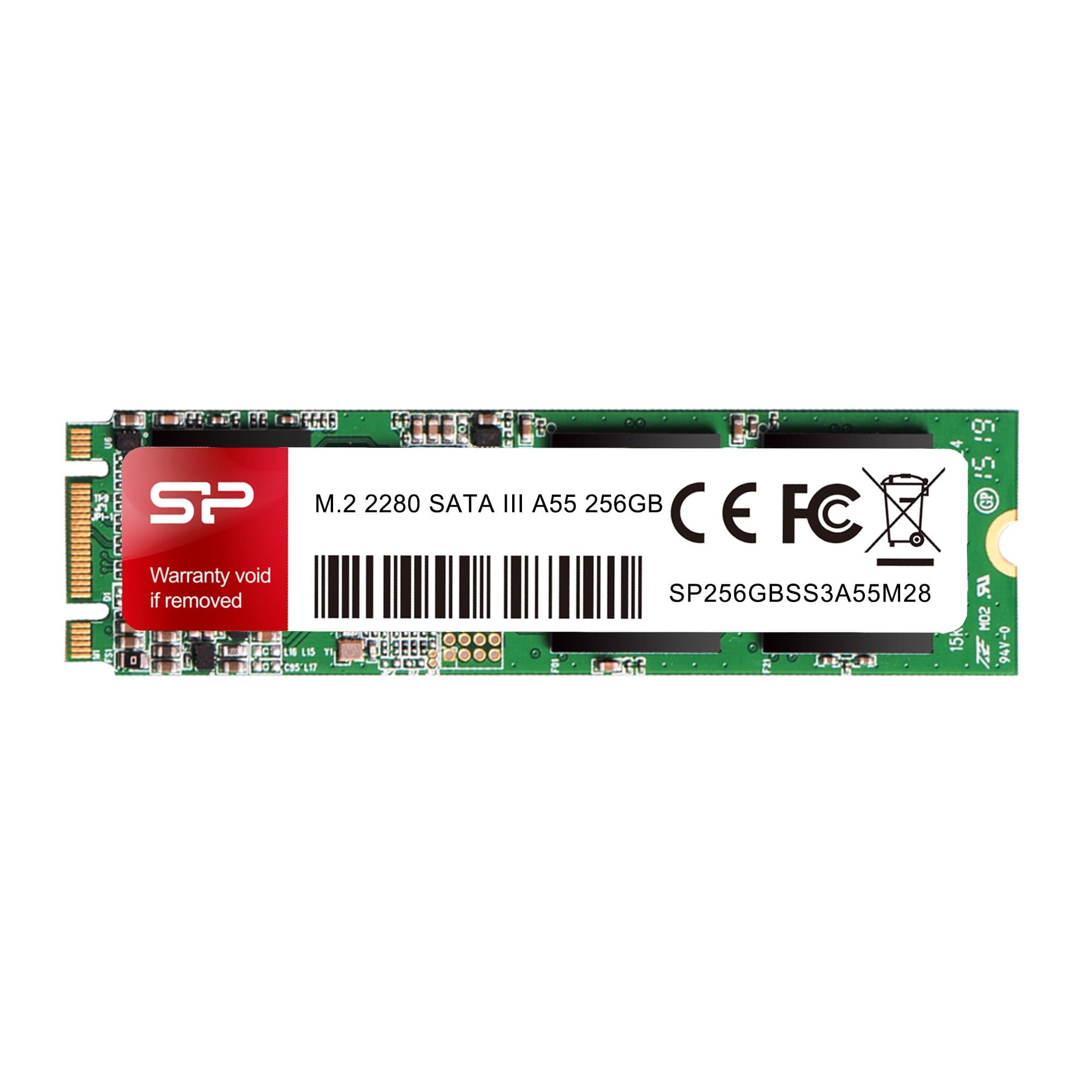
💨 Upgrade your workflow with Silicon Power’s sleek speedster!
The Silicon Power 256GB A55 M.2 SSD is a compact, high-performance SATA III solid state drive designed for ultrabooks, tablets, and mini PCs. Featuring advanced SLC cache technology and Intel Smart Response support, it delivers accelerated read/write speeds and efficient multitasking. With built-in health monitoring software and robust error correction, it ensures reliable, long-term storage backed by a 3-year warranty.
| ASIN | B079X7LMLY |
| Best Sellers Rank | #82 in Internal Solid State Drives |
| Brand | SP Silicon Power |
| Color | 256GB |
| Customer Reviews | 4.5 4.5 out of 5 stars (2,837) |
| Date First Available | February 14, 2018 |
| Flash Memory Size | 256 |
| Hard Drive | 256 GB Solid State Drive |
| Hard Drive Interface | Solid State |
| Hardware Platform | PC, laptop |
| Is Discontinued By Manufacturer | No |
| Item Dimensions LxWxH | 3.15 x 0.87 x 0.14 inches |
| Item Weight | 0.288 ounces |
| Item model number | SU256GBSS3A55M28AB |
| Manufacturer | Silicon Power imports |
| Product Dimensions | 3.15 x 0.87 x 0.14 inches |
| Series | SU256GBSS3A55M28AB |
J**E
Silicon Power SSDs are always a great price!
The Silicon Power 512GB M.2 SSD is a fantastic storage solution that offers excellent performance and reliability. Having used this SSD for a considerable period of time, I can confidently say that it is a worthwhile investment for anyone looking to upgrade their system's storage capabilities. First and foremost, the performance of the Silicon Power M.2 SSD is outstanding. With its NVMe PCIe Gen3 x4 interface, it delivers lightning-fast read and write speeds, significantly enhancing the overall speed and responsiveness of your system. Whether you're gaming, editing videos, or performing intensive tasks, this SSD ensures quick data transfer and reduced loading times, providing a smooth and efficient user experience. In terms of reliability, the Silicon Power M.2 SSD excels. Built with high-quality components and utilizing advanced technologies, it offers robust endurance and stability. With a mean time between failures (MTBF) rating and various error correction mechanisms, you can trust this SSD to keep your data safe and secure. Additionally, the SSD operates with low power consumption, minimizing heat generation and prolonging the lifespan of your system. Furthermore, the Silicon Power 512GB M.2 SSD is incredibly easy to install. Its compact M.2 form factor makes it suitable for a wide range of laptops and desktops, ensuring compatibility with various systems. The included migration software simplifies the data transfer process, allowing you to effortlessly clone your existing drive to the new SSD. This convenience saves time and effort, making the upgrade process a breeze for users of all technical levels.
N**.
Good drive. M.2 SATA, not NVME
Keep in mind this it M.2 SATA, not NVME. Not all port and adapters support M.2 SATA. Did not work with my USB M.2 caddy, but worked great in an AM4 ASUS build!
P**E
Good Value
I picked up this drive when it was $51. (It's a bit more at the moment.) For a Silicon Power 1TB M.2 drive I thought this was a pretty good deal, and a good value. I can't really give heat, speed, or longevity specs, because the system is a fanless, low wattage, media device that sits idles 99.9% of the time. I don't have a testing system with the tools necessary to do any real testing. The board didn't have a NVMe connector and so I used an ELUTENG M.2 to SATA Adapter (see here: https://amzn.to/49dZ851 this is my Amazon associates support link). The SATA III speed is fast enough for this system, and the adapter was $7 at the time, but please note that this adapter has a plastic housing and does not allow for heat dissipation. I can not recommend this SATA III adapter for drives that will be heavily used.
A**C
SSD
perfect fit and upgrade to my desktop. I was running out of space and couldn't update my desk top. This SSD works great.
A**Y
Love them keep making them
Use these in raspberry pi’s 5. Great price point and easy to configure.
L**S
Just what the doctor ordered!
Fabulous price for size of storage
J**R
Seems to be very good value, more trouble to find what would work than to install.
Silicon Power M.2 2280 SATA 1TB SSD. Installed in Dell Inspiron 3470 Small Form Factor Desktop built in 2019. Biggest issue was determining what SSD card to get. NVMe will not work in this machine, and most offerings for a 1TB card are NVMe, so I settled on the SP brand. I needed to match the existing 1TB HDD to be able to clone without partitioning, then use the SSD as a Boot Drive and the HDD as a backup drive. Within 2 hours after UPS delivered it, I was up and running without any problems. I used Macrium Reflect 7 (Home Edition that I purchased during the Black Friday sale) to clone the SSD from the HDD, about 30 minutes. Watched a YouTube video for instructions to change the designation from E to C drive and rebooted and everything worked as hoped and wow, what a difference. Downloaded DiskMark 64 to test the read/write speed and got the following results. HDD Read (MB/s) 184.76 Write (MB/s) 171.61 (Top line results) SSD Read (MB/s) 552.85 Write (MB/s) 439.23 (Top line results) This is my 3rd upgrade from HDD to SSD as boot and retaining HDD as backup. One Windows HDD to 2.5 inch SSD, one Apple MacBook Pro from HDD to SSD (replaced HDD) and this one. All are well worth the effort and expense. All my parts are from Amazon, no issues just ordered the mounts with the 2.5 inch and didn't need anything for the M.2 slot. Since I wanted to retain the old HDD, I didn't have the option to just add a 2.5 inch SSD because the drive bay was not big enough to mount a SSD and HDD. I did not rate the Longevity because only time will tell. Since I kept the old HDD as a backup and will schedule monthly backups, failure will not be fatal.
J**A
.M2 Silicon Power storage failed with NAS cache' use
I have purchased Silicon Power 2.5" SSDs in the past. They are a cheap storage solution that allows me to compare different Linux distros - no issues of its failures. Comparable size storage from other brands are upto 20% more. That said, this particular storage, the M.2 SSD has been a failure. I purchased two of these to create an onboard read/write cache' as RAID 1 to complement the RAID 5 HDDs in my Synology 1517+ NAS device. Initially, the read/write cache' configured successfully. However, after 30 mins, the read/write cache became degraded, reverting to only read only. I spent close to four hours troubleshooting every possible option that included removing the storage, formatting it in linux and windows platforms, hoping to kickstart and make them usable. No luck. The part that bothered was that each time I started from scratch the issue would alternate. The NAS would point to one or the other as a failed resource. With frustrations and lost time, I have returned both and purchased a different brand (Transcend). It has been working - no issues after the initial setup. I do not recommend this product if anyone is planning to install them in a similar use case scenario as mine. Also, at this point, I will not be purchasing other Silicon Power products. The reliability is now in question. thanks for reading.
A**T
Delivery service was good. 1st delivery was not successful as I was out, I was called and the 2nd delivery the next day was ok. Product works and the seller's published details were accurate. I didn't do any technical performance comparison since mine is an old PC, but the SSD worked as expected and the C: drive migration was seamless.
S**I
fast and cheap 1 week delivery
A**R
Dos veces lo compré y dos veces falló. Lo barato sale caro, de repente murió y ya no pude recuperar valiosa informacion. Nadie lo compre
N**B
So far it’s working perfectly and hopefully it does for some time
A**R
These are super surprising every time I put them in a new build for customers. Speeds are very fast for such a low capacity drive. Reliability (which is more important) is has been good. I haven’t had one fail yet. Do NOT use the other Chinese brands to save 2$. You’ll regret it.
ترست بايلوت
منذ 3 أسابيع
منذ شهر