
قم بتنزيل التطبيق


معلومات عنا
حقوق الطبع والنشر © 2024 Desertcart Holdings Limited
قم بتنزيل التطبيق


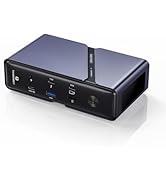
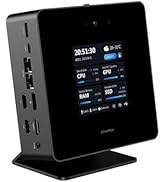
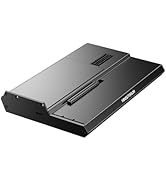
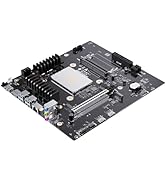
🚀 Elevate your mini PC gaming with powerhouse eGPU docking!
The MINISFORUM DEG1 is a compact external GPU dock designed for high-end graphics cards like the RTX 4090 and AMD RX 7900 XTX. Featuring a PCIe 4.0 x4 Oculink interface, it supports both ATX and SFX power supplies, delivering up to 64Gbps data transfer speeds. Its ForcePowerOn button with LED indicator offers easy control, while the follow-start function ensures seamless integration with MINISFORUM Mini PCs. Perfect for professionals and gamers seeking desktop-grade GPU power in a sleek, space-saving enclosure.













| ASIN | B0DCZLPWXK |
| Batteries Included | No |
| Batteries Required | No |
| Brand | MINISFORUM |
| Compatible Devices | AMD RX 7900 XTX, RTX 4090 |
| Computer Memory Type | DDR5 SDRAM |
| Customer Reviews | 4.3 4.3 out of 5 stars (77) |
| Data Transfer Rate | 64 Gigabits Per Second |
| Date First Available | 28 September 2024 |
| Hardware Interface | PCI Express 4.0 |
| Item Dimensions LxWxH | 27 x 17.4 x 4.1 Centimeters |
| Item Weight | 1 kg 150 g |
| Item model number | Deskmini |
| Manufacturer | Micro Computer (HK) Tech Limited |
| Model | Deskmini |
| Number of Ports | 1 |
| Product Dimensions | 27.03 x 17.45 x 4.06 cm; 1.15 kg |
| Wattage | 240.00 |
M**A
Love this Dock. I have paired a rx 7800xt with my mini pc and it works great. With a minisforum mini pc I just turn on the pc and the dock will self start as long as your power supply is on.
D**D
Simply put, the phrase "game changer" that so many people now bandy about and use with the most quotidian of products or product uses, does aptly apply to this product. I now own two connected to AMD 7800 and 7900 cards and 850w PSUs and it's borderline magical to have such an adaptively lean and mean device at the ready. No issues in a year of use and I have heard that it can handle the latest generation of cards, which seems logical based on my understanding of how this device works. Highly recommend.
B**W
Was looking for an egpu dock that would let me choose whichever gpu and power supply to add. Of all the choices on Amazon this one seemed to be the best choice at a reasonable price. I did notice in some reviews that ppl mentioned having stuttering video issues where the oculink possibly didn't provide enough bandwidth, but on my setup I had no issues whatsoever even at ultra 1440p settings. Very impressed with the simple yet intuitive design, was able to figure out how to use it w/o instructions.
P**Y
I’ve had the MINISFORUM DEG1 External GPU Dock Station connected to a MINISFORUM MS-A1 Workstation (Ryzen 9 9950x) for over a month. I’m using an ASUS Tuff RTX 5070 Ti with an ASRock 1000w power supply. Setting up the dock was straightforward with no issues. The dock boots when the computer power switch is pressed, easy to live with. Is it worth it? Well-ll, probably not. The system works well, but I get faster GPU processing speeds with the 5070 Ti in a desktop case via the PCIe slot on the motherboard. Part of the problem is the MINISFORUM mini 9950x system; its lack of adequate cooling throttles the Ryzen 9950x CPU. And it’s hard to review the docking station without considering the MINISFORUM computer to go with it. The total cost for this system priced out at $2200. As a price comparison, Amazon in the last month sold an HP 45L gaming desktop with an Intel 7 265K and a Nvidia RTX 5070 for $1399. Despite having a lesser CPU and GPU, the HP handily out does the MINISFORUM computer and dock with the 5070 Ti combination. In the end, the MINISFORUM dock satisfied my nerd curiosity. Yes, it works with no problems. However, unless a person already has the MINISFORUM computer, I think one can do better for the price, then purchase the docking station and GPU and power supply.
A**O
I wanted to give it some time before I wrote a review about this product. It works as intended. I'm able to connect a 50 70 TI card on that along with it PSU with no issues whatsoever. It's stable enough it shuts off when it's not needed meaning it goes to sleep in the sort of way which means less power usage unless Heating. Definitely recommend
ترست بايلوت
منذ شهرين
منذ شهرين