We remain fully operational. Our teams are working around the clock to ensure your deliveries continue safely.

قم بتنزيل التطبيق


معلومات عنا
حقوق الطبع والنشر © 2024 Desertcart Holdings Limited
قم بتنزيل التطبيق

🎥 Elevate Every Frame — The AI Gimbal That Puts You in Control
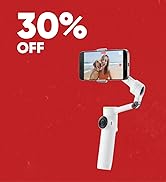
The Insta360 Flow 2 Pro White is the industry’s first AI-powered smartphone gimbal compatible with Apple DockKit, offering revolutionary 360-degree pan tracking and free tilt. Designed for iPhone 12-16 Pro models, it supports over 200 iOS apps and features multi-person tracking, 3-axis stabilization, and up to 15x zoom tracking. With a built-in tripod, selfie stick, teleprompter, and a 10-hour battery life, it’s the ultimate portable content creation tool delivering cinematic Dolby Vision and Apple ProRes video quality.






| ASIN | B0DPKRKLHY |
| Amazon Bestseller | #2,833 in Electronics ( See Top 100 in Electronics ) #3 in Cell Phone Handheld Gimbals & Stabilizers |
| Batteries Included | Yes |
| Brand | Insta360 |
| Color | white |
| Compatible Devices | Cellphone |
| Customer Reviews | 4.5 4.5 out of 5 stars (1,178) |
| Date First Available | January 15, 2025 |
| Image Stabilization | 3-Axis Image Stabilization |
| Included Components | Includes 1 Insta360 Flow 2 Pro, 1 Magnetic Smartphone Clamp, 1 USB-C to USB-A Charging Cable, 1 Protective Pouch |
| Item model number | CINSAAJA |
| Model Number | CINSAAJA |
| Product Dimensions | 12.1 x 5.4 x 28.2 cm; 360 g |
| Viewfinder Type | LCD Screen |
O**N
iPhone 15 Proと一緒に使っています。初めてのジンバルでしたが、セットアップも簡単で、アプリを入れたらすぐに使えました。折りたたみ式でとてもコンパクト、カバンにもすっぽり入るサイズ感が◎。 特に感動したのはAIトラッキング機能!移動中でもしっかり被写体をフレームに収めてくれて、手ぶれも全く気になりません。セルフィー時も自動で顔を追ってくれるので、自分で構図を気にする必要がなく、まるで誰かに撮ってもらっているかのような仕上がりになります。 三脚機能や自撮り棒機能もついているので、旅行先での集合写真やタイムラプス動画にも便利です。バッテリーの持ちも良く、1日中使ってもまだ余裕がありました。 唯一、最初は操作モードが多くて少し迷いましたが、数回使えばすぐに慣れます。ガジェット好きだけでなく、日常をきれいに記録したい人にもおすすめできる商品です。
S**A
great for beginners
Bought the Flow2 for my solo trip.Connected to my phone right away, and the on-screen guides made it simple. Footage stayed steady even while walking. Lightweight and compact, fits perfectly in my backpack with the case. Ideal for travel vlogs or everyday recordings. As a beginner, I think it is worth it.
メ**屋
【44歳・店舗営業職男性の意見】 家族の記録用として購入しました。 スマホ用ジンバルは DJI Osmo Mobile SEに続いて2台目 になります。 結論から言うと、 「スマホ撮影の失敗が一気に減るジンバル」 だと感じています。 ■ 実際に使ったシーン ・家族の外出や旅行時の動画撮影 ・室内での簡単なVlog撮影 ・子どもが動き回る公園での追従撮影 ■ 良かった点 ① AIトラッキングがとにかく優秀 業界初のAI搭載というだけあり、人物をしっかり追い続けてくれます。 360度パン追跡に対応しているため、被写体が大きく動いてもフレームアウトしにくく、子ども撮影では特に安心感がありました。 ② Apple DockKit対応で純正カメラが使える iPhoneの標準カメラアプリが使えるのは大きなメリットです。 画質劣化やアプリ切り替えのストレスがなく、 いちいち専用アプリを立ち上げなくて良い点は、家族で共有する際にも非常に楽でした。 ③ フリーティルトが想像以上に使いやすい 上下方向の自由度が高く、 子ども目線・低い位置・自撮りなど、構図の幅が一気に広がります。 ④ 内蔵三脚&自撮り棒で持ち物が減る これ1台で完結するため、旅行や外出時の荷物が減りました。 大きめのズボンのポケットなら収納できるサイズ感も便利です。 ■ 気になった点 ・ジンバル自体はやや重量感があり、長時間の片手撮影では疲れやすい ・初回設定やジェスチャー操作は、慣れるまで少し時間がかかる ■ まとめ 「スマホで動画は撮るけれど、ブレや構図が気になる」という方には非常に向いています。 特に ・Vlog初心者 ・家族や子どもの撮影 ・旅行用ジンバル を探している方には、操作性と安定性のバランスが良い一台だと思います。 個人的には、コンデジよりもスマホ+ジンバルの組み合わせをおすすめしたいと感じました。
ハ**ナ
軽くてコンパクトなのに、安定感バツグン!スマホ動画のクオリティが一気にアップしました Vlog撮影用に購入しましたが、予想以上に大満足です! 操作がとても直感的で、初心者でもすぐに使いこなせます。 AIトラッキング機能も本当に優秀で、自分を撮るときも、人やペットを撮るときも、しっかり追いかけてくれます。 マグネット式のスマホホルダーもすごく便利で、着脱がとにかく楽。折りたたむとコンパクトになるので、カバンに入れてもかさばりません。 Vlogや旅行の記録、日常の動画撮影にこだわりたい方には本当におすすめのジンバルです!
T**Y
Insta360 Flow 2 Pro White、本当に最高です! ホワイトのデザインはおしゃれでコンパクト。持ち運びも簡単です。 AIトラッキングは驚くほど正確で、ズームや複数人でも被写体を外しません。 三脚や自撮り棒も内蔵で、とても便利。 動画も写真もプロ並みに撮れて大満足! ★★★★★
ぶ**ち
総じて満足。360度撮影できるし(水平)操作も簡単で。追尾性能も良く子供の撮影にも便利(子供は無理やり早く動いて映らないようにいたずらするけど)。バッテリーも1日で不足する事は無かった(万博で使用)。欠点:たまに操作の一部が反応しなくなるのでアプリを再立ち上げが必要。大きいスマホだとバランスが悪いの不意に落としたので別でストラップで腕にぶら下げたほうがいい。
M**M
Insta360 Flow 2 Pro クリエイターキットを購入して、本当に大満足しています! まずデザインが洗練されていてホワイトカラーがとても美しく、持っているだけでテンションが上がります。 付属のアクセサリー類も充実しており、撮影スタイルやシーンに合わせてすぐに使い分けられるのが嬉しいポイントです。
L**A
ジンバルとしては最高品質。 付属のスタンド使用時に 端末の重量によってはバランスが崩れ、倒れることがあります。 別途三脚や重りが必要です。
D**A
Produto Original, e lacrado
A**K
I picked up the Insta360 Flow 2 Pro Creator Bundle when it was only one-forty, to use as a portable go-to for filming video with my iPhone 15. I'm happy it's part of my kit. The more I use it, the more I like it. The tripod is sturdy and perfect for tabletop filming. The gimbal's tracking works well and video is smooth, whether using the tracking while the phone is on the tripod or handheld. Pairing the Flow 2 Pro with the iPhone 15 is easy with the DockKit, but at first I struggled as I was doing it another way - the hard way looking to pair it in Bluetooth settings at first. Do yourself a favor and download the app before anything else, get it open and then that pairing is seamless! Speaking of the Insta360 app, it's where you should start your journey with this thing. Tutorials, an editor, and a camera icon that launches the Flow 2 Pro's integration is well thought out and works very well to help users with the "how to" of using this gimbal. Frankly, on the box in red it should say: "BEFORE YOU DO ANYTHING ELSE, DOWNLOAD THE APP AND PAIR THE DEVICE. THEN JUST WORK WITH THE APP TO USE YOUR GIMBAL." The gimbal charges quickly; about 1.5 to 2 hours when fully discharged, and can last up to 10 hours. It can also be used as a power bank to charge your phone or another device. Having never used a gimbal before, I sometimes feel awkward using this one, but with practice it's getting easier. I like that YouTube has lots of tutorials for film-making with this tool, and I know I'm just scratching the surface using it as I am now. The whole thing has so much versatility (selfie stick, gimbal, tripod) lifestyle and travel vloggers should all consider getting it! I do feel like the connection of the camera to the gimbal is sometimes a little fussy, but if you make sure things are lined up and locked in, it's usually OK. I have an iPhone 15 with a thin silicone case. Both the magnetic mount and the clamp work with the phone in the case, but I feel like the clamp is a bit more secure. If I had my phone out of a case, the magnetic mount would be my choice. This kit includes a light that I haven't used yet, but love having for low-light conditions. I use a wireless mic when recording and it has a long range. If I connect the receiver for that mic into my phone which is in the gimbal used as a tripod it works well and the additional weight of the receiver doesn't seem to affect the ability of the gimbal to move in a 360-degree rotation or other directions. Getting this on sale, I'm very happy. I think it's a lot of tech for a highly-portable (or not) device. The only thing I wish was better is the learning curve to use it. I think that's a little steep, but that could just be me. Watch the tutorial videos, download the app, pair your device, and you'll be creating in no time! NOTE: You may want to consider getting the Insta360 Flow 2 case accessory (sold separately) for your gimbal. It's about twenty-five and well worth it for organizing and protecting your gimbal.
G**R
J'ai emporté l'Insta360 Flow 2 Pro lors de mon récent voyage au Japon pour immortaliser mes souvenirs, et l'expérience a été excellente. Même sans être un professionnel de la vidéo, ce stabilisateur change radicalement la qualité des images. Points forts : • Stabilité bluffante : Les vidéos sont fluides, même en marchant rapidement dans les rues animées de Tokyo ou Kyoto. On passe d'un aspect 'filmé au smartphone' à un rendu vraiment professionnel. • Application intuitive : L'application dédiée est une excellente surprise. Elle est très facile à prendre en main et propose des outils de montage automatiques vraiment sympas qui permettent de créer des clips de qualité en quelques minutes. • Polyvalence créative : Le stabilisateur regorge de fonctions (suivi de sujet, modes créatifs). J'ai conscience de n'avoir exploité qu'un petit pourcentage de ses capacités réelles, mais même en usage basique, le résultat est là. • Portabilité : Il se replie facilement et ne prend pas trop de place dans un sac à dos de voyage, ce qui est crucial quand on bouge toute la journée. Petit conseil : • Prenez le temps de faire les tutoriels rapides dans l'application au début. Cela permet de comprendre les bases du joystick et des modes de suivi pour ne pas rater vos premiers plans importants. Verdict : C'est l'outil parfait pour ceux qui veulent de belles vidéos de vacances sans se prendre la tête. Il offre une marge de progression énorme au fur et à mesure que l'on découvre ses fonctions avancées. Je ne regrette absolument pas cet achat pour mes souvenirs de voyage !
J**P
Also ich habe ihn mir gekauft, weil er als ultrakompatibel zum iPhone beschrieben wird. Das ist zu 100 % korrekt. Natürlich habe ich mir auch einige Produkte der Marktbegleiter betrachtet. Am Ende ist es dieser geworden, und ich habe es bis jetzt nicht bereut. Auch ohne die nicht immer unproblematische Instaapp, ist der Gimbal Ultra schnell einsetzbar und funktioniert problemlos mit der Kamera App vom iPhone. Die ganze mechanische Verarbeitung ist außerordentlich solide. Definitiv würde ich jedem das Creator Pack empfehlen. Für die magnetische Halterung sollte man aber ein iPhone Cover benutzen, welches die magnetische Rückenfunktion des iPhones unterstützt. Der Magnet sitzt wirklich sehr gut. Der ganze Gimbal verfügt über eine so große Vielzahl von Funktionen das es definitiv Sinn macht sich die ganzen Videos dazu anzusehen. Eine von mir sehr geschätzte Funktion ist per Knopfdruck eine 360° Rotation. Daraus ergibt sich eine sehr schöne Panorama Aufnahme. Nicht jeder Marktbegleiter beherrscht eine 360° Rotation ! Alles in allem ein wirklich cooles Gerät, schnell einsatzfähig, sogar mit Lade Funktion fürs Telefon. Also, ich bin außerordentlich zufrieden. Noch ein kleiner Hinweis zur App von Instagram 360. Die App ist verhältnismäßig groß mit 1,5 GB. Sie wird aber auch recht häufig überarbeitet und gepflegt. Was wiederum dafür spricht, dass man sich wirklich um Kunden Zufriedenheit kümmert .
Z**Y
Used it for quite some time before writing down this review. Super powerful stuff. Better than the one that I got from other people. It’s super useful and a bit unreal for this price. A lot of interesting functions. You can download the app to figure it all out. Multifunction and easily operating. Highly recommended!
ترست بايلوت
منذ شهرين
منذ 3 أسابيع