We remain fully operational. Our teams are working around the clock to ensure your deliveries continue safely.

قم بتنزيل التطبيق


معلومات عنا
حقوق الطبع والنشر © 2024 Desertcart Holdings Limited
قم بتنزيل التطبيق
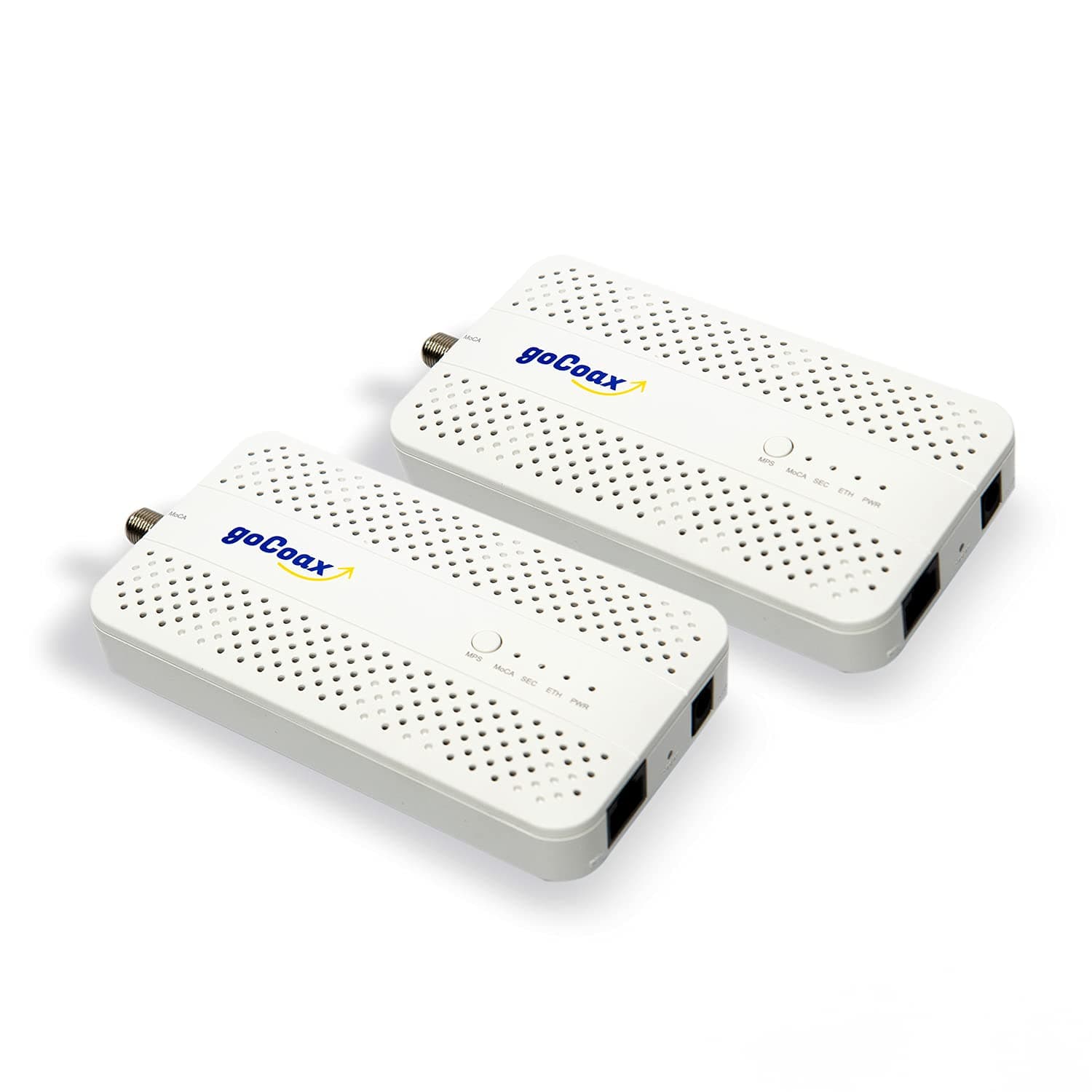
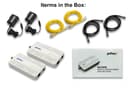
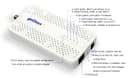
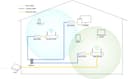
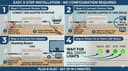
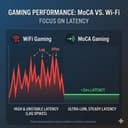

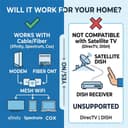

⚡ Upgrade your home network to pro-level speed and stability—no rewiring needed!
The goCoax MoCA 2.5 Adapter (2-pack) leverages existing coaxial cables to deliver a genuine 2.5Gbps Ethernet connection with ultra-low 3ms latency, perfect for streaming 4K/8K content and lag-free gaming. Easy to install and scalable up to 16 devices, it transforms your home network into a high-speed, interference-resistant powerhouse without costly rewiring.


| ASIN | B09RB1QYR9 |
| Brand | goCoax |
| Color | white |
| Compatible Devices | Desktop |
| Customer Reviews | 4.5 4.5 out of 5 stars (1,299) |
| Data Link Protocol | Ethernet |
| Data Transfer Rate | 2.5 Gigabits Per Second |
| Hardware Interface | Ethernet |
| Item Weight | 0.72 Kilograms |
| Manufacturer | goCoax |
| Mfr Part Number | WF-91HG-ZM71 |
| Model Number | WF-91HG-ZM71 |
| Unit Count | 2.0 Count |
A**U
前から使いたくて買おうか迷ってたが値下がりしてた機会に購入 きちんと動作してくれて良かったです
物**員
設定も簡単ですぐに動作して、2.5 Gbps を確認できました。配送時のフォローも丁寧でとてもよかったです。
A**ー
Great
This is a great item for people who dont have a waiting wall conduit or a lan outlet. Seller was also helpful with the shipments. Worth the price
H**E
とても便利だけど、一部BS周波数が被ることは知っておいた方がいいです。地上波のみ同軸との同居が前提と考えた方が安全です。
3**9
すごい!早い!(←僕の家の中では) メッシュとか使って無線LANで頑張っていましたが(←あくまで僕の家の中では)どうしても速度が出ず、藁にすがる思いで購入しましたがアッサリと倍くらいの速度で繋がってしまいました。 操作等はなにもなく、とりあえず繋いだだけで即開通です。 (本体のボタン操作で早い設定をコピペし合う能力があるようですが使っていません) もうちょっと安ければなと思います。ここだけ残念。 買ったばっかりですが耐久性が高ければ(鉄筋コンクリートみたいな住居の)最終手段になる可能性を感じますがちょっと高いかもしれませんね。
A**ー
建売住宅を購入しましたが、LANケーブルは引っ張っていませんでした。モデムから最適な無線ルーター設置場所までのルートが複雑で、自分で通線できそうにありませんでした。ただし、各部屋に同軸は行っていますので、同軸でネットワーク組めないかと考え始めました。試しで100Mbps対応のアダプターを買ってみまして、デスクトップパソコンの接続はうまくいきましたが、ISPからのサービスは1Gbpsですので、もったいないと思いまして、本商品を買ってみました。 電源、同軸ケーブル、LANケーブルを差し込みだけで完成でした。アダプターの変更だけでスピードは役9倍(89Mbps→600Mbps)上がりました。大満足です。 3個を購入しまして、モデム→メインルーター(LAN)→4ポートスイッチ(LAN)→①、② ①テレビ(LAN) ②同軸スプリッター(同軸1)→③、④ ③デスクトップPC(同軸2) ④サブWi-Fiルーター(2F)(同軸3) 上記機器及び無線デバイスは全て同じネットワークに繋がっていますので、希望通りです。 まだ安定性につきなんとも言えませんが、出だしは良いです。
F**6
アダプタとして機能性は問題ありません。 付属品としてLANケーブルがカテゴリ5eでアダプタの性能を活かせないものが入っていた点と5c同軸ケーブルという屋外で使用するものが入っていたのが不満点です。
A**G
Just works
Plug and play, and it even works with the trendnet moca adapters.
G**K
These are an excellent alternative to Powerline Ethernet, which works reliably only 20% of the time. MoCA works a 100% of the time. Make sure that your coax splitters are capable of more than 1GHz. 3-way splitters often have one -3dB port and two -7dB ports. -7dB works better - it's higher attenuation, but wider band. Make sure you terminate unused ports with a 75Ohm terminators. Also keep in mind that they have a slightly higher latency - I'm seeing a 4ms ping round trip time on these.
A**R
Um WLAN im ganzen Haus (massiv, Stahlbetondecken) verfügbar zu machen habe ich jahrelang mit Repeatern und DLAN experimentiert, eher wenig erfolgreich und sehr schwankend von der Signalqualität. Dann nutzte ich die vorhandene FM-Verteilung, um mit mehreren Access-Points auf den Etagen zu arbeiten. Die Signalqualität hat sich verbessert, aber der Datendurchsatz war aufgrund der verbauten CAT5-Kabel auf 100mBit/s begrenzt. Bei einer Renovierung fielen mir die alten, seit Jahren ungenutzten SAT-Dosen ins Auge und die Frage stellte sich: könnte man vielleicht...? Bei den bekannten Elektronikspezialisten bin ich zwar fündig geworden, aber dort handelte es sich hauptsächlich um Geräte, welche einen Breitbandfilter/-splitter integriert haben und dadurch recht kostenintensiv waren. Schon eigenartig, dass es wohl nur dieses amerikanische Produkt gibt, aber gesehen und bestellt. Die passenden Steckeradapter gleich dazu, da auf den Fotos klar das Netzteil mit US-Stecker zu sehen war. Der Rest ist plug & play. LAN-Kabel vom Router zum goCoax, dann COAX-Kabel am Multischalter ab- und an den goCoax angeschraubt, Netzteil eingesteckt. Im Wohnzimmer mit beiliegendem COAX-Kabel an die SAT-Dose und den goCoax, AP per LAN-Kabel angeschlossen, Netzteil eingesteckt und Injektor des AP mit Spannung versorgt. Die Verbindung kam in Sekunden zustande und es stehen jetzt die vollen 400Mbit/s vom Router stabil zur Verfügung. Inzwischen kam noch ein Switch hinzu, um die Geräte im Heimkino direkt mit LAN zu versorgen. Ich bin begeistert und empfehle gerne weiter.
K**B
I purchased the goCoax MoCA 2.5 Adapter with 2.5GbE specifically for my Verizon FiOS setup so I could use my own router and still retain full TV functionality, including the program guide and On Demand. It worked exactly as intended. Instead of being forced to use the FiOS router just for MoCA, this adapter provides the MoCA network over my home’s coax while my own router handles the internet. My FiOS TV boxes get guide data, updates, and On Demand services just like they would with the Verizon router, but without the monthly rental fee or network limitations. Setup was very straightforward. I connected the adapter to the coax near the ONT and my personal router, and everything came online quickly. The TV guide populated normally, channel data loaded fast, and there were no issues with DVR or interactive features. The 2.5GbE port is a big bonus, especially on a gigabit FiOS plan. Network speeds are extremely stable with low latency, and it provides a reliable wired backbone across existing coax lines in the house. It’s essentially the best of both worlds: full FiOS TV functionality plus the performance and control of a high-end third-party router. If you want to eliminate the FiOS router but still keep the TV guide, On Demand, and MoCA connectivity for your set-top boxes, this adapter is an outstanding solution. Rock-solid, fast, and a smarter long-term setup for FiOS households.
G**T
Ideale oplossing om snel internet via een coax kabel te laten lopen wanneer een UTP om welke reden dan ook niet kan. Makkelijk te installeren.
G**E
Acquistati in coppia per far passare la linea internet attraverso la rete coassiale dell'antenna TV. Svolgono egregiamente il loro lavoro. Velocità e latenza sono sostanzialmente pari al cavo Ethernet, nel mio caso si arriva massimo a 1Giga di velocità in up e down essendo limitato dalle porte di uscita del modem TIM. Da verificare se effettivamente riesce ad arrivare ai 2.5 pieni, ma per il resto è ottimo. Peccato perchè, dovendo acquistarne almeno 2, il prezzo finale di questa soluzione diventa un pò alto.
ترست بايلوت
منذ أسبوعين
منذ 3 أسابيع