
قم بتنزيل التطبيق


معلومات عنا
حقوق الطبع والنشر © 2024 Desertcart Holdings Limited
قم بتنزيل التطبيق


🎮 Level Up Your Game with Style!
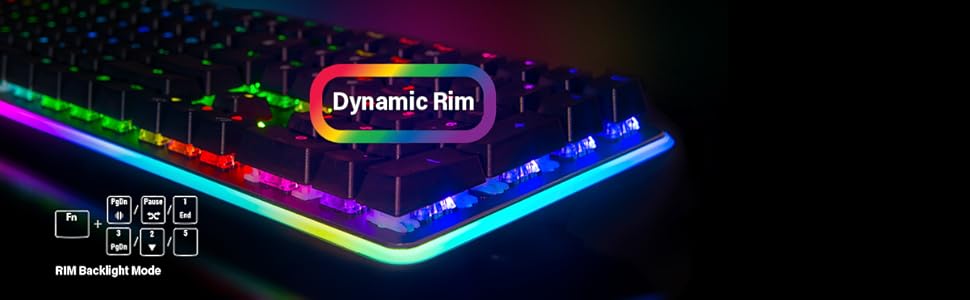
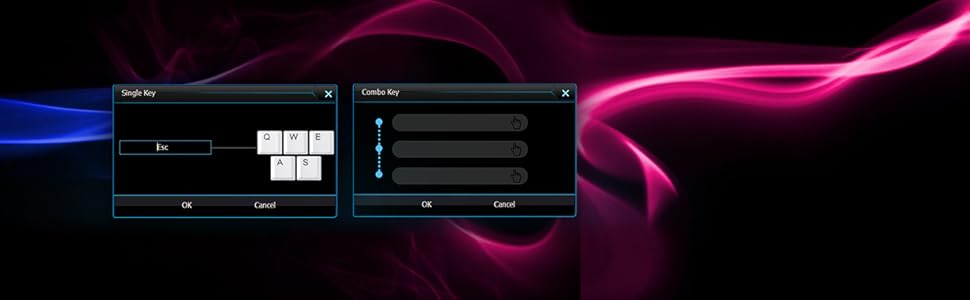
The Rosewill Mechanical Gaming Keyboard combines stunning RGB backlighting with customizable features, including dynamic rim lighting and easy macro recording. With Kailh Brown switches for a quieter experience and N-key rollover for flawless performance, this keyboard is designed for serious gamers who demand both style and functionality.


| ASIN | B07DGN8P69 |
| Best Sellers Rank | #114,109 in Video Games ( See Top 100 in Video Games ) #4,626 in PC Gaming Keyboards |
| Brand | Rosewill |
| Color | RGB LED |
| Customer Reviews | 4.4 4.4 out of 5 stars (480) |
| Date First Available | June 1, 2018 |
| Hardware Platform | PC |
| Is Discontinued By Manufacturer | No |
| Item Dimensions LxWxH | 19.6 x 6.8 x 2.7 inches |
| Item Weight | 2.2 pounds |
| Item model number | NEON K81 RGB BR |
| Manufacturer | Rosewill |
| Operating System | Mac |
| Power Source | USB Powered |
| Product Dimensions | 19.6 x 6.8 x 2.7 inches |
| Series | Gaming Keyboard |
L**R
LOVE this keyboard
I've never used a modern mechanical keyboard before, but my crappy $10 one finally died and I thought I'd try a nice one. It's sooooo nice. It's hard to describe exactly what's so great about it, but it just feels like *quality*. Awesome: * It feels like QUALITY. Hefty and polished. If there were corners cut, they were the right ones because I'm not noticing them. * The button presses are fantastic. The word is "POSITIVE" - there's no mistaking when you hit a button. They're not ridiculously loud, but if you're flying through code or an angry email, and start typing hard and fast, people are gonna know, haha. *It looks cool. It's understated and doesn't look out of place in an office, but there's a little cheeky red peeking out from under the keys. The Rosewill logo is subtle. This things is awesome, and it feels like the people who designed and built it actually cared a little bit. I have the tiniest of quibbles that's definitely not worth taking a star away: you can feel the raised screen printing on the keys. Everything else about it is smooth and machined, then you go to type and it feels like someone spraypainted some grit to the keys. Sounds bad, but honestly it's a nitpick. Most people probably wouldn't even notice.
J**O
Very Good Basic Mechanical Keyboard
I've been using the typical membrane keyboards (Dell, etc.) for the last several years. They never last longer than a year or so and I got tired of replacing them. I play several MMOs and do enough typing that I didn't want a Cherry MX Red gaming keyboard. So I decided on Cherry MX Brown as a "hybrid" choice and the Rosewill was relatively inexpensive and had good reviews. This keyboard is exactly what I expected: a low-frills mechanical keyboard with responsive, slightly clicky keys. The keyboard itself is nice and heavy due to the metal base (which is a nice unlit red you can see between the keys). The keys are good and responsive; a key press is registered after depressing the key about half-way. It's good for typing with a nice clacking that isn't obnoxious but is noticeably louder than a membrane keyboard. I love the ability to disable to Windows key; I was constantly hitting it when trying to access hotkey combos in games. Gaming is fine so far. The only thing that seems odd is the repeat rate when holding down a key seems slower than my membrane keyboard. That's a small price to pay for what appears to be a solid basic mechanical keyboard. I recommend this to anyone who wants a good replacement and neither wants nor needs all the bells and whistles of a high-end gaming keyboard.
L**S
and I like the detachable USB cable as well compact size compared ...
I just received this keyboard after trying out Das Professional MX Blue Clicky and MX Brown; both I thought were way overpriced and neither had the key feel that I was looking for. I then read numerous reviews on the Rosewill and decided to give it a try at the half the cost of Das Professional with Cherry MX Blue switches. At first I thought the key feel was a bit weird compared to the Das Keyboard. After the several days of use and also with addition of WASD blue rings, I am totally addicted to using this keyboard; I actually been using it both at home and at work (yes actually been carrying it to the office). 4mm blue rings actually quiests the bottoming and also helping me to touch type. The clicky sound it makes and no bottoming out sound makes typing so addictive! So, at the half the price of Das, I ordered another one with MX Brown switches for work. No frills mechanical keyboard that's designed to do just one thing; to type on, what a great idea!! BTW, please do not waste your money on DAS keyboard, this keyboard is the best deal that I can think of if you do a lot of typing and want that just the right amount of key resistance while providing just the right amount of feedback. The keys themselves reminds me of the Olivetti typewriters that were made in East Gemany during the 80's. UPDATE: Just received the Rosewill MX Brown to use at the office. Key feel is similar to the MX Red with very little tactile feel than with MX Blue. However, the keys have less resistance and I can already see that it can be a perfect keyboard with a little dampening rings on the key caps. I actually like this one also, just very well made keyboard without many bells OR whistles. MX Brown keys actually travels further than the MX Blues but it actually have just the right amount of resistance on each key press. Very well made and quality shows throughout. I will honestly say that if you're looking for that right mechanical keyboard without the backlighting and all the frill, then this keyboard won't disappoint.
I**B
Although the switches are quite loud they do have a satisfying click to them and make for really responsive typing and gameplay. It’s a nice dark black with a red lining under the keys.
R**N
Got this keyboard for home office set-up - I like the Cherry MX Brown switches - it has a nice click feel and sound. The red back plate is subtle but makes it look cool. The keyboard is heavy and does not move around (well built, Made in Taiwan). It would be even nice if it was backlit, but not necessary if always typing without looking at the keyboard. One thing is that the keys do eventually fade (if that bothers you) since they are laser-etched. The good thing is that the key caps can be replaced with other ones (i.e. PBT ones). Overall, I have been using the keyboard for 3 months and really like it - I feel I can type a lot faster and when using Excel, the arrow keys move very quickly and responsive.
T**.
As the title suggests, I wasn't expecting much when I bought this keyboard. I'm coming from a Corsair K70 with MX Speeds (Silvers), and to be totally honest, the quality of this keyboard feels greater than my $250 K70. The stabilizers on this board (the parts used to stabilize longer keys, like the space bar) aren't wobbly at all. They have no rattle, whereas my K70 has MASSIVE amounts of rattle. The sound is actually quite satisfying. I can't comment much on the feel of the MX Browns, as I've only ever used MX Speeds, which are completely different. Haven't had a chance to explore the software associated with this thing, but I can't imagine it'll let me down. Already, I know it will serve its purpose well. As a keyboard enthusiast, I'm impressed with the value of this board. It's solid, has some weight to it, and the RGB is high quality. I paid $100 CAD. If you're looking for a budget board, this is it.
F**Z
Es el primer teclado mecánico que uso y compro, los switches Brown me parecieron excelentes, son más suaves que un switch de membrana y se sienten super bien al teclear y jugar, mi teclado anterior de membrana un Logitech K120 tenía ya teclas que se trababan, aquí con el Brown se siente la escritura bastante fluida y puedes notar cuando has accionado una tecla, puede ser bastante silencioso una vez que aprendes la distancia a la que se activa la tecla y no es necesario presionar hasta el fondo para que la registre, el sonido me parece perfecto porque no es tan ruidoso como los azules pero igual sientes cuando has activado una tecla, para ser mi primer teclado mecánico estoy muy contento, sinceramente nunca me llamaron la atención los teclados con retroiluminación ni RGB, buscaba justo lo que este teclado me ofrece, un aspecto sencillo, el sonido y la ventaja de los switches brown y teclas multimedia aunque no son dedicadas son muy útiles, el tamaño es ideal y yo si ocupo diario para trabajar el pad numérico. Con tan solo ocuparlo una hora y después volver a utilizar el de membrana se nota enormemente la diferencia, aunque como tal no es una necesidad un teclado mecánico, la experiencia si es notablemente mejor al usar uno así que si tu presupuesto te lo permite no te vas a arrepentir de utilizar un teclado mecánico y sentir esa sensación de querer seguir escribiendo como yo ahora mismo jajaja. Pensaba que el switch sería un poco más duro o que requeriría mucha más fuerza para activar pero para mi sorpresa es más ligero que un switch de membrana, se siente mejor y solo es cuestión de adaptarse un poco para sentirlo normal. Si que se disfruta mucho usar este teclado y el aspecto minimalista es lo que más me ha gustado porque todo lo gamer con luces y diseños extravagantes realmente no me atraen. Muy satisfecho con la compra y sin duda lo recomendaría y volvería a comprar. Adjunto algunas fotografías.
A**N
Con: The cable (nice braid covered) plugs in to or out of the keyboard via a mini USB-style connector. It routes the cable away at 90 degrees. Of course, for me, it's 180 degrees from the direction I need, and the connector is polarized, so the cable must go one way. But it still reaches as it's a good length. Admission: I opened it and typed for about 2mins. However, I just brought a $250 CORSSAIR for home (this is for work) and I am sure this keyboard has the same Cherry Brown switches. Nice. But more than that, IT IS SO SOLID. I would even describe it as heavy. Which is fine by me. So build quality seems excellent, the profile is nice and neat (small footprint - no fat bezel), and it even has some simple but effective media keys and a Windows key disable, via a Fn key and some hard-wired key combos. VERY impressed.
ترست بايلوت
منذ أسبوعين
منذ أسبوعين