Desertcart purchases this item on your behalf and handles shipping, customs, and support to EGYPT.
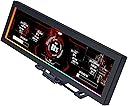
✨ Elevate your rig’s IQ & aesthetics with Lian Li’s 8.8" ARGB smart display!
The Lian Li 8.8" Universal Screen (SM088X) is a sleek, USB-powered secondary LCD display featuring a sharp 1980x480 IPS panel, flexible mounting options, and fully customizable ARGB lighting. Designed for PC enthusiasts and professionals, it delivers real-time system stats, media playback, and personalized visuals through L-Connect 3 software, making it a must-have for those who demand both style and function in their workstation or gaming setup.


| ASIN | B0FKH3NK1H |
| Additional Features | Tilt Adjustment |
| Aspect Ratio | 16:9 |
| Best Sellers Rank | #2,892 in Electronics ( See Top 100 in Electronics ) #113 in Computer Monitors |
| Brand | Lian Li |
| Color | Black |
| Compatible Devices | Desktop |
| Connectivity Technology | USB Type A |
| Customer Reviews | 4.4 out of 5 stars 497 Reviews |
| Display Resolution Maximum | 1920x480 |
| Display Technology | IPS |
| Display Type | LCD |
| Hardware Connectivity | USB |
| Included Components | Lian-Li Lian Li 8.8" Universal Screen (White) |
| Item Dimensions D x W x H | 0.51"D x 9.33"W x 2.87"H |
| Item Weight | 530 g |
| Manufacturer | LIAN LI |
| Model Name | SM088X |
| Model Number | SM088X |
| Native Resolution | 1980 x 480 Pixels |
| Refresh Rate | 60 |
| Resolution | HD |
| Response Time | 1 milliseconds |
| Screen Finish | Glossy |
| Screen Size | 8.8 inches |
| Screen Surface Description | Glossy |
| Total Usb Ports | 1 |
| UPC | 840353051317 |
| Unit Count | 1 Count |
| Warranty Description | 1 Year |
| Warranty Type | 1 Year Manufacturer Warranty |
A**N
Great addition to any PC build
The Lian Li 8.8" display has been one of the most satisfying additions to my setup. The first thing that stands out is the versatility of the mounting system. You get multiple options with the included mount, which makes it incredibly easy to place the screen exactly where it fits your build’s aesthetics and layout. Whether you want it on the outside of the case, behind the glass, mounted to a fan (how I mounted), or tucked into a custom spot, the flexibility is there. Installation is surprisingly simple. Lian Li clearly put thought into the hardware design, and it shows as everything feels solid, well‑made, and premium. The build quality is excellent, and the screen itself looks fantastic, with sharp visuals and great brightness for both system stats and custom loops, etc. The only real learning curve is the software. L‑Connect 3 works well, but it takes a little time to get used to the layout and customization options. Once you get the hang of it, though, the possibilities open up fast. Overall, this display is a great way to personalize your build while also giving you useful real‑time system data. If you enjoy both aesthetics and functionality, this little screen delivers on both fronts.
M**E
Good visuals, customizable, but a poor selection of backgrounds.
We all should never leave reviews for electronics ( other items too ) until we've had them for a good while. Most things work ok when u get them. Big deal. That means nothing if they break within the first year or so. Well this little guy is a pretty handy addition to any rig. It gives u some extra visual appeal while giving you the important infos you want. Sucks that it takes a USB header from your mobo, but there's a few work arounds for that. I'd buy again. Recommend.
B**T
Very nice screen and looks good. Great way to dress up your case.
This little screen looks great, and really is useful. You can use it in a couple of orientations. If mounting, it must be used on a 120 mm fan, 140 not supported. Also, it must be on a fan, unless you use your own nuts/bolts/bracket (I used M5) to do it, although it does come with double sided tape. The software comes with quite a few nice options, and of course you can make your own custom screens. Overall, I would recommend this VERY highly. I was going to see if I could use ADA64, but the default software gave the few items I was looking for- CPU temp, load and clock. GPU temp, load, clock. RAM load and fan rotation. So I went with their software and didn't try ADA64. There is also an option for the accent color around the outside edge of the screen. Took the picture in room without any lights on, so it lacks a bit of detail, but it looks much better IRL.
B**S
Quality second screen to monitor your PC
I had an issue not long ago where the corsair CPU cooler quit on me. But I didn't know because it was so quiet. I think the internal pump went out and there was no indication that something was amiss. It was only by accident that I noticed my CPU temps were unusually high. I swapped the corsair with a Deep Cool cooler but still wanted a way to monitor my temps. Aliexpress tried to tempt me with one from their thousands of fly-by-night stores but I found this Lian Li universal screen. It was easy to mount, the included hardware allows multiple avenues of setup. The screen is bright, responsive, and comes with a few different themes. The themes are mostly anime and so very "busy" which distracted from reading the temp displays but there is one simple one that I use. The numbers are big and bold - perfectly for my failing eyes.
R**N
It is very useful and fun to use but I think it needs better support for customization
I find the screen very useful and fun to use because the L-connect3 software allows you to display information about the PC components displaying them with different nice default themes, which I find very useful. The other part is that since you can use it as an external monitor, I use Wallpaper Engine to display wallpapers on the screen. The screen body feels sturdy and a little bit heavy, which I think it makes it feel good quality. The mount that comes with the product works for practically every mounting configuration I just put it on my desk and it looks very good. I didn’t give it 5 stars because in my opinion the software is kind of difficult if you want to search for custom themes. You get directed to a website which is not easy to understand, I tried to install some themes from there but the software kept saying they were not supported. The only way I found out, a week later, was through their Discord server in which many people shared their custom themes which actually work when importing them into the L Connect3 software to display on the screen.
S**N
Best addition to my PC setup!!!!
This was easily the best, and easiest addition to my PC setup I’ve made. The screen is extremely bright, without being overwhelming. Because of the universal frame, this device can be mounted in any build, in any case, and in any orientation. It can even be used outside of the case as a standalone monitor. It uses USB for power by connecting to your motherboard. This is the only part that can be a little annoying. Most motherboards will only come with two USB headers. Because of this, if you have a lot of fans or RGB items, those can already all be used up on ur build. All I had to do was order the NZXT USB hub extender. It costed me $20, and I was able to plug in all my fans, AIO cooler screen, and the Universal Screen. Given the size, i can’t imagine it not fitting in any cases, unless they’re super small. Overall, very happy with the purchase. Installation probably took me 15 minutes. If you’re interested in purchasing, I highly recommend looking at your USB headers, and making sure you have one free. If you do not have any left, make sure to also place an order for a USB extender. Once installed customization is a breeze. The L-Connect app works seamlessly. The screen was picked up by the app instantly. The app UI is fantastic in my opinion. If you have other Lian-Li products like infinity fans, you can control them from the same app. Overall, I’m extremely happy. I would reccomend this to anyone who is interested. Gives any build a super “custom” vibe.
P**N
Great product with horrible software that compromises your system fans.
I’m giving this product a 3 Star rating because of the software to run the Universal Screen is playing havoc on my system’s fans. I’ll give a bulletpoint rundown of this product and associated software: 1. The Universal Screen is outstanding. Looks great, build quality is great, ease of installation is great, and it works great. 2. Installation was a breeze. You have tons of ways you can mount this, but the location I chose did not have any way of using the screws to secure the bracket. But they include double-sided tape. So I simply cut the tape to the shape of the parts of the bracket that come in contact with my case, stuck the tape to it, and stuck it down on the housing around my power supply. Holding good and looks great. 3. Software functionality. The actual functionality of the software is excellent and you have a massive amount of customization capability. You will have this baby up and running quickly with nice looking options available with just a few clicks of the mouse. If you want a complete custom look, you can do that as well. 4. Software interaction with your PC. Here is where the train goes completely off the tracks and is the sole reason for losing 2 full stars. As soon as I installed the L-Connect 3 software my system fans went haywire. My CPU fans are spinning at 100% and I initially had zero control over it. My 3 front fans stopped spinning and my top 2 fans were stuck at about 45% spinrate. I have no clue what my power supply fan was doing. I contacted a CSR on the Lian Li Discord channel and he directed me to update my BIOS and then change some fan settings there. This got my front fans spinning, but my CPU fans were blasting away at 100%. I could not manually adjust the CPU fan, but no auto fan speed. My top 2 fans are still spinning at 45% and I still have no control over them. My front fans are working, I can adjust them, but I don’t think they are being controlled by anything adjusting their speed. I have messaged the CSR who was helping me and it’s been over 24hrs and no response.
E**3
Great Software/Great Screen
I was a little hesitant because the reviews on this screen are pretty mixed, but after installing it myself, I’m genuinely glad I bought it. Installation was very easy and straightforward, even compared to other internal or auxiliary PC screens I’ve tried. One of the biggest positives for me is that it uses USB only, so it doesn’t eat up an HDMI or DisplayPort connection on your GPU. That alone makes it far more practical than a lot of competing screens. The software/app is solid, which is something I really appreciate. I’ve dealt with too many small PC screens that rely on sketchy, unfinished, or poorly translated software. This one feels polished and stable by comparison, and it just works without constant tweaking or crashes. Image quality looks great for its size, and it does exactly what I wanted it to do as a system display. Overall, this feels like a well-designed product that’s gotten a bit of an unfair review. If you’re on the fence because of the reviews, I’d say it’s absolutely worth it.
M**A
Écran 8,8
Magnifique rendu dans mon boîtier lian li vision Je recommande ce produit
R**.
TOP
Qualidade impecável como todos os produtos da Lian li...Gostei demais!
E**S
Buena calidad, excelente para visualizar temperaturas
Excelente pantalla, añadiría mas temas.
S**I
Awesome screen!
Great product, as described. Fast delivery using Amazon prime! Compliments my higher end gaming system well.
F**A
Set a mind of what you want...
Actually i'm buying for spare as my old set sometime work sometime don't and so anytime will die...But really very good product as lian li brand nothing is cheap,but the qty is good and way more funtion than other brand...most important is the software is stable...For me i just trust lian li product over other cheap brand...
Trustpilot
2 weeks ago
3 weeks ago