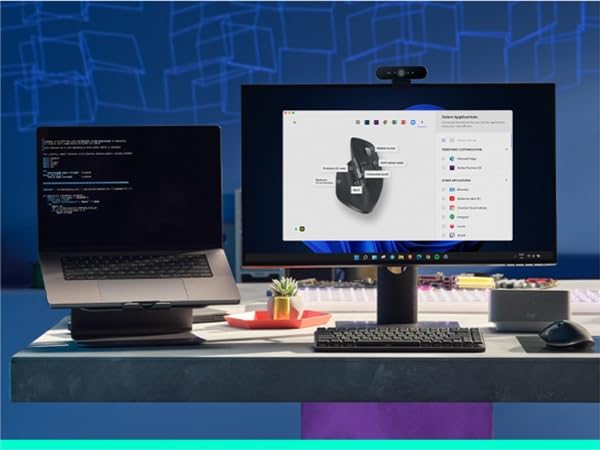
🖱️ Elevate your workflow with precision, speed, and silent sophistication.
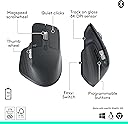
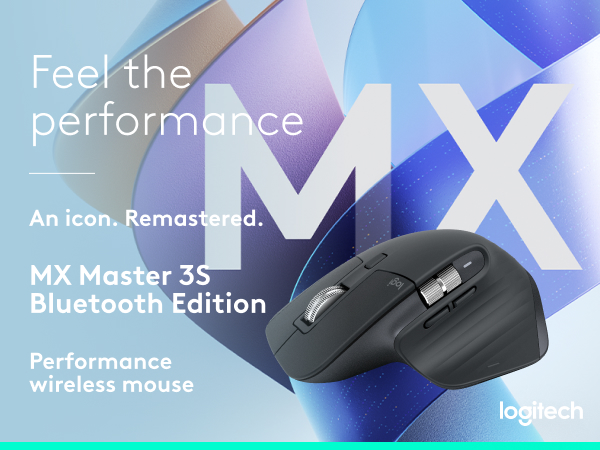
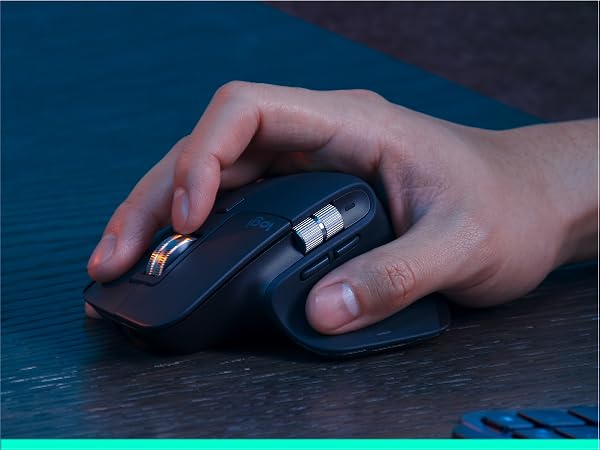
The Logitech MX Master 3S is a premium wireless mouse designed for professionals seeking precision and comfort. Featuring an 8000 DPI sensor for any-surface tracking, ultra-fast and quiet MagSpeed scrolling, and 90% quieter clicks, it enhances productivity in any environment. With multi-device FLOW control, customizable buttons via Logi Options+, and sustainable materials, it’s the ultimate tool for seamless, eco-conscious multitasking.


| ASIN | B07W5JKHFZ |
| Antenna Location | Computer Work, Design, Data Entry |
| Are Batteries Included? | Yes |
| Are Batteries Required | Yes |
| Battery Average Life | 70 days |
| Best Sellers Rank | 5,227 in Computers & Accessories ( See Top 100 in Computers & Accessories ) 168 in Mice |
| Brand | Logitech |
| Brand Name | Logitech |
| Button Quantity | 3 |
| Colour | Gray |
| Compatible Devices | Personal Computer, Laptop, Tablet, Smartphone |
| Connectivity technology | Bluetooth |
| Country of Origin | China |
| Customer Reviews | 4.6 out of 5 stars 15,015 Reviews |
| Embellishment Feature | Logo |
| Enclosure Material | Plastic |
| Hand Orientation | Right |
| Hardware Platform | General Purpose PC |
| Included Components | 1 battery |
| Item Dimensions L x W | 12.5L x 8.4W centimetres |
| Item Part Number | 910-006559 |
| Item Type Name | Wireless Mouse |
| Item Weight | 0.14 Kilograms |
| Manufacturer | Logitech |
| Manufacturer Part Number | 910-006557 |
| Model Name | Logitech MX Master 3S Performance Wireless Mouse |
| Model Number | 910-006559 |
| Mouse Maximum Sensitivity | 8000 Dots per Inch |
| Movement Detection | Optical |
| Movement detection technology | Optical |
| Network Connectivity Technology | Bluetooth |
| Number of Batteries | 1 Lithium Polymer batteries required. (included) |
| Number of buttons | 3 |
| Operating System | ANY |
| Pattern | MX Master 3S Old (USB-C) |
| Power Source | Battery Powered |
| Product Features | Magspeed scrolling, Silent click, Any Surface Tracking, Programmable Buttons, Multi-Computer FLOW Control |
| Product Finish Type | Matte |
| Product Warranty | 2 year manufacturer |
| Range | 10 meters |
| Special feature | Magspeed scrolling, Silent click, Any Surface Tracking, Programmable Buttons, Multi-Computer FLOW Control Special feature Magspeed scrolling, Silent click, Any Surface Tracking, Programmable Buttons, Multi-Computer FLOW Control See more |
| Style Name | Ergonomic |
| Theme | Professional |
| Unit Count | 1.0 count |
J**N
Best Mouse I have ever used - Definitely worth the price
I’ve been using the Logitech MX Master 3S for over a year now and honestly, it’s the best mouse I’ve ever used. I use it for both work and university, especially when I’m spending long hours on my laptop, and the ergonomics make a noticeable difference. It fits naturally in my hand and doesn’t cause the strain or discomfort I’ve had with other mice. The customisable buttons are also really useful for streamlining my workflow. You can assign shortcuts to them, including on Mac, which makes switching between tasks and applications much quicker. The battery life is excellent too, with a full charge lasting me for weeks before I need to plug it in. The tracking is extremely precise and works smoothly, while the MagSpeed scroll wheel is probably one of my favourite features. You can use it for precise scrolling when needed, but it can also fly through long documents and webpages incredibly quickly. Overall, it’s a really well-designed mouse and one I’d highly recommend, especially if you spend a lot of time working at a computer.
R**D
Logitech MX Master 3S: A Seamless Blend of Precision and Connectivity Excellence!
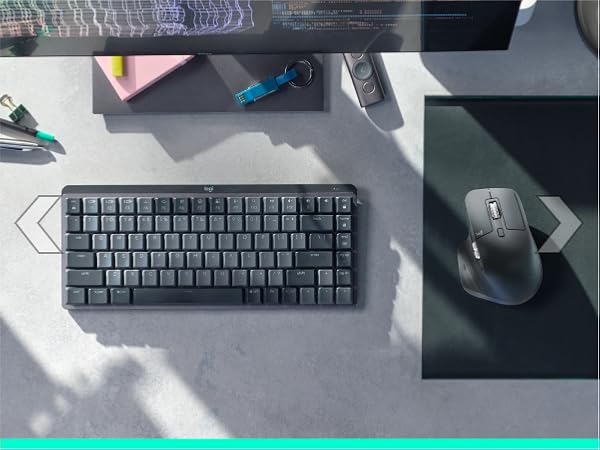
I recently made the switch from the Apple Magic Trackpad to the Logitech MX Master 3S, and let me tell you, it's a game-changer! Having used the Magic Trackpad for years, I was a bit hesitant to try a traditional mouse, but the MX Master 3S has completely won me over. First and foremost, the precision is outstanding. The customizable buttons and ergonomic design make navigation a breeze, whether you're working on your Windows PC or MacBook Air M1. It's a true all-in-one solution for multi-device users. The seamless transition between devices is where the MX Master 3S truly shines. With the ability to effortlessly switch between my Windows and MacBook computers, it has eliminated the need for multiple peripherals. The convenience of not having to juggle different mice for different systems is a huge plus. I stumbled upon this mouse thanks to the internet hype, and I must say, it lives up to its reputation. The build quality is top-notch, and the battery life is impressive. I can go for days without worrying about recharging, and when I do need to, it's a quick and hassle-free process. But the Logitech experience doesn't stop there. I also invested in the MX Keys Mini keyboard to complement the MX Master 3S. The combination of these two peripherals is a match made in productivity heaven. The MX Keys Mini is compact yet functional, and the backlit keys are a nice touch. Yes, the price tag is on the higher side, but in my opinion, it's worth every penny. The Logitech MX Master 3S and MX Keys Mini have seamlessly integrated into my workflow, enhancing both efficiency and comfort. If you're a multi-device user who values precision, comfort, and seamless connectivity, the Logitech MX Master 3S is a fantastic investment. It's safe to say that I'm now a Logitech enthusiast, and I can't recommend this mouse enough!
A**R
Excellent mouse
I'm a great fan of Logitech MX mice, having had several over the years. The 3S model still continues to be an excellent mouse. Some things are better than the 2S model, some not so good. Ergonomically, it fits the hand beautifully. The scroll wheel is smooth and responsive, and you can choose whether you want it to click or be smoothly rotating. My preference is the latter. If you do go for the click scroll, you can still spin the wheel if you give it a decent flick. The positiion of the horizontal scroll wheel doesn't fall to the thumb in the same way as the 2S and this will take a little getting used to. On the plus side, the forward and back buttons now are easier to operate. The mouse can control up to three different devices and I use it to control a Mac, a desktop PC and a mini PC. It works flawlessly for all three. The new "quiet click" buttons are not silent but are much quieter than the previous model. This is good if you are recording videos or streaming and the mouse is near the microphone. The disadvantage is that they require less pressure, so accidental clicking is more likely - especially if you are a bit heavy-handed. You can connect to your computer using the supplied dongle or using Bluetooth. Both methods work fine and the dongle is useful for desktop PCs that may not have Bluetooth. These mice have never been cheap but they have proved themselves over and over.
E**O
Best mouse ever used - Worth Every Penny!
I recently upgraded to the Logitech MX Master 3S, and I can confidently say this is the best mouse I’ve ever used. As someone who spends long hours on a computer, both for work and personal projects, this mouse has completely transformed my workflow. The ergonomic design is exceptional. It fits naturally in my hand, reducing wrist strain, and the thumb rest makes extended use extremely comfortable. The soft-touch finish feels premium and provides a solid grip, even during long sessions. With the 8,000 DPI sensor, tracking is ultra-precise, even on glass surfaces. Whether I’m editing videos, coding, or browsing, the smooth and accurate movement makes everything effortless. The Silent Clicks are a fantastic improvement from the previous model—same tactile feedback but much quieter, which is perfect for shared workspaces. MagSpeed Scroll Wheel: This is a game-changer! It seamlessly switches between precise and free-spinning scroll modes, allowing for ultra-fast scrolling. Customizable Buttons: The additional buttons are a dream for multitaskers. With Logi Options+ software, I assigned shortcuts for copy-paste, switching desktops, and even adjusting volume. Multi-Device & Cross-OS Support: Works flawlessly across Windows, macOS, and even iPadOS. The Easy-Switch feature lets me switch between my MacBook and PC with a single button press. Battery life is outstanding—a full charge lasts weeks, and USB-C fast charging is incredibly convenient. It connects instantly via Bluetooth or the Logi Bolt USB receiver, providing a lag-free experience. ⭐⭐⭐⭐⭐ 5/5 – Highly Recommended!
M**X
So close, yet so far...
Dont get me wrong, its an amazing mouse, but... The rubber coating is the main downfall of this mouse. It feels nice, but only until the rubber starts to degradate and become sticky... Or stsrt to peal off all together. Logitech really missed the mark here. They should have just made a nice feeling plastic surface which will never wear off. And instead, use drip pads / skin that would be applied on top. This way if it ever gets messy or wears out, you can swap it instead of throwing the mouse away. Or just customise it with different patterns or colour. Instead, it will become unusable in a couple of years, especially if you use any cleaners on it. Apart from that, I would also say that left and right mouse clicks / buttons are a bit too soft for my liking. I do orefer a clicky button to know thst I actually pressed it with a bit of resistance and feedback. As a result, I think 2S or the regular Master 3 might be better for some people. But, its not bad. They are definitely quiet, just not enough feedback to feel positive. I see how it would be beneficial in the office environment, but even for that use it could be a bit louder to imroove the feel as it would be still barely audible. Other than the mentioned above - god tier mouse. Scroll wheel is much improved over the 2S, and the reason why I didnt bother with any other brand is down to that factor. Its so convenient to hyper scroll with a light flick when needed, or disable it all together with a click of a button. Side buttons are vastly improved as well. Much better placement than the 2S. Better feedback on them, and much better shape to be more usable. Side wheel also good, slight improvement I would say, but I dont use it much. Action / thumb button is a gimmic due to the rubber flexible surface. Give me a solid, hard wearing material that will last for years and I will gladly sacrifice the extra button if Logitech cant find a better implementation. Tracking - amazing! If you're in need of a mouse that has the switchable free spin wheel, which also detects if it was flicked... And you need multi channel Bluetooth support for multiple devices - yes, its a darn good mouse. But, the rubber will not last
J**H
A Premium Mouse with a Price Tag to match.
The Logitech MX Master 3S is a flagship premium mouse. The build quality is excellent, from the soft and comfortable coating of the mouse, to the premium metal elements. The mouse has a virtually silent click which retains a tactile and positive feel in the hand, without a loud and annoying noise. The mouse offers a lot of customisation options for the buttons which can allow for a more efficient workflow. For example I have set the two side buttons to be Copy and Paste. This allows me to quickly copy and paste data between spreadsheets. The battery life is excellent, after 3 months of use I have had to charge it once. This is an impressive leap forward compared to my previous Logitech mouse which lasted 10 hours per charge. Unfortunately the battery is fixed in the mouse meaning if it fails in a few years you will not easily be able to replace it. The ergonomic design of the mouse is good but not quite perfect. There is a slight tilt on the mouse that is good for your wrists but means that you hard feels like it is falling off the edge. Over time I have found that the ring and little finger can become sore and agitated from the position. My previous Logitech mouse had a similar design but was much more comfortable. You are certainly getting a premium product, which should be expected at this price point. It will be subject to the individual to decide whether this is cost efficient for them. For anyone using a computer daily in their job it does make sense to have a productive and ergonomic mouse.
T**B
Gobsmacked Really
I have never owned a mouse in my life. Rarely write reviews. Love computers though. Here's me at 10 at night writing a review when I could be smashing Cyberpunk 2077. But no. Reason for 5 stars - I recently started an apprentice developer role which has been a dream since childhood, and have used a Mac for last 4 years purely trackpad. I have never in my life needed a mouse (especially personal), and honestly out of pure ignorance have never been able to realise that mouses have got more advanced since school days. So much more advanced. I was reluctant to get this and tried to convince myself the work computers small trackpad will be sufficient. On the recommendations from colleagues who had the master 2, it was prime day and I had just been paid, so impulsively bought this MX3, I regretted it instantly if I am honest (although the 2 would have been more than sufficient for me I won't lie). Damn you Amazon and your marketing !! I am still an apprentice, but all I can do is laugh at myself for regretting buying this mouse. In the space of a few days my navigation issues were a thing of the past and as of this moment writing this have finally experienced a proper 'flow state'. Managing to use keyboard commands through the mouse, the gestures, the ability to just fly to where you want to go is just mind-boggling and this is a SERIOUSLY handy piece of tech. I'm a bit of an apple nerd and they could only dream of this if I am honest. A lot of the beauty is in its simplicity and functionality that cannot really be streamlined (until we use our actual hands I guess..) Look I am an early days in my career and this will likely be the only mouse I ever buy, its that good. I have got the Logi Keys Mini which pair perfectly and both can be used on Mac and Windows simultaneously which is a bonus. It's just a shame I am early in my career as I think I'd see even more improvements. Just buy it and thank me later! Only thing I will add is that do not buy this if you are left handed (they do a left handed one btw), as I realise how amazing my review is and that I may cause someone to impulsively buy it like myself. OOOOPS.
F**D
Perfect for on the go Macbook power users
I myself am a photographer and absolutely hate using trackpads since I'm so used to using a regular mouse. Having larger hands, this mouse is great. Feels great to grip and use. It isn't too heavy and feels like an extension of your body after so long using it. The different features of this mouse make editing photos so much easier, with gestures and the side scroll wheel. I can't rate this mouse enough. The battery is super stinky too, I've only charged it about 4 times since I got it last September.
R**F
Preciso, ergonomico, personalizzabile
-- Recensione Amazon - Mx Master 3s Preso in offerta a €65, posso dire che amo questo mouse e che difficilmente si trova di meglio. Una zuppa perfetta di ergonomia, precisione e personalizzazione con cui mi sono trovato bene sin dal primo giorno di utilizzo. Provengo da alcuni anni con il modello Mx Master 2s di Logitech, quindi ho potuto apprezzare anche i miglioramenti della linea Mx Master. A seguire, il mio pensiero sulle varie caratteristiche del mouse: ● Ergonomia: Ho una mano di medie/grandi dimensioni e mi trovo divinamente. Ho fatto provare a molti altri amici l'impugnatura e tutti l'hanno fortemente apprezzata. Ho solo un dubbio sull'impugnatura di chi ha mani di piccole dimensioni, ma aggiornerò la recensione appena avrò occasione di farlo provare. ● Batteria: Lunga vita alla batteria di questo mouse! Logitech dichiara fino a 70 giorni di autonomia, con 3h di utilizzo per 1 minuto di ricarica. Personalmente, non ho ancora verificato quanto dura secondo il mio utilizzo e, talvolta, dimentico che è munito di una batteria. Nessun bisogno di portarsi le batterie stilo dietro e ricarica rapida per mezzo di una qualsiasi USB-C (meglio ancora se si utilizza quella in dotazione). ● Connettività Si connette attraverso il Logitech Bolt oppure tramite Bluetooth, nel caso in cui siate a corto di porte da utilizzare. Attraverso il Bolt, il mouse funziona perfettamente anche a lunghe distanze. ● Precisione Chirurgica, su qualsiasi superficie abbia utilizzato fin'ora. Nient'altro da aggiungere. ● Click silenziosi: Un miglioramento da non sottovalutare rispetto al modello Mx Master 3. ●Utilizzo e peso Nel mio caso, lo utilizzo per partite occasionali a giochi di qualsiasi tipo e per lavoro. Potrebbe non essere troppo adatto a chi gioca a livelli professionali, o comunque preferisce mouse molto leggeri. Ma, in ogni caso, lo reputo un mouse molto versatile. ● Funzionalità aggiuntive: Personalizzabile attraverso il software Logi Option +. Si possono modificare i comandi di qualsiasi pulsante, anche in base al software che si sta utilizzando. Presente, inoltre, la possibilità di attivare le "Smart Actions" ovvero funzionalità aggiuntive del programma Logi Options + atte ad ottimizzare il flusso di lavoro. ● Estetica A mio avviso stupenda, minimalistica e professionale. Per concludere, consiglio a tutti l'acquisto di questo mouse. Certo, a prezzo pieno magari non è il miglior rapporto qualità prezzo e posso capire anche chi non comprende una spesa di €60/70 euro per "un mouse". Ma questo è "il mouse", un acquisto che dura lungo e restituisce una qualità nel flusso di lavoro diversa da un plasticozzo a batterie stilo che si rompe facilmente o presenta problemi di precisione. Pertanto, promosso a pieni voti!!
T**E
Top product, niet goedkoop, maar geld dubbel en dwars waard.
Deze muis is een perfecte vervanging voor conventionele muizen. De vele instel mogelijkheden en de zeer snelle aanwijsfunctie maken dit een perfecte muis voor mensen die veel met de muis werken. Zo veel knoppen leken me niet fijn, maar na een paar dagen werken merk ik de vele voordelen. Daarnaast zijn alle knoppen te programmeren naar eigen behoefte. Ik kocht de muis samen met een Logitech MX Keys S toetsenbord. Samen een top combinatie. Je kunt zowel het toetsenbord als de muis programmeren voor drie verschillende apparaten. Dus ik kan met met hetzelfde toetsenbord en deze muis de computer van mijn vrouw en de ipad bedienen door simpelweg een switch om te zetten in de muis of een toets in te drukken of het toetsenbord. Fantastisch. Twee puntjes van kritiek. De feel van de muis lijkt wat "korrelig". het lijkt of er steeds zand in je handen zit, maar ik heb de muis pas een paar dagen in gebruik. Het tweede puntje: als je kleine handen hebt zoals ik ligt de muist iets minder lekker in je hand. Maar je went er snel aan. Heb je grotere handen is dit de laatste muis die je koopt.
M**S
Exceptional Mouse – Smooth, Intuitive, and Built to Last!
The Logitech MX Master 3S is hands-down the best mouse I’ve ever used. The design is sleek and ergonomic, with a finish that feels luxurious yet sturdy, making it comfortable to use all day without any strain. The battery life is incredible—I use it heavily throughout the day, and it lasts well over a month on a single charge, which is a game-changer for anyone who hates constantly recharging devices. The software is highly intuitive and makes customizing buttons a breeze. Whether I’m working across multiple screens or toggling between apps, everything is smooth and seamless. The scroll wheel is another highlight, with a magnetic mechanism that’s whisper-quiet and allows for effortless, precise scrolling. Logitech has truly thought of everything with this model, from functionality to design. Worth every penny for anyone who wants a mouse that delivers on quality and performance.
O**R
El mejor mouse que ha pasado por mis manos
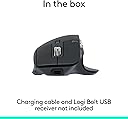
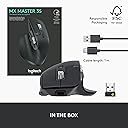
Este mouse, para mi uso profesional, es lo que buscaba. Ergonómico a niveles impensables, se adapta 100% a la forma de la palma de tu mano, los botones y ruedecillas de scroll están puestas en el lugar adecuado, en el lugar en donde cae el pulgar hay un botón también, todos los que tiene a nivel gestual y de click son configurables via aplicación "Logi Options+". Las ruedecillas de scroll (vertical y horizontal), sinceramente y con el tiempo que llevo con él, he de decir que la vertical, es innato el uso, pues cualquier mouse, ya sea que te cueste 1€ como que te cueste 200€ todos la traen y automáticamente tu dedo índice la acción inmediata al reflejo de scrollear es ir donde está, ahora bien la de scroll horizontal, yo todavía no me he hecho al 100%, he de decir que en ciertas ocasiones en un documento de texto, si que involuntariamente he movido horizontalmente la ruedecilla pero aún hago el acto de click + arrastrar puntero para el desplazamiento horizontal, es algo que cuesta habituarse, pero cuando lo interiorizas es muy natural y cómodo. Eso que comento de las ruedecillas sobretodo de la horizontal, que es la que quizá sea más llamativa por que la tienen muy pocos modelos, teniendo en cuenta siempre que tu configuración sea la de por defecto, puesto que con Logi Options+ puedes configurar las acciones que quieras como subir/bajar volumen por ejemplo. y en cada aplicación puedes establecer también la acción que desees. El grado de precisión del movimiento del puntero es absoluto. A nivel de batería nunca dejo que se agote, pues como se puede usar con el cable de carga, y no tarda a penas nada en realizar una carga completa la verdad es que no me fijo pero desde que lo tengo igual (con un uso diario de unas 10-11horas de uso intensivo) lo he tenido que cargar como unas....2/3 veces calculo... El ruido del click, es increíblemente bajo, si véis alguna review/comparativa del Logitech MX Master 3S, es tal cual, yo comparé con el mouse del que venía o aquí en la oficina el ruido de los clicks del resto vs el mío y te llega a obsesionar lo silencioso que es, atrapa mucho al uso. La presentación con la que viene es sencilla, pues la caja incorpora: - El mouse - El cable de carga - El "pincho USB" (Unifying). Quiza y por buscarle algo en calidad de "contra", diría que, por ser un mouse de estas caracteristicas y calidad, echaría en falta una funda rígida para guardarlo, es algo que se puede adquirir a parte, pero por el precio, no hubiera estado de más. Espero que os haya servido la valoración y de ser así marcadla como útil que os estaré agradecido y me servirá de mucha ayuda!! Saludos!
D**R
The best
Best mouse for my mac. The magic mouse from Apple just isn’t for me. This mouse feels great, the silent clicks are awesome even after a year it still satisfies. The battery stays for months. Not cheap but worth it, i even have two for 2 offices
Trustpilot
2 months ago
1 month ago