We remain fully operational. Our teams are working around the clock to ensure your deliveries continue safely.

قم بتنزيل التطبيق


معلومات عنا
حقوق الطبع والنشر © 2024 Desertcart Holdings Limited
قم بتنزيل التطبيق
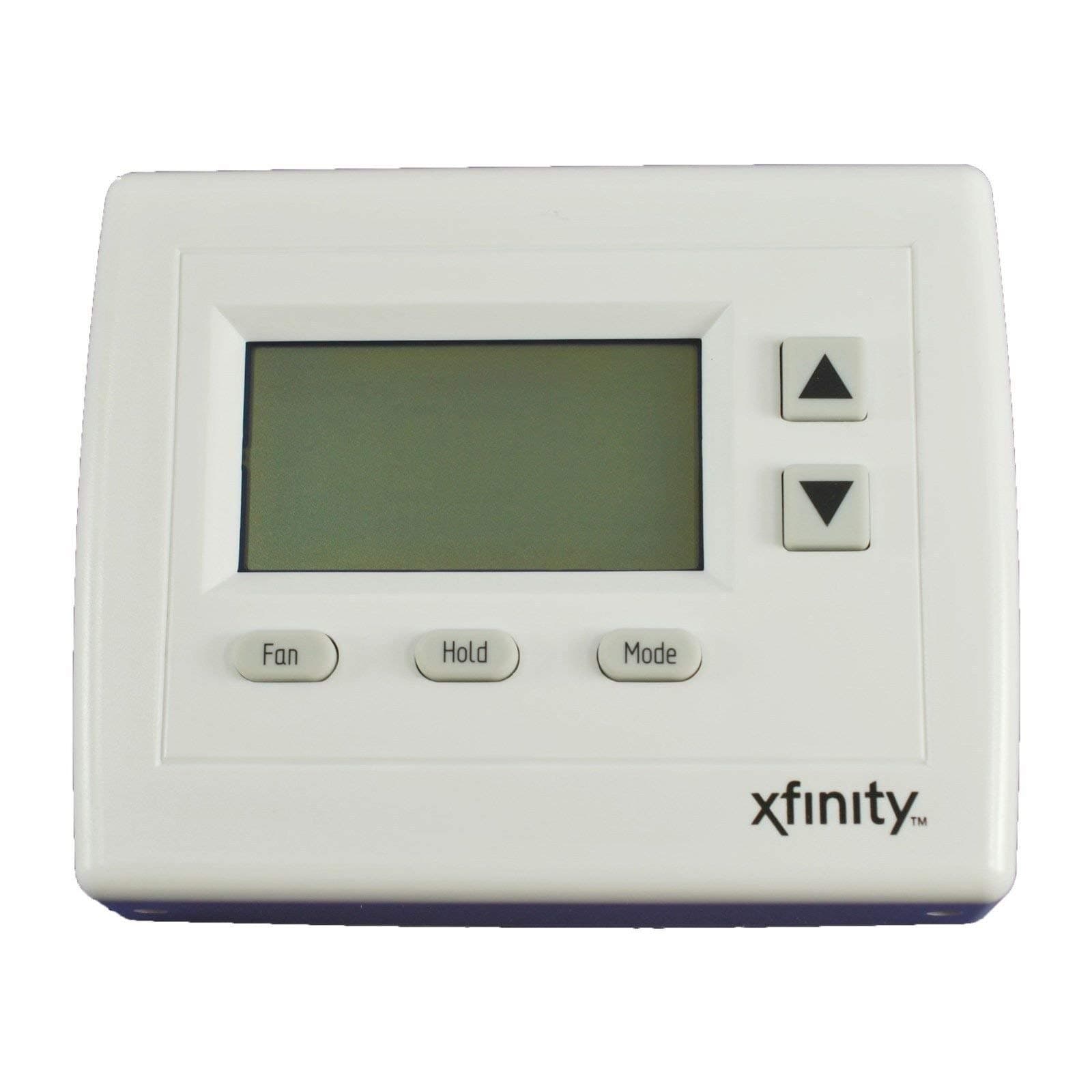
Centralite HA Thermostat with Zigbee for Xfinity Comcast Time Warner 3156105 - desertcart.com Review: Great price and it does just what I wanted. - After reading the reviews here I was able to get this paired with my Xfinity Home set up after a couple of tries. I did not have the 5th blue "C" wire on my old thermostat, but the wire was there. Talked to an AC tech friend of mine, as there wasn't a simple terminal hook up on the furnace circuit board to connect the common C wire. He said just attach it to the furnace frame. It worked perfect. I am no electrician, but apparently this gets the 24 volts it needs to power the new smart thermostat. It works like a charm, easy to program from the phone app. When you program it, it looks like you can set up temp/time for the whole week, but you can't. Program every day individually or at least check each days program. Review: Terrible, Awful, Horribly Deficient - The only reason I rated a 1 star is there are not negative stars available. The instructions are HORRIBLY deficient and the unit didn't work when I tried to switch from cooling to heat. Of course by then my return window had closed so I'm just out the $80.
| ASIN | B00IUN4K3C |
| Backlight | Yes |
| Brand | Centralite |
| Brand Name | Centralite |
| Color | White |
| Connectivity Protocol | ZigBee |
| Control Method | App |
| Controller Type | Push Button |
| Customer Reviews | 4.4 out of 5 stars 35 Reviews |
| Model Number | 3156105 |
| Number of Batteries | 4 AA batteries required. |
| Product Style | Modern |
| UPC | 712392949224 |
| Voltage | 230 Volts |
D**N
Great price and it does just what I wanted.
After reading the reviews here I was able to get this paired with my Xfinity Home set up after a couple of tries. I did not have the 5th blue "C" wire on my old thermostat, but the wire was there. Talked to an AC tech friend of mine, as there wasn't a simple terminal hook up on the furnace circuit board to connect the common C wire. He said just attach it to the furnace frame. It worked perfect. I am no electrician, but apparently this gets the 24 volts it needs to power the new smart thermostat. It works like a charm, easy to program from the phone app. When you program it, it looks like you can set up temp/time for the whole week, but you can't. Program every day individually or at least check each days program.
B**N
Terrible, Awful, Horribly Deficient
The only reason I rated a 1 star is there are not negative stars available. The instructions are HORRIBLY deficient and the unit didn't work when I tried to switch from cooling to heat. Of course by then my return window had closed so I'm just out the $80.
K**.
Easy to Install and Connect but Not Programmable.
Easy to install and connect to the security system. Is not programmable from the device itself, but programmable through rules or configuration page.
O**Y
Works Perfectly with Xfinity Home Security
Works Perfectly with Xfinity Home Security. I purchased 3 of these thermostats and was able to easily add them to the Xfinity Touchscreen by going to Settings, Home Devices, Thermostats, Add Thermostat, then follow instructions. During the pairing process, you will be required to press the Hold button and the small black Reset button at the same time then release the Reset button, then release the Hold button. By the way, your Xfinity Touchscreen system will work with any devices using the ZigBee Home Automation 1.2 platform from Centralite including any of their 3 Series devices such as Pearl Thermostat 3000, 3-Series Lamp Module 3100, 3-Series Appliance Module 3200 and 3-Series Water Sensors. (3-Series Motion Sensor is not compatible). Keep in mind that Centralite HA ZigBee 1.2 products are also available under the following brand names: PEQ, Time Warner IntelligentHome, Cox Homelife, Bright House Networks Home Security and Automation, Rogers Home Monitoring and SmartThings. I have also purchased and successfully installed on the Xfinity system the PEQ 3 Series Lamp Module and PEQ 3 Series Water Sensor purchased at Crutchfield and the PEQ iCamera 1000 Indoor/Outdoor Camera purchased at Amazon. The best motion sensor is available from Amazon at Visonic Next+ K9-85 Pet-Tolerant Digital PIR Detector. To add the Water and Motion Sensors, you will need to enter the Comcast Master Code found in the Xfinity Forums under the topic "Arm Night Mode and Motion Sensor". I hope this provides better options for everyone to get the most out of their Xfinity Home Security system.
D**N
Works Great, Great Price!
This thermostat is perfect with my Xfinity system! It took me acouple tries to pair it until I figured out I had to start the pairing on the thermostat first and then go to my Xfinity keypad to begin the pairing. After I did that it paired immediately and has been functioning perfect ever since. I love the automated control and the price was significantly less than buying it through Comcast. Highly recommended!
D**K
WONT WORK WITH XFINITY HOME
Despite having and Xfinity logo (and other reviewers comments). This thermostat will not pair with Xfinity X1 home. Ironically I had Xfinity out to troubleshoot and they replaced it with a identical thermostat, but WITHOUT the Xfinity logo.
J**B
Pairs with comcast xfinity home but not with xfinity's instructions
This is an OK unit. I opted for this instead of a higher end model like the nest to have a single solution from xfinity home instead of two separate ones. The unit does NOT pair with xfinity home with the instructions provided by comcast. In order to pair it: 1. start pairing on the xfinity device (the screen where it is trying to locate the thermostat) 2. insert batteries into your thermostat 3. wait until the little connection button stops blinking (30 sec or so) 4. press and hold the HOLD button 5. while holding HOLD press the reset switch (black button to the right of the connectors) 6. release the reset switch and release the HOLD button this should put the unit into pairing mode and the xfinity device should see it almost instantly. Also looks like the unit is not calibrated very well. It is about a degree and a half off from my current digital thermostat.
K**.
Works Great & Love it!!
Works great. Easy to pair with Xfinity Home. Actually it paired itself. Just put the batteries in and went to the add thermostat on my touch pad and bang, there it was. Did not have to hold down resets or anything as mentioned in other posts? Guess I was lucky. One note; with the “C” wire (Common) hooked up (which you will have to have) the battery indicator on the thermostat will not show up. I called Centralite the manufacturer on that issue. They have great customer service!
ترست بايلوت
منذ أسبوع
منذ شهر