We remain fully operational. Our teams are working around the clock to ensure your deliveries continue safely.

قم بتنزيل التطبيق


معلومات عنا
حقوق الطبع والنشر © 2024 Desertcart Holdings Limited
قم بتنزيل التطبيق
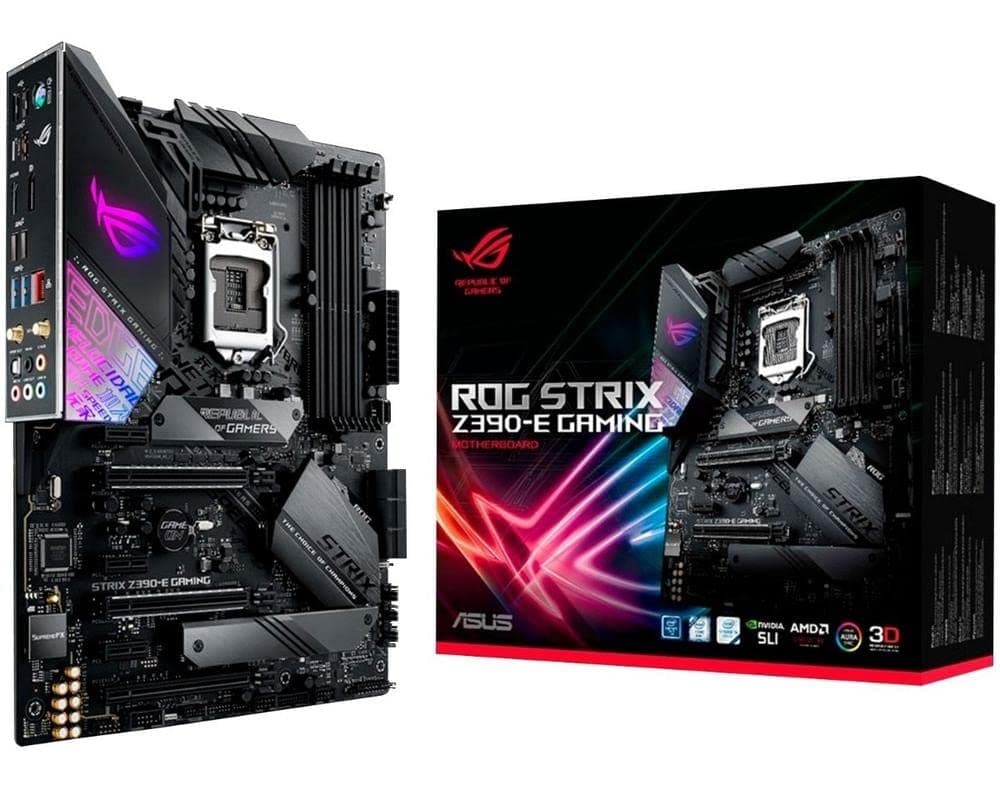
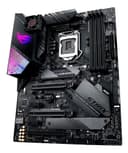
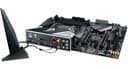
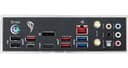
🎮 Dominate your build with ASUS ROG Strix Z390-E — where power meets style.
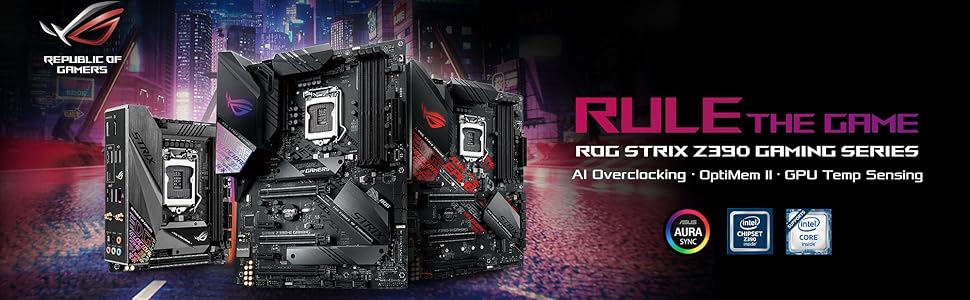
The ASUS ROG Strix Z390-E Gaming motherboard is a high-performance ATX board designed for Intel 8th and 9th Gen processors. Featuring Aura Sync RGB lighting, dual M.2 slots with heatsinks, advanced cooling options, and AI-powered 5-Way Optimization, it delivers exceptional speed, connectivity, and thermal management for serious gamers and professionals seeking a sleek, customizable PC build.






| ASIN | B07HCPLQ2H |
| Available Memory Slots | 4 |
| Best Sellers Rank | 203,692 in Computers & Accessories ( See Top 100 in Computers & Accessories ) 2,216 in Motherboards |
| Box Contents | 2-in-1 SATA 6Gb/s cables(2), 2x2 dual-band Wi-Fi antennas, 4010 Fan, Extension Cable for Addressable LED Strips (80cm), Extension Cable for RGB Strips (80cm), Fan screws package, M.2 Screw Package, ROG STRIX Z390-E GAMING motherboard, ROG Strix Thank you card, ROG Strix door hanger, ROG Strix series sticker, SLI™ HB Bridge (2-WAY-M), Support DVD, User guide |
| Brand | ASUS |
| Brand Name | ASUS |
| CPU Model | Xeon |
| CPU socket | LGA 1151 |
| Chipset Type | Intel Z390 |
| Chipset type | Intel Z390 |
| Compatible Devices | Personal Computer |
| Compatible Processors | Intel Core i9-9900K, Intel Core i7-9700K, Intel Core i5-9600K, Intel Core i9-8950HK, Intel Core i7-8700K, Intel Core i5-8600K |
| Compatible devices | Personal Computer |
| Compatible processors | Intel Core i9-9900K, Intel Core i7-9700K, Intel Core i5-9600K, Intel Core i9-8950HK, Intel Core i7-8700K, Intel Core i5-8600K Compatible processors Intel Core i9-9900K, Intel Core i7-9700K, Intel Core i5-9600K, Intel Core i9-8950HK, Intel Core i7-8700K, Intel Core i5-8600K See more |
| Customer Reviews | 4.6 out of 5 stars 1,818 Reviews |
| Global Trade Identification Number | 00192876122839, 04718017122832 |
| Graphics Card Interface | PCI Express |
| Item Type Name | ASUS ROG STRIX Z390-E Gaming Motherboard |
| Item Weight | 454 Grams |
| Main Power Connector Type | 24-Pin |
| Manufacturer | ASUS |
| Memory Clock Speed | 2133 MHz |
| Memory Storage Capacity | 64 GB |
| Model Name | ROG Strix Z390-E Gaming |
| Model Number | ROG Strix Z390-E Gaming |
| Number of Ethernet Ports | 1 |
| Number of Ports | 4 |
| Platform | Windows 10 |
| Processor Socket | LGA 1151 |
| Product Warranty | 3 Year Manufacturer |
| RAM Memory Technology | DDR4 |
| RAM memory technology | DDR4 |
| System Bus Standard Supported | SATA 3 |
| Total PCIe Ports | 2 |
| Total SATA Ports | 4 |
| Total USB Ports | 4 |
| UPC | 192876122839 |
| USB 2.0 | 2 |
| Unit Count | 1.0 count |
N**Y
10/10
Perfect motherboard I don’t know what to say. -Well presented -Easy to install -Good price -Useful instructions (that’s rare) -Beautiful look -Well built
A**A
Great motherboard
Great motherboard, it has great features and supports high frequency ram. The overclocking support on this mobo is good able to overclock the 9th gen CPUs very high up to 5ghzt, the RGB looks really clean. Overall great board
B**R
Good bit of kit
This motherboard serves me well and was easy to install. Could be a little pricey for what it is but I have had 0 issues during my use ( ~6months )
E**S
Proud of the purchase
A very clean looking motherboard with excellent overclocking capabilities and compatibility. The price was a little steep but well worth buying.
A**Y
Great looking and equipped MOBO, Wish it had more customization
I bought this motherboard as I was upgrading from an I7 4790k to an I7 9700k and given that I needed a motherboard that supported the 1151 chipset and DDR4 ram. I have only had good experiences with Asus and ROG in the past and this motherboard is no different. The box arrives with the motherboard, included wifi receiver and all the assorted cables. Installing the motherboard into my case (NZXT H440) was simple and easy to do. However the SATA ports are located underneath where my graphics card sits, this means everytime I want to remove or add a drive into the system I need to remove my graphics card as well Plugging all the components and wires into the case was simple enough however a couple times I had to consult, the very well written, manual to find what each port was. This was worst when dealing with plugging in my cases power button and reset button onto the motherboard. The bios is well laid out and easy to navigate and even has an "ez mod" if you don't want to mess around with the more complex features. After I had installed windows the Armory software installed allowing me to customise the RGB aspect of it. This is my only real issue with the motherboard as if you want a Rainbow spectrum effect it looks fantastic however the options for single colours are quite limited and the speed controls on the effects seem to only really have slow-medium-fast and nothing in between. Bar my personal issue with the RGB I really like this motherboard and will likely use it for many years to come. 4/5
ترست بايلوت
منذ 3 أسابيع
منذ شهر